
1Password
Password and secrets manager for individuals, families, and developer teams with strong CLI and SSH agent support.
Gallery
About 1Password
1Password started as a Mac password vault in 2006. It's now a serious enterprise security platform. The shift happened quietly while everyone else chased crypto wallets and AI gimmicks.
What sets 1Password apart isn't the password manager itself. It's that the team built tooling developers and security teams genuinely want to use. The CLI, the SSH agent, the Secrets Automation product, all of these feel native rather than bolted on.
If you're shopping password managers, you've probably also looked at Bitwarden and Dashlane. We'll get into that comparison below. First, a clearer picture of what 1Password actually does.
What 1Password actually does
The core product stores credentials in encrypted vaults. Each user has a Secret Key plus a master password. That two-secret model means even 1Password can't decrypt your data if their servers leak.
The vault holds passwords, but also passkeys, SSH keys, API tokens, software licenses, secure notes, identity documents, and credit cards. Apps exist for every major platform, including Linux, which Bitwarden users sometimes assume only their tool offers.
Beyond storage, 1Password ships features that nudge it toward developer infrastructure. The CLI (`op`) lets you inject secrets into shell sessions without exporting them to disk. The SSH agent replaces your `~/.ssh/` keys with vault-backed ones, biometric-unlocked.
Who 1Password is for
Three distinct audiences keep 1Password in business. Families (the legacy market) get shared vaults and travel mode. Knowledge workers get autofill, watchtower breach alerts, and decent mobile apps.
The third audience, and the most interesting one, is engineering teams. If your team has rotating AWS keys, GitHub tokens, and Stripe secrets scattered across Slack DMs and `.env` files, 1Password's developer tooling is genuinely useful. The Secrets Automation tier integrates with Terraform, Kubernetes, and CI runners.
1Password also works well for small businesses that don't have IAM infrastructure yet. You get SCIM provisioning, SSO via Okta or Azure AD, and audit logs. It's not as deep as Okta for full identity management, but the trade-off is simplicity.
Pricing breakdown
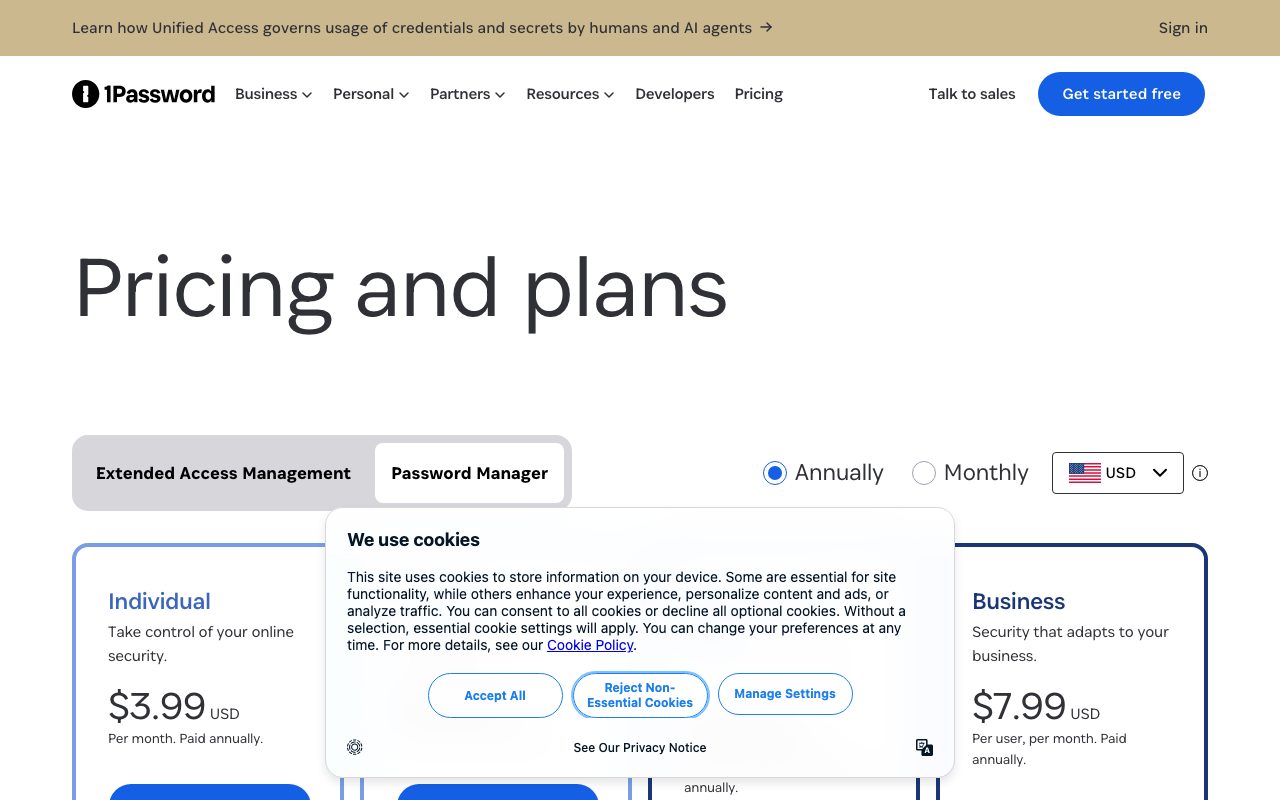
Personal plans run $2.99/month billed yearly. Families is $4.99/month for up to five members. Both include unlimited items, devices, and 1GB of secure storage per person.
Teams Starter Pack covers up to 10 people for $19.95/month flat. Business is $7.99 per user per month, adding admin controls, advanced reporting, and 5GB per user. Enterprise pricing is custom and includes dedicated account management.
The Developer add-on at $9.99/user/month layers on Secrets Automation, audit events streaming, and the SDK. Worth it if you're replacing HashiCorp Vault or AWS Secrets Manager for non-production workloads.
Standout features
Travel mode
Travel mode hides selected vaults entirely from your devices when crossing borders. Customs can search your phone and find nothing. When you arrive, you flip travel mode off and the vaults reappear.
Watchtower
Watchtower checks your stored passwords against the Have I Been Pwned breach database. It also flags weak passwords, reused ones, and accounts that support 2FA but you haven't enabled it on. The dashboard updates daily.
SSH agent and CLI
This is the killer feature for developers. Run `op signin`, then your SSH connections, GitHub commits, and AWS CLI calls all pull credentials from your vault. Biometric unlock means you Touch ID into a `git push`.
If you've ever had a `.env` file accidentally committed to git, the 1Password CLI is the first password manager that actually solves that workflow problem.
Honest tradeoffs
1Password isn't open source. Bitwarden fans will point this out, and it's a real concern for anyone who wants to audit the full client and server stack. 1Password publishes white papers and runs bug bounties, but the source itself is closed.
Pricing has crept up over the years. The free tier disappeared in 2018. If you're a single user paying $36/year forever, the math against Bitwarden's free tier or Apple's iCloud Keychain (which is genuinely good now) gets harder to justify.
The autofill experience on iOS Safari is fine but not magical. Browser extensions occasionally fail to detect login forms on weirdly-coded sites. These are paper cuts, not deal-breakers.
1Password vs alternatives
Versus Bitwarden: Bitwarden is open source and cheaper. 1Password has a more polished UX, better developer tooling, and stronger enterprise features. If you're a solo developer who values open source, Bitwarden wins. If you run a team and want everyone to actually use the tool, 1Password is the safer bet.
Versus Dashlane: Dashlane has a built-in VPN and dark web monitoring that overlaps with Watchtower. 1Password's developer features pull ahead for engineering teams. Dashlane's VPN is a nice extra but a poor substitute for a real VPN service.
Versus iCloud Keychain or Google Password Manager: Free, native, and good enough for personal use. They fall apart for sharing with family or teams, and they don't store SSH keys or API tokens. 1Password is the answer when you outgrow them.
You can browse more options in our best password managers roundup or compare directly via 1Password vs Bitwarden.
Bottom line
1Password is the password manager I'd recommend to a friend who just wants something that works. It's also the password manager I'd recommend to a 30-person engineering team that needs SSO, audit logs, and Secrets Automation.
That dual-audience positioning is rare. Most password tools optimize for one or the other and feel awkward outside their lane. 1Password earned the price tag by doing both well. If budget rules everything, Bitwarden is the answer. Otherwise, 1Password is the default choice.
For more developer-focused security tools, see our tools for security engineers page.
How 1Password handles team rollout
Rolling out 1Password to a 50-person team takes about a week if you're organized. Start with the admin console: invite people, define vault structure, set group policies. The granularity is reasonable.
Most teams create a "Shared" vault for company-wide secrets, team vaults for engineering/marketing/finance, and private vaults for individual credentials. The model maps cleanly to how organizations actually divide information.
Onboarding new hires becomes a single click in the admin panel. SCIM provisioning from Okta or Google Workspace populates groups automatically. When someone leaves, off-boarding is one click and access revokes immediately.
The browser extension experience
The browser extension does the day-to-day heavy lifting. Autofill on login forms, password generation on signup forms, autosave when you change a password elsewhere.
The extension supports Chrome, Firefox, Safari, Edge, Brave, Arc, and Vivaldi. Linux users get full functionality, which Bitwarden also offers but Dashlane doesn't.
One genuine improvement: 1Password's autofill detects iframe-hosted login forms (think SSO providers) better than competitors. Small detail, big practical impact.
Security model deep-dive
1Password uses an architecture they call "two-secret key derivation." Your master password is one secret. The 34-character Secret Key generated when you sign up is the other.
Encryption happens client-side. The server only sees encrypted blobs. Even if 1Password's database leaks (it hasn't), attackers would need to brute-force per-user without the Secret Key, which is computationally infeasible.
This contrasts with master-password-only systems where a server breach plus weak password equals compromise. 1Password's white papers detail the cryptography, and security researchers have repeatedly validated the design.
What happens if you lose your master password
Honest answer: you lose access. There's no recovery option that 1Password can offer because they can't decrypt your data either. Family and team plans support recovery via designated recovery contacts; individual accounts don't.
The Emergency Kit (PDF you save during signup) contains your account URL, email, and Secret Key. Print it, store it somewhere safe, and you're protected against device loss. Master password loss without Emergency Kit means restart.
This is a real trade-off. Bitwarden has the same model. iCloud Keychain has Apple-side recovery options. Choose based on whether you trust yourself with secrets or want a fallback.
Common 1Password questions
Can I migrate from LastPass?
Yes. 1Password's import handles LastPass exports cleanly. The official guide walks through the export-and-import flow. Reports of issues are rare.
Migration also works from Dashlane, Bitwarden, KeePass, and browser-stored passwords. Plan an hour for a clean migration with a few thousand items.
Does 1Password work offline?
Yes. The local app caches your vault. You can read and edit credentials offline. Changes sync when you reconnect.
The browser extension needs the desktop app running for offline use. Mobile apps work offline natively.
How does 1Password handle 2FA codes?
1Password stores TOTP secrets and generates 2FA codes natively. Tap the field on login, code copies to clipboard. This isn't recommended security practice (defeats purpose of separate factor) but is convenient and fits most threat models.
Hardware keys (YubiKey) for the 1Password account itself are supported on paid tiers. Use a physical key for the master account, then store TOTPs for downstream services. Reasonable balance.
For more security tooling, browse best 2FA tools.
Final 1Password thoughts
1Password's quiet competence is its biggest strength. The product just works. Updates ship without breaking workflows. Support responds quickly.
For most users, 1Password is the right choice. The price tag is fair, the experience is polished, and the security model is sound.
For developers and security teams, the developer tooling pulls 1Password ahead of all alternatives. The CLI, SSH agent, and Secrets Automation are best-in-class.
For more password tooling, see best password managers.
Tutorial / Demo
Key Features
- End-to-end encrypted vault with Secret Key architecture
- op CLI for scripting and CI integration
- SSH agent backed by the vault
- Native Git commit signing
- Secrets Automation for infrastructure pipelines
Pros & Cons
What we like
- Best-in-class developer integrations among password managers
- Strong threat model with the Secret Key
- Native apps feel polished on every platform
Room for improvement
- No permanent free tier, so Bitwarden wins on that axis
Frequently Asked Questions
Does 1Password have a free tier?
1Password vs Bitwarden, which should I pick?
Can 1Password be self-hosted?
Does 1Password work as an SSH agent?
Is 1Password good for developer teams?
Best For
Featured in
Alternatives to 1Password
View all
BackPedal
UK bike theft protection that sends recovery agents after your stolen bike

1Lookup
Real-time data verification API for phone, email, IP, and domain validation to fight fraud

Doppler
Centralized secrets manager that syncs config and credentials across local dev, CI, and production environments.
Clerk
Drop-in authentication and user management for modern apps
Our take
Tool Index Editorial · May 2026· 4.6/5
1Password sits in a crowded category, differentiating itself as password and secrets manager for individuals, families, and developer teams with strong cli and ssh agent support.
On the strengths side: Best-in-class developer integrations among password managers, Strong threat model with the Secret Key, and Native apps feel polished on every platform. Honest gripes: No permanent free tier, so Bitwarden wins on that axis.
In short: 1Password is a strong pick when you need engineering teams replacing .env files in CI, and a harder sell if no permanent free tier, so Bitwarden wins on that axis would be a dealbreaker.
Editorial opinion from the Tool Index team, written from the public product pages. Not a user review.
Reviews (8)
Quietly excellent
Honest take: 1Password delivers most of what the marketing promises. Real selling point: native apps feel polished on every platform. Their take on SSH agent backed by the vault is solid. That said, no permanent free tier — Bitwarden wins on that axis is a real gripe.
Pros
- Native apps feel polished on every platform
- Best-in-class developer integrations among password managers
Genuinely impressed
Tried 1Password on a side project first. Genuine strength: native apps feel polished on every platform. Worth calling out the end-to-end encrypted vault with Secret Key architecture too. Sticking with 1Password.
Easy 5 from me
Picked 1Password for the lower price, stayed for the actual quality. The biggest win has been best-in-class developer integrations among password managers. Found it works best for families and households sharing passwords safely. Still recommending it to people in similar setups.
Pros
- Strong threat model with the Secret Key
Did exactly what I needed
The last quarter of using 1Password, here's what holds up. The thing I keep coming back to: native apps feel polished on every platform. Worth calling out the SSH agent backed by the vault too. Main use case: developers managing SSH keys across multiple devices.
Pros
- Strong threat model with the Secret Key
- Native apps feel polished on every platform
- Best-in-class developer integrations among password managers
1Password has been a quiet upgrade
Adopted 1Password for one project, ended up using it for more. Genuine strength: native apps feel polished on every platform. Main use case: developers managing SSH keys across multiple devices.
Surprised how much we use this
Got 1Password on the recommendation of someone I trust. Where it really wins is native apps feel polished on every platform. Their take on end-to-end encrypted vault with Secret Key architecture is solid. Sticking with 1Password.
Pros
- Native apps feel polished on every platform
- Best-in-class developer integrations among password managers
- Strong threat model with the Secret Key
1Password has been a quiet upgrade
Six months of using 1Password, here's what holds up. The thing I keep coming back to: native apps feel polished on every platform. Mostly using it for engineering teams replacing .env files in CI. Hard to imagine going back to my previous setup.
Pros
- Strong threat model with the Secret Key
- Native apps feel polished on every platform
- Best-in-class developer integrations among password managers
Pulled its weight from week one
Honest take: 1Password delivers most of what the marketing promises. The thing I keep coming back to: best-in-class developer integrations among password managers. Ssh agent backed by the vault works the way you'd hope.
Badge builder
Add 1Password to your website
Choose a badge style and size, preview it here, then copy the generated HTML. Badge images are self-contained SVGs and do not require an external script.

<a href="https://toolindex.net/tools/1password?ref=badge" target="_blank" rel="noopener">
  <img src="https://toolindex.net/badge/1password/medium.svg" alt="1Password - Listed on Tool Index" width="180" height="50" />
</a>How to use the badge
- 1. Pick the style, size, and theme that fit your layout.
- 2. Copy the generated HTML from the code block.
- 3. Paste it into your footer, homepage, or press page.
Score badge available
1Password qualifies for the score and circle badges based on its current top-10 positionin Security.
Badge clicks return visitors to this profile with a referral tag so the source remains identifiable.
Related Tools

Kevin Gabeci
Solo developer building web apps, cozy browser games, and AI creator toolkits.

Coolify
Self-hostable, open source alternative to Heroku and Netlify

Warp
The modern terminal reimagined with AI and collaboration

Bolt.new
Prompt-to-deployed full-stack app inside the browser
Work on 1Password? Request listing access or correction