
ADRs for AI
Keep human and AI software decisions in durable, Git-versioned Markdown records
Gallery
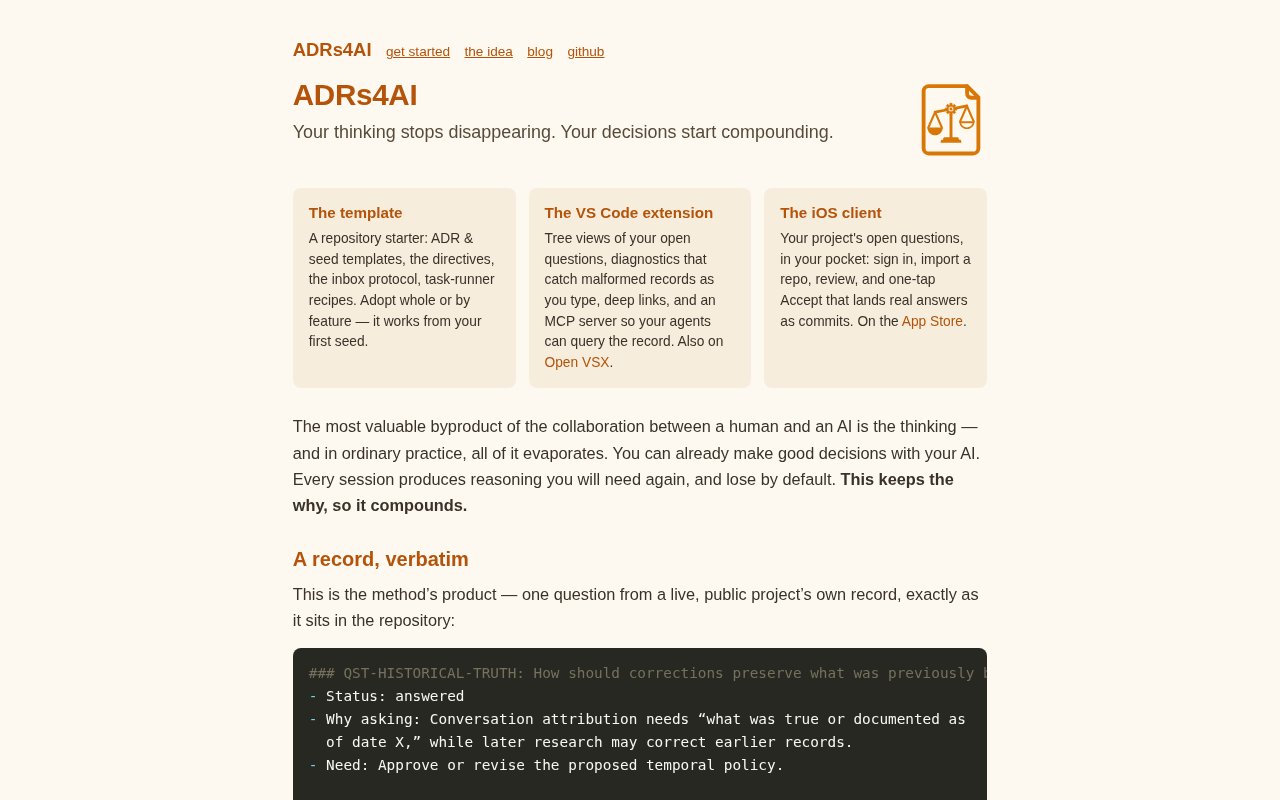
About ADRs for AI
ADRs for AI is a developer toolkit for preserving the reasoning that happens between a person and an AI coding assistant. It treats that reasoning as part of the project rather than disposable chat history. Recommendations, alternatives, open questions, answers, confidence, and later changes can live in plain Markdown records inside the repository. The result is a durable trail of why a technical choice was made, not just the code that choice produced. That matters when a new agent session, a teammate, or a future maintainer needs to understand the constraints behind an authentication design, schema, API, or other architectural decision.
The main working surface is a VS Code extension built around Architectural Deliberation Records. It scans a project for decision files, using docs/adr by default, and shows them in an ADR Explorer with status and unresolved question counts. A dedicated panel gathers open questions from across the project so a reviewer can answer them without hunting through files or old conversations. The extension understands navigation markers for questions, answers, and notes, but it can also display ordinary MADR files with fewer structured features. It can scaffold a first record, and the companion template supplies starter files, directives, and a methodology for teams beginning from an empty repository.
The format is designed for an iterative conversation. An AI collaborator can record the options it considered, its recommendation, the supporting rationale, and the conditions that could change the answer. A person can then accept the recommendation, override it, or supply missing judgment. Answers are saved while they are being written, which protects a draft when an agent edits a nearby file, a refresh occurs, or the workspace is reindexed. Questions can be paused when a decision is blocked or retired when they become moot, without falsely marking them as answered. Every record remains readable in Markdown and can be reviewed through normal Git history.
It fits developers and teams that use coding agents for work where intent matters after the first implementation. A solo developer can use it as memory across many short AI sessions. A team can use the records to make reviewable human rulings visible beside agent recommendations. Multi-root workspace support is useful when a larger effort contains several repositories or subprojects with their own decision trees. Deep links point to specific record sections, while curated tours let a maintainer choose and order the questions that deserve attention instead of presenting every unresolved item as one undifferentiated backlog.
The toolkit goes beyond passive documentation. Its sidebar badge makes outstanding questions visible during normal editing, diagnostics help surface malformed records, and an ADR-specific commit flow can stage decision changes while leaving unrelated work alone. Seeds provide a place for early notes that have not yet become settled decisions. An included MCP surface lets compatible agents query the same record rather than relying on a summary copied into a prompt. Those pieces share one underlying idea. The repository is the source of truth, so the reasoning can move across model providers, sessions, and interfaces without being trapped in a proprietary conversation store.
There is also an iPhone companion for reviewing decisions away from the editor. It imports a GitHub repository, presents open questions as reviewable dossiers, and lets the user accept a recommendation or write a different answer. The response is committed back to the repository. The app says its GitHub credential stays in the device Keychain, communicates directly with GitHub, and does not use the developer's own server. It requires a repository that already follows the ADRs for AI record format, so it complements the desktop workflow rather than replacing the extension and template.
The core VS Code workflow doesn't require an account, server, or API key. An Anthropic API key is optional and only enables AI-assisted extras, while the record browsing and answering workflow works without one. The iPhone app is listed as free, and no paid plan is presented for the toolkit. This is still a specialized and relatively young approach, and its value depends on a team consistently recording decisions rather than leaving the important discussion in chat. For projects that already use Git, Markdown, VS Code, and coding agents, it offers a concrete way to keep human judgment and model reasoning attached to the work they shaped.
Key Features
- Repository-based deliberation records
- Open question review panel
- Persistent answer drafts
- Multi-root ADR explorer
- Curated question tours
- GitHub-connected iPhone companion
Pros & Cons
What we like
- Keeps decision reasoning in readable Markdown
- Preserves context across agents and sessions
- Works without a hosted project database
- Supports both editor and mobile review
Room for improvement
- Best suited to Git-centered software projects
- Structured records require consistent team habits
- Advanced workflow centers on VS Code
- Mobile companion requires a compatible repository
Frequently Asked Questions
What is ADRs for AI?
Does ADRs for AI require an AI account or API key?
Is ADRs for AI free?
Who is ADRs for AI for?
Best For
Featured in
Alternatives to ADRs for AI
View all
Kevin Gabeci
Solo developer building web apps, cozy browser games, and AI creator toolkits.

SoloDevStack
A solo developer blog built on head-to-head tool comparisons, 580+ posts deep.

Codedex
A gamified, story-driven platform that teaches Python, web dev, and more like an RPG quest

Vibe Built
Building real apps with agentic AI. What worked, what broke, what shipped.
Reviews (0)
Badge builder
Add ADRs for AI to your website
Choose a badge style and size, preview it here, then copy the generated HTML. Badge images are self-contained SVGs and do not require an external script.

<a href="https://toolindex.net/tools/adrs-for-ai?ref=badge" target="_blank" rel="noopener">
  <img src="https://toolindex.net/badge/adrs-for-ai/medium.svg" alt="ADRs for AI - Listed on Tool Index" width="180" height="50" />
</a>How to use the badge
- 1. Pick the style, size, and theme that fit your layout.
- 2. Copy the generated HTML from the code block.
- 3. Paste it into your footer, homepage, or press page.
Standard badge available
The standard listing badge is available now. Score and circle badges are limited to tools currently ranked in the top 10 of a category.
Badge clicks return visitors to this profile with a referral tag so the source remains identifiable.
Related Tools
Kevin Gabeci
Solo developer building web apps, cozy browser games, and AI creator toolkits.

Coolify
Self-hostable, open source alternative to Heroku and Netlify

Warp
The modern terminal reimagined with AI and collaboration

Bolt.new
Prompt-to-deployed full-stack app inside the browser
Work on ADRs for AI? Request listing access or correction