
AgentSearch
Give AI agents live web search, clean extraction, and JavaScript rendering
Gallery
About AgentSearch
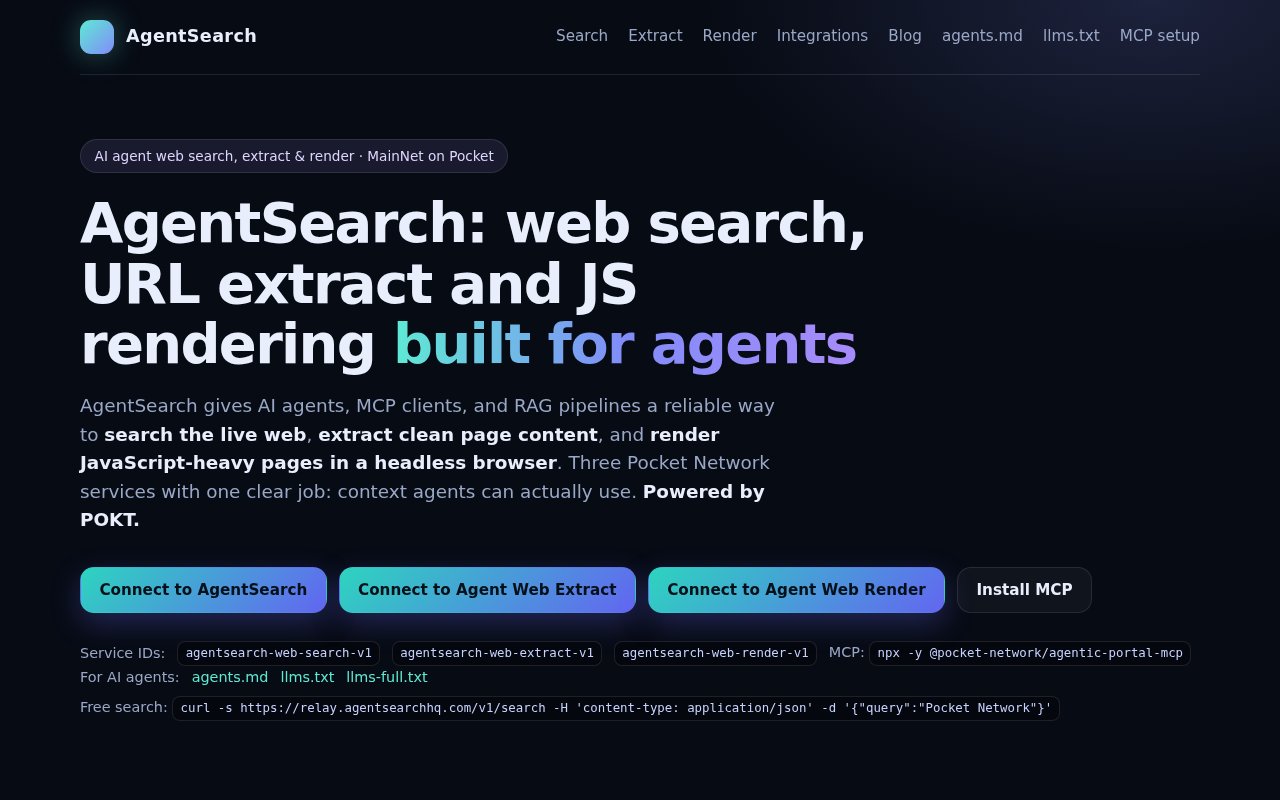
AgentSearch is a set of web access services built for AI agents, MCP clients, and retrieval pipelines. It covers three jobs that often get mixed together. An agent can search the live web, extract clean content from a known URL, or render a JavaScript-heavy page in a headless browser before collecting its text and HTML. The result is context shaped for machines rather than a consumer search page. It is useful when an agent needs current sources, a retrieval system needs page content for chunking, or an automated workflow has to read a site whose useful content only appears after scripts run.
The Web Search service accepts a query and returns up to five live results as JSON. Web Extract takes a URL and returns clean text or Markdown along with the title, links, and metadata. Web Render runs the page in headless Chromium and can return the rendered title, text or Markdown, HTML, links, and an optional screenshot. The site gives each service a stable Pocket Network service ID, an OpenAPI specification, and a page in the Agentic Portal. That separation helps an agent start with search, use extract for a normal page, and reserve the more expensive rendering step for a single-page app or dynamic dashboard.
There are several ways to connect. The homepage includes ready-to-copy MCP configurations for Claude Desktop, Cursor, VS Code, and Windsurf. Pocket Network's Agentic Portal MCP can call the three services, while an AgentSearch MCP package supports direct mode. Framework packages are listed for LangChain in Python and JavaScript, CrewAI, LlamaIndex, n8n, and the OpenAI Agents SDK. The OpenAI integration is published under the openai-agents-agentsearch package name, which explains the longer pending name attached to this listing. Developers can also call the service endpoints directly instead of installing a framework adapter. Each integration entry includes a package name or community-node route, so teams can stay in their existing runtime. The homepage also publishes discovery files such as llms.txt and agents.md, plus machine-readable service specifications. That makes setup information available to both people and automated clients.
Pricing is deliberately small-grained. Web search can be tried without an environment variable, API key, or wallet, with a limit of 25 searches per user each day. Search, extract, and render are each listed at $0.005 per call through the paid path. Paid MCP use adds a wallet private key holding USDC on Base, and the site says ETH isn't needed. The same wallet setting enables unlimited search as well as extract and render. This approach avoids a conventional account and API key flow, though teams will need to decide whether a wallet-based payment setup fits their deployment and secret-management practices.
AgentSearch is aimed at developers building research agents, RAG systems, autonomous workflows, and tool-using assistants. A research agent can search for fresh sources and pass result URLs into extraction. A RAG job can turn articles into clean, chunkable Markdown with links and metadata intact. A monitoring or browser task can use Render when the target is a client-side application. The service is less suited to someone who wants a visual search experience, since its outputs and integrations are made for software. The five-result search limit also favors targeted agent queries over broad result exploration.
Its clearest distinction is that search, extraction, and browser rendering share one agent-oriented stack while remaining separate calls. Many search APIs stop at links, and many scraping services assume the caller already has a URL. Here a workflow can move from discovery to clean context and then to full rendering only when necessary. Machine-readable discovery files, agent documentation, OpenAPI specifications, and a published MCP setup make the service easier for tools to find and call. It runs on Pocket Network, and the site identifies POKT as the infrastructure behind the relays.
Access is freemium. The free allowance is enough to test search or support light personal use, while production use and the extraction and rendering services are metered per call. There is no traditional monthly plan shown on the homepage, so cost grows with request volume and each workflow can choose which stage it needs. The low unit price is straightforward, but USDC settlement on Base is a real operational consideration. For teams comfortable with MCP, agent frameworks, or direct HTTP calls, AgentSearch offers a focused route from a live web query to page content that a model can actually consume.
Key Features
- Live web search API
- Clean URL content extraction
- Headless JavaScript page rendering
- Ready-to-copy MCP setup
- Popular agent framework integrations
- OpenAPI service specifications
Pros & Cons
What we like
- Covers search, extraction, and rendering
- Free search works without an API key
- Documents several agent framework adapters
- Charges a clear per-call rate
Room for improvement
- Search returns only five results per call
- Extract and render have no free allowance
- Paid MCP setup requires a USDC wallet
- Wallet secrets need careful local handling
Frequently Asked Questions
What is AgentSearch?
Is AgentSearch free?
Does AgentSearch support the OpenAI Agents SDK?
When should an agent use Render instead of Extract?
Best For
Featured in
Alternatives to AgentSearch

Kevin Gabeci
Solo developer building web apps, cozy browser games, and AI creator toolkits.

SoloDevStack
A solo developer blog built on head-to-head tool comparisons, 580+ posts deep.

Codedex
A gamified, story-driven platform that teaches Python, web dev, and more like an RPG quest

Vibe Built
Building real apps with agentic AI. What worked, what broke, what shipped.
Reviews (0)
Badge builder
Add AgentSearch to your website
Choose a badge style and size, preview it here, then copy the generated HTML. Badge images are self-contained SVGs and do not require an external script.

<a href="https://toolindex.net/tools/agentsearch?ref=badge" target="_blank" rel="noopener">
  <img src="https://toolindex.net/badge/agentsearch/medium.svg" alt="AgentSearch - Listed on Tool Index" width="180" height="50" />
</a>How to use the badge
- 1. Pick the style, size, and theme that fit your layout.
- 2. Copy the generated HTML from the code block.
- 3. Paste it into your footer, homepage, or press page.
Standard badge available
The standard listing badge is available now. Score and circle badges are limited to tools currently ranked in the top 10 of a category.
Badge clicks return visitors to this profile with a referral tag so the source remains identifiable.
Related Tools
Kevin Gabeci
Solo developer building web apps, cozy browser games, and AI creator toolkits.

Coolify
Self-hostable, open source alternative to Heroku and Netlify

Warp
The modern terminal reimagined with AI and collaboration

Bolt.new
Prompt-to-deployed full-stack app inside the browser
Work on AgentSearch? Request listing access or correction