
AhaPrompt
Free curated prompt library for AI image, video, and music generation across 20+ models
Gallery
About AhaPrompt
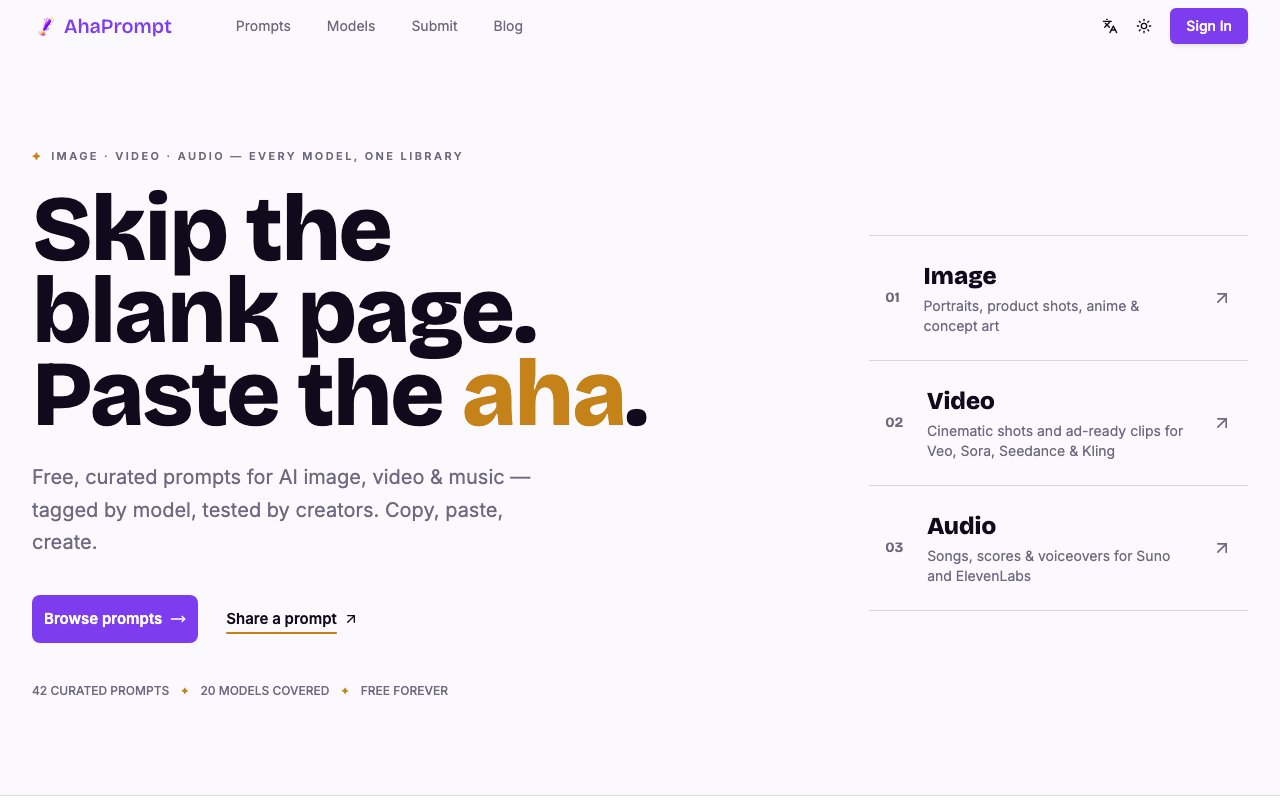
AhaPrompt is a curated library of AI prompts spanning image generation, video creation, and audio production. The platform aggregates tested prompts for over twenty AI models including Midjourney, FLUX, Sora, Veo, Seedance, Suno, and ElevenLabs, then organizes them into browsable categories so creators can find working examples instead of engineering prompts from scratch every time they start a new project. The prompts aren't theoretical suggestions. They're configurations that produced actual results, which means you can copy them with reasonable confidence that they'll work in your own projects.
The library currently holds over 125 curated prompts tagged by model, media type, and visual style. Categories number in the eighties and cover a wide range of aesthetics from cinematic film looks to anime styles to cyberpunk environments to abstract motion graphics. Each prompt includes the full parameters that produced the result, so you're not just copying descriptive text but replicating the complete configuration including aspect ratios, negative prompts, style modifiers, and model-specific syntax. One click copies everything to your clipboard. You paste it into your preferred AI tool, see what it produces, and iterate from there with a working baseline instead of a blank input field.
What distinguishes AhaPrompt from generic prompt databases is its cross-media scope. Most prompt libraries focus exclusively on image generation because that's where the community started. This one covers video and audio too, which matters increasingly as AI tools expand beyond static visuals. If you're creating a short film with AI-generated scenes and need a Seedance motion prompt that produces smooth camera movement, or producing a podcast intro and want Suno music prompts that match a specific genre, you'll find both in the same place. The multi-model approach also helps when you're evaluating different platforms and want to see what each produces for similar concepts. You can compare Midjourney's interpretation of a prompt against FLUX's interpretation against Sora's interpretation without running the experiments yourself.
The platform positions itself as crowd-sourced research and development for AI art. The framing acknowledges honestly that prompt engineering involves significant trial and error. Someone has to test whether a certain phrase triggers cinematic lighting or produces visual noise, whether aspect ratio parameters conflict with style keywords in specific models, which negative prompts actually improve output versus which ones the model ignores. AhaPrompt pools that collective knowledge so individual creators don't repeat experiments others have already run. The savings compound. Instead of spending an hour discovering that a particular phrasing works better than your initial attempt, you start with what the community already validated.
Community contributions sit alongside editor-curated content, but everything goes through review before publication. This editorial filter prevents the library from filling with low-quality submissions, broken prompts that don't actually produce the claimed results, or spam entries. Submissions need to demonstrate actual outputs, which keeps the collection practical rather than theoretical. The team maintains clear independence from any AI model provider, describing themselves as AI art enthusiasts who identified a gap rather than an official resource affiliated with Google, OpenAI, ByteDance, or any of the companies behind the models. This independence means the library can include prompts across competing platforms without corporate politics influencing what gets featured.
Language support extends to English, Chinese, Japanese, and Korean, which broadens accessibility beyond the English-dominant prompt engineering community. If you're creating content for Asian markets, working with clients in those regions, or simply prefer browsing in your native language, the localization helps significantly. Most AI prompt resources assume English speakers, which leaves a large portion of the creative community underserved.
AhaPrompt is completely free to browse and use with no restrictions on how many prompts you copy. No account is required for access. You only need to sign up if you want to submit your own prompts to the library or save favorites to a personal collection for quick retrieval later. The free model reflects the community-driven philosophy. According to the site, public prompts remain free permanently with no indication of future paywalls or premium tiers hiding the best content. For AI creators working across multiple platforms and media types who want to skip the blank-page problem and start with something that already works, AhaPrompt is a zero-cost resource worth bookmarking.
Key Features
- One-click prompt copying
- Coverage for 20+ AI models
- Image, video, and audio categories
- Editor-reviewed community submissions
- Multi-language support
- Filtering by model and style
Pros & Cons
What we like
- Completely free with no account required
- Prompts are ready to paste with parameters included
- Covers image, video, and audio in one place
- Curation keeps quality higher than random collections
Room for improvement
- Value diminishes if you already know the models well
- Prompt quality varies between community and curated entries
- No way to save favorites without external notes
- Focused on prompts only, not tutorials or guides
Frequently Asked Questions
What is AhaPrompt?
Is AhaPrompt free?
What AI models does it support?
Can I submit my own prompts?
Best For
Featured in
Alternatives to AhaPrompt

Reviews (10)
Quietly excellent
Started using AhaPrompt casually, now it is pinned in my dock. The coverage for 20+ ai models is more useful than I expected. It slotted into my routine without much fuss. Found it works best for speeding up creative iteration with proven templates. It earns its place in my stack.
Quietly excellent
Have been running AhaPrompt for a while, here is where I land. The core workflow is smooth once you are set up. It fits well for exploring styles across image, video, and audio tools. Worth it for what I get out of it.
Finally something that fits
AhaPrompt has quietly become part of my daily flow. It has shaved real time off my week. Found it works best for finding starting prompts for unfamiliar ai models. Would sign up again without thinking twice.
Finally something that fits
AhaPrompt has quietly become part of my daily flow. Got real value out of filtering by model and style. Found it works best for onboarding onto new ai generators without trial and error. It earns its place in my stack.
Genuinely impressed
Found AhaPrompt on a Show HN thread and I am glad I clicked. What stands out is how it handles completely free with no account required. It slotted into my routine without much fuss. Mostly using it for speeding up creative iteration with proven templates. Recommending it to people in a similar spot.
Quietly excellent
Hadn't planned on switching, but AhaPrompt was hard to ignore. It handles the boring parts so I can focus on the work that matters. Worth it for what I get out of it.
Powerful once it clicks
Started using AhaPrompt casually, now it is pinned in my dock. The coverage for 20+ ai models is more useful than I expected. The catch is value diminishes if you already know the models well. It earns its place in my stack.
It just works
AhaPrompt solves a real problem for me without making a fuss about it. Performance has been steady even when I lean on it hard. Easy yes for anyone weighing the same trade offs.
Exactly what I needed
Tried AhaPrompt on a side project first, then rolled it out everywhere. Got real value out of multi-language support. The core workflow is smooth once you are set up. It fits well for speeding up creative iteration with proven templates. Easy yes for anyone weighing the same trade offs.
Does the job, a few gripes
Tried AhaPrompt on a side project first, then rolled it out everywhere. The thing I keep coming back to is how reliable it is. What stands out is how little babysitting it needs. It would be a five if not for no way to save favorites without external notes. Glad I made the switch.
Badge builder
Add AhaPrompt to your website
Choose a badge style and size, preview it here, then copy the generated HTML. Badge images are self-contained SVGs and do not require an external script.

<a href="https://toolindex.net/tools/ahaprompt?ref=badge" target="_blank" rel="noopener">
  <img src="https://toolindex.net/badge/ahaprompt/medium.svg" alt="AhaPrompt - Listed on Tool Index" width="180" height="50" />
</a>How to use the badge
- 1. Pick the style, size, and theme that fit your layout.
- 2. Copy the generated HTML from the code block.
- 3. Paste it into your footer, homepage, or press page.
Standard badge available
The standard listing badge is available now. Score and circle badges are limited to tools currently ranked in the top 10 of a category.
Badge clicks return visitors to this profile with a referral tag so the source remains identifiable.
Related Tools

Apatero AI
The creator studio for AI image, video, audio, 3D, and avatars, now at apatero.ai.
Kevin Gabeci Toolkits
Seven AI toolkits for writing books, making music, cutting video, and building agents.

Warp
The modern terminal reimagined with AI and collaboration

Bolt.new
Prompt-to-deployed full-stack app inside the browser
Work on AhaPrompt? Request listing access or correction