
Aider
Open-source AI pair programmer that lives in your terminal, edits your code, and auto-commits to git
Gallery
About Aider
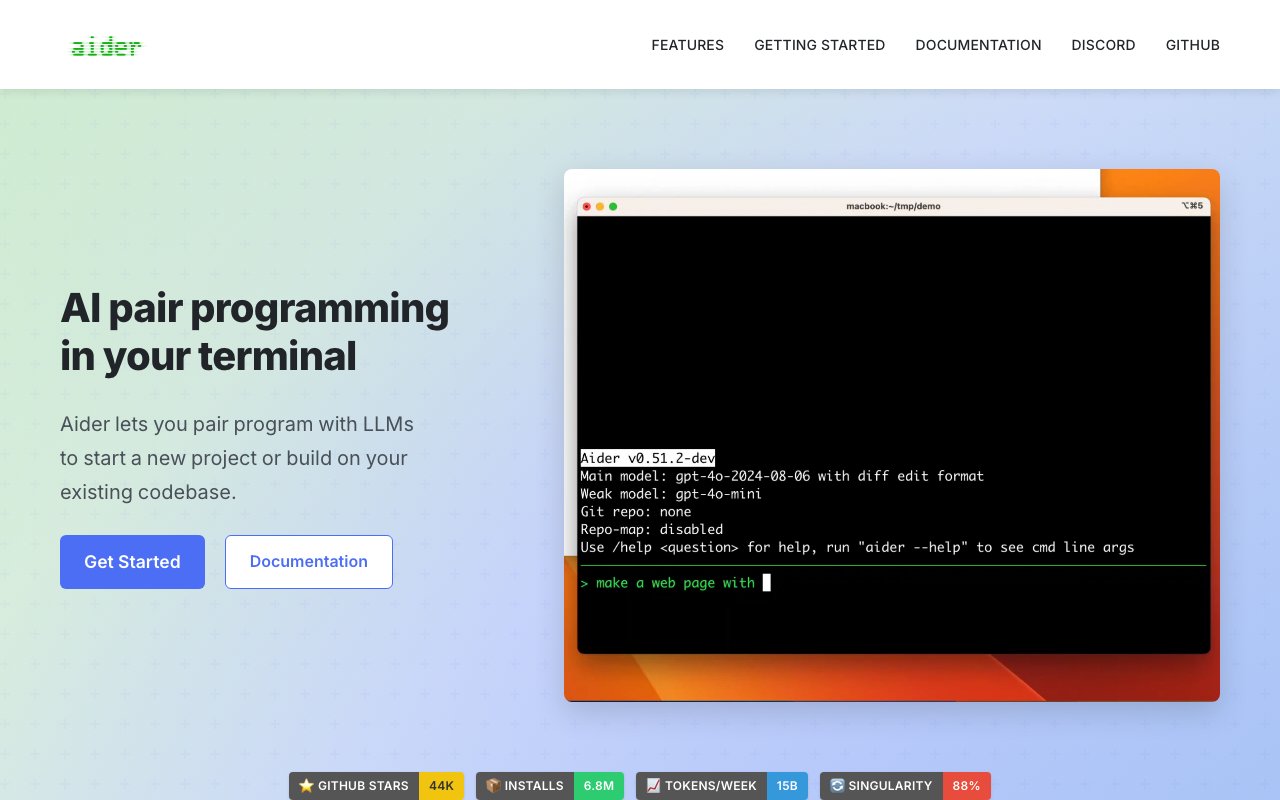
Aider is an open-source AI pair programming tool that runs in your terminal and works directly with your codebase. Unlike browser-based AI assistants where you copy and paste code snippets, Aider operates on actual files in your project directory, making changes, committing them to git, and running tests automatically. It's designed for real development work rather than isolated code generation. You describe what you want in plain English, and Aider modifies the relevant files, shows you what changed, and commits with a sensible message. The whole workflow stays in the terminal, which makes it feel like a natural extension of existing development practices rather than a separate context to jump into.
The tool creates a map of your entire codebase to understand how files relate to each other. This mapping is crucial for larger projects where changes in one file might affect others. When you ask Aider to refactor a function, it understands which other files import that function and can update them accordingly. This repository-aware context sets it apart from tools that only see the current file or whatever you've pasted into a chat window. The git integration means every change is committed automatically with a descriptive message, so you can review what the AI did, compare diffs, and easily undo if something goes wrong. It turns git into the undo button for AI-generated code.
Aider supports over 100 programming languages including Python, JavaScript, TypeScript, Rust, Ruby, Go, C++, and PHP. Language support depends on the underlying language model's training data, so popular languages get better results, but the tool itself doesn't limit what you can work on. The multi-file editing capability means you can ask for changes that span multiple components, like adding a new API endpoint and updating the frontend to call it. The AI handles the coordination across files while you focus on describing what you want to happen.
One of Aider's distinctive features is the ability to accept images and web pages as context. You can point it at documentation, design mockups, or reference implementations, and it will factor that information into its suggestions. Voice input support lets you describe changes by speaking rather than typing, which some developers find more natural for explaining what they want. After each change, Aider can automatically run linters and tests, catching obvious errors before you review the diff. This automated quality check helps ensure that AI-generated code doesn't break existing functionality.
The tool works with multiple language model providers. You can use Claude 3.5 Sonnet from Anthropic, which is recommended for best results. It also supports OpenAI models like GPT-4o and o1, DeepSeek models for cost-effective operation, and various local models for developers who want to run everything on their own hardware. This flexibility means you're not locked into a single provider and can switch based on cost, performance, or privacy requirements. Running with local models keeps your code entirely on your machine, which matters for sensitive projects or organizations with strict data policies.
Aider is free and open-source, hosted on GitHub with over 44,000 stars and 6.8 million installations through PyPI. The project is actively maintained and has a community contributing improvements and extensions. Installation is straightforward with pip, and configuration involves setting API keys for whatever model provider you want to use. The lack of subscription fees makes it accessible for individual developers and small teams who don't want to pay monthly charges for AI assistance. Your only cost is the API usage for the underlying language model, and with local models, that cost drops to zero beyond your hardware.
The target audience is developers who spend significant time in the terminal and want AI assistance integrated into their existing workflow. People who've used ChatGPT or Claude for coding help but find the copy-paste workflow tedious will appreciate how Aider applies changes directly. It's particularly strong for working within existing codebases where context matters. Starting a new project from scratch works fine, but the real value shows when you're navigating a mature codebase with established patterns and conventions that the AI needs to respect.
Compared to GitHub Copilot, Aider takes a different approach. Copilot provides inline suggestions as you type, which is great for autocomplete but less useful for explaining a larger change you want across multiple files. Aider is better for conversational development where you describe what you want and let the AI figure out how to implement it. Many developers use both, with Copilot for in-editor suggestions and Aider for larger refactoring and feature implementation tasks. The terminal-based workflow won't appeal to everyone, but for developers who prefer command-line tools, it fits naturally into how they already work.
Key Features
- Runs entirely in the terminal as a CLI pair programmer
- Automatically commits each change to git with a descriptive message
- Repository map gives the model context across your whole codebase
- Model-agnostic: works with Claude, GPT, DeepSeek, Gemini and local models
- Auto-fix loop runs your linters and tests, then fixes and re-runs
- In-chat commands plus voice-to-code, image and web-page context
Pros & Cons
What we like
- Apache 2.0 licensed and completely free to run yourself
- Clean git history means every AI edit is easy to diff and undo
- Not locked to one provider, so you control model choice and cost
- Reportedly uses far fewer tokens than some IDE-based agents
Room for improvement
- Terminal-only with no graphical interface or IDE panel
- Requires bringing your own API key, so model usage costs add up
- Steeper learning curve than a one-click editor extension
- Quality depends heavily on which LLM you point it at
Frequently Asked Questions
What is Aider?
Is Aider free?
What is Aider best for?
What models does Aider work with?
Best For
Featured in
Alternatives to Aider
View all
Cline
Open-source autonomous coding agent for VS Code that runs on your own API key with no subscription

Continue
Open-source, model-agnostic AI code assistant for VS Code and JetBrains that you configure to your own stack
Cursor
VS Code fork built around an AI pair-programmer

GitHub Copilot
AI pair programmer from GitHub with inline completions, chat, agent mode, and model choice across IDEs
Reviews (13)
Finally something that fits
Found Aider on a Reddit thread and I am glad I clicked. What stands out is how it handles runs entirely in the terminal as a cli pair programmer. Setup was painless and I was productive the same day. Mostly using it for automating lint-and-test fix loops inside an existing git workflow. Worth the price for what I get out of it.
Quietly excellent
Three months of Aider later, here is what holds up. The apache 2.0 licensed and completely free to run yourself is more useful than I expected. It has been a fit for pairing with local or open models for private, offline coding. Hard to imagine going back to my old setup.
Two months in, no regrets
Picked Aider for the price, stayed for the quality. The core workflow is smooth once you are set up. Mostly using it for building features on an existing codebase from the command line.
Worth the price of admission
Picked Aider for the price, stayed for the quality. What stands out is how it handles in-chat commands plus voice-to-code, image and web-page context. Mostly using it for building features on an existing codebase from the command line.
Pulled its weight from week one
Tried Aider on a side project first, then rolled it out everywhere. Where it really wins is auto-fix loop runs your linters and tests, then fixes and re-runs. It slotted into my routine without much fuss. It has been a fit for refactoring across many files with git-tracked, reversible edits. Recommending it to people in a similar spot.
Quietly excellent
Tried Aider on a side project first, then rolled it out everywhere. The runs entirely in the terminal as a cli pair programmer is more useful than I expected. No regrets so far.
Two months in, no regrets
Found Aider on a Reddit thread and I am glad I clicked. Where it really wins is reportedly uses far fewer tokens than some ide-based agents. What stands out is how little babysitting it needs. It has been a fit for automating lint-and-test fix loops inside an existing git workflow. Worth the price for what I get out of it.
The kind of tool you forget you are paying for
Picked Aider for the price, stayed for the quality. The runs entirely in the terminal as a cli pair programmer is more useful than I expected. Mostly using it for refactoring across many files with git-tracked, reversible edits. Recommending it to people in a similar spot.
Finally something that fits
Onboarded the whole team to Aider in an afternoon. Their take on reportedly uses far fewer tokens than some ide-based agents is genuinely good. Recommending it to people in a similar spot.
Two months in, no regrets
Have been running Aider for a while, here is where I land. The output quality holds up better than I expected. Mostly using it for refactoring across many files with git-tracked, reversible edits. Would sign up again without thinking twice.
Quietly excellent
Tried Aider on a side project first, then rolled it out everywhere. Where it really wins is clean git history means every ai edit is easy to diff and undo. The interface stays out of my way, which I appreciate. Found it works best for building features on an existing codebase from the command line. Easy yes for anyone weighing the same trade offs.
Onboarded the team in a day
Picked Aider for the price, stayed for the quality. Real selling point for me was clean git history means every ai edit is easy to diff and undo. No regrets so far.
Does the job, a few gripes
Picked Aider for the price, stayed for the quality. Where it really wins is repository map gives the model context across your whole codebase. I expected to churn off it in a week and I am still here. It fits well for automating lint-and-test fix loops inside an existing git workflow. My only gripe is steeper learning curve than a one-click editor extension. Hard to imagine going back to my old setup.
Badge builder
Add Aider to your website
Choose a badge style and size, preview it here, then copy the generated HTML. Badge images are self-contained SVGs and do not require an external script.

<a href="https://toolindex.net/tools/aider?ref=badge" target="_blank" rel="noopener">
  <img src="https://toolindex.net/badge/aider/medium.svg" alt="Aider - Listed on Tool Index" width="180" height="50" />
</a>How to use the badge
- 1. Pick the style, size, and theme that fit your layout.
- 2. Copy the generated HTML from the code block.
- 3. Paste it into your footer, homepage, or press page.
Standard badge available
The standard listing badge is available now. Score and circle badges are limited to tools currently ranked in the top 10 of a category.
Badge clicks return visitors to this profile with a referral tag so the source remains identifiable.
Related Tools

Bolt.new
Prompt-to-deployed full-stack app inside the browser

Tabnine
Privacy-first enterprise AI code assistant you control, with SaaS, VPC, on-prem, or fully air-gapped deployment
Cursor
VS Code fork built around an AI pair-programmer

Skeezo
Agent-native macOS IDE for coordinating Claude Code and AI agents
Work on Aider? Request listing access or correction