
Cline
Open-source autonomous coding agent for VS Code that runs on your own API key with no subscription
Gallery
About Cline
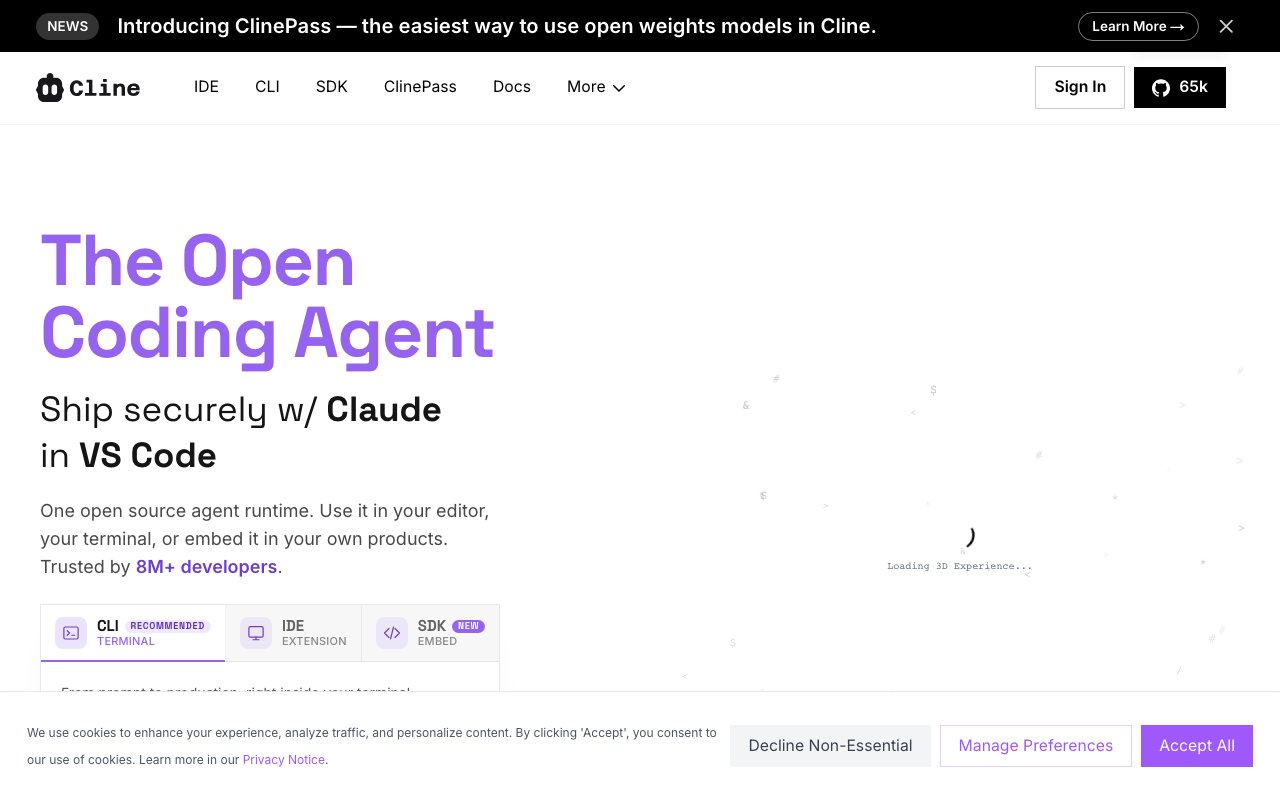
Cline is an open-source autonomous coding agent that runs as a sidebar extension inside VS Code and other editors. Rather than suggesting code snippets you copy and paste into your files manually, Cline reads your entire codebase, creates and edits files directly, runs terminal commands, and can even drive a browser through Puppeteer for testing and automation workflows. The extension asks for your approval at each step, giving you control over what actually gets executed while still handling the mechanical work of implementation. With over five million installs, sixty-one thousand GitHub stars, and an Apache 2.0 license that allows both personal and commercial use without restriction, it has become one of the most widely adopted AI coding tools outside of commercial offerings like GitHub Copilot or Cursor. The open-source nature means you can inspect exactly what the tool does, modify it for your needs, and contribute improvements back to the community.
The workflow centers on what Cline calls Plan and Act modes, which structure how the agent approaches complex tasks. In Plan mode, you describe what you want to build or fix, and Cline outlines a strategy with specific steps before touching any code in your project. You can review each step, adjust the approach, request alternatives, or approve the plan before execution begins. This preview capability prevents the common frustration of AI tools going off in unexpected directions on multi-step tasks. In Act mode, Cline executes those steps autonomously, editing files across your project, running commands in the terminal, and responding dynamically to output from those commands. If a build fails or tests break, the agent can adjust its approach without requiring you to manually diagnose every issue. You can configure auto-approve settings for specific categories of action like read-only file operations, browser actions, or certain MCP server calls if you want faster iteration without constant approval prompts interrupting your flow.
Model Context Protocol support is where Cline pulls ahead of many alternatives in the AI coding space. MCP lets the extension connect to external servers that provide additional capabilities beyond code editing and terminal commands. Database access, API integrations, browser automation, deployment pipelines, and custom tools all become available through this protocol. Cline includes a dedicated MCP marketplace with hundreds of community-built servers that you can filter by install count, GitHub stars, category, or date added. Unlike Cursor, which caps MCP at forty tools per configuration, Cline imposes no artificial limits on how many tools you can configure simultaneously. This extensibility makes it practical for complex workflows that integrate coding with deployment, testing, database management, or external service automation. If your work involves more than just writing code, the MCP ecosystem lets you bring those adjacent tasks into the same agent-driven workflow.
The extension supports every major language model provider through your own API keys, giving you complete control over which models power your coding assistance. Anthropic Claude, OpenAI GPT, Google Gemini, AWS Bedrock, Azure OpenAI, GCP Vertex, DeepSeek, xAI Grok, Mistral, and any OpenAI-compatible endpoint all work without modification. For privacy-sensitive projects or situations where data cannot leave your local machine, local models through Ollama or LM Studio run entirely on your hardware with no external API calls whatsoever. You choose the model based on task requirements, cost constraints, and privacy considerations for each project independently. This vendor independence means you are never locked into a single provider's pricing, availability, or terms of service. If one provider raises prices or degrades quality, you switch to another without changing your tooling.
Beyond VS Code, Cline now supports JetBrains IDEs, Cursor, Windsurf, Zed, Neovim, and a preview CLI for macOS and Linux that brings the same capabilities to terminal-based workflows. The extension is completely free with no subscription tiers, usage caps, or feature gates. You pay only for the API calls to whichever model provider you choose to use, which gives you direct control over costs based on your actual usage patterns. Enterprise teams at Samsung, Salesforce, Oracle, Amazon, Microsoft, and eBay have adopted it for internal development workflows, demonstrating that the open-source model scales to large organizations with serious security and compliance requirements. For individual developers, the combination of open-source transparency, genuine multi-model support, and MCP extensibility makes Cline a practical alternative to commercial tools that lock you into specific ecosystems or charge monthly subscription fees on top of the API costs you are already paying.
Key Features
- Plan and Act modes for separating strategy from execution
- Bring-your-own-key support across 30+ providers including Anthropic, OpenAI, Google, and OpenRouter
- Model Context Protocol (MCP) servers for custom tools and integrations
- Human-in-the-loop approval on every file edit and terminal command
- Browser automation via Puppeteer for testing and debugging
- Local model support through Ollama and LM Studio
Pros & Cons
What we like
- Fully open source under Apache 2.0 with no subscription required
- No vendor lock-in since you choose the model and provider
- Strong control with per-step approval and an optional auto-approve mode
- Extensible through MCP servers and a growing plugin ecosystem
Room for improvement
- BYO-key costs can spike on large tasks since you pay per token
- Quality depends heavily on pairing it with a capable model
- Less polished out-of-box than fully managed paid agents
- API setup and provider config add friction for non-technical users
Frequently Asked Questions
What is Cline?
Is Cline free?
Who is Cline for?
What is Cline's standout feature?
Best For
Featured in
Alternatives to Cline
View all
Aider
Open-source AI pair programmer that lives in your terminal, edits your code, and auto-commits to git

Continue
Open-source, model-agnostic AI code assistant for VS Code and JetBrains that you configure to your own stack
Cursor
VS Code fork built around an AI pair-programmer

GitHub Copilot
AI pair programmer from GitHub with inline completions, chat, agent mode, and model choice across IDEs
Reviews (16)
Three months in, mixed but positive
Started using Cline casually, now it is pinned in my dock. What stands out is how it handles strong control with per-step approval and an optional auto-approve mode. It has been a fit for running an agent on a private or self-hosted model for data control. My only gripe is byo-key costs can spike on large tasks since you pay per token. Easy yes for anyone weighing the same trade offs.
The kind of tool you forget you are paying for
Three months of Cline later, here is what holds up. Their take on fully open source under apache 2.0 with no subscription required is genuinely good. Genuine strength is that it gets out of the way and lets me work. It has been a fit for multi-file refactors and feature work inside vs code. Easy yes for anyone weighing the same trade offs.
Quietly excellent
Almost a year on Cline now, no plans to leave. The browser automation via puppeteer for testing and debugging is more useful than I expected. It slotted into my routine without much fuss. It has been a fit for running an agent on a private or self-hosted model for data control. Easy yes for anyone weighing the same trade offs.
Bought it for one feature, stayed for ten
Tried Cline on a side project first, then rolled it out everywhere. It does what it says, which is rarer than it should be. Mostly using it for running an agent on a private or self-hosted model for data control. Hard to imagine going back to my old setup.
Worth the price of admission
Found Cline on a Reddit thread and I am glad I clicked. Got real value out of no vendor lock-in since you choose the model and provider. What stands out is how little babysitting it needs. Would sign up again without thinking twice.
It just works
Almost a year on Cline now, no plans to leave. Got real value out of human-in-the-loop approval on every file edit and terminal command. Glad I made the switch.
Quietly excellent
Found Cline on a Reddit thread and I am glad I clicked. The no vendor lock-in since you choose the model and provider is more useful than I expected. Worth the price for what I get out of it.
Bought it for one feature, stayed for ten
Came to Cline after getting frustrated with what I had before. Got real value out of local model support through ollama and lm studio. Worth the price for what I get out of it.
Recommended without reservation
Cline solves a real problem for me without making a fuss about it. Real selling point for me was local model support through ollama and lm studio. Found it works best for extending a coding agent with custom mcp tools and integrations.
Recommended without reservation
Found Cline on a Reddit thread and I am glad I clicked. It is the rare tool that got better the more I used it. The interface stays out of my way, which I appreciate. It has been a fit for automating terminal-driven tasks like builds, tests, and migrations.
Three months in, mixed but positive
Hadn't planned on switching, but Cline was hard to ignore. Their take on extensible through mcp servers and a growing plugin ecosystem is genuinely good. Genuine strength is that it gets out of the way and lets me work. It fits well for automating terminal-driven tasks like builds, tests, and migrations. It would be a five if not for less polished out-of-box than fully managed paid agents. It earns its place in my stack.
The kind of tool you forget you are paying for
Started using Cline casually, now it is pinned in my dock. The fully open source under apache 2.0 with no subscription required is more useful than I expected. It has been a fit for running an agent on a private or self-hosted model for data control. Glad I made the switch.
Decent with some rough edges
Started using Cline casually, now it is pinned in my dock. Real selling point for me was no vendor lock-in since you choose the model and provider. Mostly using it for automating terminal-driven tasks like builds, tests, and migrations. It would be a five if not for quality depends heavily on pairing it with a capable model. Worth the price for what I get out of it.
Bought it for one feature, stayed for ten
Tried Cline on a side project first, then rolled it out everywhere. The core workflow is smooth once you are set up. It handles the boring parts so I can focus on the work that matters. Glad I made the switch.
Two months in, no regrets
Almost a year on Cline now, no plans to leave. Got real value out of browser automation via puppeteer for testing and debugging. It earns its place in my stack.
Worth the price of admission
Came to Cline after getting frustrated with what I had before. It does what it says, which is rarer than it should be. Recommending it to people in a similar spot.
Badge builder
Add Cline to your website
Choose a badge style and size, preview it here, then copy the generated HTML. Badge images are self-contained SVGs and do not require an external script.

<a href="https://toolindex.net/tools/cline?ref=badge" target="_blank" rel="noopener">
  <img src="https://toolindex.net/badge/cline/medium.svg" alt="Cline - Listed on Tool Index" width="180" height="50" />
</a>How to use the badge
- 1. Pick the style, size, and theme that fit your layout.
- 2. Copy the generated HTML from the code block.
- 3. Paste it into your footer, homepage, or press page.
Standard badge available
The standard listing badge is available now. Score and circle badges are limited to tools currently ranked in the top 10 of a category.
Badge clicks return visitors to this profile with a referral tag so the source remains identifiable.
Related Tools

Bolt.new
Prompt-to-deployed full-stack app inside the browser

Tabnine
Privacy-first enterprise AI code assistant you control, with SaaS, VPC, on-prem, or fully air-gapped deployment
Cursor
VS Code fork built around an AI pair-programmer

Skeezo
Agent-native macOS IDE for coordinating Claude Code and AI agents
Work on Cline? Request listing access or correction