
AmazingPlugins
Free, focused plugins for common WooCommerce store problems
Gallery
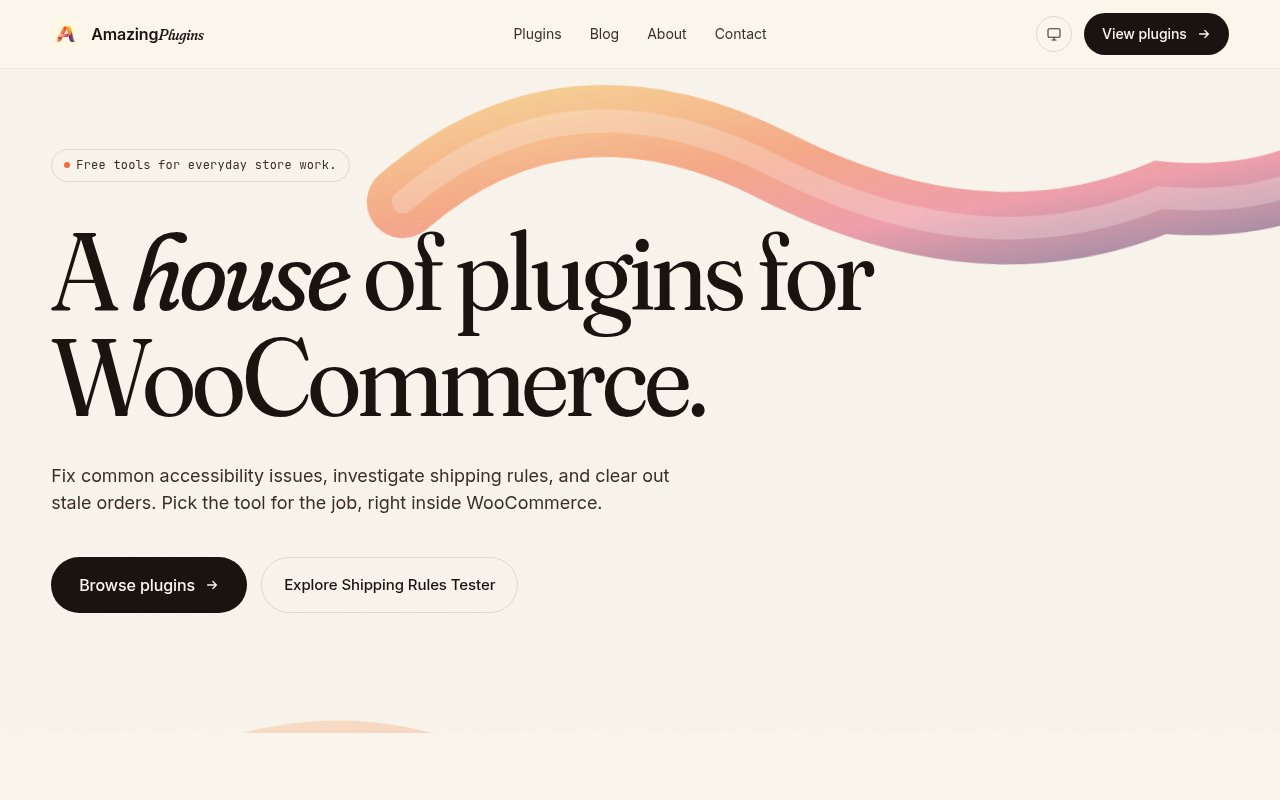
About AmazingPlugins
AmazingPlugins is a small catalog of free WordPress and WooCommerce plugins, each built around one practical store problem. Its available tools cover storefront accessibility fixes, shipping rule diagnosis, and stale order cleanup. This is not a bundled suite that asks a merchant to install a large framework. Store owners can choose the plugin that matches the job in front of them, read its stated limits, and install only that component. The approach is useful for merchants and WordPress maintainers who need targeted admin utilities without committing to an expensive extension package or adding unrelated features to a store.
The accessibility plugin provides nine optional fixers for specific WooCommerce markup and interaction issues. These include fallback alt text for product images, Escape key handling for selected modals, focus indicators for selected controls, accessible names for some unlabeled inputs, a skip link, selected form error associations, heading level adjustments, and a main landmark when a matching wrapper lacks one. Some fixes add small inline scripts, including the skip link and keyboard escape behavior, while the contrast option adds selected outlines and error borders without measuring text contrast ratios. Each fixer can be disabled, and the site is clear that these changes don't make a storefront fully accessible. Results still depend on the theme, checkout setup, and content, so the plugin is best treated as a set of narrow repairs followed by keyboard and screen reader testing.
The Shipping Rules Tester addresses a different source of store owner frustration. It lets an administrator enter a sample destination, build a package from values or saved products, and see which WooCommerce shipping zone and local methods match. Built-in flat rate, free shipping, and local pickup can be tested when the sample includes enough information. A saved product can contribute its price, weight, dimensions, shipping class, and tax class, while the advanced builder combines multiple synthetic items or store products. Presets cover a standard order, a free shipping check, a heavy parcel, and local pickup. Results explain disabled, missing, or skipped methods, and two scenarios can be kept side by side in the current browser tab. The check is read-only. It doesn't edit settings, products, customers, or orders, and it doesn't save the test inputs to the database. It also doesn't call external carriers, reproduce coupon logic, or supply live cart state, so a real checkout test remains necessary.
Stale Order Cleaner is the housekeeping option in the catalog. It scans for pending, failed, cancelled, draft, or trashed orders and can filter matches by age. A dry-run preview shows the records before the user confirms a bulk deletion, which helps separate an intentional cleanup from a blind destructive action. The available age filters include 7, 14, 30, 90, and 365 days, giving an administrator a defined threshold rather than a vague search for old records. The plugin supports WooCommerce's modern high performance order storage. Deletion is permanent, though, so AmazingPlugins tells users to inspect the preview and keep a backup. Completed, processing, and on-hold orders are outside the cleanup scope, which gives the tool a deliberately limited target rather than turning it into a general order editor.
The collection fits WooCommerce store owners, freelance site builders, support teams, and agencies that repeatedly troubleshoot the same operational details. Shipping specialists can compare nearby postcodes or package values without disturbing production settings. Accessibility work can begin with common markup problems while leaving broader evaluation to a proper review. Administrators can clean abandoned records after checking exactly what matches. The tools are also transparent about requirements and release status. Shipping Rules Tester requires WordPress 6.6 or later, PHP 7.4 or later, and an active WooCommerce installation, while the catalog links available releases to WordPress.org or their source on GitHub.
What makes AmazingPlugins distinct is its narrow, candid scope. It explains what each utility changes, what it reads, what it cannot reproduce, and where manual testing still matters. That restraint is valuable in a WooCommerce environment where a convenient fix can affect checkout behavior or customer records. The current installable catalog is free. Accessibility Fixer has all nine fixers with no Pro version, Shipping Rules Tester is free on WordPress.org, and Stale Order Cleaner is free with no ads or upsells. The site also shows planned products, including a security plugin and order editing tools, but labels those separately so visitors can distinguish downloadable software from work that isn't released yet.
Key Features
- Nine targeted accessibility fixers
- Read-only shipping rule tests
- Sample package scenario builder
- Side-by-side shipping comparisons
- Dry-run stale order scans
- Permanent cleanup confirmation
Pros & Cons
What we like
- Each plugin solves one clearly defined store problem
- Available plugins are free without Pro upgrades
- Shipping tests don't alter store data
- Product pages state important testing limits
Room for improvement
- Useful only for WordPress and WooCommerce stores
- Accessibility fixes still require manual review
- Shipping tests exclude external carrier rates
- Order deletion cannot be undone
Frequently Asked Questions
What is AmazingPlugins?
Are the AmazingPlugins tools free?
Will the shipping tester change store settings?
Does the accessibility plugin make a store compliant?
Best For
Featured in
Alternatives to AmazingPlugins

Kevin Gabeci
Solo developer building web apps, cozy browser games, and AI creator toolkits.

SoloDevStack
A solo developer blog built on head-to-head tool comparisons, 580+ posts deep.

Vibe Built
Building real apps with agentic AI. What worked, what broke, what shipped.

Sellsmithy
The workshop side of selling digital products. Built first, fees counted, duds included.
Reviews (0)
Badge builder
Add AmazingPlugins to your website
Choose a badge style and size, preview it here, then copy the generated HTML. Badge images are self-contained SVGs and do not require an external script.

<a href="https://toolindex.net/tools/amazingplugins?ref=badge" target="_blank" rel="noopener">
  <img src="https://toolindex.net/badge/amazingplugins/medium.svg" alt="AmazingPlugins - Listed on Tool Index" width="180" height="50" />
</a>How to use the badge
- 1. Pick the style, size, and theme that fit your layout.
- 2. Copy the generated HTML from the code block.
- 3. Paste it into your footer, homepage, or press page.
Standard badge available
The standard listing badge is available now. Score and circle badges are limited to tools currently ranked in the top 10 of a category.
Badge clicks return visitors to this profile with a referral tag so the source remains identifiable.
Related Tools
Kevin Gabeci
Solo developer building web apps, cozy browser games, and AI creator toolkits.

Coolify
Self-hostable, open source alternative to Heroku and Netlify

Warp
The modern terminal reimagined with AI and collaboration

Bolt.new
Prompt-to-deployed full-stack app inside the browser
Work on AmazingPlugins? Request listing access or correction