
APISign
Developer-first e-signature API at $0.25 per contract with Markdown templates
Gallery
About APISign
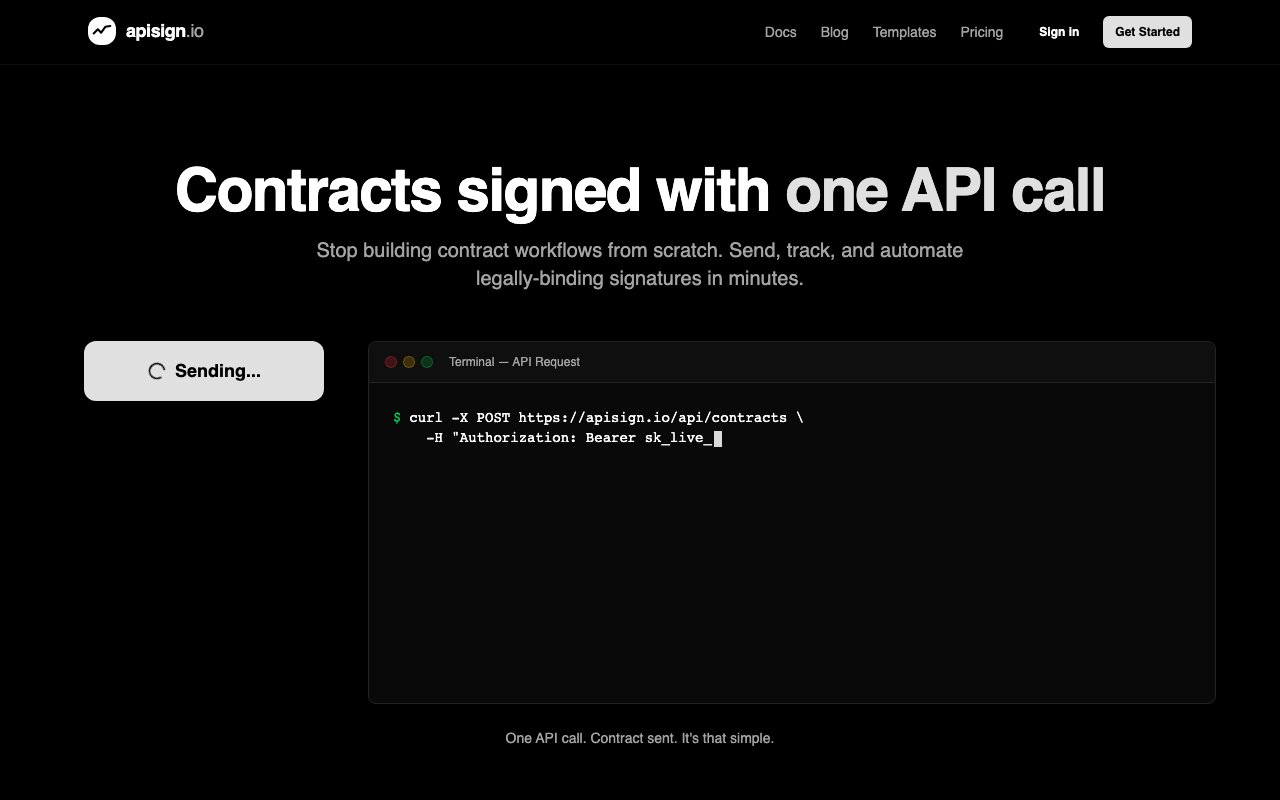
APISign is an API-first electronic signature platform that lets developers send, track, and automate legally binding contracts through code rather than manual workflows. The entire system runs on a pay-per-contract model at 25 cents per document with no monthly subscriptions, per-seat fees, or minimum commitments. Templates live in Markdown with variable placeholders, and the platform handles everything from delivery to audit trails to webhook notifications when signers take action. Contracts deliver instantly with no processing delays, and signers can review and sign immediately from any device.
The problem it addresses is the cost and complexity of enterprise e-signature tools when all you need is programmatic document signing. Services like DocuSign and PandaDoc charge monthly fees starting around $25 to $65 per user, plus per-document fees ranging from $1.50 to $3.00 or more. For developers building contract workflows into their products, those costs add up fast and the manual interfaces get in the way. APISign strips all of that down to a simple API call and a flat fee per contract sent. There are no negotiations, no sales calls, and no enterprise tiers to navigate.
Templates use Markdown syntax with dynamic variable substitution. You define a contract once with placeholders for things like signer name, date, dollar amounts, or any custom fields, then reference that template by ID when sending through the API. The platform renders the Markdown into a clean document for signers, who can review and sign immediately without downloading anything. Formatting stays intact, including headings, lists, tables, and any structure you build into the Markdown source. Because templates are plain text Markdown, you can version control them alongside your application code and track changes over time just like any other source file.
If you have existing Word documents, there is a drag-and-drop importer that converts them to Markdown templates while preserving formatting. This makes migration practical for teams that already have a library of contracts in traditional formats. You upload the document, the platform converts it, and you can then edit the result to add variable placeholders where needed. The conversion preserves headings, lists, tables, and basic formatting so you are not starting from scratch.
The technical integration follows standard REST patterns. You authenticate with an API key, post to an endpoint with template ID, signer information, and variable values, then receive webhook callbacks as the contract moves through its lifecycle. Events fire when the signer views the document, when they sign, when they decline, and when the contract expires. Every interaction gets logged with IP addresses and timestamps for audit purposes. SDKs exist for common programming languages, and there is also an MCP server available for developers who want to integrate contract signing into AI agent workflows through tools like Claude Desktop or Cursor.
Beyond the core signing flow, the platform includes an AI assistant called Gilberto that helps draft and edit documents through conversational prompts. There is also automatic document review that scans contracts before sending to catch errors, grammar issues, missing variables, and formatting problems. The review system checks for compliance concerns and validates that required clauses are present. This catches mistakes before they reach signers rather than after, which saves the back and forth of sending a broken contract and having to void and resend it.
Pricing stays simple. Every contract sent costs 25 cents. New accounts start with 20 free contracts included. There are no hidden fees for storage, for team members, or for completed documents sitting in the system. If your balance runs out, the API returns a 402 error until you add more funds. You can enable auto-reload to avoid interruptions, or manually add credit as needed. The pay-as-you-go model means you only pay for what you actually send, which makes it predictable for budgeting even at high volumes.
The target audience is developers and technical teams building products that generate contracts, onboard users with agreements, or automate any workflow requiring legally binding signatures. SaaS platforms, marketplaces, HR systems, and any application that needs embedded signing without manual intervention fits the use case. The trade-off is clear: there is no visual drag-and-drop builder for non-technical users. If you are not comfortable working with APIs and Markdown, you will need developer help to set it up. For teams that are already code-first, that is a feature rather than a limitation.
Test mode mirrors production exactly but does not deduct from your balance, so you can build and debug integrations without burning through credits. The audit trail provides legal-grade documentation of every action taken on every contract, which matters when signatures need to hold up to scrutiny.
Key Features
- Markdown-based contract templates
- REST API with webhook notifications
- AI document review and error checking
- Test mode without balance deduction
- MCP server for AI agent integration
- Word document to Markdown conversion
Pros & Cons
What we like
- Flat 25 cents per contract with no monthly fees
- Templates live in your repo as version-controlled Markdown
- Unlimited team members included at no extra cost
- Test mode lets you build without spending credits
Room for improvement
- Developer-focused with no visual template builder
- Resending a contract costs another 25 cents
- Younger platform compared to established e-signature providers
- Requires technical setup to integrate
Frequently Asked Questions
What is APISign?
How much does APISign cost?
How do templates work in APISign?
Who is APISign for?
Best For
Featured in
Alternatives to APISign

Kevin Gabeci
Solo developer building web apps, cozy browser games, and AI creator toolkits.

SoloDevStack
A solo developer blog built on head-to-head tool comparisons, 580+ posts deep.

Codedex
A gamified, story-driven platform that teaches Python, web dev, and more like an RPG quest

Vibe Built
Building real apps with agentic AI. What worked, what broke, what shipped.
Reviews (0)
Badge builder
Add APISign to your website
Choose a badge style and size, preview it here, then copy the generated HTML. Badge images are self-contained SVGs and do not require an external script.

<a href="https://toolindex.net/tools/apisign?ref=badge" target="_blank" rel="noopener">
  <img src="https://toolindex.net/badge/apisign/medium.svg" alt="APISign - Listed on Tool Index" width="180" height="50" />
</a>How to use the badge
- 1. Pick the style, size, and theme that fit your layout.
- 2. Copy the generated HTML from the code block.
- 3. Paste it into your footer, homepage, or press page.
Standard badge available
The standard listing badge is available now. Score and circle badges are limited to tools currently ranked in the top 10 of a category.
Badge clicks return visitors to this profile with a referral tag so the source remains identifiable.
Related Tools
Kevin Gabeci
Solo developer building web apps, cozy browser games, and AI creator toolkits.

Coolify
Self-hostable, open source alternative to Heroku and Netlify

Warp
The modern terminal reimagined with AI and collaboration

Bolt.new
Prompt-to-deployed full-stack app inside the browser
Work on APISign? Request listing access or correction