
Archiver
Open, create, encrypt, and repair archive files locally in a browser
Gallery
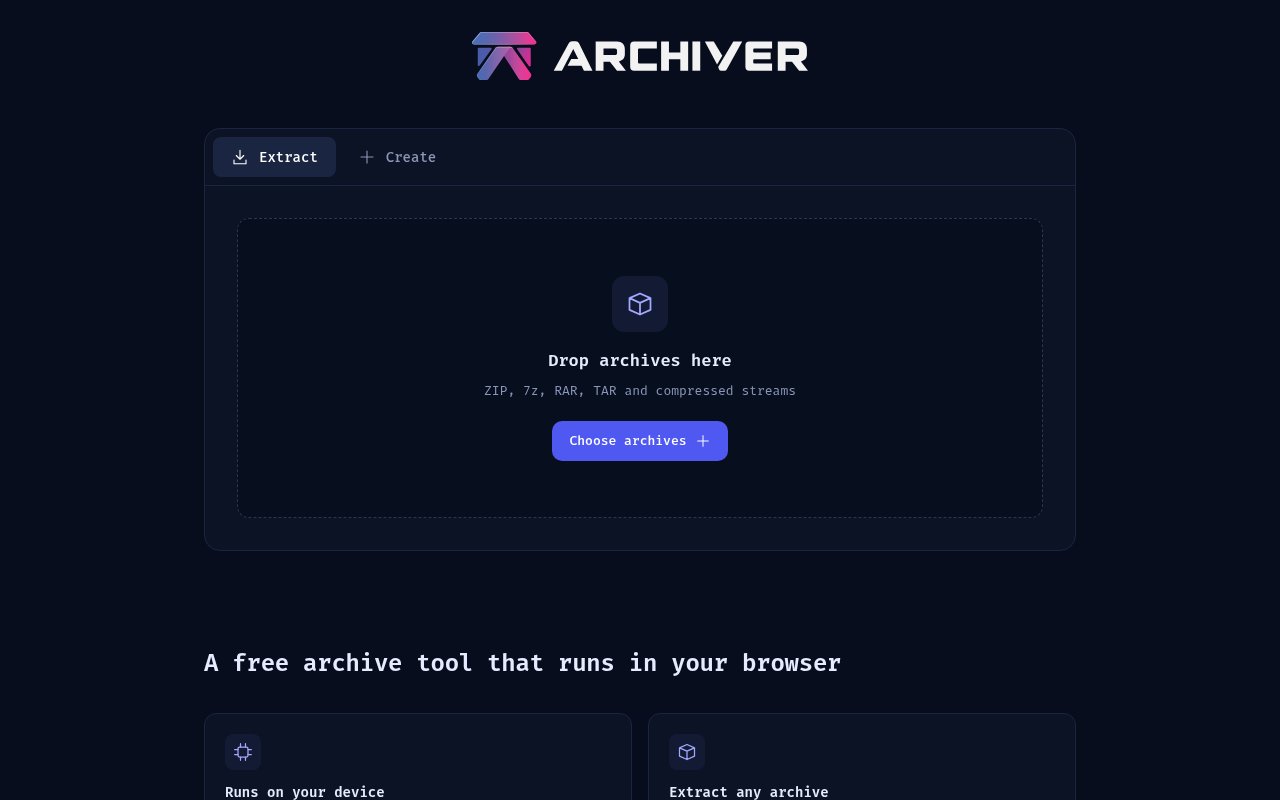
About Archiver
Archiver is a free browser-based utility for opening, creating, checking, and repairing archive files without uploading them to a server. Its compression libraries run through WebAssembly on the user's device, so the browser does the work and the selected files stay local. There is no account or sign-up step. That makes it a practical option for someone who needs to inspect a compressed download on a borrowed or locked-down computer, package a folder without installing a desktop program, or work with private material that should not be sent to an online conversion service.
The workflow stays close to a familiar desktop archive utility. A user selects an existing archive to inspect or chooses files to package, sets the available format and protection options, then saves the result back to the device. There is no waiting for a remote upload before extraction can begin and no download link holding a server-side copy afterward. Because the computation is local, network speed is not the limiting factor once the app is loaded. The device still has to supply the processor time and storage for the job.
For extraction, the tool opens common formats including ZIP, 7z, RAR, TAR, GZ, TGZ, XZ, BZ2, Zstandard, Brotli, LZMA, LZ4, and ISO disc images. It also handles solid RAR and RAR5 archives, split sets such as part1.rar or numbered .001 files, and password-protected archives. That breadth matters because browser tools often stop at simple ZIP files. Archiver is meant to cover the mixed set of formats people encounter in downloads, backups, media bundles, and technical distributions, while keeping the interaction inside one page.
Creation support covers ZIP, 7z, and TAR. Users can add a password to ZIP and 7z output with AES-256 encryption, and a 7z archive can hide file names as well. When creating 7z files, Archiver chooses compression filters according to the file types in the archive, which is intended to improve results for folders containing a mixture of text, images, and binaries. It cannot create RAR files because that encoder is proprietary, but it can open RAR versions that users are likely to receive. The distinction is clearly explained rather than hidden behind a disabled output choice.
The repair tools extend the product beyond routine extraction. Archiver can verify and repair damaged data when PAR2 or PAR3 recovery sets or RAR recovery volumes are available. It can also add PAR2 recovery data to an archive it creates, giving users a way to prepare files for unreliable storage or transfer. Repair is not magic and requires the relevant recovery information, but having these functions in a browser is unusual. It is useful for large downloads, old media collections, and backup sets where integrity matters as much as compression.
Archiver writes through browser storage rather than loading an entire archive into ordinary page memory. The site says it has no file size limit of its own, with practical capacity determined by free disk space, and that files larger than 5 GB have been tested. It can be installed as an offline-capable app and used after the initial setup without a network connection. The tool runs on modern browsers across Windows, macOS, Linux, Android, and iPhone, so the same workflow can be used on a desktop or phone. A browser may still display a file access warning, but that permission allows the page to read selected local files and does not mean they are being uploaded.
The best fit is someone who values local processing but does not want to maintain a native archive application on every device. It also suits mobile users who need to make or inspect an archive away from a computer. The tradeoff is that performance and available space depend on the device and browser, especially for very large compression jobs. Browser permission wording can also look alarming until the local model is understood. People who need deep command-line automation, operating-system shell integration, or proprietary RAR creation will still want a native utility.
Archiver is genuinely free, with no paid tier, advertising, account, or published usage quota. It puts the privacy claim on a technically understandable footing because processing happens in WebAssembly and the site says the page makes no third-party requests. There is no cloud sync or hosted file history, which is consistent with that local approach. Users remain responsible for remembering passwords and saving finished files somewhere durable. For the core jobs of opening an unfamiliar archive, building an encrypted ZIP or 7z file, and using recovery data, it offers a broad toolset without asking for personal information.
Key Features
- Local WebAssembly processing
- Broad archive format extraction
- Encrypted ZIP and 7z creation
- PAR2 and PAR3 repair
- Large file browser storage
- Installable offline app
Pros & Cons
What we like
- Processes selected files without uploading them
- Opens RAR, ISO, split, and password-protected archives
- Creates encrypted archives with no account
- Includes verification and recovery tools
Room for improvement
- Cannot create proprietary RAR archives
- Large jobs depend on device speed and free storage
- Browser file permission prompts may confuse some users
- No cloud history or cross-device archive library
Frequently Asked Questions
What is Archiver?
Is Archiver free?
Which formats can Archiver open and create?
Can Archiver fix a damaged archive?
Best For
Featured in
Alternatives to Archiver
View all
CalendHub
Smart scheduling and calendar management for teams
Kevin Gabeci Toolkits
Seven AI toolkits for writing books, making music, cutting video, and building agents.

Eased Into AI
Learn AI from zero. No jargon, no hype, just steps that work.

Zielor
German exam preparation for DTZ, Leben in Deutschland, Goethe and telc. Waitlist open.
Our take
Tool Index Editorial · Nov 2026· 4.0/5
Archiver is a free browser archive utility that keeps processing on the device through WebAssembly. It opens a notably broad set of formats, including RAR, 7z, ISO, split archives, and compressed streams, while also creating encrypted archives and working with PAR recovery files. No account, upload, or installed desktop app is required.
That local model is the main reason to use it, especially for private files or a phone where installing a native utility is awkward. Large jobs still depend on browser storage, free disk space, and the device's CPU, so it won't replace a native command-line tool for automation or sustained heavy work. For occasional extraction and repair, it holds up unusually well.
Editorial opinion from the Tool Index team, written from the public product pages. Not a user review.
Reviews (0)
Badge builder
Add Archiver to your website
Choose a badge style and size, preview it here, then copy the generated HTML. Badge images are self-contained SVGs and do not require an external script.

<a href="https://toolindex.net/tools/archiver?ref=badge" target="_blank" rel="noopener">
  <img src="https://toolindex.net/badge/archiver/medium.svg" alt="Archiver - Listed on Tool Index" width="180" height="50" />
</a>How to use the badge
- 1. Pick the style, size, and theme that fit your layout.
- 2. Copy the generated HTML from the code block.
- 3. Paste it into your footer, homepage, or press page.
Standard badge available
The standard listing badge is available now. Score and circle badges are limited to tools currently ranked in the top 10 of a category.
Badge clicks return visitors to this profile with a referral tag so the source remains identifiable.
Related Tools

Confluence
Atlassian's long-running team wiki that anchors many enterprise knowledge stacks
Asana
Project management for teams that live in projects, tasks and dependencies
Kevin Gabeci Toolkits
Seven AI toolkits for writing books, making music, cutting video, and building agents.

Logseq
An open-source outliner notes app where every bullet is a first-class block
Work on Archiver? Request listing access or correction