
ArchLex
Turn a compact cloud architecture language into validated official-icon SVG diagrams
Gallery
About ArchLex
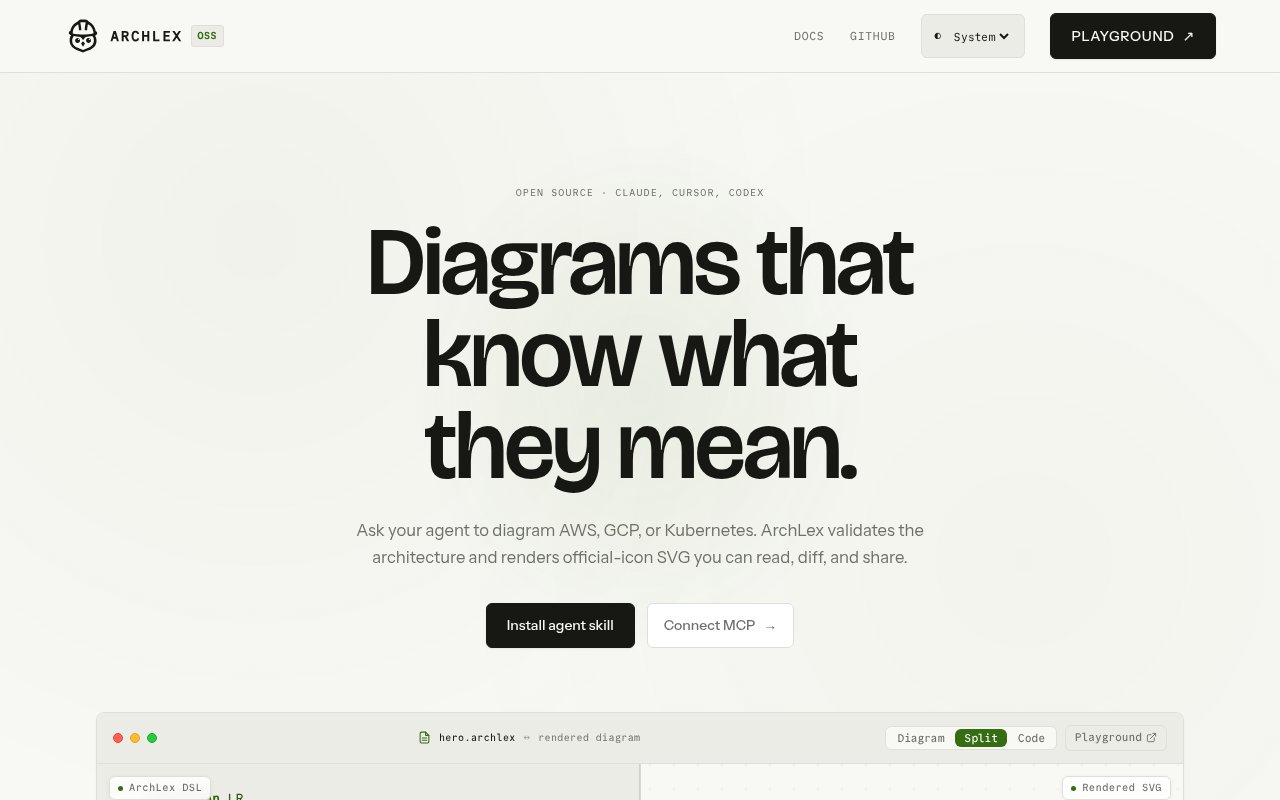
ArchLex is an open-source diagram-as-code toolkit for describing AWS, Google Cloud, and Kubernetes architectures in a compact text language and rendering them as SVG. It is designed to work directly through code or through AI clients such as Claude Code, Codex, and Cursor. A user can ask an agent for a familiar cloud setup, receive the exact ArchLex source behind it, and keep a link to the browser playground along with the rendered diagram. The result is meant to be readable and shareable while the source remains small enough to inspect, edit, and compare in version control.
The language centers on cloud resources and their relationships. A short declaration selects AWS, GCP, or Kubernetes, then names services and connects them with edges. Resources can use simple service names, stable identifiers, and clearer display labels. Connections can carry labels such as writes, invokes, or routes, and can include details such as a protocol or a primary and failover role. Directives control diagram direction, light or dark theme, and validation mode. More involved structures can represent accounts, regions, virtual networks, subnets, clusters, namespaces, and other provider-specific groupings, which lets the text express architecture rather than just draw boxes connected by arrows.
Validation is a core part of the proposition. ArchLex checks the diagram against its provider catalogs before producing output, helping catch unknown resource types or structurally invalid source. It then uses the official icon sets from AWS, Google Cloud, and Kubernetes and lays out a deterministic SVG. That repeatability matters in documentation and code review, where a tiny source change should lead to a predictable visual change. Since the input is plain text and the output is vector graphics, teams can diff the design decision in a pull request and still publish a polished image in a README, design note, or runbook.
For agent use, ArchLex exposes a remote MCP server with tools to render a diagram, validate source, retrieve the cloud catalog, and generate a playground URL. The documented connection examples cover Claude Code, Codex, and Cursor, and the remote service doesn't require an API key. There is also an installable agent skill. This means the agent can query valid building blocks before committing to a diagram instead of guessing service identifiers and hoping the renderer accepts them. The experience still depends on the quality of the request and the connected agent, but the validation layer gives the final source a concrete check.
Developers can also embed the renderer without using an AI client. Published packages cover the core library plus AWS, GCP, and Kubernetes providers, and the public API accepts provider configuration and ArchLex text before returning SVG. That makes the project useful for documentation generators, internal platform portals, architecture review tools, and any workflow that needs repeatable cloud visuals from structured input. The public playground provides a lighter route for testing a snippet and sharing a result, while the package approach gives an application control over how diagrams are stored and presented. A shared playground link can carry both the rendered view and the exact source needed to reproduce it.
ArchLex fits infrastructure engineers, platform teams, solution architects, and technical writers who want diagrams close to their code. It is particularly well suited to common cloud topology, including serverless APIs, multi-region systems, networks, and Kubernetes workloads. Its scope is intentionally narrower than a general canvas. It doesn't advertise Azure or a free-form library for arbitrary business diagrams, and it expects the user or an agent to express the system in its semantic language. Anyone looking for drag and drop drawing or broad visual whiteboarding will find a general diagram editor more natural.
The project is free under the MIT license. The hosted MCP endpoint and playground are presented without an API key, and the official materials don't list a paid plan. Its repository and package family are still very young, so documentation, provider coverage, and community examples are likely smaller than those of established diagram tools. Even so, the working language, public packages, MCP interface, official icon rendering, and deterministic SVG output make it a usable developer tool rather than just a concept page. The strongest reason to try it is the combination of agent-friendly input and reviewable source.
Key Features
- Semantic cloud diagram language
- AWS, GCP, and Kubernetes catalogs
- Validated official-icon SVG output
- Remote MCP server
- Browser diagram playground
- Embeddable TypeScript packages
Pros & Cons
What we like
- Source stays readable and easy to diff
- Deterministic rendering supports repeatable documentation
- MCP endpoint requires no API key
- MIT license allows local extension
Room for improvement
- Only three provider families are documented
- Text syntax has a learning curve
- No general drag and drop canvas
- Young project with a small community
Frequently Asked Questions
What is ArchLex?
Can ArchLex work with AI coding agents?
Is ArchLex free?
Which cloud platforms does ArchLex support?
Best For
Featured in
Alternatives to ArchLex
View all
Kevin Gabeci
Solo developer building web apps, cozy browser games, and AI creator toolkits.

SoloDevStack
A solo developer blog built on head-to-head tool comparisons, 580+ posts deep.

Codedex
A gamified, story-driven platform that teaches Python, web dev, and more like an RPG quest

Vibe Built
Building real apps with agentic AI. What worked, what broke, what shipped.
Our take
Tool Index Editorial · Oct 2026· 3.5/5
ArchLex is an open source language and renderer for cloud architecture diagrams. It turns concise text into deterministic SVG, validates provider aware relationships, and exposes a playground plus a remote MCP endpoint with no API key. The captured site covers AWS, Cloudflare, Google Cloud, and Kubernetes, making it useful for platform teams that want diagrams beside code and reviewable in diffs.
We like that validation and official icon catalogs constrain what an agent can invent. The text source is far easier to review than a binary drawing file, and the hosted tool can also be embedded through packages. This remains a focused developer tool. It is not a drag and drop canvas, arbitrary business diagrams are outside its scope, and the project is young enough that provider depth and examples will trail established alternatives. For cloud documentation, the foundation is already credible.
Editorial opinion from the Tool Index team, written from the public product pages. Not a user review.
Reviews (0)
Badge builder
Add ArchLex to your website
Choose a badge style and size, preview it here, then copy the generated HTML. Badge images are self-contained SVGs and do not require an external script.

<a href="https://toolindex.net/tools/archlex?ref=badge" target="_blank" rel="noopener">
  <img src="https://toolindex.net/badge/archlex/medium.svg" alt="ArchLex - Listed on Tool Index" width="180" height="50" />
</a>How to use the badge
- 1. Pick the style, size, and theme that fit your layout.
- 2. Copy the generated HTML from the code block.
- 3. Paste it into your footer, homepage, or press page.
Standard badge available
The standard listing badge is available now. Score and circle badges are limited to tools currently ranked in the top 10 of a category.
Badge clicks return visitors to this profile with a referral tag so the source remains identifiable.
Related Tools
Kevin Gabeci
Solo developer building web apps, cozy browser games, and AI creator toolkits.

Coolify
Self-hostable, open source alternative to Heroku and Netlify

Warp
The modern terminal reimagined with AI and collaboration

Bolt.new
Prompt-to-deployed full-stack app inside the browser
Work on ArchLex? Request listing access or correction