
BeaverCheck
Free website audit tool with 100+ checks across performance, security, SEO, and accessibility
Gallery
About BeaverCheck
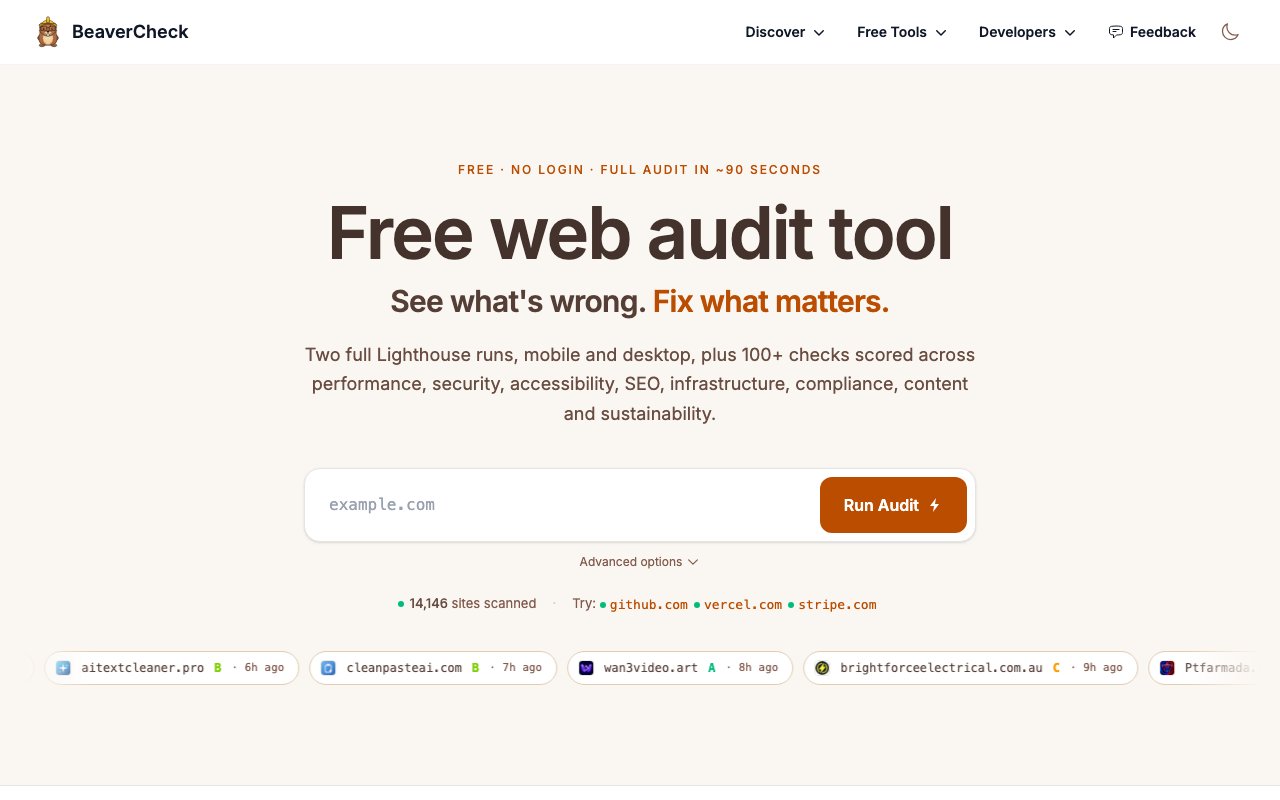
BeaverCheck is a free website audit tool that runs over 100 automated checks across eight categories: performance, security, accessibility, SEO, infrastructure, compliance, content, and sustainability. You paste a URL, wait about 90 seconds, and get a detailed report showing what's broken and what matters most to fix. No login required, no payment, no trial that expires. The barrier to entry is as low as it gets for a tool this comprehensive, which makes it a good starting point for anyone who has never audited a website before or just wants a quick sanity check.
The problem it addresses is the scatter of website health tools. You might use one service for Lighthouse scores, another for SSL checks, a third for accessibility, and a fourth for SEO. Each tool measures things a little differently, presents results in its own format, and charges its own subscription. BeaverCheck consolidates all of that into a single audit, so you're not juggling tabs or comparing reports from different tools that measure things differently. The consolidation alone saves time, but the prioritization layer is what makes the results actionable.
The audit runs dual Lighthouse tests against both mobile and desktop viewports, capturing Core Web Vitals like LCP, INP, and CLS. These metrics matter for search ranking and user experience, and getting them from both viewport sizes gives you a realistic picture of how real users experience the site. It also checks security headers, SSL certificate validity, DNS configuration, and compliance issues. The compliance section covers things like cookie consent and privacy policy presence, which are increasingly important for sites serving European users or dealing with sensitive data. The results come with a Top Priorities ranking that orders fixes by impact, so you know where to start instead of scrolling through a hundred findings trying to figure out what actually matters.
Each category has its own drill-down with detailed findings and remediation guidance. If you're not sure how to fix something, the explanations are there. This is useful for developers who are new to performance optimization or security hardening, since the guidance explains why a check failed and what concrete steps to take to resolve it. You can also export the full report as a PDF or share a permanent URL with your team or client. The shareable link is particularly handy for agencies delivering audits to clients who may not want to run the tool themselves. There's even an embeddable health score badge if you want to display your audit results publicly, which some sites use as a trust signal.
Beyond the main audit, BeaverCheck offers a set of free standalone tools. A contrast checker for WCAG compliance, an HTTP headers inspector, an SSL/TLS certificate analyzer, a DNS lookup tool, a redirect tracer, and a Core Web Vitals INP checker are all available without running the full audit. These are useful when you need a quick answer on one specific thing. If you just want to know whether your SSL cert is valid or whether a redirect chain is causing performance issues, you can get that answer in seconds without waiting for the full audit to complete. The standalone tools also serve as educational resources for anyone learning how these systems work.
The product runs from six global server locations including Brazil, Netherlands, Singapore, Spain, and the US, so you can test performance from different regions. This matters because a site might load quickly from Virginia but slowly from Singapore, and you won't know unless you test from both places. Multi-region testing is usually a paid feature in other tools, so having it included here is notable. There's also a RESTful API if you want to run audits programmatically or integrate results into your own tooling. You could set up a nightly audit that posts to Slack, or build a dashboard that tracks your site health over time.
It's completely free with no hidden tiers or upsells, which makes it a low-commitment starting point for anyone trying to get a handle on their site's health. The tradeoff is that free tools sometimes lag behind paid alternatives in depth or update frequency, but for a baseline audit covering the fundamentals, this covers a lot of ground. If you've never audited your site or just want a second opinion alongside your existing tools, the ninety-second report is worth trying. The breadth of coverage combined with zero cost makes it a practical first step before investing in paid monitoring services.
Key Features
- 100+ automated checks across eight categories
- Dual Lighthouse audits for mobile and desktop
- Core Web Vitals monitoring with LCP, INP, and CLS
- Top Priorities ranking ordered by impact
- Multi-location testing from six global servers
- RESTful API for programmatic audits
Pros & Cons
What we like
- Completely free with no login or trial expiration
- Consolidates performance, security, SEO, and accessibility in one audit
- Prioritized findings show what to fix first
- Permanent shareable URLs and PDF export
Room for improvement
- Free tool may have less depth than paid alternatives
- No recurring monitoring or scheduled audits visible
- Limited customization options for audit scope
- Newer tool with smaller community and track record
Frequently Asked Questions
What is BeaverCheck?
Is BeaverCheck really free?
What does BeaverCheck check?
Can I test from different locations?
Best For
Featured in
Alternatives to BeaverCheck
View all
Kevin Gabeci
Solo developer building web apps, cozy browser games, and AI creator toolkits.

SoloDevStack
A solo developer blog built on head-to-head tool comparisons, 580+ posts deep.

Codedex
A gamified, story-driven platform that teaches Python, web dev, and more like an RPG quest

Vibe Built
Building real apps with agentic AI. What worked, what broke, what shipped.
Reviews (0)
Badge builder
Add BeaverCheck to your website
Choose a badge style and size, preview it here, then copy the generated HTML. Badge images are self-contained SVGs and do not require an external script.

<a href="https://toolindex.net/tools/beavercheck?ref=badge" target="_blank" rel="noopener">
  <img src="https://toolindex.net/badge/beavercheck/medium.svg" alt="BeaverCheck - Listed on Tool Index" width="180" height="50" />
</a>How to use the badge
- 1. Pick the style, size, and theme that fit your layout.
- 2. Copy the generated HTML from the code block.
- 3. Paste it into your footer, homepage, or press page.
Standard badge available
The standard listing badge is available now. Score and circle badges are limited to tools currently ranked in the top 10 of a category.
Badge clicks return visitors to this profile with a referral tag so the source remains identifiable.
Related Tools
Kevin Gabeci
Solo developer building web apps, cozy browser games, and AI creator toolkits.

Coolify
Self-hostable, open source alternative to Heroku and Netlify

Warp
The modern terminal reimagined with AI and collaboration

Bolt.new
Prompt-to-deployed full-stack app inside the browser
Work on BeaverCheck? Request listing access or correction