
Blueprintr
Diagram-first architecture documentation with live AWS and Azure import and drift detection
Gallery
About Blueprintr
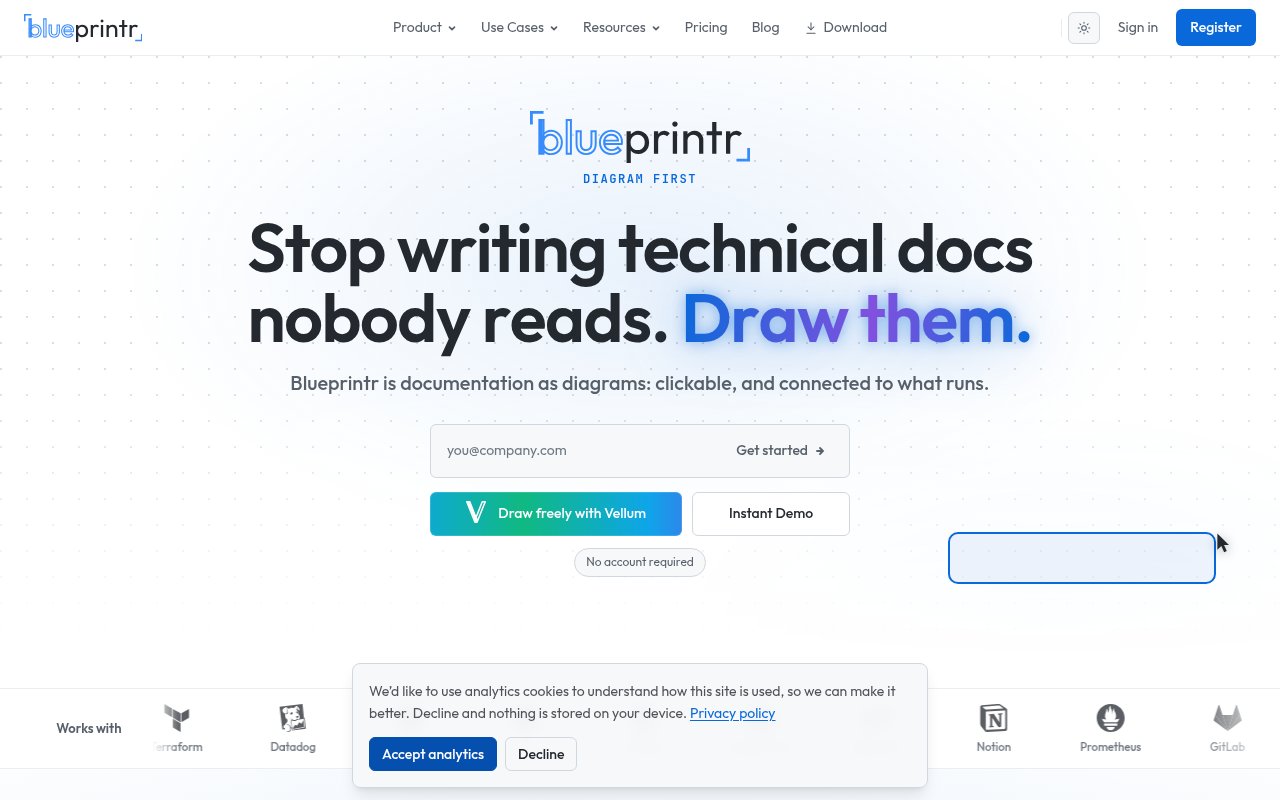
Blueprintr is architecture documentation software that puts the diagram first. Instead of a wiki with a diagram pasted into it, the diagram is the navigation layer and the detail lives behind each shape, so you click a box on the system map to reach the notes, dependencies and long-form documentation for that component. The problem it's aimed at is drift. Architecture diagrams and the documents that explain them are usually maintained separately, and within a few months neither matches what's running, which is why the site's line is diagram-first documentation that never drifts.
The core is a native editor called Vellum, which supports freehand drawing and AI-assisted diagram generation, and imports from draw.io, Excalidraw and Mermaid so existing diagrams don't need redrawing. AI assistance means you can describe a system and get a first diagram to refine rather than starting from a blank canvas. The layered detail behind each shape is called Strata. Folium holds wiki-style long-form documentation, Atrium is a customisable homepage for a knowledge base, and Podium turns a blueprint into a presentation you can walk a room through. Collaboration is live with multiple cursors, workspaces can be personal, team or shared, approval workflows gate changes when a diagram is the record of truth, and analytics on the paid tiers show which blueprints get read.
The cloud side is called Continuum. It scans AWS and Azure read-only and reconciles what it finds against Terraform state to flag drift, so the diagram reflects the environment rather than the intent. More than 30 integrations connect the map to operational tools, among them PagerDuty, Datadog, ServiceNow, CloudWatch, Grafana and New Relic, which is how a shape on the diagram comes to show an alert or a metric next to its documentation rather than in a separate tab.
Adoption tends to start with what you already have. Import the draw.io or Mermaid diagrams the team keeps in a repo, or connect an AWS account on the Team tier and let Continuum draw the topology it finds. Then the work is layering. Each shape gets its Strata detail, the runbooks and design notes move into Folium pages linked from the shapes they describe, and Atrium becomes the front door people land on when they want to know how a system works. From there approval workflows keep the blueprint honest, since a change to the diagram goes through review like a change to code.
It's built for platform teams, DevOps and SRE groups, infrastructure and cloud architects, system designers, consultants who hand architecture over to clients, and technical writers documenting systems they didn't build. The day-to-day payoff is for the person who didn't build the system. An on-call engineer paged at three in the morning can open the blueprint, click the service that's alerting, and see its dependencies, its documentation and, with the integrations wired up, its current state in Datadog or CloudWatch, without knowing where the docs live. Eight public, fully interactive blueprints on the site show what a finished one looks like, blueprints can be embedded elsewhere, and the docs include a 98-page user guide plus a getting started section covering the dashboard, organisations, portfolios, folders and the different import routes.
Where it stands apart from general diagramming tools and from wikis is the combination. Plenty of tools draw boxes and plenty store pages. Blueprintr ties each box to its page and, on the paid tiers, to the live cloud account and the monitoring stack, which is what makes the diagram trustworthy enough to navigate by. When Terraform state and the scanned cloud disagree, the drift shows on the diagram itself instead of surfacing months later in an incident review. A comparisons section on the site sets it against the alternatives directly, and a compendium of templates gives a starting point. The trade-offs are that cloud reconciliation only covers AWS and Azure today, and the product has its own vocabulary of named components that takes a little learning before the names stop being noise.
Pricing is freemium. The Personal tier is free with unlimited blueprints, the Vellum editor and embedding. Premium is $10 a month and adds the AI features, a custom subdomain, live collaboration and analytics. Team is $29 per seat per month and brings Continuum cloud scanning for AWS and Azure, team workspaces and approval workflows. Enterprise is quoted individually and adds Continuum Link, SAML SSO, SCIM, IP allowlisting and white-labelling. Documentation lives at docs.blueprintr.io, and contact goes through the site's contact link rather than a published address.
Key Features
- Vellum diagram editor with AI assistance
- draw.io, Excalidraw, and Mermaid import
- Layered detail behind every shape
- Read-only AWS and Azure scanning
- Terraform state drift detection
- 30 plus monitoring and incident integrations
Pros & Cons
What we like
- Diagrams double as navigation for the docs
- Free tier with unlimited blueprints
- Cloud reconciliation catches drift automatically
- Live multi-cursor collaboration
Room for improvement
- Cloud import covers AWS and Azure only
- Cloud scanning starts at the $29 per seat Team tier
- Its own component vocabulary takes learning
- Younger product with a smaller community
Frequently Asked Questions
What is Blueprintr?
Is Blueprintr free?
Which clouds does Blueprintr import from?
How is Blueprintr different from draw.io or a wiki?
Best For
Featured in
Alternatives to Blueprintr
View all
Kevin Gabeci
Solo developer building web apps, cozy browser games, and AI creator toolkits.

SoloDevStack
A solo developer blog built on head-to-head tool comparisons, 580+ posts deep.

Codedex
A gamified, story-driven platform that teaches Python, web dev, and more like an RPG quest

Vibe Built
Building real apps with agentic AI. What worked, what broke, what shipped.
Our take
Tool Index Editorial · Sep 2026· 4.0/5
Blueprintr is architecture documentation that uses the diagram as the front door to deeper system notes. It fits platform teams, architects, consultants, and on-call engineers who need a map that connects components to operational context. The editor can draw or import a design, while Continuum discovers AWS, Azure, and private network resources and ties them to monitoring and incident tools. A no-account demo makes the interaction easy to inspect.
We opened a detailed public lakehouse example and found the layered approach much more useful than a static diagram pasted into a wiki. Cloud discovery and drift reconciliation are the real value, but they also bring the main constraints. Coverage centers on AWS and Azure, the product introduces a fair amount of its own terminology, and meaningful automation requires connecting sensitive infrastructure metadata. Teams should test one system end to end before standardizing on it.
Editorial opinion from the Tool Index team, written from the public product pages. Not a user review.
Reviews (0)
Badge builder
Add Blueprintr to your website
Choose a badge style and size, preview it here, then copy the generated HTML. Badge images are self-contained SVGs and do not require an external script.

<a href="https://toolindex.net/tools/blueprintr?ref=badge" target="_blank" rel="noopener">
  <img src="https://toolindex.net/badge/blueprintr/medium.svg" alt="Blueprintr - Listed on Tool Index" width="180" height="50" />
</a>How to use the badge
- 1. Pick the style, size, and theme that fit your layout.
- 2. Copy the generated HTML from the code block.
- 3. Paste it into your footer, homepage, or press page.
Standard badge available
The standard listing badge is available now. Score and circle badges are limited to tools currently ranked in the top 10 of a category.
Badge clicks return visitors to this profile with a referral tag so the source remains identifiable.
Related Tools
Kevin Gabeci
Solo developer building web apps, cozy browser games, and AI creator toolkits.

Coolify
Self-hostable, open source alternative to Heroku and Netlify

Warp
The modern terminal reimagined with AI and collaboration

Bolt.new
Prompt-to-deployed full-stack app inside the browser
Work on Blueprintr? Request listing access or correction