
Buffer
Social media scheduling tool with a clean queue, multi-channel posting, and analytics for small teams and creators.
Gallery
About Buffer
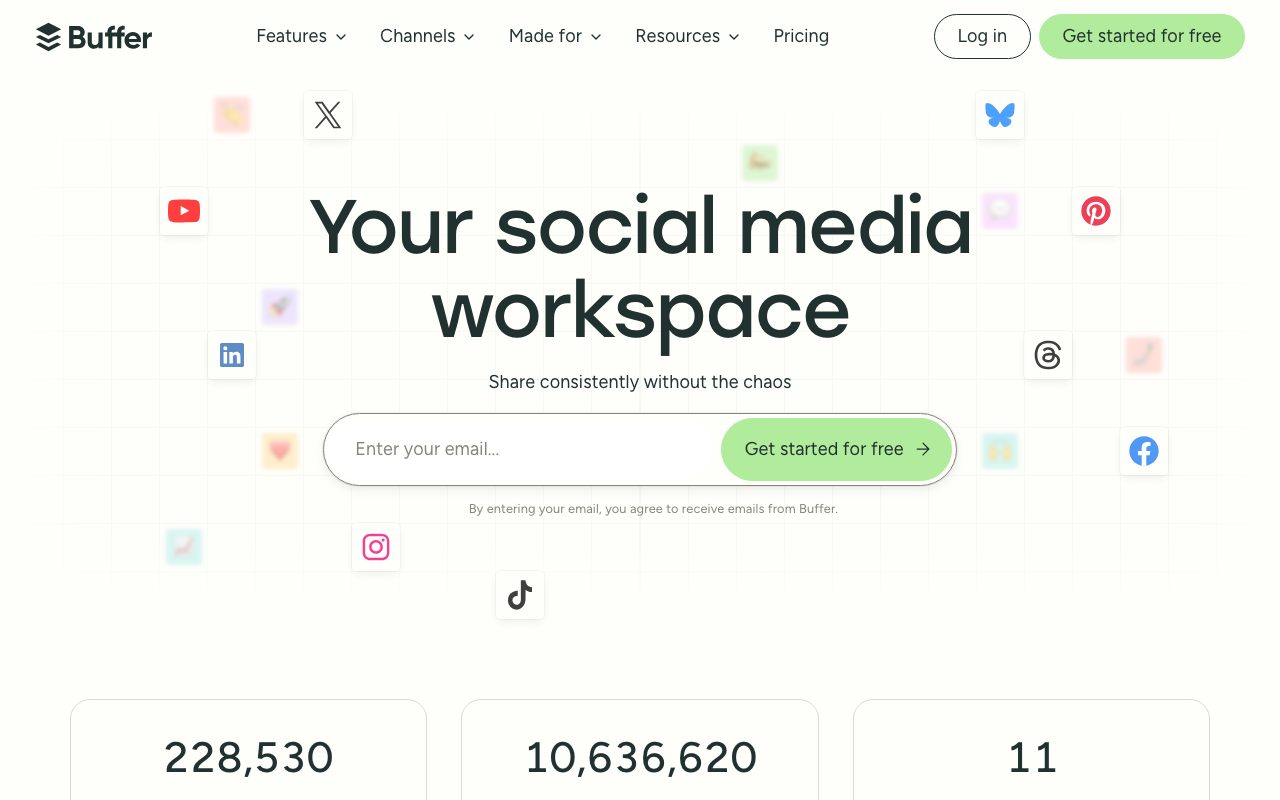
Buffer is the social media scheduler that's been quietly running solo creators and small teams for over a decade. You queue posts, Buffer publishes them at the right times, and you don't open six native apps every morning.
It's not the flashiest tool in the category. It's not trying to be. Buffer is the calm option in a category that loves to add AI buttons to every screen.
If you've ever felt overwhelmed by Hootsuite's interface or priced out of Sprout Social, Buffer is what you graduate to. Or stay on. Plenty of solo creators have been on Buffer since 2014.
What Buffer does
Connect your social accounts. Write a post. Pick a queue slot or a specific time. Buffer publishes when the moment arrives. That's the whole product on day one.
Beyond scheduling, Buffer covers the basics that creators actually need. Analytics for what posts landed. A unified inbox to reply to comments and DMs across networks. AI assist for caption rewrites. A landing page builder called Start Page.
Buffer supports Instagram, TikTok, YouTube, X (Twitter), LinkedIn, Facebook, Pinterest, Threads, Bluesky, Mastodon, and Google Business Profile. That's the meaningful list. They keep adding the new networks faster than competitors.
Who Buffer is for
Solo creators are the heart of the user base. Indie founders posting threads. Newsletter writers cross posting to LinkedIn. Etsy sellers managing Pinterest. Buffer's interface respects that you're juggling 14 things.
Small marketing teams use it too. Two to ten people, one shared queue, light approval flow. Above that, you start wanting Sprout Social's stronger workflow tooling.
Agencies are split. Some run on Buffer for client work. Some prefer Hootsuite or Later for the deeper agency features. Buffer is fine for managing five clients. Less great for fifty.
Pricing in 2026
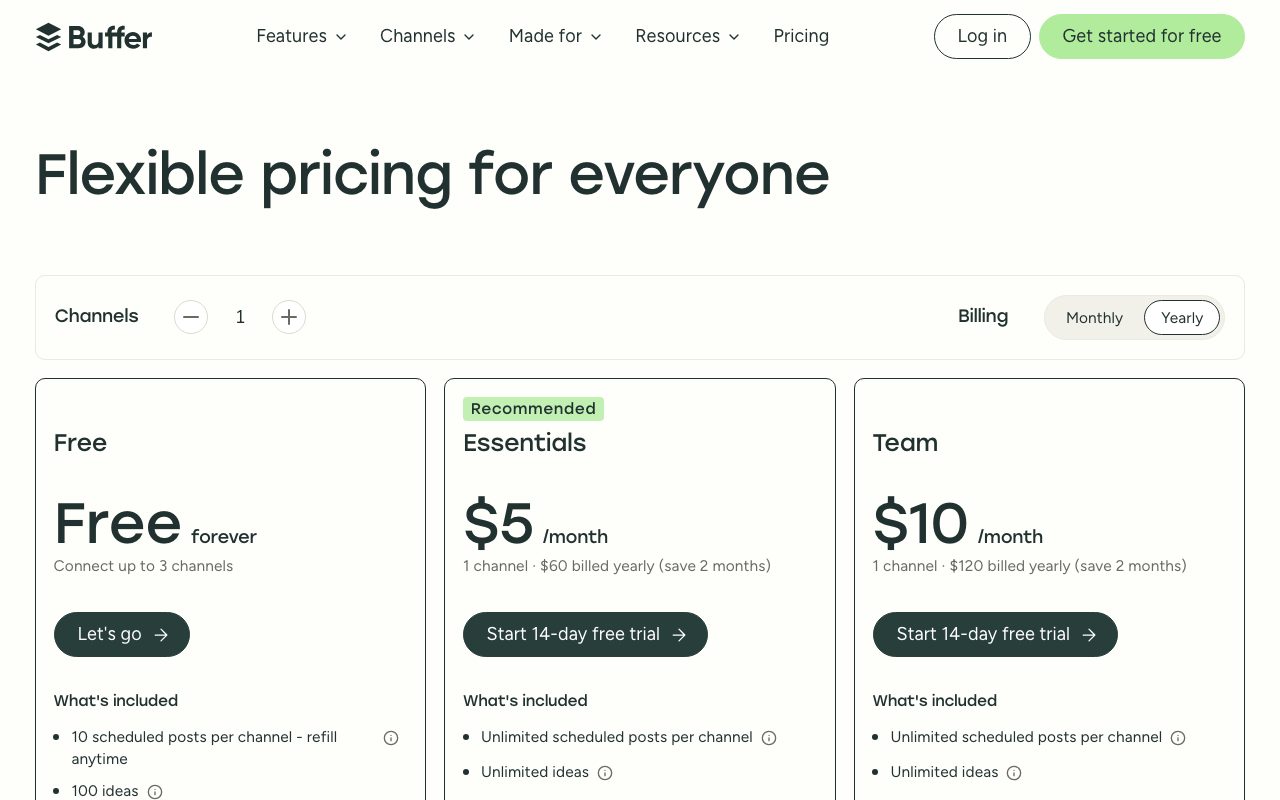
The free plan covers three social accounts and ten scheduled posts each. That's enough to test it or to run a personal brand on the cheap.
The Essentials plan starts at $6 per channel per month. The catch is the per channel pricing. If you post to six networks, you pay six times. That model rewards focused creators and punishes those who want to be everywhere.
The Team plan adds collaboration for $12 per channel per month. The Agency plan jumps higher and adds client management.
Features I actually use
The queue is the killer feature. You set posting times once. Drop new posts into the queue. Buffer fills the next available slot. No need to pick a time for every single post.
Analytics give you the per post data without overwhelm. Top posts, best times, growth trends. It's not Sprinklr's enterprise dashboard. It's not pretending to be.
The AI assist generates and rewrites captions. It's fine. Probably the same models as everyone else. Useful when you're stuck on the same post for the third platform.
Where Buffer trips
The per channel pricing rubs people the wrong way. If you're on five networks and a small team, the bill climbs.
Listening and competitor tracking are weak compared to Sprout Social or Hootsuite. Buffer doesn't really play in that lane.
Threads scheduling for Instagram works but the Reels editor is basic. If you're a video first creator, you're probably editing in CapCut and using Buffer just for the scheduling.
Buffer vs the alternatives
Hootsuite is the heavyweight. More features, higher prices, busier interface. We compare them in Buffer vs Hootsuite.
Later is Instagram first and pivoted hard into the link in bio space. Strong if you live on visual platforms. Browse best social media schedulers for more.
Publer and Metricool are the new generation challengers. Both undercut Buffer's pricing and ship features faster. Worth a look. See Buffer alternatives.
If you've been on Hootsuite since 2018 and you're paying $99 a month, switch to Buffer this afternoon. You'll save half the money and lose none of the function you actually use.
Common Buffer questions
Does Buffer post to Instagram directly? Yes, finally. Direct publishing for feed and Reels works on the paid plans. No more push notification reminders.
Can you bulk upload to Buffer? Yes, via CSV. Useful for queueing a quarter of evergreen content at once.
Does Buffer integrate with Canva and Notion? Yes. Canva is direct. Notion happens via Zapier. See tools for social media for the broader stack.
Bottom line on Buffer
Buffer is the calm, reliable scheduler. It's not chasing every trend. It's not bloating into a marketing suite. That's a feature, not a bug.
If you're a solo creator or a small team and you want one tool for the basic scheduling job, Buffer is one of the cleanest picks. Fourteen years of compounding small improvements has made it boring in the best way.
The per channel pricing is annoying but the product earns the price for focused creators. Try the free plan, decide in two weeks, and if it sticks you'll probably stay on Buffer for years.
Buffer for solo creators
The solo creator workflow is simple. Batch content on Sunday. Drop 20 posts into the queue. Buffer publishes them across the week. Tuesday afternoon, you don't even open the app.
That batch and forget pattern is why creators stick with Buffer for years. The tool stays out of the way and the content keeps shipping.
Pair Buffer with a content idea backlog in Notion or Airtable. Pull from the backlog when you sit down to schedule. The system makes "what should I post today" a non question.
Buffer for small teams
Two to ten person marketing teams use Buffer's collaboration features. Drafts get reviewed before scheduling. Approvals flow through Slack. The team plan adds shared queues per brand.
Agencies running multiple clients on Buffer assign each client their own brand workspace. Keeps the data clean. Keeps the billing simpler.
Where teams outgrow Buffer is around approval workflows. Two stages of review and structured comments are weak. Sprout Social and Hootsuite handle that better.
Analytics that actually inform decisions
Top posts by engagement is the obvious starting view. Look at the top ten posts of the last 90 days. What's the pattern? Format, time, topic, length.
The best time to post analysis pulls from your own data. Override Buffer's default times if your audience is in a different zone or has unusual habits.
Compare your engagement rates to category benchmarks (Instagram, LinkedIn, TikTok averages). Buffer surfaces some of this data. The reality check helps when growth feels stuck.
Common Buffer pitfalls
Cross posting the same content across networks without modifications hurts engagement. LinkedIn rewards different post shapes than Instagram. Tweak per platform.
Over scheduling kills batch enthusiasm. Don't queue six weeks of content in advance. Two to three weeks is the sweet spot. Beyond that you'll regret choices when news cycles shift.
Ignoring the unified inbox means you miss reply opportunities. Set 15 minutes a day to clear comments and DMs across networks. Buffer's inbox makes that fast.
Buffer Start Page and link in bio
Start Page is Buffer's free landing page builder. Add it to your social bios. Send traffic from Instagram or TikTok to one URL with all your links.
Customize the look with a theme, a header image, and link blocks. It's not Linktree's full feature set but it's free and integrated with Buffer.
Track Start Page click data inside Buffer's analytics. The unified view across social and link in bio is useful for creator dashboards.
Buffer for newsletter cross posting
Many newsletter writers cross post to LinkedIn and X. Buffer schedules the cross post the same day or with a delay. Reach extends without doubling effort.
Adapt the format per platform. The full newsletter doesn't fit Twitter. Pull the strongest excerpt. Add a link to the full piece on Substack or Beehiiv.
Track which platforms drive newsletter signups. Buffer's link tracking with UTM parameters tells you where new subscribers came from.
Buffer evolution and AI features
Buffer added AI assist for caption rewrites and content ideation. The output is similar to other AI tools. Useful for breaking blank page paralysis.
The ideas feature stores prompts and snippets. Useful for batch content sessions where you grab from a library instead of reinventing.
The product has stayed focused while adding these capabilities. No bloat. Buffer remains a scheduler that helps you ship content, not a content marketing suite.
Buffer for podcasts and YouTube
Long form creators use Buffer to promote their main content. Schedule clips, quotes, and behind the scenes posts across the launch week.
For YouTube, Buffer doesn't upload videos. Use it for the social posts that drive traffic to the YouTube link. Pair with TubeBuddy or VidIQ for actual YouTube optimization.
For podcasts, similar pattern. Buffer schedules audiograms and quote graphics. The actual hosting lives elsewhere.
Buffer for global brands and franchises
Multi location brands manage one Buffer account per location or one shared account with brand workspaces. Both patterns work.
For franchises, individual operators get their own brand workspace. Headquarters provides templates and approved content. Local operators schedule on their own cadence.
The reporting rolls up across workspaces on the Agency plan. Useful for brand teams comparing performance across locations.
Buffer customer support reality
Email and chat support response times are usually under a day. The team is small but responsive.
The help center is well organized. Most common questions have video walkthroughs.
Status page is honest. When platforms have API issues (Instagram, X), Buffer reports the impact transparently. Trust earns trust.
Tutorial / Demo
Key Features
- Scheduling across major social networks
- Per-network post customization in one composer
- Analytics dashboards and reports
- Link-in-bio Start Pages
- AI assistant for ideation and rewrites
- Drafts, approvals, and team collaboration
Pros & Cons
What we like
- Clean, focused interface
- Per-channel pricing without seat caps
- Free tier covers many creators
Room for improvement
- Lighter on listening and CRM than enterprise suites
- Some advanced analytics gated to higher tiers
Frequently Asked Questions
Does Buffer have a free tier?
Buffer vs Hootsuite, which to pick?
Buffer vs Later vs Hypefury?
Does Buffer support TikTok and Threads?
Can Buffer schedule first-comment for Instagram or threads on X?
Best For
Featured in
Tags
Alternatives to Buffer
View all
Supergrow
AI LinkedIn content tool that interviews you to write posts in your own voice and schedules them
Postiz
Open-source social media scheduling across 30-plus platforms with AI drafting and an MCP server

Post Bridge
Schedule and cross-post content to up to nine social platforms from one simple dashboard

Buttondown
Minimalist newsletter tool built for writers who prefer Markdown, plain text, and quietly powerful tooling under the hood.
Our take
Tool Index Editorial · May 2026· 4.8/5
Buffer sits in a crowded category, differentiating itself as social media scheduling tool with a clean queue, multi-channel posting, and analytics for small teams and creators.
On the strengths side: Clean, focused interface, Per-channel pricing without seat caps, and Free tier covers many creators. What to watch for: Lighter on listening and CRM than enterprise suites and Some advanced analytics gated to higher tiers.
In short: Buffer is a strong pick when you need scheduling consistent social content for creators, and a harder sell if lighter on listening and CRM than enterprise suites would be a dealbreaker.
Editorial opinion from the Tool Index team, written from the public product pages. Not a user review.
Reviews (5)
Buffer is fine, here's the real take
Honest take: Buffer delivers most of what the marketing promises. The thing I keep coming back to: per-channel pricing without seat caps. It fits well for scheduling consistent social content for creators. Wish they'd address how lighter on listening and CRM than enterprise suites. Worth a trial if you're in the same boat.
Pros
- Per-channel pricing without seat caps
Cons
- Some advanced analytics gated to higher tiers
- Lighter on listening and CRM than enterprise suites
Buffer, better than expected
The pitch for Buffer sounded too good to be true. Mostly true. Real selling point: per-channel pricing without seat caps. Per-network post customization in one composer works the way you'd hope. Mostly using it for reporting on social performance for small teams. It would be a 5 if not for some advanced analytics gated to higher tiers. Would buy again without thinking twice.
Pros
- Clean, focused interface
- Free tier covers many creators
Surprised how much we use this
Took a few weeks for Buffer to click, then it stuck. The thing I keep coming back to: clean, focused interface. Found it works best for maintaining link-in-bio destinations. Easy yes for anyone weighing the same trade-offs.
Quietly excellent
Buffer solves a real problem for me, but it's not magic. Genuine strength: free tier covers many creators. Worth the price for what I get out of it.
Pros
- Clean, focused interface
- Free tier covers many creators
Genuinely impressed
Been using Buffer for six months now. The biggest win has been clean, focused interface. The analytics dashboards and reports is more useful than I expected. Sticking with Buffer.
Pros
- Free tier covers many creators
Badge builder
Add Buffer to your website
Choose a badge style and size, preview it here, then copy the generated HTML. Badge images are self-contained SVGs and do not require an external script.

<a href="https://toolindex.net/tools/buffer?ref=badge" target="_blank" rel="noopener">
  <img src="https://toolindex.net/badge/buffer/medium.svg" alt="Buffer - Listed on Tool Index" width="180" height="50" />
</a>How to use the badge
- 1. Pick the style, size, and theme that fit your layout.
- 2. Copy the generated HTML from the code block.
- 3. Paste it into your footer, homepage, or press page.
Standard badge available
The standard listing badge is available now. Score and circle badges are limited to tools currently ranked in the top 10 of a category.
Badge clicks return visitors to this profile with a referral tag so the source remains identifiable.
Related Tools

Apatero AI
The creator studio for AI image, video, audio, 3D, and avatars, now at apatero.ai.

SEObot
Autonomous AI SEO agent that runs your blog and link building on autopilot

Substack
Hosted newsletter and publication platform with built-in payments, recommendations, and an audience network for writers.

MailerLite
Friendly, affordable email marketing tool with newsletters, automations, landing pages, and a growing creator toolkit.
Work on Buffer? Request listing access or correction