Clerk
Drop-in authentication and user management for modern apps
Gallery
About Clerk
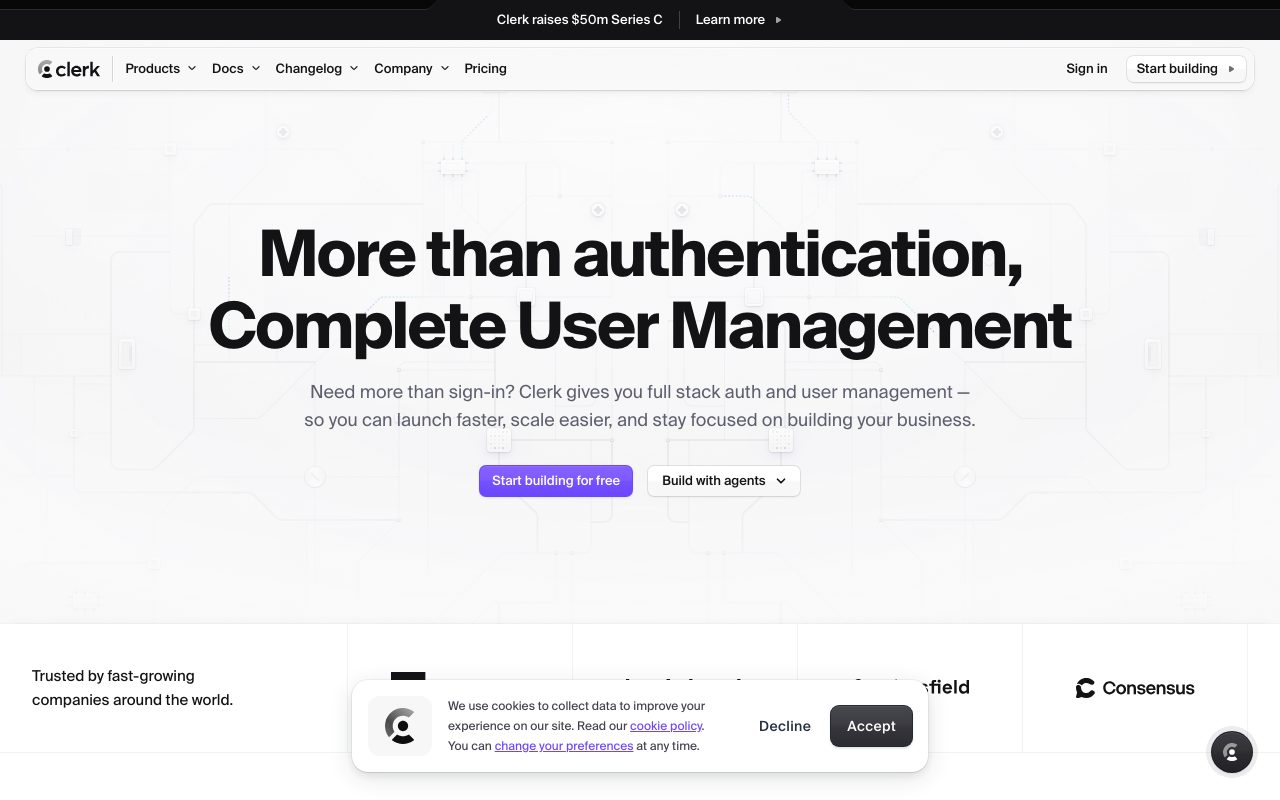
Clerk is the auth platform for teams who want a beautiful sign-up flow and don't want to build it. It bundles user management, social login, MFA, and session handling into a few drop-in React components. If you've ever wired up NextAuth from scratch and lost a weekend, Clerk feels like cheating.
The company started in 2020 and quietly became the default auth pick for Next.js shops. The components are pretty out of the box, the SDK is solid, and the dashboard is genuinely useful for support. That combo is rarer than it should be.
Clerk competes with Auth0, Supabase Auth, and the build-it-yourself camp. The pitch is "auth shouldn't be your problem." It's a strong pitch when you actually need to ship.
What Clerk actually does
Clerk handles user authentication, session management, and user profiles for web and mobile apps. You drop in a SignIn component, a SignUp component, and a UserButton, and you're done. Behind the scenes Clerk runs OAuth flows, JWT issuance, MFA, and password resets.
The components are themeable but ship looking great by default. Most teams keep the defaults. The SDK then exposes hooks like useUser and useAuth in your app, so checking auth state is one line.
The pre-built UI
Clerk's prebuilt forms are the differentiator. They handle email, social login, magic links, passkeys, MFA, and the awkward edge cases like "user signed up with Google last time but is using email this time." Building all that yourself is a multi-week project. Clerk gives it to you in an afternoon.
Organizations and roles
Clerk has first-class support for B2B organizations. Users can belong to multiple orgs, switch between them, and have roles per org. The Organization component handles the entire UI. If you're building SaaS, this saves you a lot of plumbing.
Clerk is the rare auth tool you can hand to a junior dev and trust the result. The components don't let you do dumb things, which is what you want from auth.
Who Clerk is for
Next.js, React, and React Native teams who'd rather build product than plumb OAuth. It's a great fit for SaaS startups, indie devs, and any team using Vercel-shaped infrastructure. The Next.js integration is best in class.
It's overkill for a static marketing site. It's also not the right pick if you have specific compliance requirements that need a dedicated identity provider. Clerk handles SOC 2 and GDPR but isn't a full IAM platform like Okta.
Clerk pricing
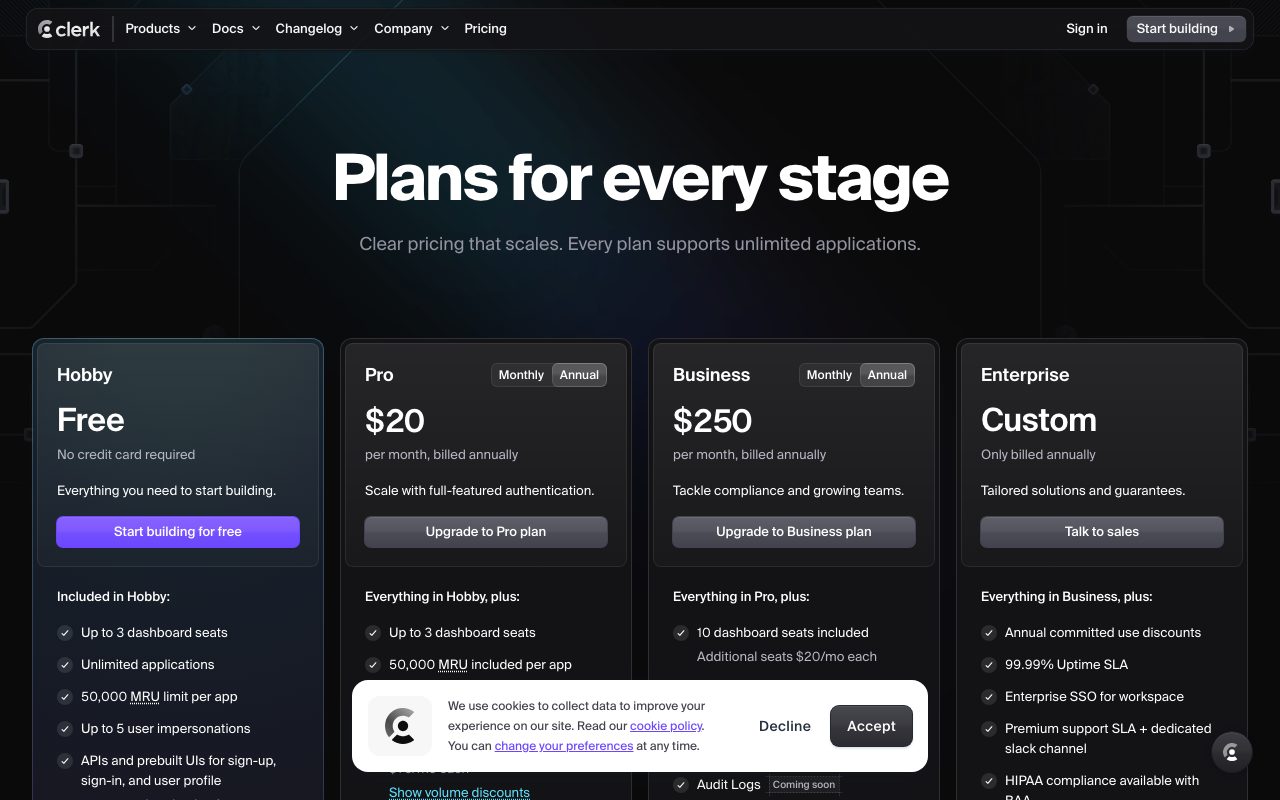
The free plan covers 10,000 monthly active users. That's a real free tier and one of the most generous in the auth space. Most early-stage products fit inside it indefinitely.
Pro starts at $25 a month with additional usage-based pricing past 10,000 MAUs. Organizations features cost extra. Enterprise is quote-based. The pricing is reasonable until you hit Organizations + lots of users, where it can climb.
Features worth knowing
Drop-in components
SignIn, SignUp, UserButton, UserProfile, and OrganizationSwitcher. Five components and you've covered most of an auth UX. They handle dark mode, mobile, accessibility, and edge cases.
Session management
Clerk runs sessions server-side and exposes them via cookies. The SDK handles refresh, expiration, and multi-tab sync without you thinking about it. JWT verification on the backend is one helper call.
MFA and passkeys
TOTP, SMS, and passkey support are all built in. You toggle them on in the dashboard. No extra integration work.
Webhooks and SDK coverage
Webhooks fire on user creation, deletion, and updates so you can sync to your DB. Official SDKs cover Next.js, React, Remix, Expo, and a few others. The Next.js middleware integration is particularly clean.
The tradeoffs
Clerk is a managed service. Your users live in Clerk, not your database. You sync via webhooks. That's fine for most apps but feels weird for teams used to owning their user table.
Pricing scales with MAU, which gets expensive at consumer scale. If you have a million free users and small revenue per user, the bill stings. Supabase Auth is cheaper at scale. NextAuth is free if you're willing to maintain it.
Clerk vs alternatives
The honest comparisons are Clerk vs Auth0, Clerk vs Supabase Auth, and Clerk vs NextAuth. Auth0 is more enterprise. Supabase is cheaper and bundles a database. NextAuth is free but you build the UI.
For Next.js shops shipping fast, Clerk's the pick. See Clerk alternatives or browse the best auth tools.
Bottom line on Clerk
Clerk is a paid tool that earns its keep. The components are good enough that even auth nerds reach for them. The dev experience compounds as your product grows.
If you're shipping a SaaS, building a B2B app, or just don't want to think about session management, Clerk is the safe modern pick. The free tier means you can ship a real product before paying a cent.
Common Clerk questions
Is Clerk secure? Yes. Clerk is SOC 2 Type 2 certified, GDPR compliant, and uses industry-standard auth flows. The signed-cookie session model is solid. PII is encrypted at rest. The team has been audited multiple times.
Can I migrate from NextAuth to Clerk? Mostly yes. The hard part is migrating users and their existing sessions. Clerk has migration guides and a bulk-import API. Sessions don't migrate (users re-auth once), but accounts and email verifications do.
What happens if Clerk goes down? Your auth goes down. This is true of any managed auth provider. Clerk's status page shows historical uptime in the four nines. For critical apps, plan accordingly: cache sessions appropriately, fail gracefully, and have a status page.
Does Clerk work with React Native?
Yes. Clerk Expo SDK is solid and widely used. Native sign-in flows, biometric auth, and session sync across web and mobile. If you're shipping a cross-platform app, Clerk's coverage saves real time.
Can I customize the UI?
Yes, on multiple levels. CSS theming for light tweaks. Component customization for layout changes. Headless usage if you want full control. Most teams stick with the defaults plus theming, which is the fastest path to shipping.
Workflow tips for Clerk
Webhook user events to your DB. The user record in Clerk is the source of truth, but you usually want a mirror in your own DB for joins, foreign keys, and analytics. Sync via webhooks on user.created, user.updated, user.deleted.
Use Organizations for multi-tenant SaaS. Each organization is a tenant. Users can belong to multiple organizations with different roles. The OrganizationSwitcher component handles the UX. Building this from scratch is a multi-week project.
Verify JWTs on the backend. The Clerk SDK helpers do this for you. Don't trust the user ID without verifying. Don't pass through user role from the client. Standard auth hygiene.
Plan for the MAU bill. Clerk pricing scales linearly. If you have a viral free product, the MAU count grows fast. Set a threshold and revisit pricing if it crosses. Browse tools for SaaS founders for related picks.
Real-world Clerk scenarios
A B2B SaaS startup uses Clerk for sign-up, organizations, and roles. Multi-tenant out of the box. The OrganizationSwitcher saves them weeks. Webhooks sync user records to their Postgres. Total auth code in their app: maybe 50 lines.
A consumer app uses Clerk for social login and passkeys. Apple, Google, GitHub, plus passkeys for power users. The MFA UX handles the awkward edge cases. Customer support tickets about "I can't log in" dropped 80% versus their previous custom auth.
An indie developer ships a side project with Clerk's free tier. 10k MAU is more than enough. Clean components, beautiful UX, near-zero setup. They focus on product, not auth plumbing. The free tier is generous enough to ship real products on.
Things to configure
Pick your sign-in methods early. Email magic link, password, social, passkeys. Clerk supports all. Start with two or three. Adding more is easy. Removing them after users sign up is painful.
Customize the UserButton menu. Add your app's links. Sync the theme to your brand. Small touches make Clerk feel native rather than bolted on.
Set up the webhook handler before you launch. Sync user.created to your DB. Handle user.deleted. Without webhooks, your DB drifts from Clerk's user records and queries break.
Use middleware for protected routes. The Clerk Next.js middleware handles auth checks at the edge. Cleaner than checking inside every page. Performant on Vercel. Browse the Clerk page for community reviews.
Why Clerk keeps gaining share
Clerk arrived in a market full of auth options and won by caring about UI. Auth0 had the enterprise features. Supabase had the bundle. NextAuth had the open source cred. None of them had genuinely beautiful drop-in components for sign-in and user management. Clerk did, and that turned out to matter a lot.
For modern web teams, the speed-to-ship advantage is real. Days of work compressed to hours. The components handle edge cases (account linking, MFA enrollment, organization switching) that most teams build poorly when they roll their own.
The pricing complaint is mostly about scale. At 100k MAU the bill gets uncomfortable. The teams who hit that scale usually have revenue to match. Smaller teams stay on the free tier or pay $25/month happily.
For Next.js shops in 2026, Clerk is the default not because it's flashy but because it removes a category of work. The components are good. The SDK is solid. The dashboard is useful for support. Most teams who try Clerk stick with it through their next funding round at minimum.
Tutorial / Demo
Key Features
- Pre-built sign-up and sign-in components
- Social login with Google, GitHub, Apple, and more
- Multi-factor authentication
- Organizations and role-based access control
- User profile management UI
- Webhook events for user lifecycle
- SDKs for Next.js, React, Remix, and more
Pros & Cons
What we like
- Incredibly fast to integrate, minutes not days
- Beautiful pre-built UI components
- Free for up to 10,000 monthly active users
- Organizations and RBAC built in
- Excellent Next.js and React integration
Room for improvement
- Vendor lock-in for authentication
- Can get expensive at scale with many users
- Less flexible than building auth from scratch
- Limited backend framework support compared to Auth0
Frequently Asked Questions
What is Clerk used for?
Is Clerk free to use?
What are the pros and cons of Clerk?
Who should use Clerk?
Best For
Featured in
Tags
Alternatives to Clerk

1Lookup
Real-time data verification API for phone, email, IP, and domain validation to fight fraud

BackPedal
UK bike theft protection that sends recovery agents after your stolen bike

1Password
Password and secrets manager for individuals, families, and developer teams with strong CLI and SSH agent support.

Doppler
Centralized secrets manager that syncs config and credentials across local dev, CI, and production environments.
Our take
Tool Index Editorial · May 2026· 4.4/5
Clerk is the kind of tool you adopt when you want drop-in authentication and user management for modern apps.
On the strengths side: Incredibly fast to integrate, minutes not days, Beautiful pre-built UI components, and Free for up to 10,000 monthly active users. Honest gripes: Vendor lock-in for authentication and Can get expensive at scale with many users.
Recommendation: this is a strong default when you need adding authentication to Next.js and React applications. If vendor lock-in for authentication would be a dealbreaker, the alternatives section below is worth a scroll.
Editorial opinion from the Tool Index team, written from the public product pages. Not a user review.
Reviews (6)
Maybe in a year when they fix the basics
Tried Clerk on a side project first. The thing I keep coming back to: organizations and RBAC built in. Decent product, just not the right fit for me.
Pros
- Incredibly fast to integrate, minutes not days
- Beautiful pre-built UI components
- Organizations and RBAC built in
Bought it for one feature, stayed for ten
Came to Clerk after frustration with what I had before. The biggest win has been organizations and RBAC built in. Mostly using it for adding authentication to Next.js and React applications. Still recommending it to people in similar setups.
Pros
- Incredibly fast to integrate, minutes not days
- Beautiful pre-built UI components
- Free for up to 10,000 monthly active users
Worth the price of admission
Have been using Clerk for a while, here's where I land. Genuine strength: excellent Next.js and React integration. User profile management ui works the way you'd hope. Main use case: multi-tenant SaaS with organization management. Worth the price for what I get out of it.
Pros
- Beautiful pre-built UI components
- Free for up to 10,000 monthly active users
Honest take after the last quarter
Adopted Clerk for one project, ended up using it for more. Genuine strength: free for up to 10,000 monthly active users. It fits well for apps requiring social login and MFA. Would buy again without thinking twice.
Pros
- Beautiful pre-built UI components
- Excellent Next.js and React integration
- Organizations and RBAC built in
Clerk, better than expected
Been using Clerk for almost a year now. What stands out is how beautiful pre-built UI components. Found it works best for multi-tenant SaaS with organization management. Would buy again without thinking twice.
Bought it for one feature, stayed for ten
Got Clerk on the recommendation of someone I trust. Genuine strength: beautiful pre-built UI components. Still recommending it to people in similar setups.
Pros
- Organizations and RBAC built in
- Beautiful pre-built UI components
- Excellent Next.js and React integration
Badge builder
Add Clerk to your website
Choose a badge style and size, preview it here, then copy the generated HTML. Badge images are self-contained SVGs and do not require an external script.

<a href="https://toolindex.net/tools/clerk?ref=badge" target="_blank" rel="noopener">
  <img src="https://toolindex.net/badge/clerk/medium.svg" alt="Clerk - Listed on Tool Index" width="180" height="50" />
</a>How to use the badge
- 1. Pick the style, size, and theme that fit your layout.
- 2. Copy the generated HTML from the code block.
- 3. Paste it into your footer, homepage, or press page.
Score badge available
Clerk qualifies for the score and circle badges based on its current top-10 positionin Security.
Badge clicks return visitors to this profile with a referral tag so the source remains identifiable.
Related Tools

Kevin Gabeci
Solo developer building web apps, cozy browser games, and AI creator toolkits.

Coolify
Self-hostable, open source alternative to Heroku and Netlify

Warp
The modern terminal reimagined with AI and collaboration

Bolt.new
Prompt-to-deployed full-stack app inside the browser
Work on Clerk? Request listing access or correction