
Cockpit
Manage Claude Code and Codex tasks from one local Mac workspace
Gallery
About Cockpit
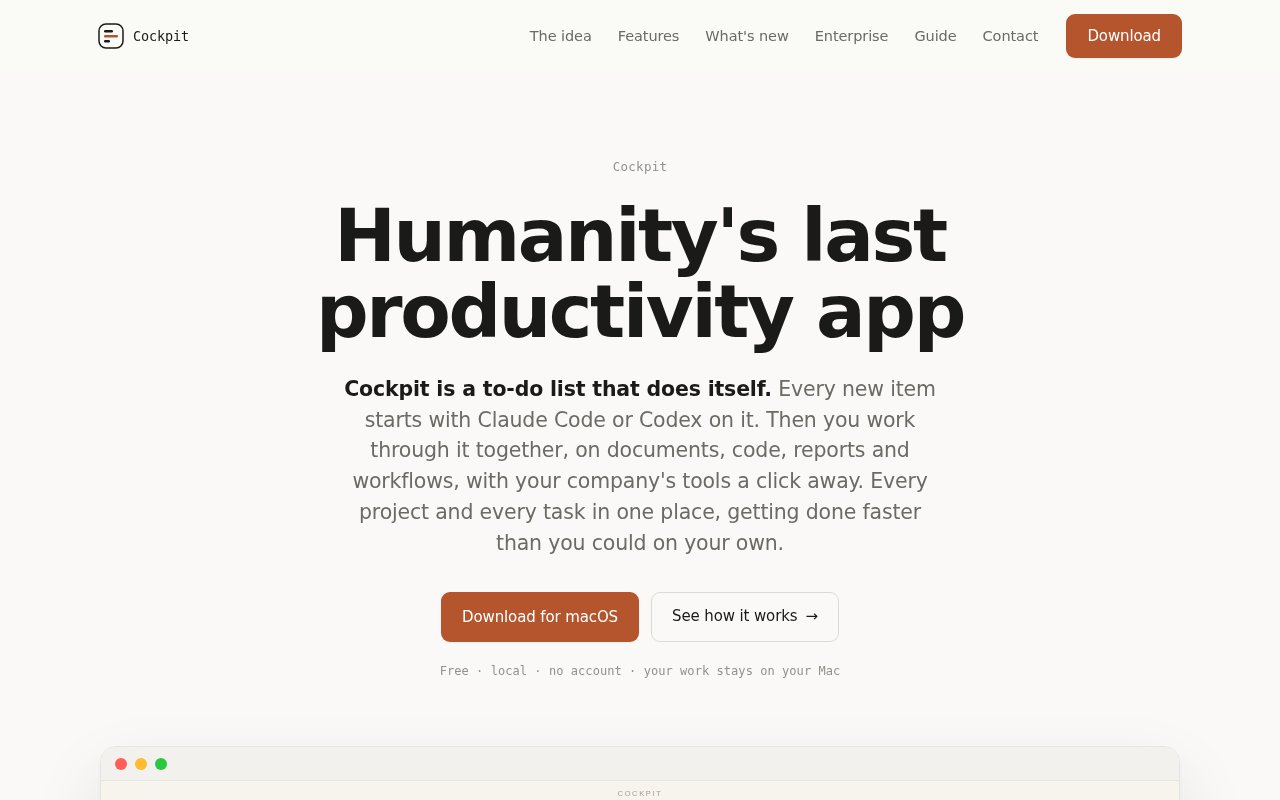
Cockpit is a local macOS workspace for organizing work delegated to Claude Code and Codex. It turns each request into a task on a visual board, starts the chosen coding agent in a selected folder, and keeps the conversation and resulting files attached to that task. The idea is to replace a collection of terminal tabs with one place to see what is running, what has finished, and what is waiting for a human answer. Despite the original aidash.dev domain, the product itself is named Cockpit and is broader than a dashboard. It combines task management, agent interaction, file review, and project history in a desktop application.
New work starts by choosing a directory, writing an instruction, and selecting Claude Code or Codex. The task card lands on the board while the agent begins, so the user can move on and start another job. An Attention view brings together sessions that need input and gives each one a reply box. It can also surface permission requests and controls for stopping a run. Notifications identify background tasks that complete, while status details show the command an agent reports as running and how long it has been quiet. This makes parallel agent work easier to supervise without repeatedly opening every session.
Opening a task shows a summary, the current state, and a readable transcript. Files produced by the agent become tabs instead of disappearing into a directory, and each write is retained in a version timeline. A user can compare versions or restore an older one if a change breaks something. Text selection supports several follow-up paths. A comment goes back to the agent that wrote the passage, an explanation appears in the margin without interrupting the active work, and a new session can spin the selection into a separate background task. Word documents, tables, images, and referenced web pages can render beside the conversation, with a plugin system for additional viewers.
For organization, Cockpit provides categories with colors, icons, and nested subcategories, plus pinned recurring flows and search across past and present tasks. Reminders can attach a date and time to a task. A keyboard shortcut cycles through recent sessions, and long-running work remains visibly active based on status reported by the agents. The design fits developers, analysts, researchers, and other knowledge workers who use coding agents for more than code and want a persistent record of projects. It is especially useful when tasks produce documents, reports, local dashboards, or other artifacts that need review alongside the agent's explanation.
The application runs on Apple silicon and Intel Macs and uses the user's existing Claude Code or Codex setup. Cockpit has no account and no content server. It reads sessions and documents on the Mac, and the site says task content isn't sent to Cockpit. Requests still go from the selected agent to its configured model provider, which may include a company gateway or cloud platform, so Cockpit doesn't change that provider's data path. Anonymous numeric usage counts are enabled by default but can be turned off in the interface or disabled across a machine with the published environment setting. This local architecture also means session access follows the computer rather than a separate Cockpit login.
Teams can extend Cockpit with viewer plugins for internal document types, review workflows, and company tools. Connections such as Drive, Slack, a CRM, or a warehouse can expose their actions and sign-in state through the agent setup already in use. The product site says plugins live outside the app, can add actions to the selection menu, and can be checked against real MCP servers before wider use. Company support plans and custom plugin work are available, but the public page doesn't publish those prices. Cockpit also lacks a built-in cloud account, team sync, or shared server, so teams looking for centralized assignment and reporting may find its local model intentionally limited.
The desktop app is free to download and use. There is no Cockpit subscription advertised, although the user still pays any costs associated with Claude Code, Codex, the selected model provider, or connected services. Free access is possible because the app relies on the agent installation and processing arrangement the user already has. That makes Cockpit most appealing to people who are already comfortable with either agent and need a calmer control surface, searchable history, and stronger artifact review. It doesn't replace the agents themselves. It gives their sessions a durable home on the Mac.
Key Features
- Unified agent attention queue
- Visual task and project board
- Versioned file review tabs
- Inline comments and explanations
- Searchable local session history
- Extensible document viewer plugins
Pros & Cons
What we like
- Combines Claude Code and Codex sessions
- Keeps task content and files on the Mac
- Preserves every agent file revision
- Makes waiting sessions easy to spot
Room for improvement
- Available only for macOS
- Requires an existing supported agent setup
- Has no built-in cloud sync or shared workspace
- Anonymous usage counts are enabled by default
Frequently Asked Questions
What is Cockpit?
Does Cockpit send work to its own server?
Is Cockpit free?
Which agents and computers does Cockpit support?
Best For
Featured in
Alternatives to Cockpit

Kevin Gabeci
Solo developer building web apps, cozy browser games, and AI creator toolkits.

SoloDevStack
A solo developer blog built on head-to-head tool comparisons, 580+ posts deep.

Codedex
A gamified, story-driven platform that teaches Python, web dev, and more like an RPG quest

Vibe Built
Building real apps with agentic AI. What worked, what broke, what shipped.
Our take
Tool Index Editorial · Oct 2026· 4.0/5
Cockpit is a free local Mac workspace for supervising Claude Code and Codex sessions. It puts tasks on a board, highlights sessions waiting for input, keeps transcripts searchable, and presents agent written files with version history beside the conversation. For people already running several coding agent jobs at once, we found the attention queue and artifact review more useful than another chat wrapper.
The local, account free design is a strength, and the docs say it supports Intel and Apple silicon Macs on macOS 13 or newer. It does not replace either coding agent, so users still need those tools and pay their associated model costs. Cockpit is also Mac only and has no built in shared cloud workspace, which makes it much less suitable for centralized team assignment or cross device access.
Editorial opinion from the Tool Index team, written from the public product pages. Not a user review.
Reviews (0)
Badge builder
Add Cockpit to your website
Choose a badge style and size, preview it here, then copy the generated HTML. Badge images are self-contained SVGs and do not require an external script.

<a href="https://toolindex.net/tools/cockpit?ref=badge" target="_blank" rel="noopener">
  <img src="https://toolindex.net/badge/cockpit/medium.svg" alt="Cockpit - Listed on Tool Index" width="180" height="50" />
</a>How to use the badge
- 1. Pick the style, size, and theme that fit your layout.
- 2. Copy the generated HTML from the code block.
- 3. Paste it into your footer, homepage, or press page.
Standard badge available
The standard listing badge is available now. Score and circle badges are limited to tools currently ranked in the top 10 of a category.
Badge clicks return visitors to this profile with a referral tag so the source remains identifiable.
Related Tools
Kevin Gabeci
Solo developer building web apps, cozy browser games, and AI creator toolkits.

Coolify
Self-hostable, open source alternative to Heroku and Netlify

Warp
The modern terminal reimagined with AI and collaboration

Bolt.new
Prompt-to-deployed full-stack app inside the browser
Work on Cockpit? Request listing access or correction