CodeBeat
AI music production platform with beat making, stem separation, and real-time collaboration
Gallery
About CodeBeat
CodeBeat is a browser-based music production platform that uses AI to help you create beats, melodies, and full tracks without needing a traditional DAW or years of production experience. It runs entirely in the browser, so there is nothing to install, and it focuses on making music creation accessible to people who have ideas but not necessarily the technical chops to execute them in Ableton or Logic. The platform combines generative AI for composition with practical production tools, positioning itself as a starting point for musicians who want to move from idea to rough track quickly. Whether you are a hobbyist exploring music creation for the first time or an experienced producer looking for a faster way to sketch ideas, the workflow is designed to reduce friction at every step.
The core pitch is AI-assisted composition paired with essential production features. You can generate beats and melodies through the platform's AI engine, then refine them using the built-in editor. It also includes stem separation, which lets you pull apart existing tracks into their component parts. That feature alone can save hours of manual editing if you want to isolate a vocal or drum loop from a reference song. For producers who work with samples, stem separation opens up creative possibilities that would otherwise require expensive plugins or tedious manual work. The AI does the heavy lifting of identifying and separating frequency ranges, leaving you with clean stems you can use however you like.
Beyond generation, the platform offers professional mixing tools and MIDI support. You can export your work in standard audio formats or as MIDI files, which means you can take what you create here and drop it into another DAW if you want to finish the track elsewhere. That interoperability matters for anyone who uses CodeBeat as a starting point rather than an all-in-one studio. The mixing tools handle basic equalization, compression, and volume balancing, giving you enough control to shape a track before export without overwhelming you with knobs and parameters. For many projects, that level of control is sufficient to produce something polished enough to share or use as background music.
Real-time collaboration is built in, so multiple people can work on the same project simultaneously. That makes it useful for remote co-writing sessions or for producers who want feedback without bouncing files back and forth through email. The collaboration layer is browser-native, so both parties just need a link to join. For distributed teams or artists working across time zones, this removes one of the biggest friction points in collaborative music production. You can iterate together in the same session rather than waiting for file transfers and version conflicts. Changes sync in real time, so both parties see the same state of the project as they work.
It fits musicians, beat-makers, content creators, and hobbyists who want to produce music quickly without a steep learning curve. If you have been intimidated by complex DAWs or just want to sketch out an idea before committing to a full production, this is a lighter-weight way in. The AI features lower the barrier by handling initial composition, but the mixing and export tools give you room to grow as your skills develop. Content creators who need background music for videos, podcasts, or streams will find the workflow particularly efficient since the goal is a finished track, not a polished studio album. The same applies to game developers or app builders who need audio assets but do not have dedicated audio staff.
The platform also appeals to producers who want to experiment with AI generation without abandoning their existing workflow. Because you can export MIDI, anything generated in CodeBeat can become the foundation for deeper work in your primary DAW. That flexibility positions it as a complement to professional tools rather than a replacement. You can use it for ideation, stem extraction, or quick drafts, then move to more powerful software when the project demands it. For professionals, the value is speed and inspiration; for beginners, the value is accessibility and guidance. Both audiences benefit from the browser-based approach that eliminates installation headaches.
Pricing is listed as free with no cost shown, though whether that remains the case or paid tiers appear later is unclear. For now, you can jump in and start producing without pulling out a credit card, which makes it easy to test whether the workflow fits before investing time. The browser-based approach means you can try it on any machine with a modern browser, without worrying about system requirements or installation dependencies. For casual producers and professionals exploring AI-assisted music creation, CodeBeat offers a low-friction entry point that balances accessibility with enough depth to be genuinely useful. The combination of generation, stem separation, mixing, and collaboration in one place makes it a versatile option for a range of music production needs.
Key Features
- AI-powered beat and melody generation
- Stem separation for isolating track elements
- Real-time collaboration in the browser
- Professional mixing tools
- MIDI export for DAW compatibility
- Standard audio format export
Pros & Cons
What we like
- Runs entirely in the browser with no installation
- AI generation lowers the barrier to music creation
- Stem separation saves time when working with samples
- MIDI export lets you continue work in another DAW
Room for improvement
- Less powerful than full desktop DAWs for complex projects
- Long-term pricing model is unclear
- Smaller community compared to established production tools
- Depends on browser performance for real-time audio
Frequently Asked Questions
What is CodeBeat?
Is CodeBeat free?
Who is CodeBeat for?
Can I use tracks made in CodeBeat in another DAW?
Best For
Featured in
Alternatives to CodeBeat
View all
Suno
Generate full songs from a prompt, including vocals, lyrics, and all.
Post2Song
Paste an X post URL, get an original song back using ACE-Step AI composition

Melodusk
AI music generator with lyrics, stems, MIDI editing, and music videos in the browser
Udio
AI music generator that leans into mixing fidelity and stems
Our take
Tool Index Editorial · Oct 2026· 2.5/5
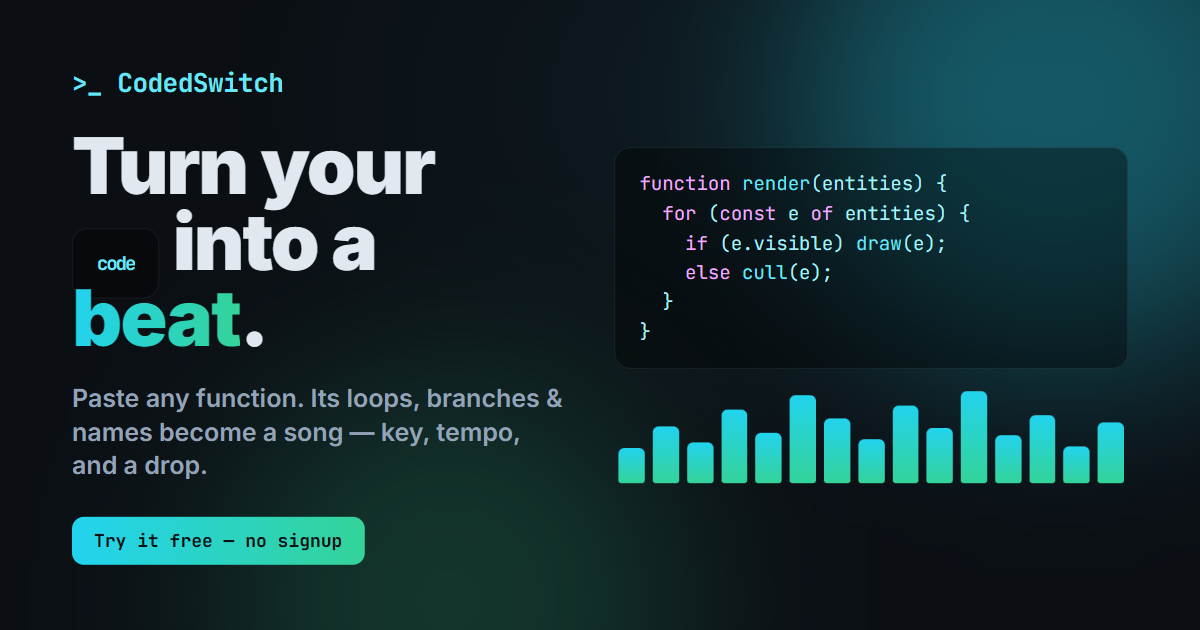
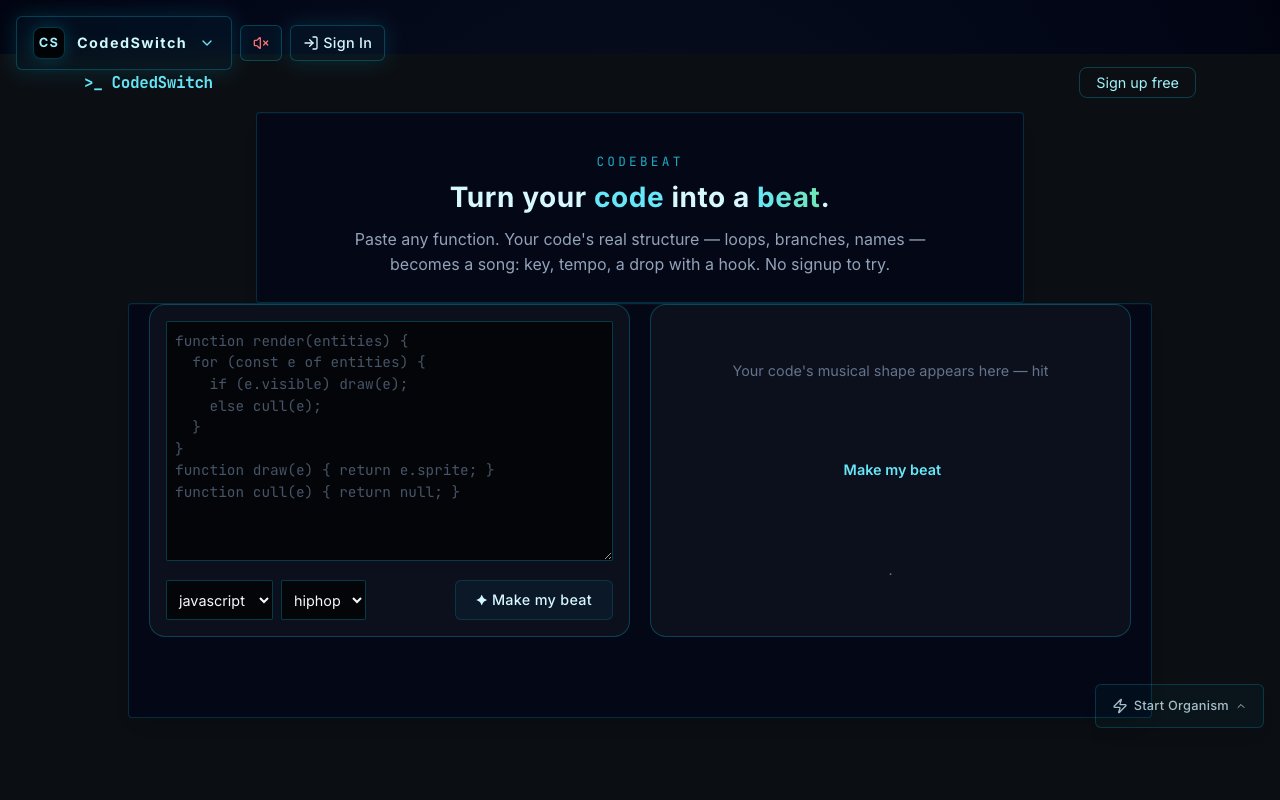
CodeBeat currently turns a pasted function into a beat based on elements such as loops, branches, and names, with choices for programming language and musical genre. The public page offers a no signup trial, and we found a focused coding toy that could be fun for demos, classrooms, or a quick creative break.
The site is too sparse to support the much broader production platform described in the listing. We saw no public evidence there for stem separation, real time collaboration, MIDI export, or professional mixing tools, and no detailed pricing or output rights. Until those capabilities are documented and demonstrable, CodeBeat should be judged as an experimental code to music generator rather than a replacement for even a basic DAW.
Editorial opinion from the Tool Index team, written from the public product pages. Not a user review.
Reviews (0)
Badge builder
Add CodeBeat to your website
Choose a badge style and size, preview it here, then copy the generated HTML. Badge images are self-contained SVGs and do not require an external script.

<a href="https://toolindex.net/tools/codebeat?ref=badge" target="_blank" rel="noopener">
  <img src="https://toolindex.net/badge/codebeat/medium.svg" alt="CodeBeat - Listed on Tool Index" width="180" height="50" />
</a>How to use the badge
- 1. Pick the style, size, and theme that fit your layout.
- 2. Copy the generated HTML from the code block.
- 3. Paste it into your footer, homepage, or press page.
Standard badge available
The standard listing badge is available now. Score and circle badges are limited to tools currently ranked in the top 10 of a category.
Badge clicks return visitors to this profile with a referral tag so the source remains identifiable.
Related Tools

Soundraw
AI music generator that builds royalty-free, fully customizable songs from a mood and genre in seconds

Stable Audio
Stability AI's text-to-audio model for generating original music and sound effects from a written prompt
Suno
Generate full songs from a prompt, including vocals, lyrics, and all.

Boomy
Make original AI songs in seconds and distribute them to Spotify, Apple Music, and 40+ streaming platforms
Work on CodeBeat? Request listing access or correction