
Commit Garden
Turn daily GitHub commits into a garden that rewards a consistent coding habit
Gallery
About Commit Garden
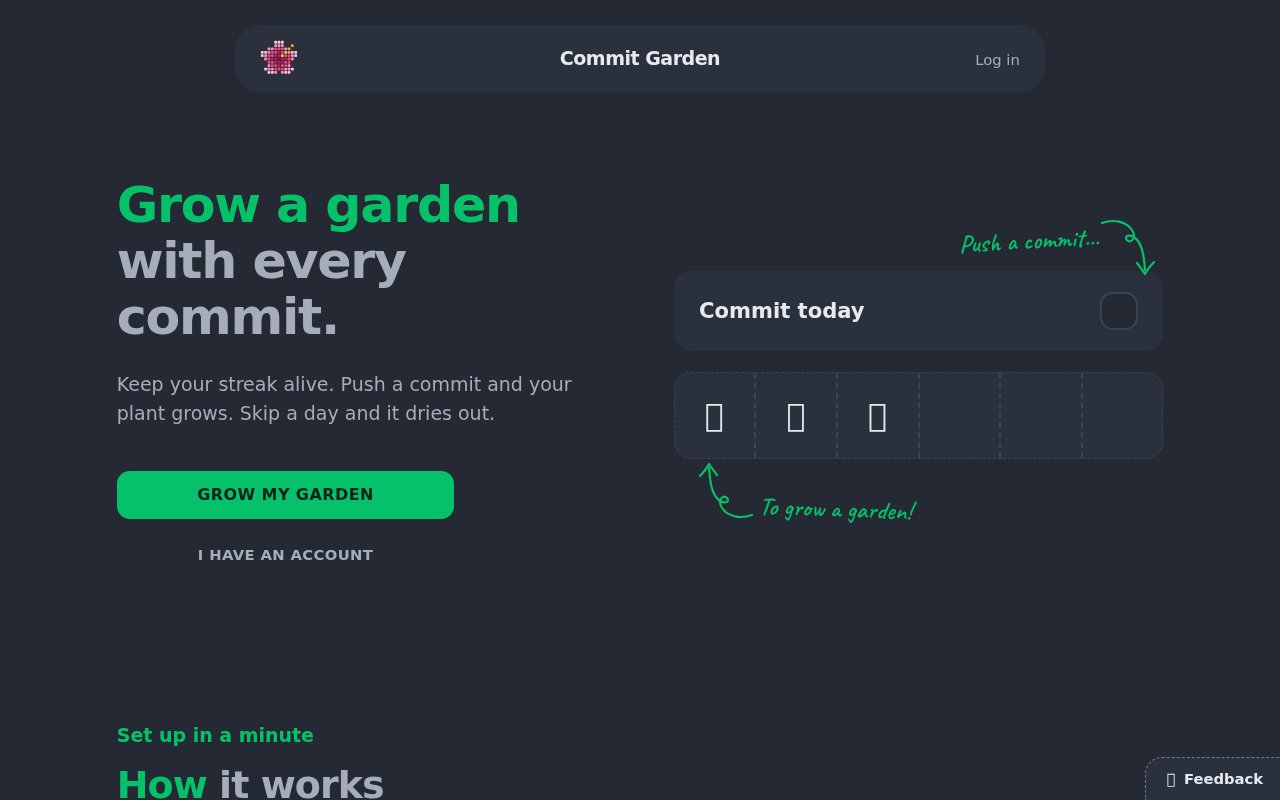
Commit Garden is a small web app that turns GitHub commits into a growing collection of virtual plants. It gives a daily coding habit a visible consequence that feels more personal than a contribution square. Push at least one commit on a day and the current plant advances by one stage. Keep that rhythm for six days and the finished plant moves into the garden permanently, ready for another seed to begin. If a whole day passes without a qualifying push, the plant in progress withers, the current streak resets, and the next commit starts a new sprout. Completed plants and the best streak remain intact.
Getting started involves signing in with GitHub, Google, or an email link, then connecting a GitHub account. During installation, the user can grant the GitHub App access to all repositories or select only the ones that should count. Any commit pushed after signup to an installed repository counts, on any branch, once per commit identifier. GitHub notifies the service about pushes, so the plant reacts without waiting for the public contribution graph to refresh. The count can differ from GitHub's profile total because GitHub uses stricter contribution rules, while Commit Garden is deliberately tracking pushes to the selected repositories.
The garden adds several layers beyond a simple streak counter. There are 16 plants to unlock, 35 achievements to collect, goals, a larger milestone, public profiles, and friends. Daily side quests award gems for activity such as reaching ten or 25 commits in a day or pushing to three repositories. A gem can move the current plant ahead by a stage, with up to two boosts in a day, while two gems can rescue a streak just after a missed day. The status also distinguishes a plant that is merely thirsty from one that has withered. Days follow midnight in the user's chosen time zone, and changing that zone in settings recalculates the calendar.
Its design is aimed at developers who respond well to gentle game mechanics and want a reason to finish and push work regularly. A learner can use the garden as a cue to save daily progress. An independent maker can turn a long project into a visible chain of small sessions. A developer already using several private or public repositories can choose which ones participate without changing a normal Git workflow. The product explicitly avoids feeds and leaderboards, keeping the comparison centered on the user's own garden. That makes it more of a personal habit game than a performance score for judging how much work someone did.
The tracking model is intentionally narrower than a general developer activity report. It watches pushes from connected repositories rather than importing a full GitHub history, and it starts counting only after signup. A commit is counted once by its identifier, which prevents the same commit from adding growth again when a push is delivered more than once. Because any branch can count, the garden can react to work that hasn't reached a repository's default branch and might not appear on the public contribution graph. That responsiveness is useful for habit feedback, though the result shouldn't be read as a replacement for GitHub statistics or a complete measure of productivity.
The privacy explanation is unusually specific for a compact habit app. GitHub requires the App to request read access to repository contents in order to send push events, but Commit Garden says it never fetches files. For each tracked commit it stores the commit identifier, timestamp, and repository identifier, then keeps daily counts. It says it doesn't store commit messages, diffs, file names, or file contents. Only activity after the account is connected is imported. A user can change the chosen repositories through GitHub, disconnect GitHub to stop new counting, make the public profile private, or delete the account and its held data through settings.
Commit Garden is paid after a seven day trial that requires no credit card. The published options are EUR 5 per month or a one time EUR 29 Forever purchase, with applicable tax included in the shown price. Monthly billing can be canceled from settings and remains active through the paid period. The Forever option lasts for as long as the service itself operates, rather than for the purchaser's lifetime. The terms also offer a full refund when requested within 14 days of payment. When a trial or subscription ends, existing plants and history stay in the account, but new plants stop growing. It is a focused product, and its strict daily reset may not suit every working style, but the clear rules make it easy to decide whether the nudge is useful.
Key Features
- Six stage plant growth
- Sixteen unlockable plant species
- Daily quests and spendable gems
- Thirty five collectible achievements
- Selectable GitHub repository tracking
- Public profiles and friend connections
Pros & Cons
What we like
- Turns ordinary pushes into a visible daily ritual
- Counts selected repositories and any branch
- Explains exactly which commit data it stores
- Offers monthly and one time payment choices
Room for improvement
- No continuing free tier after the trial
- A missed day can wither the current plant
- Only pushes made after signup are counted
- GitHub content permission may need explanation
Frequently Asked Questions
What is Commit Garden?
How much does Commit Garden cost?
Does Commit Garden read my code?
Which commits count in Commit Garden?
Best For
Featured in
Alternatives to Commit Garden
View all
Kevin Gabeci
Solo developer building web apps, cozy browser games, and AI creator toolkits.

SoloDevStack
A solo developer blog built on head-to-head tool comparisons, 580+ posts deep.

Codedex
A gamified, story-driven platform that teaches Python, web dev, and more like an RPG quest

Vibe Built
Building real apps with agentic AI. What worked, what broke, what shipped.
Reviews (0)
Badge builder
Add Commit Garden to your website
Choose a badge style and size, preview it here, then copy the generated HTML. Badge images are self-contained SVGs and do not require an external script.

<a href="https://toolindex.net/tools/commitgarden?ref=badge" target="_blank" rel="noopener">
  <img src="https://toolindex.net/badge/commitgarden/medium.svg" alt="Commit Garden - Listed on Tool Index" width="180" height="50" />
</a>How to use the badge
- 1. Pick the style, size, and theme that fit your layout.
- 2. Copy the generated HTML from the code block.
- 3. Paste it into your footer, homepage, or press page.
Standard badge available
The standard listing badge is available now. Score and circle badges are limited to tools currently ranked in the top 10 of a category.
Badge clicks return visitors to this profile with a referral tag so the source remains identifiable.
Related Tools
Kevin Gabeci
Solo developer building web apps, cozy browser games, and AI creator toolkits.

Coolify
Self-hostable, open source alternative to Heroku and Netlify

Warp
The modern terminal reimagined with AI and collaboration

Bolt.new
Prompt-to-deployed full-stack app inside the browser
Work on Commit Garden? Request listing access or correction