
CSV Preview
A browser-only CSV viewer with sorting, filtering and pinned headers, where files never leave your machine
Gallery
About CSV Preview
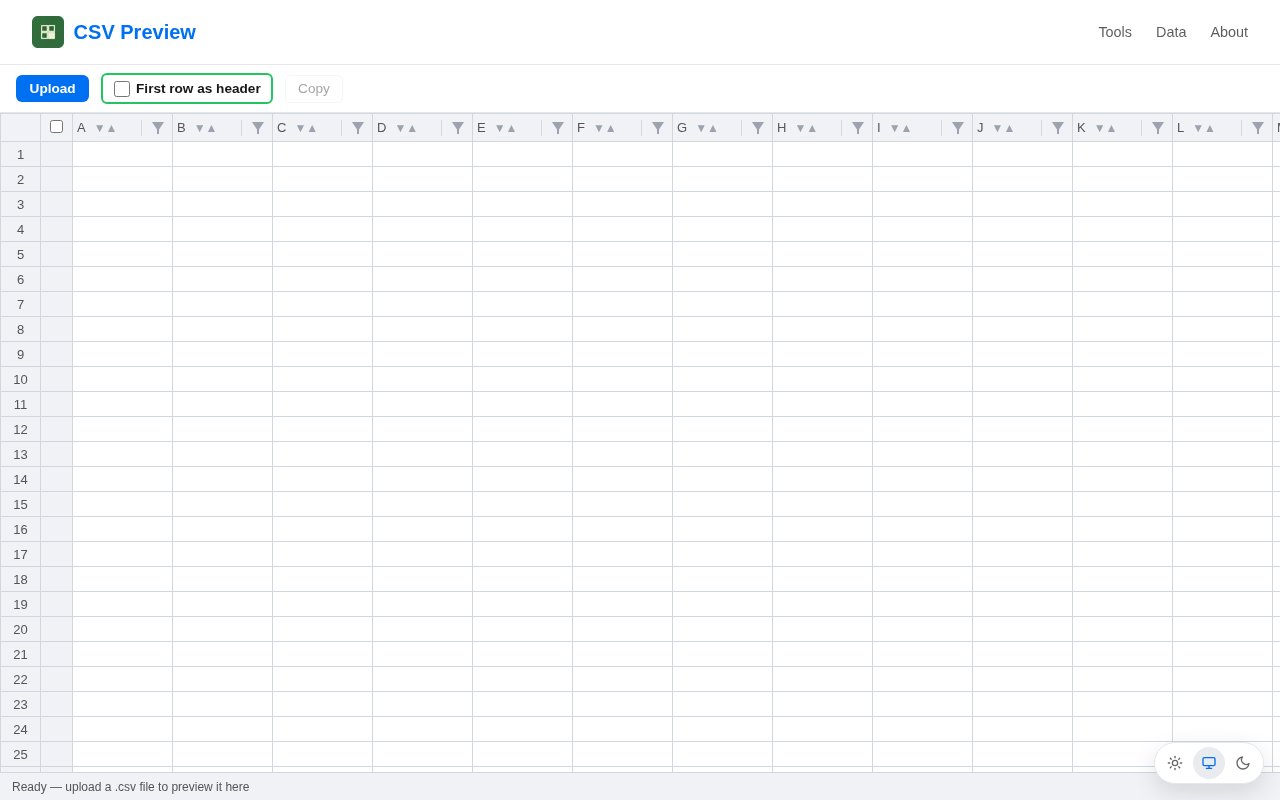
CSV Preview is a CSV viewer that runs entirely in the browser. You open, paste or drag a file in, and it appears as a table you can sort, filter and scroll with the header row pinned in place. The file never leaves your computer. There are no accounts, no uploads and no server parsing anything. It's for the moment when someone sends you an export and you want to look at it properly without launching a spreadsheet application or handing the data to a random upload site.
The privacy model is the whole point and the site states it without hedging. Your data never leaves your browser. That matters more than it sounds for the files people actually open, customer lists, payroll exports, support tickets, anything with a name and an email address in it. Because the parsing happens on your machine, you can inspect a sensitive file with the same confidence you'd have opening it locally, and the browser's local storage keeps your place so you can close the tab and come back to resume where you were.
The viewer covers the basics well. A first row as header option turns the top line into column names, rows are numbered, and headers stay pinned while you scroll a long file. Single-click column sorting flips between ascending and descending. Filtering works three ways, by picking values from a column, by searching for text, or by numeric comparison, which is enough to answer most quick questions, like how many rows sit above a threshold or which entries mention a given city. There's a copy function for pulling what you found back out into whatever you're working in. A typical use takes seconds. Drag the export onto the page, tick first row as header, sort by the column you care about, filter down to the rows that match, and copy the result out. The pinned header means a thousand-row file is as readable at the bottom as at the top, and if you close the tab, local storage brings the file back when you return, so a half-finished check doesn't have to start again from the file picker.
Compared with a spreadsheet application, it's lighter, faster to open and asks nothing of your machine beyond a browser tab. Compared with the many online CSV viewers that upload your file to a server first, the difference is the one that matters for anything confidential, the file stays where it is. That's also why there's no login and no history on a server anywhere. There's nothing to log into because nothing about your file ever leaves the page.
Around the viewer sits a small set of tools, all of which also run in the browser. CSV to Excel takes one or several CSV files and produces an Excel workbook, either merged into a single file or delivered separately. Excel to CSV does the reverse, splitting a workbook into one CSV per worksheet and zipping them for download. The site also hosts sample datasets across geography, transport, economics, history, food, animals, science, language and architecture, which are handy for testing an import or teaching a class. Converting an Excel workbook into per-sheet CSVs is a common chore before a database import, and having it in the same tab as the viewer saves a round trip through a spreadsheet application.
It fits developers checking a database export before importing it, analysts glancing at a file before it goes into a pipeline, support staff opening a customer's attachment, and teachers who need a clean dataset in a hurry. Anyone whose employer would frown at uploading a file to an unknown website is the core audience, and so is anyone who has waited for a heavy spreadsheet application to launch just to look at twenty rows. Because it's a web page, it also works on a machine where you can't install anything, a locked-down work laptop or a borrowed computer. It was built independently by Anshul Sahni, inspired by jsonhero.io, the JSON viewer that takes the same one-thing-well approach. The design choice is deliberate. It doesn't try to be a spreadsheet, a database or a dashboard. It opens a file, lets you look at it properly, and stays out of the way, which is exactly why it loads quickly and why there's nothing to sign up for.
The limits are honest ones. The site describes viewing, sorting and filtering, not cell editing, so changes still happen elsewhere. There's no published file size limit, and very large files depend on what your browser can hold in memory. It's a one-person side project with a narrow CSV and Excel focus. Access is free, the tools page says $0 forever, and there's a contact address for the developer, anshul_sahni@live.com, on the about page. If you need a viewer for a file you'd never upload, this is the kind of tool you bookmark and forget about until the next export lands in your inbox.
Key Features
- Open, paste or drag in a CSV
- Pinned header row while scrolling
- One-click column sorting
- Filters by value, search or number range
- CSV to Excel and Excel to CSV converters
- Everything runs in the browser, nothing uploaded
Pros & Cons
What we like
- Files never leave your machine
- No account, no signup, no upload
- Sorting and filtering without opening a spreadsheet
- Completely free
Room for improvement
- Viewing and filtering, not cell editing, per the site
- No published file size limit or large-file guidance
- One-person side project
- Narrow focus, CSV and Excel only
Frequently Asked Questions
What is CSV Preview?
Is my data uploaded anywhere?
Is CSV Preview free?
Can I edit cells?
Best For
Featured in
Alternatives to CSV Preview
View all
Kevin Gabeci
Solo developer building web apps, cozy browser games, and AI creator toolkits.

SoloDevStack
A solo developer blog built on head-to-head tool comparisons, 580+ posts deep.

Codedex
A gamified, story-driven platform that teaches Python, web dev, and more like an RPG quest

Vibe Built
Building real apps with agentic AI. What worked, what broke, what shipped.
Our take
Tool Index Editorial · Sep 2026· 4.0/5
CSV Preview is a browser based viewer and editor for opening, pasting, sorting, and filtering CSV data without uploading it. It is for anyone who needs to inspect an export quickly, especially when the file contains customer, payroll, or other sensitive rows. The site says there are no accounts or server side parsing, the sheet stays on the device, and the core tools are free.
We like the practical basics. Headers can stay pinned, filters support values, text, and numeric comparisons, and the current sheet can be resumed from browser storage. Companion conversion tools also work locally. This is still lighter than a spreadsheet or database. The page does not promise advanced formulas, joins, collaboration, or robust handling of extremely large files. Local persistence is convenient, but users on a shared computer should remember to clear sensitive sheets when finished.
Editorial opinion from the Tool Index team, written from the public product pages. Not a user review.
Reviews (0)
Badge builder
Add CSV Preview to your website
Choose a badge style and size, preview it here, then copy the generated HTML. Badge images are self-contained SVGs and do not require an external script.

<a href="https://toolindex.net/tools/csvpreview?ref=badge" target="_blank" rel="noopener">
  <img src="https://toolindex.net/badge/csvpreview/medium.svg" alt="CSV Preview - Listed on Tool Index" width="180" height="50" />
</a>How to use the badge
- 1. Pick the style, size, and theme that fit your layout.
- 2. Copy the generated HTML from the code block.
- 3. Paste it into your footer, homepage, or press page.
Standard badge available
The standard listing badge is available now. Score and circle badges are limited to tools currently ranked in the top 10 of a category.
Badge clicks return visitors to this profile with a referral tag so the source remains identifiable.
Related Tools
Kevin Gabeci
Solo developer building web apps, cozy browser games, and AI creator toolkits.

Coolify
Self-hostable, open source alternative to Heroku and Netlify

Warp
The modern terminal reimagined with AI and collaboration

Bolt.new
Prompt-to-deployed full-stack app inside the browser
Work on CSV Preview? Request listing access or correction