
DateTimeMate
Compute differences between dates, times, and durations with precise notation
Gallery
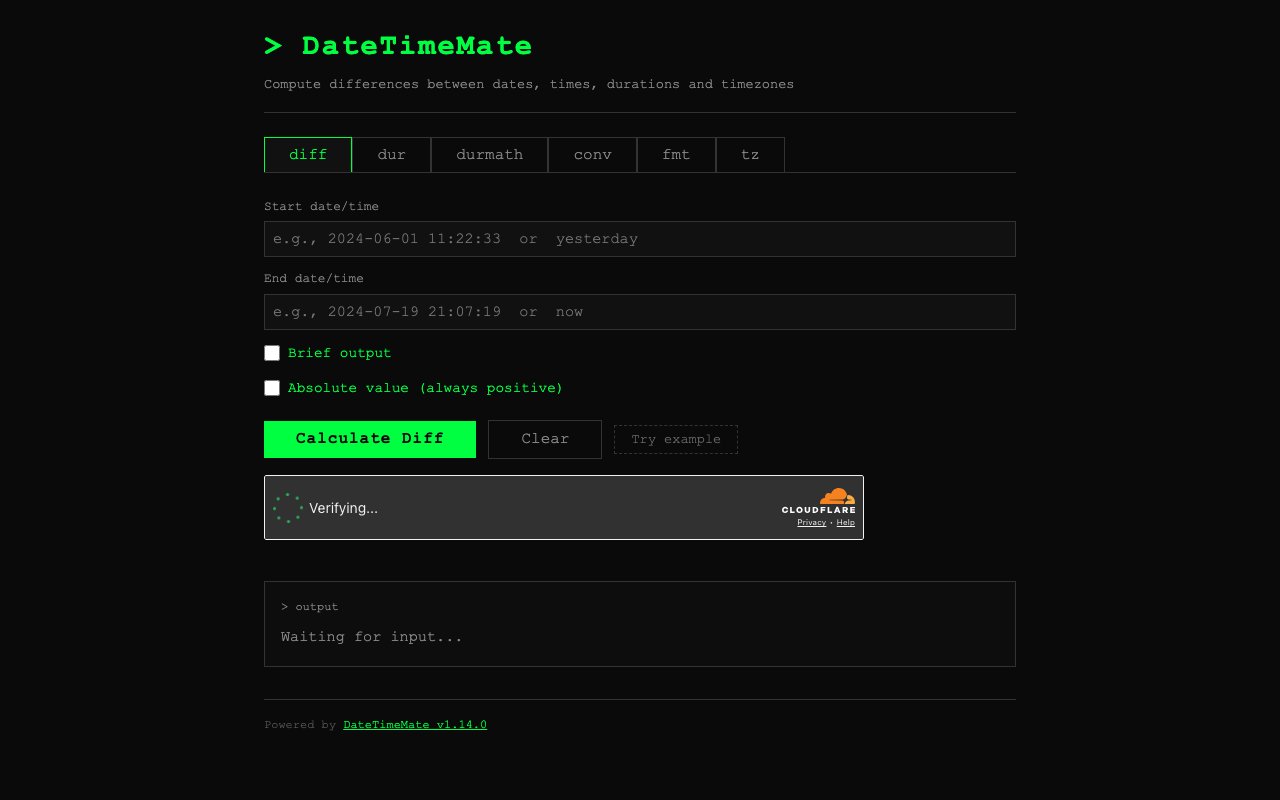
About DateTimeMate
DateTimeMate is a focused calculator for date and time math. Where a normal calculator handles numbers, this one handles moments and durations, so it can tell you the exact gap between two timestamps, convert one bundle of time units into another, or add a stretch of time to a starting date and give you the result. The site at datetimemate.com is the web version of the tool, and there's an open-source command-line version behind it that shares the same logic.
The core job is computing differences. Give it two dates or two times and it returns the span between them in a compact duration notation, using uppercase letters for the date parts, so years, months, weeks, and days, and lowercase for the time parts, so hours, minutes, seconds, and smaller. A result comes back as a single tidy string, something along the lines of six weeks, six days, nine hours, forty-four minutes, and forty-six seconds compressed onto one line, which is far easier to scan than a sprawled-out sentence.
It's flexible about what you feed it. Inputs can be ISO-8601 dates with timezone offsets, Unix timestamps, plain compact integers, or human shorthand like today and tomorrow, so you rarely have to reshape your data before pasting it in. That tolerance for messy input is part of what makes it quick to reach for, since you can drop in whatever format your logs or your calendar happen to use and let the tool sort it out instead of writing a one-off script to parse it first.
From there it does the related tasks you'd expect once you can measure time properly. It converts a duration from one set of units to another, for example turning a large pile of seconds into weeks, days, hours, minutes, and seconds. It adds a duration to a starting date and can repeat that step until it reaches an end date, which is handy for working out a recurring schedule or a series of deadlines. It also reformats a date or time from one layout into another, and it adds and subtracts two separate durations when you need to combine or difference spans of time rather than dates.
Precision and timezones are where it earns its keep. The notation goes all the way down to milliseconds, microseconds, and nanoseconds, and there's a brief output mode when you want the terse version rather than the spelled-out one. It also converts between timezones with daylight-saving-time awareness, so an answer that crosses a clock change stays correct instead of quietly drifting by an hour. That level of care is aimed at people who actually need the exact answer, so developers, sysadmins, and data folks scripting around log timestamps or schedules will feel more at home here than they would in a friendly consumer date widget.
The kinds of questions it answers come up more often than you'd think. How long ago did this log line fire, how many days until a contract renews, what's the total once you add a two-week sprint to a start date and repeat it through the quarter, or what a UTC timestamp looks like in another timezone once the clocks have shifted. Each of those is a small annoyance to work out by hand and easy to get wrong, and DateTimeMate turns them into a single query with an exact answer. The same goes for the reverse direction, taking a duration you already have and reshaping it into whatever units make sense to report, so a raw count of seconds becomes a readable span you can drop into a status update or a log line.
What sets it apart from the many generic date calculators online is the combination of format flexibility, exact notation, and an open-source engine. DateTimeMate started as a Go package and command-line tool released under the MIT license, so the same logic that powers the website can be installed and run locally, dropped into your own scripts, or self-hosted. You can pull it in through Go, install it with Homebrew on macOS or Linux, or grab a prebuilt binary from the project's releases, which makes it as comfortable inside an automated pipeline as it is in a browser tab. Because it's a package as well as a CLI, you can also call it directly from your own Go programs when you need the same date math in code.
Access is simple. The website is free to use in the browser, and the command-line tool is free and open source on GitHub. It's a narrow tool by design, so it won't manage your calendar, send reminders, or replace a full scheduling app, and the compact notation takes a moment to get used to. But for the specific job of doing date and time arithmetic accurately and scriptably, it's a sharp, no-friction option that does one thing and does it precisely. If you've ever opened a spreadsheet just to work out a date difference, or written the same throwaway parsing script more than once, this is the sort of small utility that quietly removes that chore for good.
Key Features
- Difference between two dates or times
- Duration unit conversion
- Add or subtract durations from a date
- Repeat a duration until an end date
- Date and time reformatting
- Timezone conversion with DST awareness
Pros & Cons
What we like
- Handles precise date and time arithmetic
- Compact duration notation down to nanoseconds
- Accepts many input formats including ISO-8601
- Backed by an open-source, self-hostable CLI
Room for improvement
- Narrow focus on date and time math
- Notation takes a moment to learn
- A utility, not a full scheduling app
- Smaller project with a modest community
Frequently Asked Questions
What is DateTimeMate?
Is DateTimeMate free?
Who is DateTimeMate for?
How is it different from other date calculators?
Best For
Featured in
Alternatives to DateTimeMate

1Lookup
Real-time data verification API for phone, email, IP, and domain validation to fight fraud

Plannotator
Review and annotate your AI coding agent's plans and diffs before they ship

Codedex
A gamified, story-driven platform that teaches Python, web dev, and more like an RPG quest

Davit
Native macOS UI for Apple's container platform on Apple silicon
Reviews (9)
Finally something that fits
Picked DateTimeMate for the price, stayed for the quality. The difference between two dates or times is more useful than I expected. Found it works best for converting seconds into weeks, days, and hours. It earns its place in my stack.
Finally something that fits
Tried DateTimeMate on a side project first, then rolled it out everywhere. The core workflow is smooth once you are set up. Support actually answered when I had a question, which surprised me. Recommending it to people in a similar spot.
Does the job, a few gripes
Started using DateTimeMate casually, now it is pinned in my dock. The accepts many input formats including iso-8601 is more useful than I expected. One thing that bugs me is narrow focus on date and time math. Glad I made the switch.
Does the job, a few gripes
DateTimeMate solves a real problem for me without making a fuss about it. The core workflow is smooth once you are set up. The thing I keep coming back to is how reliable it is. Found it works best for calculating the gap between two timestamps. It would be a five if not for smaller project with a modest community. Recommending it to people in a similar spot.
Genuinely impressed
Three months of DateTimeMate later, here is what holds up. Their take on timezone conversion with dst awareness is genuinely good. Performance has been steady even when I lean on it hard. Mostly using it for converting seconds into weeks, days, and hours. Worth it for what I get out of it.
It just works
Have been running DateTimeMate for a while, here is where I land. The difference between two dates or times is more useful than I expected. It earns its place in my stack.
It just works
Started using DateTimeMate casually, now it is pinned in my dock. The thing I keep coming back to is how reliable it is. Support actually answered when I had a question, which surprised me. Found it works best for converting seconds into weeks, days, and hours. It earns its place in my stack.
Good, with a few caveats
Hadn't planned on switching, but DateTimeMate was hard to ignore. Setup was painless and I was productive the same day. The thing I keep coming back to is how reliable it is. It fits well for reformatting a timestamp into another layout. My only gripe is smaller project with a modest community. It earns its place in my stack.
Two months in, no regrets
Hadn't planned on switching, but DateTimeMate was hard to ignore. What stands out is how it handles difference between two dates or times. Support actually answered when I had a question, which surprised me. It fits well for reformatting a timestamp into another layout. It earns its place in my stack.
Badge builder
Add DateTimeMate to your website
Choose a badge style and size, preview it here, then copy the generated HTML. Badge images are self-contained SVGs and do not require an external script.

<a href="https://toolindex.net/tools/datetimemate?ref=badge" target="_blank" rel="noopener">
  <img src="https://toolindex.net/badge/datetimemate/medium.svg" alt="DateTimeMate - Listed on Tool Index" width="180" height="50" />
</a>How to use the badge
- 1. Pick the style, size, and theme that fit your layout.
- 2. Copy the generated HTML from the code block.
- 3. Paste it into your footer, homepage, or press page.
Standard badge available
The standard listing badge is available now. Score and circle badges are limited to tools currently ranked in the top 10 of a category.
Badge clicks return visitors to this profile with a referral tag so the source remains identifiable.
Related Tools

Kevin Gabeci
Solo developer building web apps, cozy browser games, and AI creator toolkits.

Coolify
Self-hostable, open source alternative to Heroku and Netlify

Warp
The modern terminal reimagined with AI and collaboration

Bolt.new
Prompt-to-deployed full-stack app inside the browser
Work on DateTimeMate? Request listing access or correction