declaude
Rewrites assistant-voice text into plain English without touching the meaning or the code
Gallery
About declaude
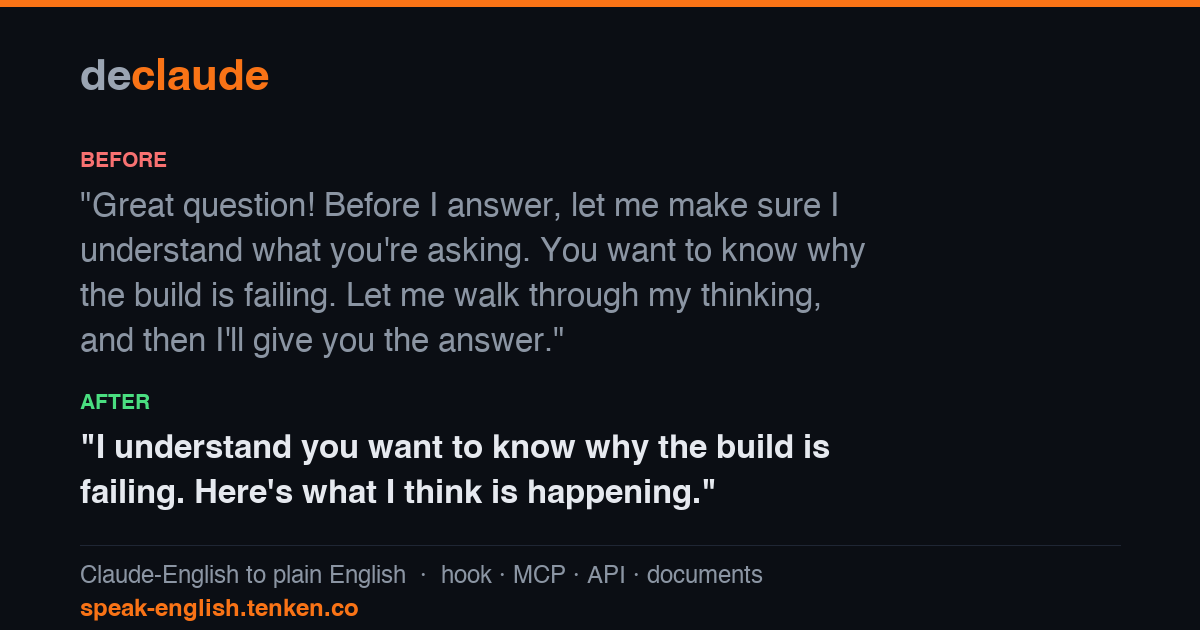
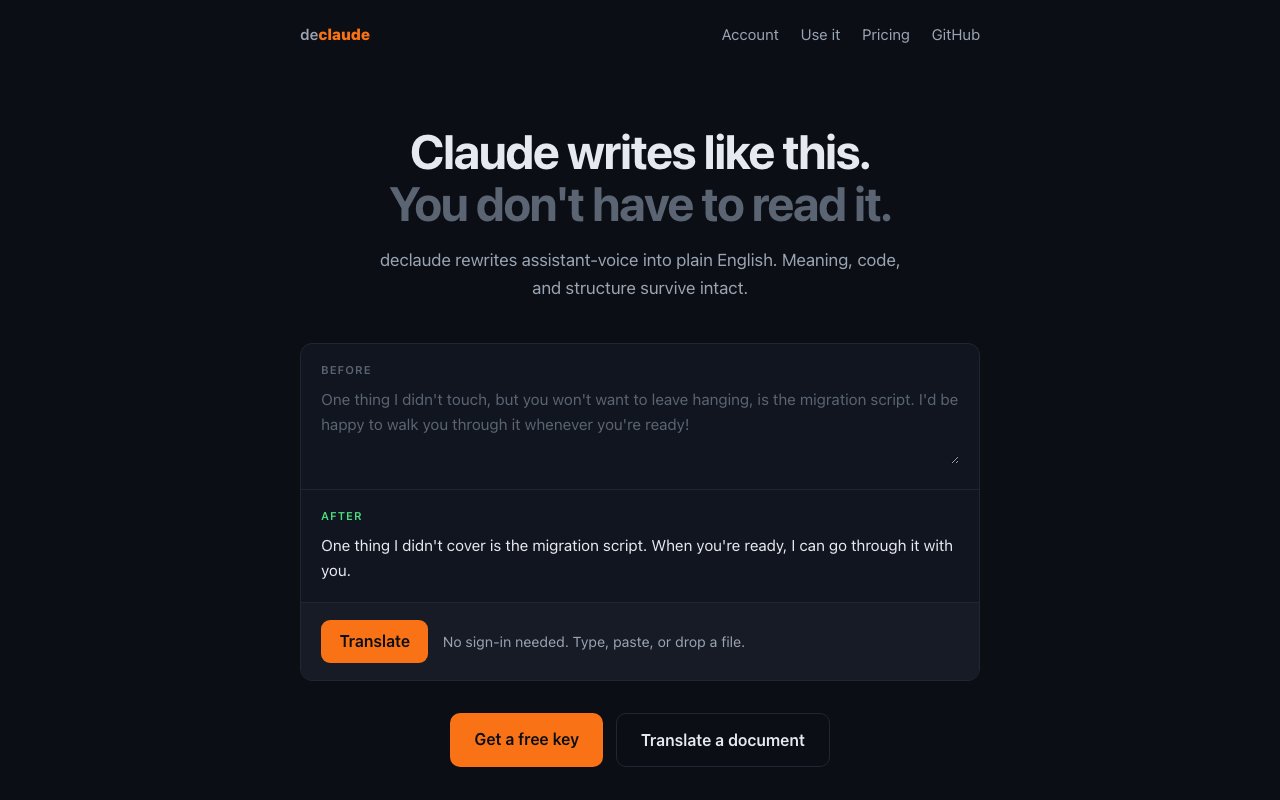
declaude takes text written in assistant voice and rewrites it in plain English. That's the entire product. The hedging, the throat-clearing, the sentences that promise to walk you through something later, all of it gets replaced with what the writer actually meant, while the meaning, any code, and the structure of the document survive intact. The site demonstrates it with a before and after box on the homepage, and you can paste your own text into it without signing in. Typing, pasting, and dropping a file all work in the same box, and a free key is a click away if you want to move past the demo.
The problem is familiar to anyone who works with a model all day. Output arrives correct and unreadable at the same time, padded with qualifiers and a particular register that readers now recognise on sight. If that text is going into a pull request description, a runbook, a customer email, or documentation, somebody has to strip the voice out of it first, and that somebody is usually you at the end of a long session. Doing it by hand is slow, and asking the same model to be less like itself tends to produce a shorter version of the same voice rather than a different one.
There are three ways to run it. The first is a Claude Code plugin, installed by adding the tenken marketplace, installing the plugin, and running its setup command. That wires a hook so replies render in plain English inside your session, and the site is specific that your transcript and your token bill are untouched, since the rewriting happens outside the model conversation rather than inside it. The second is an MCP server hosted at the project's own domain, added with a single claude mcp add command over HTTP. That path uses browser sign-in, so there's no key to copy into a config file. The third is a REST API, a POST to the translate endpoint with a bearer token, which returns the rewritten text plus the name of the model that produced it.
A fourth entry point covers documents rather than snippets. You drop a Markdown file and get it back rewritten, which is the practical route for READMEs, specs, and long docs that were drafted with a model and never edited down. The free tier allows files up to 200 KB and the paid tier up to 2 MB, so a large document is one job rather than a manual split into chunks. Since code and structure are preserved, headings, fenced blocks, and lists come back in place instead of being flattened into prose.
What runs underneath is stated plainly, and that's unusual enough to be worth noting. Translation happens on Qwen2.5-14B, an open-source model, on hardware the company operates itself. Your text is processed in memory and then discarded, never written to disk, never stored in a database, and never logged. For anyone who hesitates before pasting internal writing into another vendor's endpoint, that posture is the reason to look at this rather than doing the same job with a second call to a frontier model. Naming the exact model also makes the output predictable in a way that a hidden proprietary rewriter would not, and it explains how the flat price stays where it is.
Pricing is a free tier and one paid plan, with no ladder above it. Free covers 100 translations a month and 5 documents a month up to 200 KB, and it needs no card at all. The paid plan is $5 a month for unlimited translations and 500 documents a month up to 2 MB. When a free account hits its limit the API returns a 402 with a payment link rather than failing quietly, and subscribing keeps the same key, so nothing in your setup has to be rewired when you upgrade. There's an account page for managing the key and the subscription, and the same key works across the plugin, the MCP server, and the API rather than being issued per surface.
It suits developers and technical writers who ship model-assisted text to other humans, and it suits teams that have quietly agreed the house style of their AI tooling doesn't match the house style of their documentation. The tool is narrow by design, so it does not check facts, edit for structure, or improve weak arguments, and the free ceiling of 100 translations a month is thin for anyone running it over every reply all day. It also can't do anything about text that was weak before the model wrote it, since a clearer voice on a vague point is still a vague point. It comes out of Tenken and is built on claudish-to-english by gvzdv, the original local-Ollama hook the hosted service grew from, and both repositories are linked from the site alongside declaude's own GitHub project. That lineage is worth knowing, because it means the hosted version exists mainly to remove the local model requirement rather than to lock anything away, and the underlying idea is still readable in public.
Key Features
- Claude Code plugin with a rendering hook
- Hosted MCP server with browser sign-in
- REST translate endpoint with bearer auth
- Markdown document rewriting
- Runs on the open-source Qwen2.5-14B model
- In-memory processing with no stored text
Pros & Cons
What we like
- Works in the browser with no sign-in to try
- Leaves transcripts and token spend untouched
- No text written to disk, a database, or logs
- One flat $5 plan instead of a pricing ladder
Room for improvement
- Free tier caps at 100 translations a month
- Deliberately narrow, it only rewrites voice
- Small single-purpose product from a young team
- Hosted service, so text leaves your machine
Frequently Asked Questions
What is declaude?
Is declaude free?
What model does it use?
How do I install it in Claude Code?
Best For
Featured in
Alternatives to declaude
View all
Kevin Gabeci
Solo developer building web apps, cozy browser games, and AI creator toolkits.

SoloDevStack
A solo developer blog built on head-to-head tool comparisons, 580+ posts deep.

Codedex
A gamified, story-driven platform that teaches Python, web dev, and more like an RPG quest

Vibe Built
Building real apps with agentic AI. What worked, what broke, what shipped.
Our take
Tool Index Editorial · Oct 2026· 3.5/5
declaude rewrites assistant styled prose into plainer English while preserving code and document structure. We found browser input, a Claude Code hook, an MCP endpoint, Markdown upload, and a simple REST API. The free tier includes 100 translations and five documents a month, while $5 monthly removes the translation cap and raises document use to 500 files.
The scope is admirably tight, and naming the Qwen2.5 14B model plus the in-memory deletion policy makes the service easier to evaluate. Text still leaves the user's machine, and the policy remains a vendor promise unless independently audited. It also does not fact check, repair weak reasoning, or guarantee a house style. For developers cleaning routine model output, it is convenient and fairly priced, but a local rewriter remains the safer option for sensitive material.
Editorial opinion from the Tool Index team, written from the public product pages. Not a user review.
Reviews (0)
Badge builder
Add declaude to your website
Choose a badge style and size, preview it here, then copy the generated HTML. Badge images are self-contained SVGs and do not require an external script.

<a href="https://toolindex.net/tools/declaude?ref=badge" target="_blank" rel="noopener">
  <img src="https://toolindex.net/badge/declaude/medium.svg" alt="declaude - Listed on Tool Index" width="180" height="50" />
</a>How to use the badge
- 1. Pick the style, size, and theme that fit your layout.
- 2. Copy the generated HTML from the code block.
- 3. Paste it into your footer, homepage, or press page.
Standard badge available
The standard listing badge is available now. Score and circle badges are limited to tools currently ranked in the top 10 of a category.
Badge clicks return visitors to this profile with a referral tag so the source remains identifiable.
Related Tools
Kevin Gabeci
Solo developer building web apps, cozy browser games, and AI creator toolkits.

Coolify
Self-hostable, open source alternative to Heroku and Netlify

Warp
The modern terminal reimagined with AI and collaboration

Bolt.new
Prompt-to-deployed full-stack app inside the browser
Work on declaude? Request listing access or correction