
DronaHQ MCP Server
Bridge AI coding agents to production app backends with built in security and permissions
Gallery
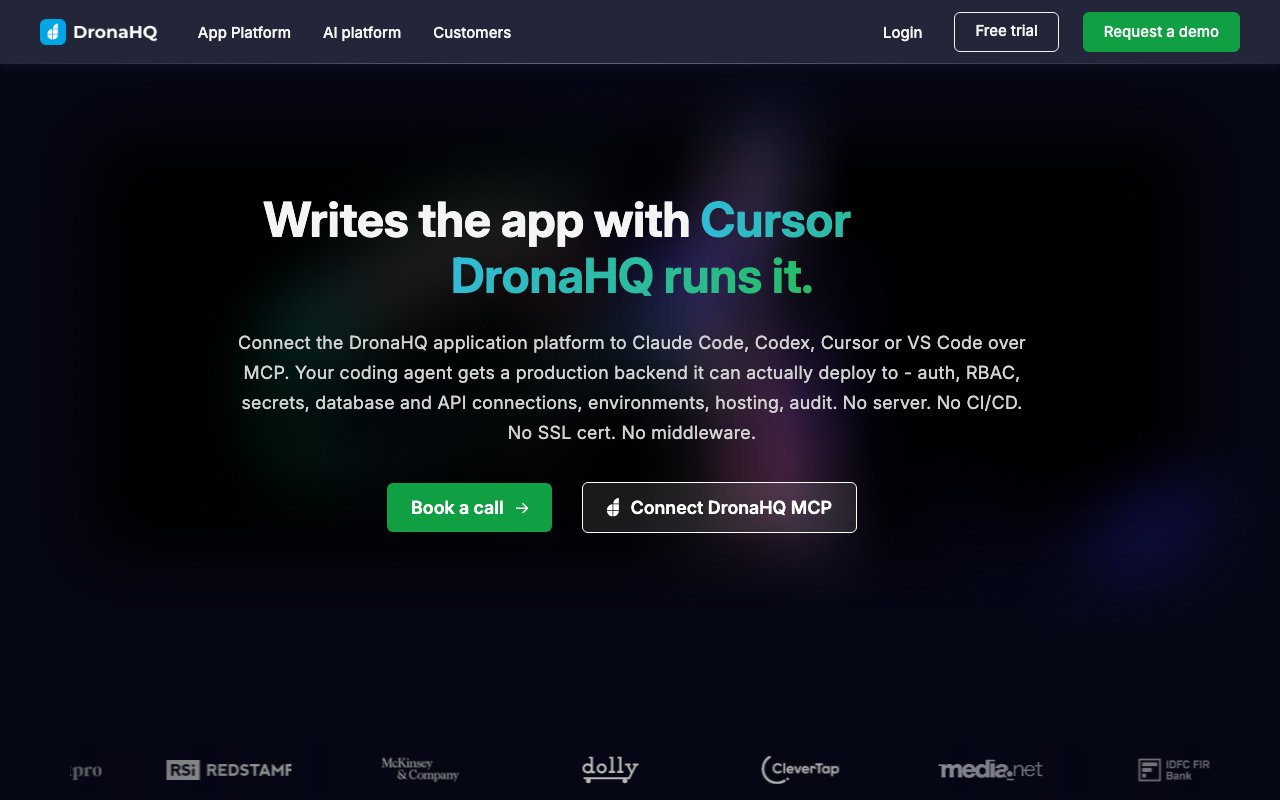
About DronaHQ MCP Server
DronaHQ MCP Server connects AI coding agents to a production ready application backend so the code those agents generate can actually run somewhere secure. It supports agents like Claude Code, Cursor, and Windsurf through the Model Context Protocol, which means you can prompt an agent to build an internal tool, admin panel, or CRUD application and have DronaHQ handle everything on the infrastructure side. Database connections, API integrations, role based access control, secrets management, and deployment all come built in rather than requiring a separate DevOps effort. The agent writes the code, and DronaHQ runs it with enterprise grade governance already in place. The result is that the applications you generate are deployable from the start, not just prototypes that require weeks of additional work.
The problem it targets is the gap between generating code and getting that code into production with proper governance. AI agents have become quite good at writing application scaffolds, but the usual next steps involve setting up a server, configuring CI/CD pipelines, managing SSL certificates, wiring in credentials, and defining permission structures. That's where projects stall or get handed off to another team. A prototype that took an hour to generate can take days or weeks to deploy properly if you're handling infrastructure yourself. DronaHQ collapses that into a single layer that plugs directly into the agent workflow, so the path from prompt to deployed application is much shorter. You focus on describing what you want, and the platform handles the deployment machinery.
A secrets vault sits at the core of the security model. Credentials for databases and external services live in the vault rather than in code repositories or in the prompts themselves. When the agent needs to connect to a data source, it references secrets through the vault, which keeps sensitive values out of version control and out of the conversation history with the AI. This matters because AI prompts and outputs often get logged, shared, or stored in ways that would expose plaintext credentials if you passed them directly. Role based access control is defined during the build phase rather than retrofitted after deployment, so every application generated through the platform starts with a permissions structure already in place. You aren't leaving security for later.
The platform supports multiple backend connection types. You can wire up databases, REST APIs, gRPC services, and internal microservices. SSH tunneling is available for resources that sit behind firewalls and need secure access without exposing them directly. If you have a legacy database that isn't reachable over the public internet, you can still connect to it through the MCP Server without opening new ports or reconfiguring your network. All changes made through the system are logged with attribution to specific users and actions, which covers audit requirements for teams that need to track who did what and when. That audit trail is automatic, not something you have to build yourself or remember to configure.
Deployment runs serverless by default, meaning you don't provision your own servers or manage infrastructure. Applications built through DronaHQ can run on the platform's cloud offering or in a self hosted VPC if you need tighter control over where data lives. The self hosted option is aimed at teams with compliance requirements that rule out third party hosting, or organizations that simply prefer to keep everything on their own infrastructure. Cloud and self hosted options both support the same feature set, so you aren't giving anything up by choosing one over the other. The platform scales with your usage rather than requiring you to size servers ahead of time.
The ideal use cases are CRUD applications, internal tools, admin panels, dashboards, and field force applications. If your team already uses AI assisted coding but hits friction when it comes to safely deploying what those agents produce, DronaHQ is designed to sit in that gap. It's less relevant for public facing consumer applications where you'd want full control over every layer of the stack, but for internal tooling where speed matters more than deep customization, it removes a lot of the usual overhead. Teams that build internal tools frequently will see the most value from having a repeatable deployment path already set up.
DronaHQ offers a free trial and personalized engineering consultations to help teams figure out the right architecture before committing. There's no credit card required for the trial, so you can test the platform with real applications before deciding whether to continue. For teams that need to go from AI generated code to running application quickly without building out their own backend infrastructure, the MCP Server provides a shortcut through the deployment and governance work that usually slows things down.
Key Features
- Built in role based access control
- Secrets vault for credential management
- Database and API connector support
- SSH tunneling for secured resources
- Self hosted or cloud deployment options
- Audit logs with change attribution
Pros & Cons
What we like
- Permissions and governance are built in from the start
- Works with Claude Code, Cursor, and similar AI agents
- Credentials stay in the vault, never in repos or prompts
- Offers both cloud and self hosted deployment
Room for improvement
- No free tier beyond the trial period
- Starter plan may feel limited for heavy usage
- Tightly coupled to the MCP integration pattern
- Self hosted option costs significantly more than cloud
Frequently Asked Questions
What is DronaHQ MCP Server?
Is DronaHQ MCP Server free?
Which AI coding tools does it work with?
Can I self host DronaHQ?
Best For
Featured in
Alternatives to DronaHQ MCP Server
View all
Kevin Gabeci
Solo developer building web apps, cozy browser games, and AI creator toolkits.

SoloDevStack
A solo developer blog built on head-to-head tool comparisons, 580+ posts deep.

Codedex
A gamified, story-driven platform that teaches Python, web dev, and more like an RPG quest

Vibe Built
Building real apps with agentic AI. What worked, what broke, what shipped.
Our take
Tool Index Editorial · Oct 2026· 3.5/5
DronaHQ MCP Server gives coding agents a governed application backend with authentication, database and API connections, secrets, environments, hosting, and deployment. It is for teams using Codex, Claude Code, Cursor, or similar tools to build internal CRUD apps and admin panels. We found a sensible boundary on the site, with DronaHQ recommended for internal tooling and a separate backend advised for heavy proprietary logic or public APIs.
Cloud pricing starts at $100 a month billed annually, while Business is $500 and Enterprise is custom priced. The convenience is real, but so is platform dependence. The pricing table places granular permissions and audit logs in Enterprise even though the landing page stresses governance broadly, so buyers need to verify exactly what their tier includes. This is a production shortcut for a defined class of apps, not a universal backend.
Editorial opinion from the Tool Index team, written from the public product pages. Not a user review.
Reviews (0)
No reviews yet
Be the first to share your experience with DronaHQ MCP Server
Sign in to write a reviewBadge builder
Add DronaHQ MCP Server to your website
Choose a badge style and size, preview it here, then copy the generated HTML. Badge images are self-contained SVGs and do not require an external script.

<a href="https://toolindex.net/tools/dronahq-mcp?ref=badge" target="_blank" rel="noopener">
  <img src="https://toolindex.net/badge/dronahq-mcp/medium.svg" alt="DronaHQ MCP Server - Listed on Tool Index" width="180" height="50" />
</a>How to use the badge
- 1. Pick the style, size, and theme that fit your layout.
- 2. Copy the generated HTML from the code block.
- 3. Paste it into your footer, homepage, or press page.
Standard badge available
The standard listing badge is available now. Score and circle badges are limited to tools currently ranked in the top 10 of a category.
Badge clicks return visitors to this profile with a referral tag so the source remains identifiable.
Related Tools
Kevin Gabeci
Solo developer building web apps, cozy browser games, and AI creator toolkits.

Coolify
Self-hostable, open source alternative to Heroku and Netlify

Warp
The modern terminal reimagined with AI and collaboration

Bolt.new
Prompt-to-deployed full-stack app inside the browser
Work on DronaHQ MCP Server? Request listing access or correction