
EventSend
Track product events once and route them reliably to every channel your team uses
Gallery
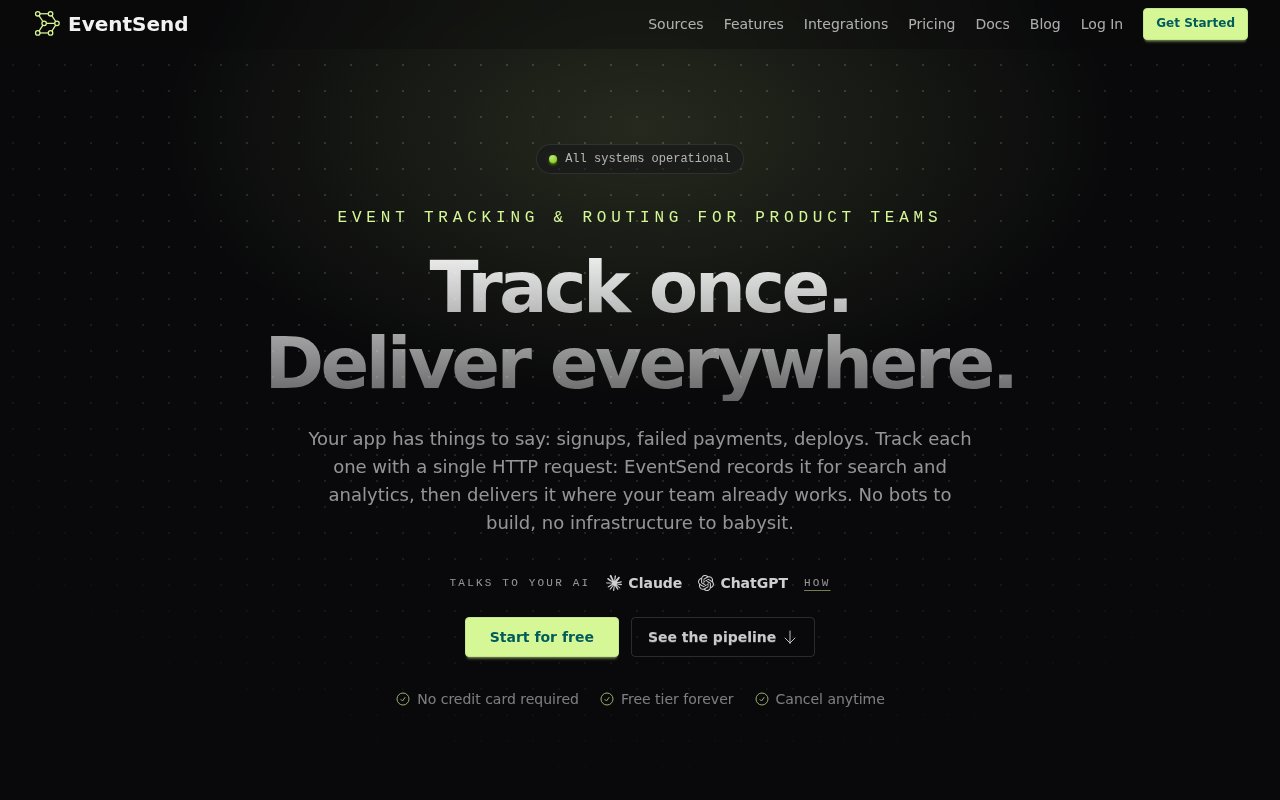
About EventSend
EventSend is event tracking and delivery infrastructure for product teams that want one way to send operational signals to several destinations. An application, scheduled job, or deployment script posts a small JSON payload to one route, and EventSend records the event before delivering it to the configured channels. That covers moments such as signups, payment failures, completed backups, and deployments without requiring a separate bot or API integration for every destination. Teams get a searchable event log and delivery history alongside the notifications, so the service is useful both for keeping people informed and for checking what happened after an incident.
Setup centers on a route and its private token. Any system that can make an HTTP request can post an event, so there is no required SDK or language-specific package. EventSend validates the payload, queues it, fans it out, and handles destination rate limits and transient failures. Adding a unique key makes ingestion idempotent, which prevents a retry or double-fired job from producing duplicate messages. Failed deliveries retry with backoff, while circuit breakers stop a broken destination from being hammered. The live dashboard shows each attempt and its error, and dead integrations can pause themselves and alert the owner when a token or endpoint stops working.
EventSend can also receive events directly from supported services through Sources. A team creates a source URL, adds it as a webhook endpoint in Stripe, GitHub, or Vercel, and selects the route that should receive those events. Stripe deliveries are signature checked, and repeated webhook attempts are deduplicated. Whether an event comes from application code or a source, it moves through the same topics, destinations, retries, and history. Native destinations currently include Slack, Discord, Telegram, Pushover, and browser push, while outbound webhooks can reach other tools. Microsoft Teams and ntfy are shown as coming soon rather than currently available.
The alerting layer helps keep a busy event stream readable. Threshold alerts can turn a burst of similar failures into one critical notification. Smart rollups combine repeats into a single message while preserving the underlying events in history. Quiet hours hold noncritical messages for a later digest, and daily or weekly email digests summarize important events, levels, and delivery problems. Teams can filter the event log by status, severity, route, channel, or text. Retention for raw events varies by plan, while daily counts and usage analytics are kept for twelve months on every plan.
Security and development controls are built into the routing layer. Outbound webhook deliveries carry a timestamped signature that a receiving application can verify, and the secret can be rotated. EventSend checks destination addresses against private IP ranges before opening a connection, which limits server-side request forgery risk. Distributed rate limiting smooths bursts across the service while respecting the receiving channel's rules. During setup, debug mode validates events on a route but does not record or deliver them, letting a developer test the payload without waking the team. Organizations can then assign owner, admin, or member roles when more people need access.
There is also a read-only MCP integration for asking an AI assistant about event history. Claude or ChatGPT can search events, assemble a customer timeline, or summarize failures without gaining permission to create, modify, or replay events. EventSend provides ready-made prompts for coding tools to inspect a codebase and add server-side instrumentation around useful product moments and failure paths. This is a convenience rather than a requirement, since the underlying API is a plain HTTP POST. Organizations can invite teammates with owner, admin, or member roles, and paid plans do not charge by seat, which makes shared operational visibility practical for small product and engineering teams.
Pricing is freemium and based mainly on event volume and retention. The permanent Free plan includes 2,500 events per month, two seats, three team destinations, one source, seven days of raw event retention, and MCP assistant access, with a hard cap and no overage. Starter costs $12 per month for 50,000 events and 30-day retention, Growth costs $29 for 150,000 events and 60-day retention, and Scale costs $59 for 500,000 events and 90-day retention. Those plans include unlimited seats, destinations, and sources, with additional events billed at $0.0005 each. EventSend is a focused alternative to maintaining notification glue code, but teams still need to instrument the events they care about and accept a hosted dependency in their alert path.
Key Features
- Single endpoint event routing
- Automatic retries and deduplication
- Native team notification channels
- Threshold alerts and rollups
- Searchable delivery history
- Read-only MCP event assistant
Pros & Cons
What we like
- Works with any stack that can send HTTP
- Handles retries, limits, and duplicate events
- Free tier includes core routing and MCP access
- Paid plans include unlimited team seats
Room for improvement
- Free raw event retention lasts only seven days
- Application events still require deliberate instrumentation
- Some requested destinations are still coming soon
- Hosted routing adds a dependency to alert delivery
Frequently Asked Questions
What is EventSend?
Which destinations does EventSend support?
Is EventSend free?
How does EventSend prevent duplicate notifications?
Best For
Featured in
Alternatives to EventSend

Kevin Gabeci
Solo developer building web apps, cozy browser games, and AI creator toolkits.

SoloDevStack
A solo developer blog built on head-to-head tool comparisons, 580+ posts deep.

Codedex
A gamified, story-driven platform that teaches Python, web dev, and more like an RPG quest

Vibe Built
Building real apps with agentic AI. What worked, what broke, what shipped.
Reviews (0)
Badge builder
Add EventSend to your website
Choose a badge style and size, preview it here, then copy the generated HTML. Badge images are self-contained SVGs and do not require an external script.

<a href="https://toolindex.net/tools/eventsend?ref=badge" target="_blank" rel="noopener">
  <img src="https://toolindex.net/badge/eventsend/medium.svg" alt="EventSend - Listed on Tool Index" width="180" height="50" />
</a>How to use the badge
- 1. Pick the style, size, and theme that fit your layout.
- 2. Copy the generated HTML from the code block.
- 3. Paste it into your footer, homepage, or press page.
Standard badge available
The standard listing badge is available now. Score and circle badges are limited to tools currently ranked in the top 10 of a category.
Badge clicks return visitors to this profile with a referral tag so the source remains identifiable.
Related Tools
Kevin Gabeci
Solo developer building web apps, cozy browser games, and AI creator toolkits.

Coolify
Self-hostable, open source alternative to Heroku and Netlify

Warp
The modern terminal reimagined with AI and collaboration

Bolt.new
Prompt-to-deployed full-stack app inside the browser
Work on EventSend? Request listing access or correction