
Expo
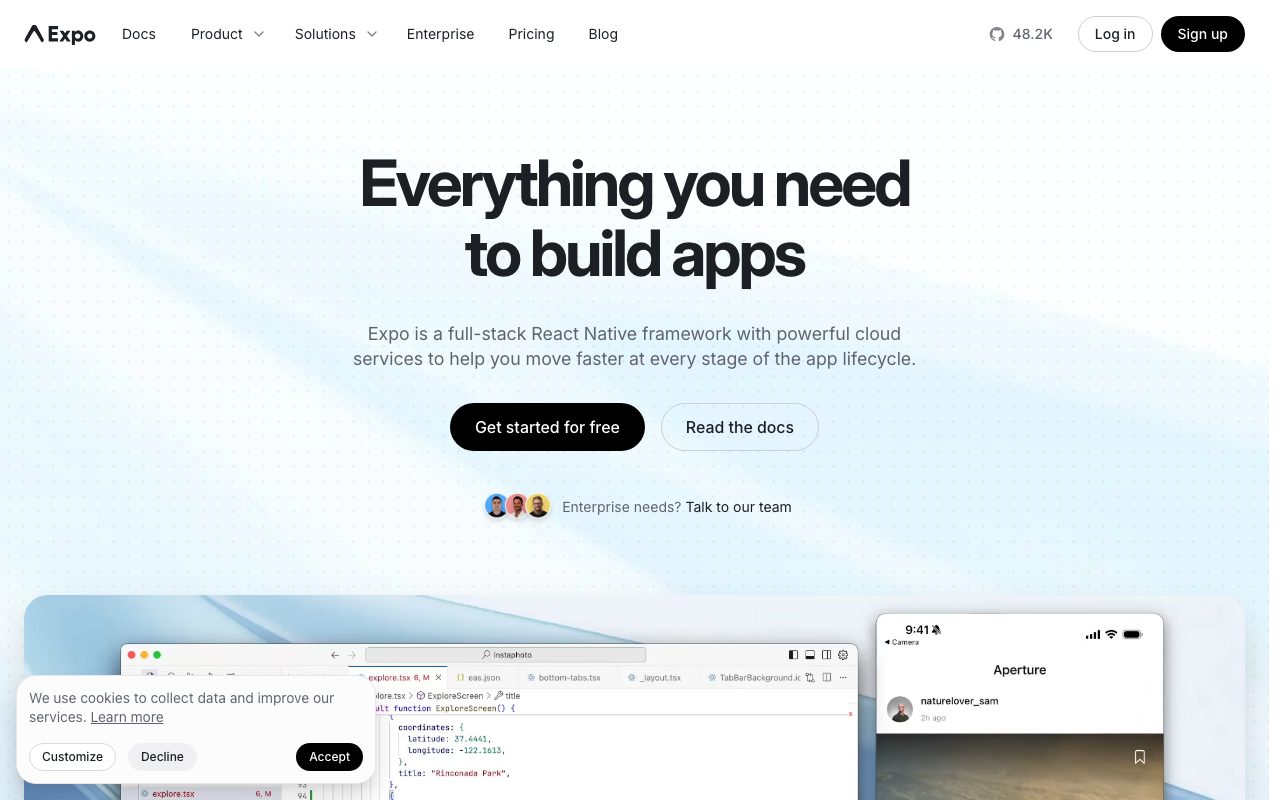
The React Native framework and cloud build service that ships native iOS and Android apps without touching Xcode.
Gallery
About Expo
Expo turns React Native from a thing you fight into a thing you ship. The framework wraps React Native with a config-driven build system, a managed cloud build service, and over-the-air updates. The whole point is to skip Xcode and Android Studio for as long as possible.
If you've tried React Native vanilla and ended up debugging Cocoapods at 2 AM, Expo is the cure. The managed workflow handles native dependencies, signing, builds, and submission. You write JavaScript and TypeScript, and an iOS and Android app comes out the other side.
What Expo gives you
Expo has three pieces. The Expo SDK is a curated set of native modules that work out of the box, like camera, location, push notifications, and secure storage. The Expo Application Services (EAS) is a cloud product that builds, signs, and submits your app. The CLI ties it all together.
You define your app in app.json or app.config.ts. EAS reads that config, runs native builds in their cloud, and produces signed iOS and Android binaries. You can submit to the App Store and Play Store from a CLI command. No Mac required, no signing certificate dance.
Over-the-air updates
EAS Update lets you push JavaScript bundle updates to users without going through the app stores. Bug fixes ship in minutes instead of days. Native code changes still require store review, but for most JS-only updates, you bypass the entire review queue.
Who Expo is for
Expo fits any team building a cross-platform mobile app where the core experience is fine in JavaScript. That's most apps. Productivity, social, content, ecommerce, and SaaS companion apps all work great. Apps that need deep native customization or extreme performance, like high-end games, are usually wrong fits.
Solo developers and startups get the most leverage. Expo cuts the time-to-app-store from weeks to days. Larger teams use Expo too, often through the bare workflow that lets them eject parts when needed.
Expo pricing
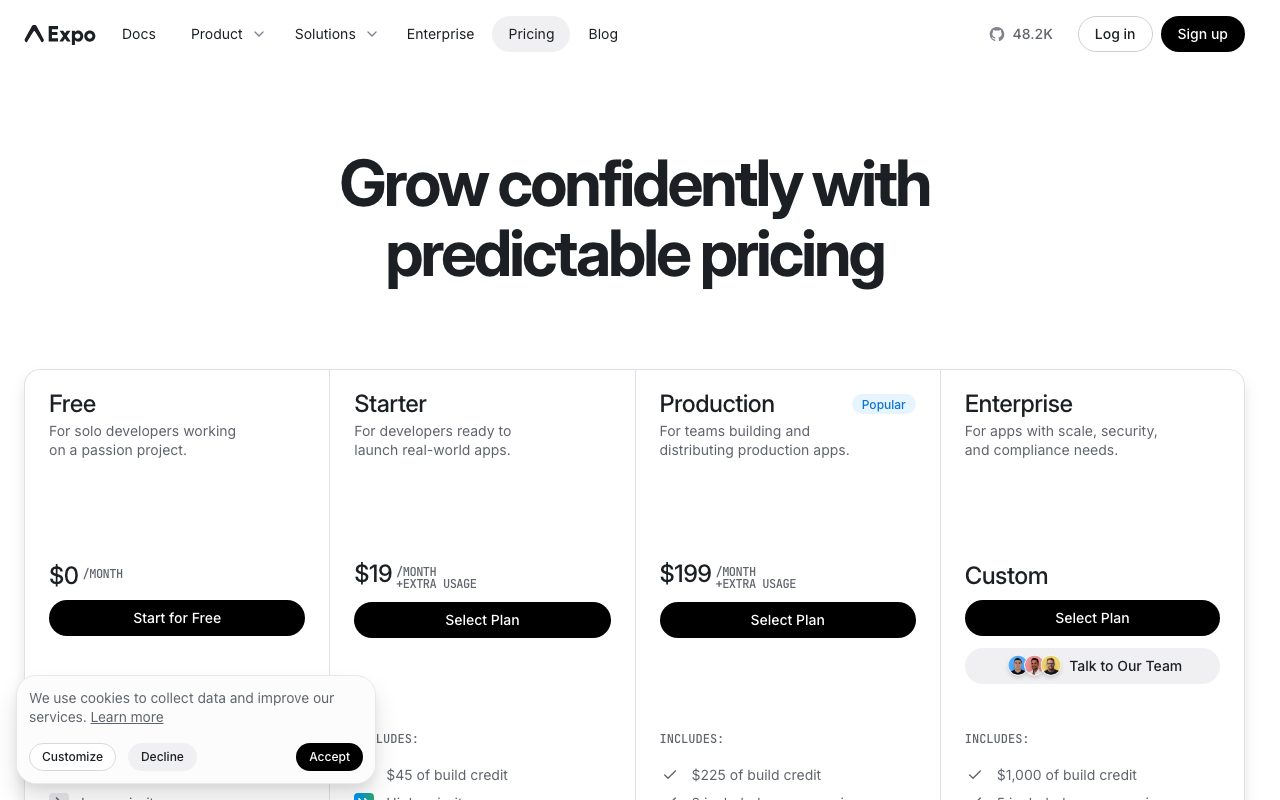
Expo the framework is free and open source. EAS the cloud service has a generous free tier with 30 builds a month and basic OTA updates. The Production plan is $99 per month and removes most limits for small teams. The Enterprise plan handles compliance and SLAs.
You can self-host builds with eas-cli local commands if you have a Mac and prefer to skip the cloud. Most teams find the EAS pricing reasonable compared to maintaining a build farm. Apple developer account fees are separate, of course.
Expo features that ship
The Expo Go app on your phone runs your project without any native build during development. You scan a QR code and your app loads. That dev loop is the closest mobile gets to the web's "save and refresh" speed.
EAS Build runs builds on managed Mac and Linux runners. Build times are typically five to fifteen minutes for a fresh build, faster with caching. Submit handles App Store Connect and Play Console upload from CLI.
Config plugins
Native modules that aren't in the Expo SDK can be added via config plugins, which patch the native projects at prebuild time. The community ships plugins for everything from Sentry to Stripe to Firebase. You stay in the managed workflow without giving up native libraries.
Tradeoffs
Expo's managed workflow has a small set of native APIs you can't easily extend. If you need a niche Bluetooth library or a custom native UI component, you'll either find a config plugin or move to the bare workflow. The bare workflow gives you the full React Native experience back, with all the friction.
App size in Expo is larger than vanilla React Native because the SDK includes modules you might not use. Tree-shaking helps but doesn't fully fix it. For most apps, the size hit is invisible. For aggressive size optimization, vanilla wins.
Expo is the default choice for new React Native projects in 2026. The managed workflow has caught up to vanilla on capability while keeping the speed advantage.
Expo vs alternatives
Compared to vanilla React Native, Expo trades a small amount of flexibility for a huge amount of velocity. Most teams that try both come back to Expo. Compared to Flutter, Expo gives you JavaScript and the React ecosystem. Flutter gives you Dart and a different set of tradeoffs.
Compared to Ionic, Expo produces real React Native apps using native UI primitives. Ionic produces web views wrapped as apps. Performance and feel diverge after the first few screens. See our best cross-platform mobile frameworks roundup and Expo vs Flutter comparison.
Bottom line on Expo
Expo is the fastest path from a JavaScript developer to a published mobile app. The managed workflow removes the most painful parts of native mobile development. EAS pricing is fair for what it replaces.
If you're starting a React Native project today, default to Expo. If you discover a native need later, the bare workflow gives you the full power back. The escape hatch makes the default choice safe. Skip Expo only if you're shipping at very large scale and need every byte and millisecond.
Expo development workflow in practice
The daily Expo workflow looks like this. You run "npx expo start" which boots a local Metro bundler. You scan the QR code with Expo Go on your phone or run a development build. The app loads. You edit JavaScript and the app reloads in seconds. Mobile development feels closer to web development than ever.
For native module changes, you trigger a development build via "eas build --profile development". That takes 10 to 15 minutes the first time and faster after. You install the resulting APK or IPA on your device once. After that, JavaScript changes hot-reload like normal, even though the binary supports custom native modules.
The development build vs Expo Go
Expo Go is the pre-built client app you install on any phone. It includes the standard Expo SDK modules. If your project doesn't use any native modules outside the Expo SDK, you can develop entirely in Expo Go without ever building anything yourself. That's the fastest possible mobile dev experience.
Development builds are custom binaries that include your specific native modules. Once you add a config plugin or a non-Expo native library, you need a development build. EAS builds these in the cloud. For most teams, the answer is to start with Expo Go and graduate to development builds when they add Stripe, Sentry, or any third-party native dependency.
Expo OTA updates strategy
EAS Update lets you ship JavaScript bundle changes without going through app store review. The pattern most teams use: ship native binary updates monthly through the stores, ship JavaScript fixes daily via OTA. Critical bug fixes can reach users in 30 minutes.
The constraint is that OTA updates can't change anything that requires native code changes. New native dependencies, native config changes, and certain Expo SDK upgrades all require fresh binary builds. The boundary is usually clear, and the EAS docs spell it out explicitly.
Common Expo questions
Can I use any React Native library with Expo? Most yes. Expo's bare workflow supports any React Native library. The managed workflow with config plugins handles maybe 95 percent of common libraries. The remaining 5 percent require ejecting to bare workflow or waiting for community config plugins.
How are Expo build times? EAS Build takes 5 to 15 minutes per platform for a fresh build, faster with caching. iOS builds usually take longer than Android. The free tier has slower priority queues; paid plans get faster builds. Self-hosted builds on a Mac are also possible and faster for some teams.
Does Expo lock me in? Less than you'd think. Your app is still React Native. The native projects can be ejected at any time. The Expo SDK modules have community-maintained alternatives. Eject is painful but possible. Most teams never need to.
Expo for production at scale
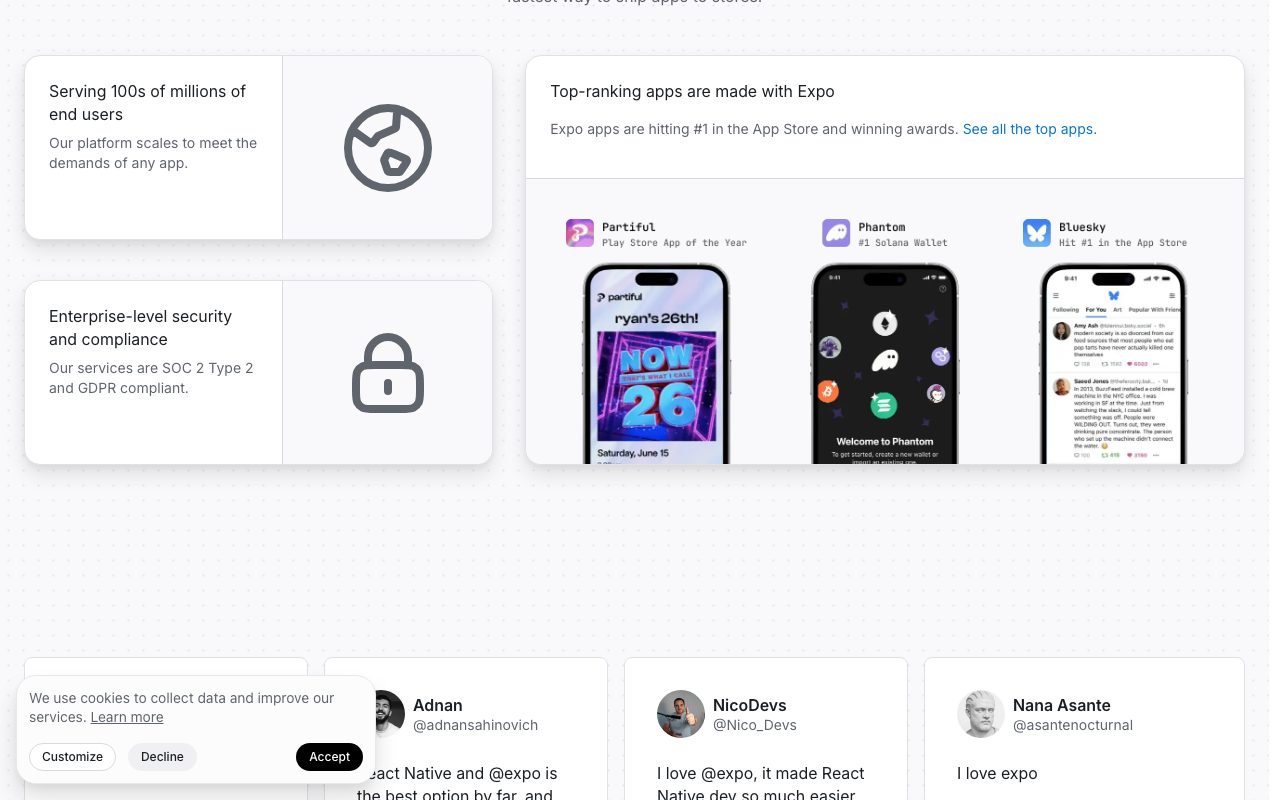
Expo is used by serious production apps including Coinbase, Pillar Pay, Brex, and many others. The platform handles real scale. The EAS build infrastructure is reliable and fast enough for daily release cycles. Crash reporting integrations with Sentry and Bugsnag work cleanly.
The story for very large apps with complex native requirements is more nuanced. Some teams hit Expo's managed workflow ceiling and move to bare. Others keep the managed workflow and use config plugins for everything. Both paths are valid. The choice usually comes down to native team capacity and architectural preference.
Final take on Expo
Expo has won the React Native development experience. The combination of the SDK, EAS Build, and EAS Update has matured into a complete platform that handles the painful parts of native mobile development without sacrificing capability. The framework that started as "the easy way" is now genuinely the better way for most projects.
The platform has consolidated as React Native itself has evolved. The New Architecture, TurboModules, and Fabric have all been integrated cleanly into Expo's workflow. The ecosystem of config plugins covers most common native libraries. The escape hatch to bare workflow exists but is rarely needed.
For new mobile projects in 2026, Expo is the default React Native choice. The development velocity is dramatically higher than vanilla React Native. The production deployment story through EAS handles signing, builds, and updates without hosting your own infrastructure. The pricing scales reasonably for individual developers and growing teams. Skip Expo only when you have specific reasons that override these advantages.
Tutorial / Demo
Key Features
- Curated React Native SDK with native modules included
- EAS Build for cloud iOS and Android compilation
- EAS Update for OTA JavaScript bundle delivery
- Expo Router for file-based navigation
- First-class web target alongside iOS and Android
Pros & Cons
What we like
- Free tier and SDK make the on-ramp painless
- EAS removes the worst parts of native build infrastructure
- Strong React Native ecosystem alignment
Room for improvement
- Some niche native modules still require ejecting to bare workflow
Frequently Asked Questions
Is Expo free?
Expo vs bare React Native, which to use?
Do I still need Xcode and Android Studio?
Can Expo apps use any native module?
What about over-the-air updates?
Best For
Featured in
Tags
Alternatives to Expo
View all
FlutterFlow
Visual builder that compiles to real Flutter source code, producing native iOS, Android, web, and desktop apps from one project.

Glide
No-code platform that turns spreadsheets and databases into mobile and web apps, with computed columns and AI actions.

MarsX
AI-powered dev tool for building web and mobile apps out of micro-apps combining no-code and code interfaces.

Replit
Browser IDE plus Replit Agent that builds and deploys apps from a prompt
Our take
Tool Index Editorial · May 2026· 4.6/5
Expo is the kind of tool you adopt when you want the react native framework and cloud build service that ships native ios and android apps without touching xcode.
Where it wins: Free tier and SDK make the on-ramp painless, EAS removes the worst parts of native build infrastructure, and Strong React Native ecosystem alignment. Honest gripes: Some niche native modules still require ejecting to bare workflow.
Bottom line: pick Expo when you need solo founders shipping mobile MVPs without a Mac; look elsewhere if some niche native modules still require ejecting to bare workflow would be a dealbreaker.
Editorial opinion from the Tool Index team, written from the public product pages. Not a user review.
Reviews (6)
It just works
Have been using Expo for a while, here's where I land. What stands out is how EAS removes the worst parts of native build infrastructure. The EAS Build for cloud iOS and Android compilation is more useful than I expected. One thing that bugs me: some niche native modules still require ejecting to bare workflow. Easy yes for anyone weighing the same trade-offs.
Pros
- EAS removes the worst parts of native build infrastructure
Cons
- Some niche native modules still require ejecting to bare workflow
Finally something that fits
Tried half a dozen options before landing on Expo. The biggest win has been free tier and SDK make the on-ramp painless. The expo Router for file-based navigation is more useful than I expected. Worth the price for what I get out of it.
Pros
- Free tier and SDK make the on-ramp painless
- Strong React Native ecosystem alignment
Worth the price of admission
Expo has quietly become part of my daily flow. The biggest win has been strong React Native ecosystem alignment.
Did exactly what I needed
Picked Expo for the lower price, stayed for the actual quality. Where it really wins is free tier and SDK make the on-ramp painless. Main use case: agencies delivering branded apps from one shared template. Easy yes for anyone weighing the same trade-offs.
Quietly excellent
Got Expo on the recommendation of someone I trust. Genuine strength: free tier and SDK make the on-ramp painless. Worth the price for what I get out of it.
Pros
- Strong React Native ecosystem alignment
- EAS removes the worst parts of native build infrastructure
- Free tier and SDK make the on-ramp painless
Solid product, even better support
Expo solves a real problem for me, but it's not magic. Real selling point: strong React Native ecosystem alignment. Main use case: agencies delivering branded apps from one shared template.
Pros
- Strong React Native ecosystem alignment
- Free tier and SDK make the on-ramp painless
Badge builder
Add Expo to your website
Choose a badge style and size, preview it here, then copy the generated HTML. Badge images are self-contained SVGs and do not require an external script.

<a href="https://toolindex.net/tools/expo?ref=badge" target="_blank" rel="noopener">
  <img src="https://toolindex.net/badge/expo/medium.svg" alt="Expo - Listed on Tool Index" width="180" height="50" />
</a>How to use the badge
- 1. Pick the style, size, and theme that fit your layout.
- 2. Copy the generated HTML from the code block.
- 3. Paste it into your footer, homepage, or press page.
Score badge available
Expo qualifies for the score and circle badges based on its current top-10 positionin Mobile.
Badge clicks return visitors to this profile with a referral tag so the source remains identifiable.
Related Tools

Kevin Gabeci
Solo developer building web apps, cozy browser games, and AI creator toolkits.

Coolify
Self-hostable, open source alternative to Heroku and Netlify

Warp
The modern terminal reimagined with AI and collaboration

Bolt.new
Prompt-to-deployed full-stack app inside the browser
Work on Expo? Request listing access or correction