
Fusor
Build reactive browser interfaces with plain HTML templates and Rust logic
Gallery
About Fusor
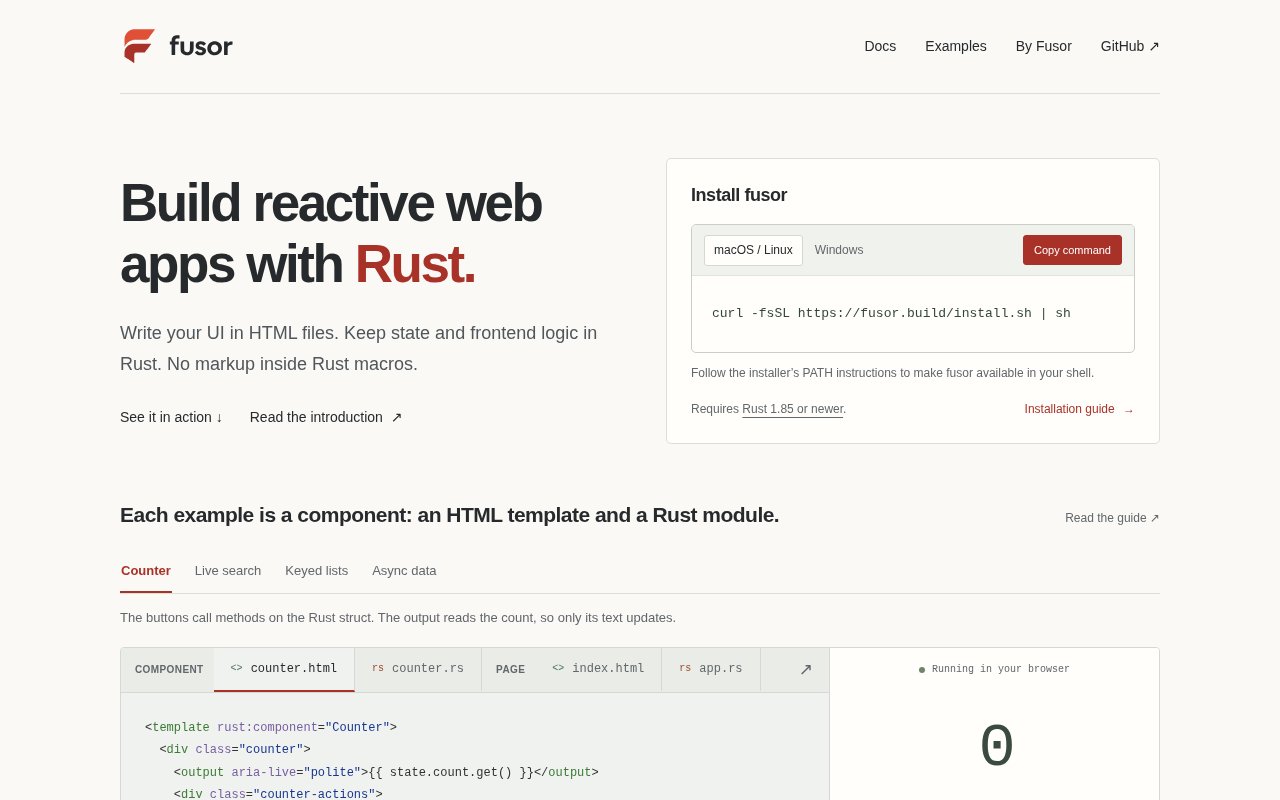
Fusor is an open source reactive web framework that keeps interface markup in ordinary HTML files while state and frontend logic live in Rust. It compiles the Rust side to WebAssembly for the browser and connects Rust expressions to text, attributes, conditions, lists, and events in the templates. That split addresses a specific frustration in Rust frontend development. Developers can use familiar HTML instead of embedding the view inside a Rust macro, while still getting typed state, methods, imports, and compiler checks for the expressions that cross the boundary.
A reusable component normally has two parts. The HTML file declares the component, its native markup, and any bindings or event handlers. A Rust struct owns local signals and methods, then a template macro associates that module with the corresponding file. Fields and methods exposed as state become available to the template, so an event can call a Rust method and a text binding can read a signal. Fusor's build tooling extracts and compiles those connections with Cargo and rustc. Rust bodies in supported HTML script blocks remain ordinary Rust, and generated bindings share typed contracts with the browser runtime. Template errors are mapped back to their authored HTML lines, which makes the compilation model more useful than treating the template as an unchecked string. Rust analyzer still provides completion, hover information, and definition navigation in the Rust modules.
Reactivity is fine grained and doesn't use a virtual DOM. Each binding tracks the signals it reads, then updates its own DOM target when those signals change. Ownership manages cleanup when a component is removed, including its listeners, subscriptions, and children. The default output is a client side WebAssembly application. Optional first party packages add routing, asynchronous resources, shared queries, native JavaScript integrations, and server rendered islands, while the core remains focused on rendering and reactive state. Those capabilities stay modular, so a project can take the pieces it needs rather than adopting every convention at once. Fusor doesn't include a backend or server function layer, so applications bring their own HTTP service and data design.
The project includes a command line workflow for creating, checking, running, and building applications. After installing the released CLI, a developer can create a starter with the new command, run a development server that rebuilds when HTML or Rust changes, check compiler errors, and produce a static distribution folder. Installation scripts are published for macOS, Linux, and Windows, and the current release requires Rust 1.85 or newer. The installer verifies its downloaded CLI checksum, and the Unix script leaves shell configuration unchanged while explaining which path entry to add. The documentation and repository include runnable examples for counters, search, lists, asynchronous views, typed navigation, shared state, explicit form saves, and integrations with CodeMirror and Chart.js. Developers can also write Rust directly inside an HTML page for playground style experiments, although the separate module pattern is the clearest expression of the framework's design.
Fusor suits Rust developers who want browser interfaces without adopting a Rust specific markup language. It will appeal most to people who value Cargo, rustc, explicit ownership, and WebAssembly, but still want designers or frontend specialists to recognize the basic shape of a component file. Compared with frameworks whose components return macro based views, Fusor keeps the authoring boundary visible. Compared with virtual DOM frameworks, it updates only the bindings that observed a changed signal. That model is interesting for typed dashboards, browser tools, internal applications, and experiments where Rust owns the behavior and plain HTML remains the view layer.
The tradeoff is maturity. Fusor is currently at version 0.1 and the maintainers explicitly describe it as experimental, warn that minor versions before 1.0 can introduce breaking syntax and API changes, and advise against relying on it for production yet. It targets browsers only, lacks editor completion inside HTML templates, and has several unsupported parsing and asynchronous rendering cases. Current gaps include some SVG, MathML, selection control, table, nested island, and streamed rendering scenarios. The documented starter bundle is also larger than the compared Leptos and Solid examples. Still, the CLI and crates are released, the examples are runnable, and the source is available under the MIT license. It is a practical project to evaluate today, as long as adopters treat it as early technology and budget for change.
Key Features
- Plain HTML component templates
- Rust state and event logic
- Fine grained signal reactivity
- WebAssembly browser compilation
- Compiler checked template bindings
- CLI development and static builds
Pros & Cons
What we like
- Keeps markup outside Rust macros
- Uses rustc to check template expressions
- Updates DOM targets without virtual DOM
- MIT licensed with open source code
Room for improvement
- Experimental pre 1.0 APIs
- Browser only rendering target
- Larger starter bundle than named alternatives
- No built in backend or server functions
Frequently Asked Questions
What is Fusor?
Is Fusor free?
Does Fusor use a virtual DOM?
Is Fusor ready for production use?
Best For
Featured in
Alternatives to Fusor

Kevin Gabeci
Solo developer building web apps, cozy browser games, and AI creator toolkits.

SoloDevStack
A solo developer blog built on head-to-head tool comparisons, 580+ posts deep.

Codedex
A gamified, story-driven platform that teaches Python, web dev, and more like an RPG quest

Vibe Built
Building real apps with agentic AI. What worked, what broke, what shipped.
Reviews (0)
Badge builder
Add Fusor to your website
Choose a badge style and size, preview it here, then copy the generated HTML. Badge images are self-contained SVGs and do not require an external script.

<a href="https://toolindex.net/tools/fusor?ref=badge" target="_blank" rel="noopener">
  <img src="https://toolindex.net/badge/fusor/medium.svg" alt="Fusor - Listed on Tool Index" width="180" height="50" />
</a>How to use the badge
- 1. Pick the style, size, and theme that fit your layout.
- 2. Copy the generated HTML from the code block.
- 3. Paste it into your footer, homepage, or press page.
Standard badge available
The standard listing badge is available now. Score and circle badges are limited to tools currently ranked in the top 10 of a category.
Badge clicks return visitors to this profile with a referral tag so the source remains identifiable.
Related Tools
Kevin Gabeci
Solo developer building web apps, cozy browser games, and AI creator toolkits.

Coolify
Self-hostable, open source alternative to Heroku and Netlify

Warp
The modern terminal reimagined with AI and collaboration

Bolt.new
Prompt-to-deployed full-stack app inside the browser
Work on Fusor? Request listing access or correction