
Ghostfork
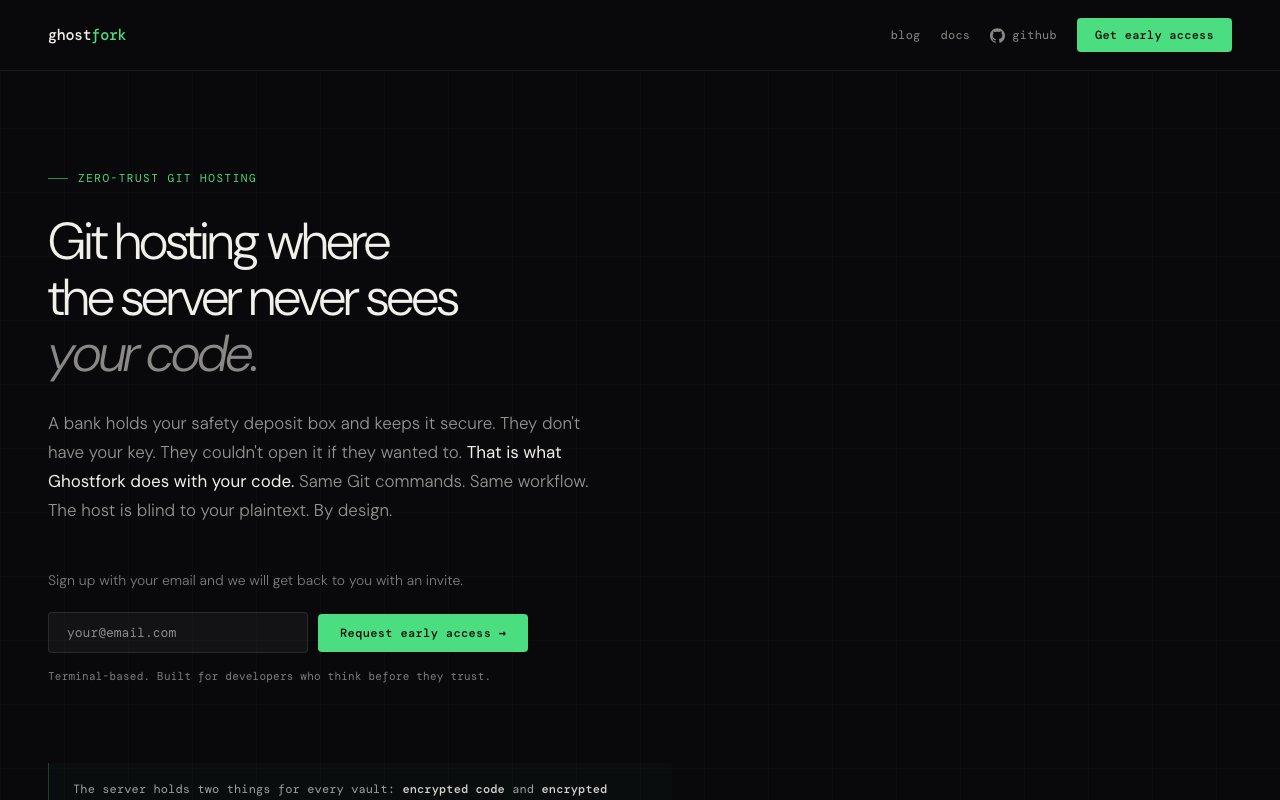
Git hosting where the server never sees your code through end-to-end encryption
Gallery
About Ghostfork
Ghostfork is a Git hosting platform built around a zero-trust premise. The server never sees your code in plaintext. Everything you push gets encrypted locally on your machine before it leaves, and everything you pull gets decrypted locally after it arrives. What sits on Ghostfork's infrastructure is ciphertext, not source files. The workflow stays familiar because it's still Git under the hood. You clone, push, pull, and branch the way you always have. The encryption layer is transparent once you've set up your keys. There's no special syntax or wrapper commands to memorize. You're running the same git commands you've always used.
The problem it addresses is the trust gap in hosted version control. When you push code to a traditional Git service, you're trusting that provider with your intellectual property, your trade secrets, your competitive advantage. Even well-intentioned providers have attack surfaces. A breach, a rogue employee, a government request, or an infrastructure compromise could expose what you've spent years building. The data exists in readable form on someone else's servers, and you have no cryptographic protection against misuse. Self-hosting is the classic answer, but it comes with operational overhead and still leaves you trusting whoever has root access. Ghostfork tries to eliminate that trust requirement entirely by making sure the host never has the keys to decrypt what it stores.
The architecture uses encrypted vaults. Each repository lives inside a vault with its own encryption keys. Those keys are themselves encrypted per authorized user. When you grant someone access to a repository, you're not giving them a plaintext key. You're sharing an encrypted copy of the vault key that only their credentials can unlock. The server relays this encrypted material but cannot read it. Even if someone compromised every server Ghostfork runs, they'd still lack the cryptographic keys needed to turn that ciphertext into readable code. The keys live on your devices, not theirs. This is what zero-knowledge architecture means in practice.
Multi-user access works through these per-user encrypted key grants. You can invite teammates to a vault without exposing the underlying secret to the platform. Each team member authenticates with their own credentials, and the vault key they receive is encrypted specifically for them. This means revoking access doesn't require re-encrypting the entire repository. You just stop sharing the vault key with that user. Team members can collaborate on the same repositories without Ghostfork ever being able to read the contents. The documentation references independent security audits, though the public site doesn't publish audit reports in detail. The team has stated that the architecture is designed to withstand full server compromise.
The target audience is developers and teams who handle sensitive code. This includes proprietary algorithms, security-focused projects, pre-release products, compliance-heavy industries, or anything where exposure would be costly. If you've ever hesitated before pushing to a third-party host, or if regulatory requirements make you uncomfortable with standard Git providers, Ghostfork offers an alternative that removes the need to trust the infrastructure operator. It's also for teams who have considered self-hosting but don't want to manage their own servers, updates, backups, and uptime monitoring. You get hosted convenience with the security posture of infrastructure you control.
The workflow differences are minimal once setup is complete. You set up a Ghostfork remote like any other Git remote. After initial configuration and key generation, day-to-day operations feel identical to using GitHub or GitLab. The encryption and decryption happen in the background. There's no wrapper command or special syntax. You're still running git push and git pull. The platform is terminal-based and Git-native, which fits the audience it's targeting. This isn't a visual collaboration tool with code review, CI pipelines, wikis, or project management built in. It's focused specifically on the encrypted storage and retrieval layer. If you need those other features, you'd layer them on top or use Ghostfork for just the repositories that require the strongest protection.
Access is currently through an early-access waitlist, so there's no public pricing posted yet. The product is positioning itself between traditional hosted Git and full self-hosting. You get the convenience of not running infrastructure, but with a trust model that doesn't require you to believe in the provider's good intentions or security posture. Whether that tradeoff works for you depends on how much you value code confidentiality and how comfortable you are adopting a younger product that's still building out its feature set. If cryptographic guarantees matter more to you than ecosystem integrations, this is worth watching. The early-access waitlist suggests the team is onboarding users gradually while refining the product.
Key Features
- End-to-end encryption of repositories
- Zero-knowledge server architecture
- Standard Git commands without wrappers
- Per-user encrypted vault keys
- Granular multi-user permission grants
- Independent security audit documentation
Pros & Cons
What we like
- Server stores only ciphertext, never readable code
- Works with normal Git commands after setup
- Removes the need to trust your hosting provider
- Multi-user access without exposing keys to the host
Room for improvement
- Currently in early access with a waitlist
- No public pricing available yet
- Younger product with a smaller user base
- Requires initial setup beyond standard Git remotes
Frequently Asked Questions
What is Ghostfork?
Does Ghostfork require a special Git client?
How does multi-user access work?
Is Ghostfork available now?
Best For
Featured in
Alternatives to Ghostfork

Kevin Gabeci
Solo developer building web apps, cozy browser games, and AI creator toolkits.

SoloDevStack
A solo developer blog built on head-to-head tool comparisons, 580+ posts deep.

Codedex
A gamified, story-driven platform that teaches Python, web dev, and more like an RPG quest

Vibe Built
Building real apps with agentic AI. What worked, what broke, what shipped.
Reviews (0)
Badge builder
Add Ghostfork to your website
Choose a badge style and size, preview it here, then copy the generated HTML. Badge images are self-contained SVGs and do not require an external script.

<a href="https://toolindex.net/tools/ghostfork?ref=badge" target="_blank" rel="noopener">
  <img src="https://toolindex.net/badge/ghostfork/medium.svg" alt="Ghostfork - Listed on Tool Index" width="180" height="50" />
</a>How to use the badge
- 1. Pick the style, size, and theme that fit your layout.
- 2. Copy the generated HTML from the code block.
- 3. Paste it into your footer, homepage, or press page.
Standard badge available
The standard listing badge is available now. Score and circle badges are limited to tools currently ranked in the top 10 of a category.
Badge clicks return visitors to this profile with a referral tag so the source remains identifiable.
Related Tools
Kevin Gabeci
Solo developer building web apps, cozy browser games, and AI creator toolkits.

Coolify
Self-hostable, open source alternative to Heroku and Netlify

Warp
The modern terminal reimagined with AI and collaboration

Bolt.new
Prompt-to-deployed full-stack app inside the browser
Work on Ghostfork? Request listing access or correction