
Glide
No-code platform that turns spreadsheets and databases into mobile and web apps, with computed columns and AI actions.
Gallery
About Glide
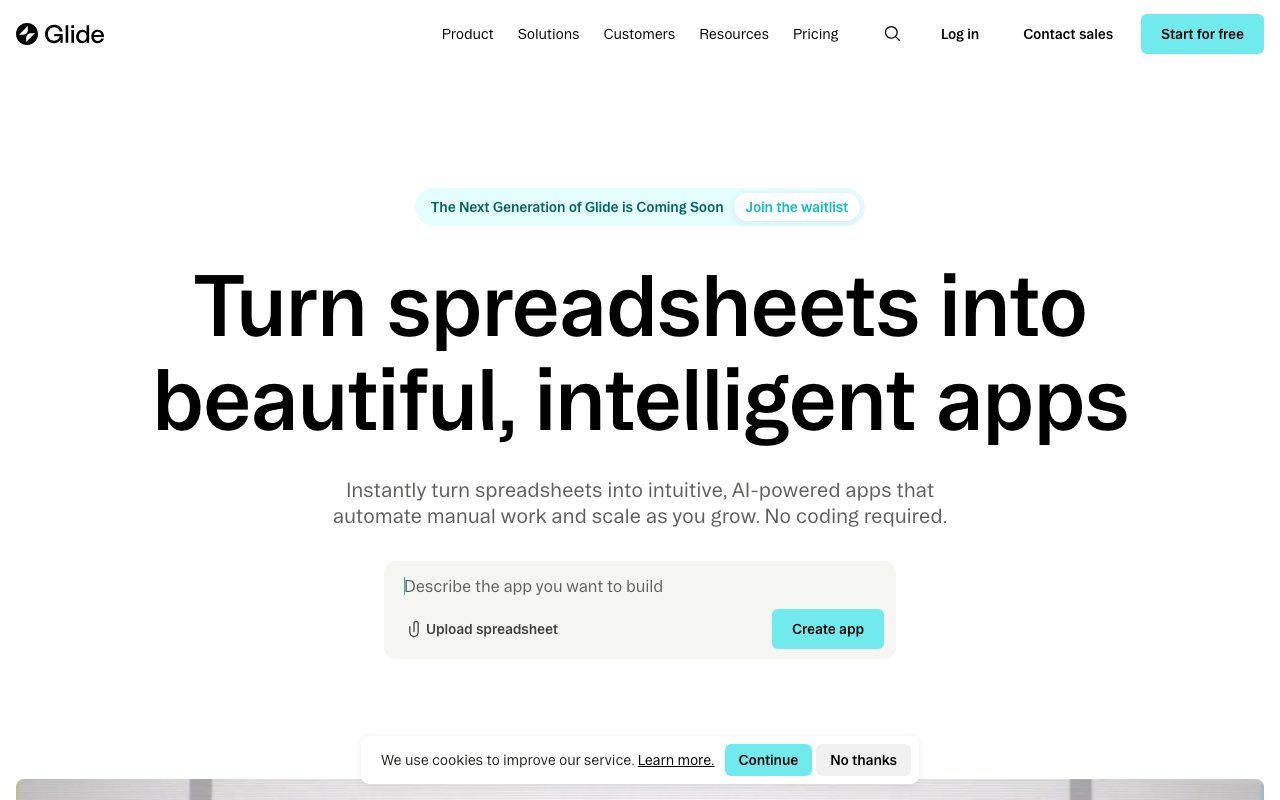
Glide turns Google Sheets into mobile and web apps. That's the elevator pitch since 2018. The product underneath has gotten dramatically more capable since then.
Founded by David Siegel and Jason Smith out of Y Combinator, Glide raised from First Round, Sergey Brin, and Lachy Groom. It's one of the early no-code platforms that actually shipped real apps for real businesses.
If you're evaluating no-code app builders, you're likely looking at Glide, Bubble, Softr, and Adalo. Here's where Glide fits in that mix.
What Glide actually does
You connect a data source (Google Sheets, Airtable, Excel, or Glide's own database called Glide Tables). Glide auto-generates a mobile-friendly app from your columns. You customize layouts, add screens, and ship.
The data layer is where Glide separates itself. Computed columns let you write spreadsheet-like formulas that derive values. AI columns can summarize text, extract data, or classify entries. Actions trigger workflows on user interaction.
Apps deploy as PWAs (web apps that install on phones) or branded native iOS/Android apps via Glide's enterprise tier. Most users start with PWAs because the friction is zero.
Who Glide is for
Internal tools is the strongest use case. Inventory trackers, employee directories, field-service apps, simple CRMs. Anything where you'd otherwise build a clunky spreadsheet portal or hire an engineer for a side project.
SMBs and operations teams are the heavy users. Glide's flexibility and pricing fit teams that need apps but don't have engineers. Schools, nonprofits, and franchise operations show up often.
Where Glide doesn't fit: consumer-facing apps with millions of users, anything needing real-time updates at scale, or complex multi-step workflows. Use Bubble or actual code for those.
Pricing breakdown
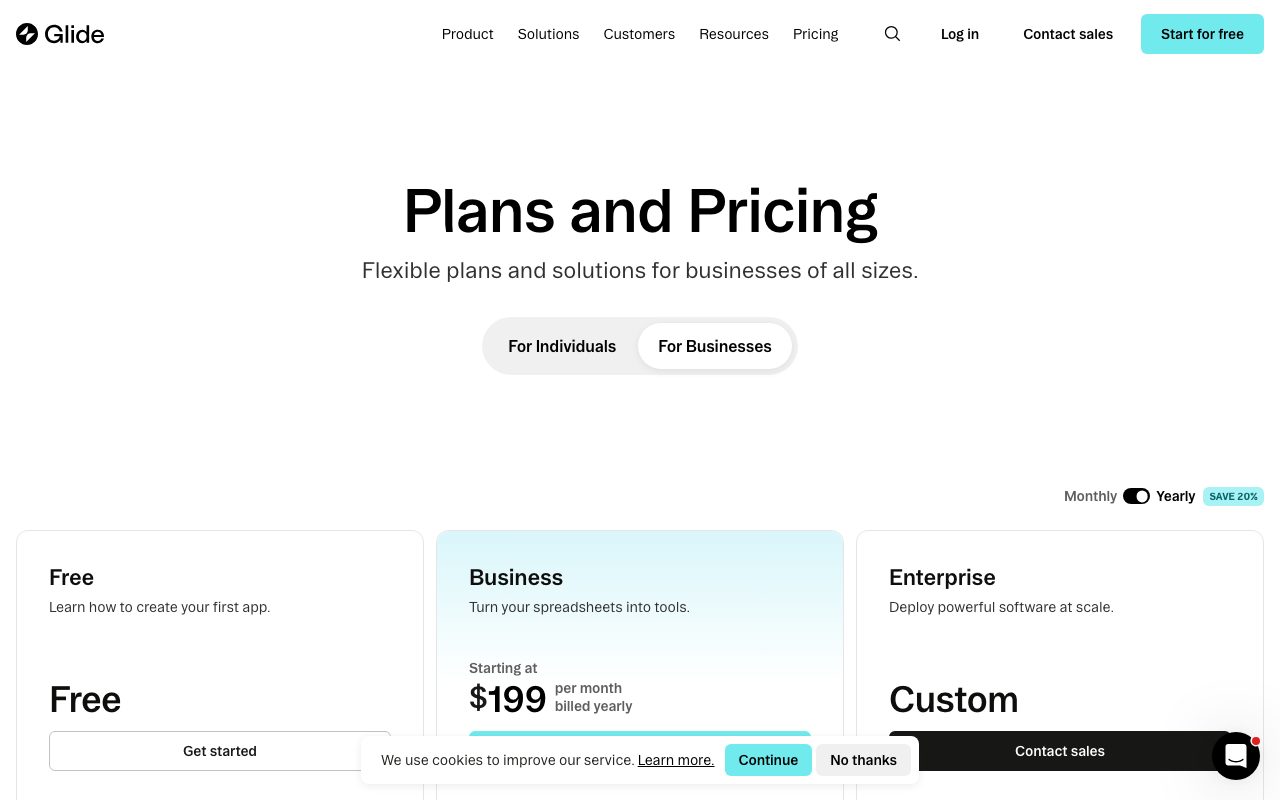
Free tier includes 3 apps with up to 10 users each. Good for testing. Real apps require a paid plan.
Starter is $49/month with 10 apps, up to 1,000 users, and basic features. Pro is $99/month adding custom domains, removing Glide branding, and more apps. Business is $249/month with white-label apps and SSO.
Enterprise pricing is custom and includes dedicated success management, SLAs, and native iOS/Android compilation. Costs scale with user count and data volume.
Standout features
Computed columns
Computed columns let you derive values from other columns using a formula language. Lookups, math, text manipulation, and conditionals all work. This turns a spreadsheet into something closer to a real database.
Better still, computed columns work on Glide's side, not your data source. Adding computed logic to a Google Sheet doesn't slow down the sheet itself.
AI columns
AI columns plug GPT-4 (or Claude) into your data. Summarize a description column, extract entities, classify support tickets, generate translations. Set it up once, every new row processes automatically.
Pricing per AI call is reasonable. Most users don't max out their allowance unless they're running thousands of operations a day.
Actions and integrations
Actions trigger workflows: send Slack messages, write to Airtable, call webhooks, send emails. The action editor is visual and supports branching logic.
Glide's strength is making the "I want a simple app for my team" use case fast. The first working version takes hours, not weeks.
Honest tradeoffs
The pricing jump from Free to Starter to Pro feels steep for casual users. $49/month is reasonable for businesses, painful for hobbyists. Glide knows this and prioritizes business customers.
App customization has limits. You can't write custom JavaScript or arbitrary CSS. The look-and-feel options are good but not infinite. If pixel-perfect branding matters, Glide will frustrate you.
Performance with very large datasets (50K+ rows) gets slow. Glide caches data client-side, which means initial load times extend. Pagination and filtering help but don't fully solve it.
Glide vs alternatives
Versus Bubble: Bubble is more powerful and more complex. You can build real consumer apps in Bubble. Glide is faster for internal tools and apps with simple data models. Different tools for different problems.
Versus Softr: Softr is built specifically for Airtable and produces websites/portals more than apps. If your data lives in Airtable and you need a portal, Softr might fit better. For mobile apps, Glide wins.
Versus Adalo: Adalo focuses on native mobile feel. The trade-off is smaller ecosystem and slower performance. Glide's PWAs are usually good enough and ship faster.
Versus AppSheet (Google): AppSheet is Google's no-code competitor. Tightly integrated with Google Workspace, weaker UX. If you're a Google shop, evaluate AppSheet alongside Glide.
For more options, see best no-code app builders or tools for operations.
Bottom line
Glide is the answer when "we need an app for this" comes up in a team meeting and nobody wants to involve engineering. The PWA approach removes app store friction, and the data layer is genuinely good.
It's not the answer for venture-backed consumer apps or complex SaaS products. But for the long tail of internal tools, customer portals, and operational apps that actually run businesses, Glide is one of the best options.
If your data already lives in Google Sheets or Airtable, the activation energy is near zero. Try the free tier first, you'll know within an hour whether it fits.
Glide for internal tools
The internal tool use case is Glide's bread and butter. Inventory management, employee directories, field-service apps, customer portals, simple CRMs. Anything where a spreadsheet feels like the wrong shape.
The advantage over building from scratch is real. A custom internal tool takes weeks of engineering time. A Glide app takes a day. The trade-off is flexibility, but most internal tools don't need infinite flexibility.
Multi-tenant patterns work too. One Glide app can serve multiple customers, each seeing only their data, via row-level security. Useful for agencies building portals for clients.
The data layer
Glide Tables (Glide's native database) is faster and more capable than Google Sheets backing. Real foreign keys, relations, computed columns, AI columns. The Sheet/Airtable integrations are still useful but no longer required.
Migrations between data sources are straightforward. Start with Sheets, move to Glide Tables when you outgrow it, optionally connect to Postgres for advanced cases.
Sync to external systems via Glide's automation. When a row changes, fire a webhook to your internal API or trigger a Zapier workflow. The integration patterns cover most needs.
Glide for customer-facing apps
This is the riskier use case. Glide can build customer-facing portals, marketplaces, or directories, but performance and customization limits show up faster.
Examples that work well: directory apps (browse listings), simple e-commerce (small product catalogs with checkout), event apps (schedule, attendees, sessions). Anything heavily transactional or with complex business logic should use Bubble or actual code.
Branding limits matter for customer-facing. Glide branding shows on free and Starter tiers. Pro tier removes it. Custom domains require Pro. Plan accordingly.
Performance considerations
Apps with 100K+ rows feel slow on slower devices. Pagination helps, but the client-side caching model has fundamental limits.
For high-traffic customer-facing apps, Glide isn't the right tool. The traffic patterns and database query patterns assumed by Glide's architecture don't fit at scale.
Common Glide questions
Can I use my own backend?
Partially. Glide can call your API via webhooks for actions. Reading data still requires Glide-supported sources (Sheets, Airtable, Glide Tables, Postgres on Business plan).
If you want full backend control, Glide isn't the right tool. Use Bubble (with API connector) or build with code.
How does Glide handle authentication?
Glide supports email login (with magic links), Google sign-in, and SSO on Enterprise. User properties drive row-level security.
For complex auth requirements (custom roles, multi-tenant with admin hierarchies), the patterns work but require careful setup. Document everything.
What about white-labeling?
Business and Enterprise plans support white-labeling. Custom domains, no Glide branding, branded login pages. Native iOS/Android apps via Glide's enterprise compilation service.
For agencies building apps for clients, white-labeling is the path. Pricing per app is reasonable for client-billable work.
For more no-code options, see best internal tool builders or Glide vs Bubble.
Glide trends to watch
Glide's AI features are evolving fast. AI columns, AI actions, and AI-native components appear in updates regularly. The platform is becoming more powerful for non-technical builders.
The pricing direction is steady but not aggressive. Plans change occasionally with grandfathering. Lock in current pricing if you're committing to a long-term build.
The Glide Tables backend is now equal-class to Google Sheets and Airtable. Many new builds start there for simplicity. Migration paths exist if you need to move later.
For more no-code platforms, see best no-code platforms.
Glide adoption patterns
The most successful Glide rollouts start with one app and one team. Build it well, prove the value, expand. Trying to be the company's no-code platform from day one usually fails.
Internal champions matter. Someone on the team needs to invest in learning Glide's patterns and helping others. Without a champion, apps get built and abandoned.
Documentation also matters. As Glide apps grow, document the schema, the formulas, and the integrations. Future you (or your successor) will thank present you.
For more no-code resources, browse best no-code app builders.
Tutorial / Demo
Key Features
- Builds apps from Google Sheets, Big Tables, or SQL
- Computed columns with formula-style logic
- AI actions for summarization, classification, and extraction
- Mobile-first PWA output for iOS and Android
- Roles and per-row permissions for team apps
- Webhook and API integrations
Pros & Cons
What we like
- Spreadsheet-to-app speed is genuinely impressive
- Rich computed-column logic without a real database
- AI integration baked into the workflow layer
Room for improvement
- Per-update pricing model surprises some teams as usage grows
- Not built for offline-first or millions-of-users consumer apps
Frequently Asked Questions
Does Glide have a free tier?
Glide vs Softr vs Bubble?
What can Glide actually connect to?
Can Glide apps go in the App Store?
Is Glide overkill for a simple form?
Best For
Featured in
Tags
Alternatives to Glide
View all
Expo
The React Native framework and cloud build service that ships native iOS and Android apps without touching Xcode.
Softr
No-code platform that turns Airtable, Google Sheets, and HubSpot bases into client portals, internal tools, and member apps.

Airtable
Spreadsheet-database hybrid with linked records, multiple views, automations, and an interface designer for internal apps.

Bubble
Full-stack no-code platform for building real web applications with visual programming, a database, and a workflow engine.
Our take
Tool Index Editorial · May 2026· 4.6/5
Glide sits in a crowded category, differentiating itself as no-code platform that turns spreadsheets and databases into mobile and web apps, with computed columns and ai actions.
What it actually does well: Spreadsheet-to-app speed is genuinely impressive, Rich computed-column logic without a real database, and AI integration baked into the workflow layer. Where it stumbles: Per-update pricing model surprises some teams as usage grows and Not built for offline-first or millions-of-users consumer apps.
Recommendation: this is a strong default when you need internal business tools backed by a spreadsheet. If per-update pricing model surprises some teams as usage grows would be a dealbreaker, the alternatives section below is worth a scroll.
Editorial opinion from the Tool Index team, written from the public product pages. Not a user review.
Reviews (3)
Two months in, no regrets
Picked Glide for the lower price, stayed for the actual quality. The biggest win has been AI integration baked into the workflow layer. The roles and per-row permissions for team apps is more useful than I expected. Easy yes for anyone weighing the same trade-offs.
The kind of tool you forget you're paying for
Got Glide on the recommendation of someone I trust. Where it really wins is spreadsheet-to-app speed is genuinely impressive. Found it works best for member directories and lightweight CRMs. Would buy again without thinking twice.
Pros
- Spreadsheet-to-app speed is genuinely impressive
- AI integration baked into the workflow layer
- Rich computed-column logic without a real database
Surprised how much we use this
About half a year of using Glide, here's what holds up. What stands out is how spreadsheet-to-app speed is genuinely impressive. Their take on roles and per-row permissions for team apps is solid. Found it works best for founders shipping an MVP without engineering. One thing that bugs me: per-update pricing model surprises some teams as usage grows. Easy yes for anyone weighing the same trade-offs.
Badge builder
Add Glide to your website
Choose a badge style and size, preview it here, then copy the generated HTML. Badge images are self-contained SVGs and do not require an external script.

<a href="https://toolindex.net/tools/glide?ref=badge" target="_blank" rel="noopener">
  <img src="https://toolindex.net/badge/glide/medium.svg" alt="Glide - Listed on Tool Index" width="180" height="50" />
</a>How to use the badge
- 1. Pick the style, size, and theme that fit your layout.
- 2. Copy the generated HTML from the code block.
- 3. Paste it into your footer, homepage, or press page.
Score badge available
Glide qualifies for the score and circle badges based on its current top-10 positionin Mobile.
Badge clicks return visitors to this profile with a referral tag so the source remains identifiable.
Related Tools

Sleep Suivour
Track your sleep, improve your rest

Sanity
Composable content platform with a customizable studio, real-time collaboration, and a queryable structured content backend.
Bubble
Full-stack no-code platform for building real web applications with visual programming, a database, and a workflow engine.

Tally
Form builder with a Notion-like editor, conditional logic, payments, and a generous free tier with unlimited submissions.
Work on Glide? Request listing access or correction