ProtoPie
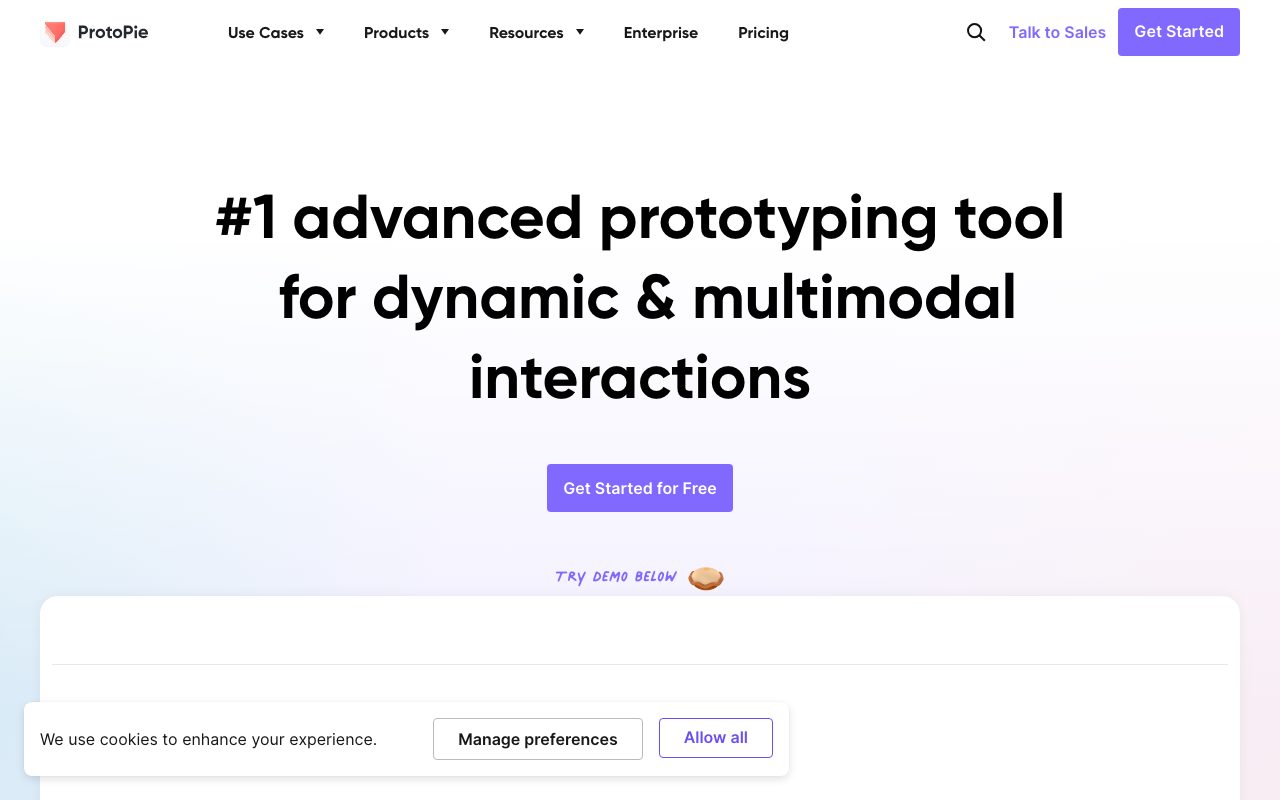
High-fidelity prototyping tool that simulates sensor input, IoT triggers, and complex interactions without writing code.
Gallery
About ProtoPie
ProtoPie is what designers reach for when Figma's prototype mode hits its ceiling. It simulates real device sensors, hardware events, voice input, and complex multi-screen interactions. If you need to prototype a smartwatch, a car dashboard, or a multi-device IoT flow, ProtoPie is one of two or three tools that can do it.
For UX teams pushing into voice, AR, or hardware product design, ProtoPie pays for itself the first time stakeholders see a working prototype on a real device. That moment changes how decisions get made.
What ProtoPie does
ProtoPie is a high-fidelity prototyping tool with a trigger-and-response model. You don't write code, but you do build interactions through a visual logic editor. Triggers can be tap, voice, tilt, sound, time, or device sensors. Responses can be animations, screen changes, sound playback, or messages to other devices.
The result is prototypes that feel like real software. Tilt the phone and the UI parallaxes. Speak a command and the screen responds. Connect two phones and they communicate. Stakeholders react to working prototypes the way they don't react to static mockups.
The Connect feature
ProtoPie Connect lets prototypes talk to other devices, hardware, and external services in real time. You can prototype a smart home setup where a phone tap turns on a light, or a car dashboard that responds to physical buttons. This is the unique capability that no other prototyping tool matches at this depth.
Who ProtoPie is for
ProtoPie fits UX designers in automotive, aerospace, medical devices, IoT, voice assistants, and any context where the product isn't just a phone screen. Top tier consumer brands use ProtoPie to validate experiences before they commit to engineering. Smaller teams use it for portfolio work and stakeholder demos.
ProtoPie isn't necessary for most web or app design. Figma's prototype mode covers 90 percent of those cases. Pay for ProtoPie when you've actually hit Figma's wall and not before.
ProtoPie pricing
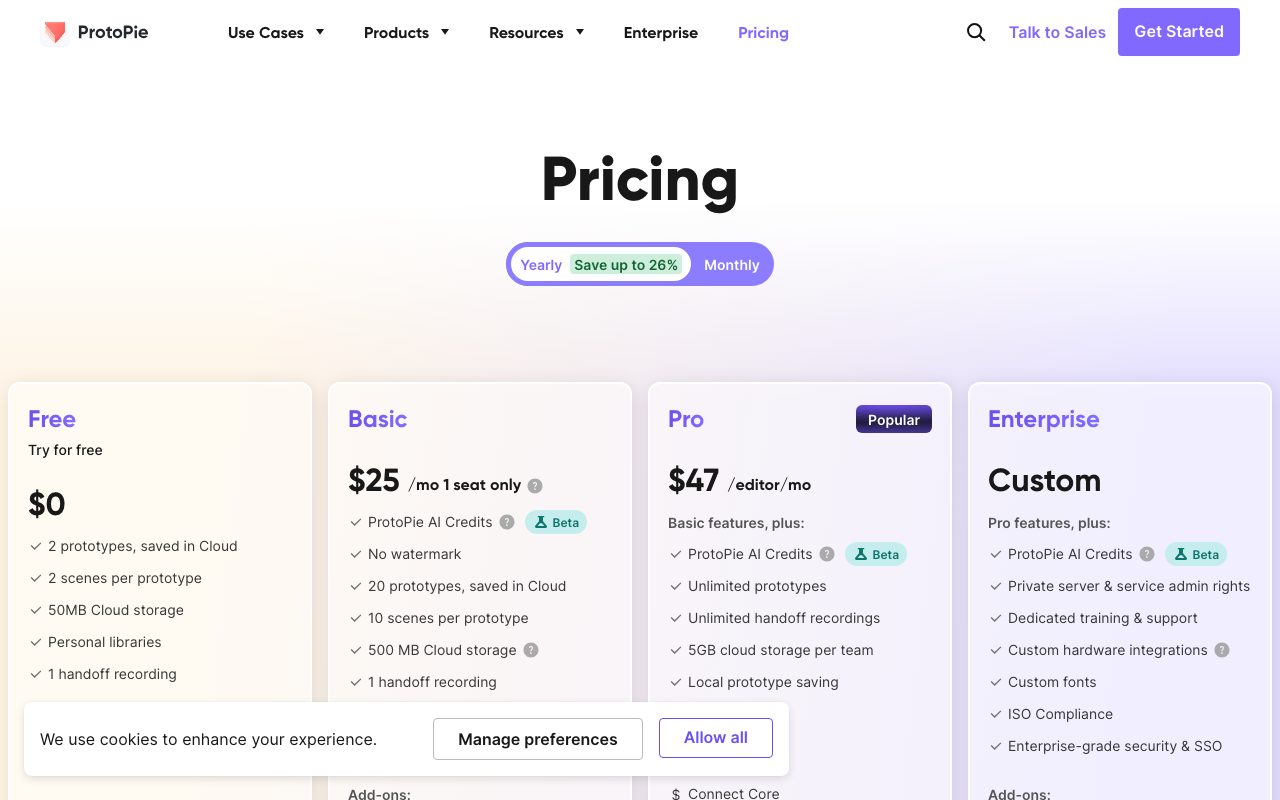
ProtoPie has a free Starter tier with limits on file count and feature access, useful for evaluation. Pro is $29 per editor per month billed annually and unlocks all features for individual designers. Team plans start higher and add cloud collaboration, version history, and shared libraries.
Enterprise pricing covers larger orgs with SSO, custom training, and dedicated support. ProtoPie Connect, the cross-device piece, is included in higher tiers. Education licenses are free or steeply discounted.
ProtoPie features that matter
The interaction logic uses triggers, responses, and conditions in a visual graph. You can chain logic with variables, formulas, and chains of triggers. The Figma plugin imports designs directly, so you build prototypes on top of your existing design files.
Voice input via Voice Trigger uses the device microphone for spoken commands, useful for prototyping Alexa-style or in-car voice UI. The 3D Tilt response moves layers based on device gyroscope. The Range Slider and Math expression features support more nuanced numerical interactions.
Hardware integration
ProtoPie can talk to Arduino, Raspberry Pi, MQTT, OSC, and a growing list of hardware protocols through Connect. Designers prototyping car interfaces, kiosks, or smart home devices can simulate the full physical-digital loop without engineering involvement.
Tradeoffs
ProtoPie has a learning curve. The trigger-response model is logical but takes a few projects to get fast at. New users often build something complex, hit a wall, and have to refactor once they understand the patterns better. Documentation and tutorials help.
The price is high if you're not in the niche it serves. For teams shipping web and mobile apps without hardware, Figma's built-in prototype mode plus Principle or Origami Studio are usually enough. ProtoPie is overkill until it isn't.
ProtoPie is the right tool when stakeholders need to feel the product, not just see it. For everything else, Figma probably suffices.
ProtoPie vs alternatives
Compared to Figma prototype mode, ProtoPie is more powerful for sensor-driven and multi-device flows. Figma is faster for simple click-throughs. Compared to Framer, ProtoPie is more about hardware and voice while Framer is more about web publishing now.
Compared to Principle or Origami Studio, ProtoPie is more cross-platform and more capable on hardware integration. Principle is Mac-only and more focused on app interactions. See our best prototyping tools roundup and Figma alternatives guide.
Bottom line on ProtoPie
ProtoPie is the specialized tool for UX work that goes beyond a phone screen. If your products involve hardware, voice, IoT, or multi-device coordination, ProtoPie is one of the few tools that can prototype the real experience. The cost is justified by the time saved and the better stakeholder decisions.
If your work is web or app screens, Figma's prototype mode is enough most days. Try ProtoPie when you've hit Figma's ceiling on a real project. The Starter tier lets you evaluate without commitment, and the learning resources are solid.
ProtoPie production patterns
The teams getting the most value out of ProtoPie tend to follow a similar workflow. Design happens in Figma as usual. The ProtoPie Figma plugin imports finished frames into ProtoPie. Designers add interaction logic in ProtoPie: triggers, responses, state machines, sensor inputs. The result is a high-fidelity prototype in days, not weeks.
The prototype runs on real devices, not just on a screen. ProtoPie's mobile player apps install on phones, tablets, watches, and TVs. Stakeholders interact with the prototype on the actual hardware target. That changes the conversation. Decisions made on real devices are better than decisions made on Figma click-throughs.
Building complex state
ProtoPie supports variables, conditional logic, and chains of triggers. You can build a real shopping cart that adds items, calculates totals, and checks out, without any code. The logic editor is visual but the underlying model is essentially programming. Designers who lean technical pick this up fast.
The state machine pattern works particularly well for app prototypes with login, navigation, and content states. Define each state. Define the transitions. ProtoPie executes the state machine reliably across multiple devices. You get an actual functional prototype, not just a series of static screens.
ProtoPie for hardware teams
The hardware integration story is what justifies ProtoPie's price for product teams in automotive, IoT, and consumer electronics. ProtoPie Connect bridges to Arduino, Raspberry Pi, MQTT, OSC, and various proprietary protocols. A car dashboard prototype can respond to physical buttons. A smart home setup can simulate the full device interaction.
The use case that recurs: validate a hardware-software interaction before manufacturing commits to physical buttons or sensor placement. A wrong decision at that stage costs hundreds of thousands of dollars and months of timeline. A ProtoPie prototype catches the issue in a week. That math justifies almost any subscription price.
Common ProtoPie questions
Can I use ProtoPie without Figma? Yes. ProtoPie has its own design canvas. Most users prefer designing in Figma and importing, but ProtoPie can handle the entire workflow if needed. The native design tools are competent but less feature-rich than Figma.
How is ProtoPie's learning curve? Real but manageable. Most designers comfortable with Figma can produce simple ProtoPie prototypes within a day. Complex interactions with state and sensors take a few weeks of practice to master. The official tutorials and community examples help significantly.
Does ProtoPie integrate with Sketch or Adobe XD? Sketch yes via plugin. Adobe XD partial since Adobe wound XD down. The Figma integration is the most actively maintained and recommended path. Most modern design teams are on Figma anyway, which fits ProtoPie's primary integration.
ProtoPie versus engineering prototypes
The alternative to ProtoPie is having engineering build a quick prototype in code. That works but it's expensive and slow. A senior engineer's week building a hardware prototype is a real cost. ProtoPie lets a designer accomplish 80 percent of the same outcome in a couple of days.
The remaining 20 percent matters in some cases. Real performance characteristics, actual hardware integration latency, true edge case handling. For product validation and stakeholder demos, the 80 percent ProtoPie covers is enough. For final engineering validation, real code on real hardware is still required. ProtoPie complements rather than replaces engineering prototypes.
Final take on ProtoPie
ProtoPie has carved out the high-fidelity prototyping niche and serves it well. The product covers use cases that Figma's prototype mode can't touch: hardware integration, sensor input, multi-device coordination, voice interaction. For teams whose products extend beyond a phone screen, ProtoPie is one of the few credible tools available.
The competitive landscape in prototyping has thinned. Adobe wound down XD. Principle and Origami remain niche choices. Framer pivoted toward web publishing. ProtoPie's specialization in hardware-aware prototyping has become more valuable as the alternatives have narrowed. The team continues to ship updates focused on the use cases their core users care about.
For UX teams working on automotive, aerospace, medical devices, IoT, or any product with meaningful hardware integration, ProtoPie is essentially required tooling. The cost is justified by the time saved validating decisions before engineering commits. For pure web and app design teams, ProtoPie is overkill and Figma's prototype mode handles most needs adequately. The right tool depends on the product, and ProtoPie knows exactly which products it serves.
Tutorial / Demo
Key Features
- Trigger-condition-response model for complex interactions
- Sensor input: tilt, shake, microphone, NFC, voice
- ProtoPie Connect for IoT and multi-device prototypes
- Imports designs from Figma and Sketch
- Runs prototypes natively on iOS, Android, and the web
- Interaction recording for animation timelines
Pros & Cons
What we like
- Goes far beyond what other prototyping tools can simulate
- Single file deploys to phone, tablet, kiosk, and web
- Strong fit for multi-device and connected-hardware work
Room for improvement
- Steeper learning curve than simple click-through prototypers
- Per-editor pricing adds up for larger design teams
Frequently Asked Questions
What makes ProtoPie different from Figma prototyping?
How much does ProtoPie cost?
Can I import from Figma or Sketch?
Is ProtoPie code-free?
Who actually needs ProtoPie?
Best For
Featured in
Tags
Alternatives to ProtoPie
View all
Figma
Collaborative interface design tool

Marvel
Lightweight prototyping platform for turning images and screens into clickable mobile and web prototypes.

Framer
Visual website builder that lets designers ship production-grade marketing sites with real CMS, SEO controls, and code components.
Sketch
Mac-native vector design app that pioneered the modern UI workflow with symbols, shared libraries, and a deep plugin ecosystem.
Our take
Tool Index Editorial · May 2026· 4.5/5
ProtoPie positions itself as high-fidelity prototyping tool that simulates sensor input, iot triggers, and complex interactions without writing code, and on the whole it earns the framing.
Where it wins: Goes far beyond what other prototyping tools can simulate, Single file deploys to phone, tablet, kiosk, and web, and Strong fit for multi-device and connected-hardware work. Less impressive: Steeper learning curve than simple click-through prototypers and Per-editor pricing adds up for larger design teams.
In short: ProtoPie is a solid pick when you need automotive HMI design for clusters and infotainment, and a harder sell if steeper learning curve than simple click-through prototypers would be a dealbreaker.
Editorial opinion from the Tool Index team, written from the public product pages. Not a user review.
Reviews (3)
It just works
Picked ProtoPie for the lower price, stayed for the actual quality. What stands out is how goes far beyond what other prototyping tools can simulate. It fits well for voice-driven interface exploration. Glad I made the switch.
Pros
- Goes far beyond what other prototyping tools can simulate
- Strong fit for multi-device and connected-hardware work
ProtoPie, better than expected
The last quarter of using ProtoPie, here's what holds up. Real selling point: goes far beyond what other prototyping tools can simulate. Their take on trigger-condition-response model for complex interactions is solid. Main use case: voice-driven interface exploration.
Onboarded the team in a day
ProtoPie isn't perfect but it's the best I've used in this category. What stands out is how strong fit for multi-device and connected-hardware work. Their take on trigger-condition-response model for complex interactions is solid. Mostly using it for automotive HMI design — clusters and infotainment. Easy yes for anyone weighing the same trade-offs.
Pros
- Strong fit for multi-device and connected-hardware work
- Single file deploys to phone, tablet, kiosk, and web
- Goes far beyond what other prototyping tools can simulate
Badge builder
Add ProtoPie to your website
Choose a badge style and size, preview it here, then copy the generated HTML. Badge images are self-contained SVGs and do not require an external script.

<a href="https://toolindex.net/tools/protopie?ref=badge" target="_blank" rel="noopener">
  <img src="https://toolindex.net/badge/protopie/medium.svg" alt="ProtoPie - Listed on Tool Index" width="180" height="50" />
</a>How to use the badge
- 1. Pick the style, size, and theme that fit your layout.
- 2. Copy the generated HTML from the code block.
- 3. Paste it into your footer, homepage, or press page.
Score badge available
ProtoPie qualifies for the score and circle badges based on its current top-10 positionin Mobile.
Badge clicks return visitors to this profile with a referral tag so the source remains identifiable.
Related Tools

Apatero Studio
Creator studio for AI image, video, audio, 3D, and avatars. Every model worth using, in one workspace.

Sleep Suivour
Track your sleep, improve your rest

Tailwind CSS
Rapidly build custom designs without leaving your HTML
Figma
Collaborative interface design tool
Work on ProtoPie? Request listing access or correction