
Excalidraw
Free hand-drawn whiteboard with collaboration and an embeddable editor
Gallery
About Excalidraw
2026 plan check. The free editor needs no account, while Excalidraw Plus adds a cloud workspace, enhanced sharing, access controls, and presentation tools with a 14-day trial. Developers can also integrate the editor through the open-source npm package and developer API. Free drawing and paid cloud workspace are separate offers, which is why calling Excalidraw either entirely free or entirely paid misses the useful distinction.
Excalidraw is a virtual whiteboard that draws like you sketched it on a napkin. The lines wobble. The shapes look hand-drawn. That's the entire visual identity, and it's deceptively powerful.
The hand-drawn aesthetic isn't just a gimmick. It signals "this is a sketch, not the final answer," which keeps conversations honest. Polished diagrams pretend to be more decided than they are.
It's free, open-source, and maintained by a small team that ships thoughtfully. If you've used Miro or Figma jam boards and felt overwhelmed, Excalidraw is the antidote.
What Excalidraw actually does
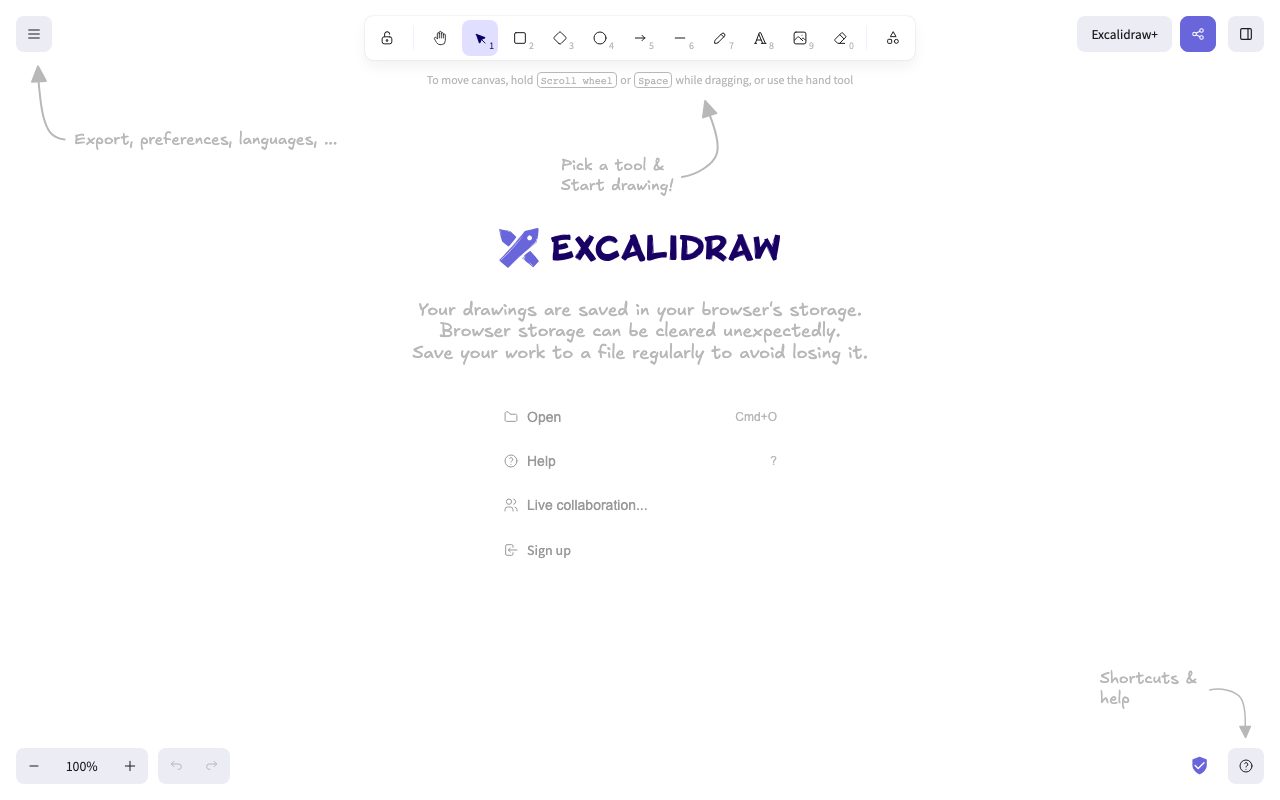
Excalidraw lets you draw shapes, arrows, text, and freehand strokes on an infinite canvas. It saves to your browser by default, and you can export to PNG, SVG, or share a live link.
That's mostly it. There's no kanban board, no comment threads, no project management. It's a whiteboard, full stop. The constraint is the feature.
Live collaboration that just works
Multiple people can draw on the same board in real time. Cursors show up. There's no signup gate. You hit "share" and send a link.
Who Excalidraw is for
Engineers explaining architecture diagrams. PMs whiteboarding flows. Teachers demonstrating concepts. Anyone who'd otherwise scribble on paper and snap a photo.
It's not for designers building production assets. The hand-drawn look is intentional and inflexible. If you need pixel-perfect diagrams, use a different tool.
The "show, don't tell" use case
Engineering interviews live here now. Design reviews live here. Anywhere two people need to draw and talk at the same time, Excalidraw is doing the heavy lifting.
Pricing breakdown
The hosted version at excalidraw.com is free. Excalidraw Plus exists for teams who want persistent storage, libraries, and end-to-end encryption with workspace features.
The self-hosted option is also free. The codebase is on GitHub, the license is permissive, and plenty of companies run their own internal Excalidraw instance.
What Plus adds
Cloud storage for boards, team libraries, sharing controls, and version history. Useful if you're standardizing on Excalidraw across a team.
Standout features of Excalidraw
Libraries. You can save reusable shape sets and drop them into any board. The community has built libraries for AWS architecture, system design, UI flows, and more.
Plain-text export means you can version-control your diagrams. The .excalidraw file is JSON. It diffs cleanly in git, which is wild for a drawing tool.
The AI diagram feature
You can describe a flow in plain English and Excalidraw will draft it. It's not perfect but it's a useful starting point that you can clean up by hand.
Honest tradeoffs with Excalidraw
The aesthetic is divisive. Some stakeholders will think your diagram looks unfinished. You'll need to set expectations or pick a different tool for executive-facing material.
It's not a project management tool. People keep trying to use it as one. Stop. Excalidraw is a thinking surface, not a system of record.
Excalidraw is the rare tool that resists feature creep. It does one thing, beautifully, and refuses to grow into a Frankenstein. We need more of this.
Excalidraw vs alternatives
Excalidraw vs Miro: Miro is the kitchen-sink whiteboard. Excalidraw is the focused sketchpad. Different jobs.
Excalidraw vs Whimsical: Whimsical is more polished and structured. Excalidraw is rougher and free.
Excalidraw vs tldraw: tldraw is the closest spiritual sibling. Both are open-source, both are sketch-flavored. Different teams, different vibes.
For the broader category, see the best whiteboard tools or compare Excalidraw vs Miro.
When Excalidraw wins
You're sketching, not designing. You want zero-friction sharing. You hate paying for tools you barely use.
Bottom line on Excalidraw
Excalidraw is the whiteboard for people who think with their hands and don't want a SaaS subscription to do it. It's free, fast, and shareable. That's hard to beat.
If you need governance, comments, and project workflows, look at Miro or FigJam. For everyone else, Excalidraw is probably already in your bookmarks. See tools for engineers for adjacent picks.
Why the hand-drawn aesthetic matters
Excalidraw's wobble looks like a stylistic choice. It's actually a communication choice. A polished diagram pretends to be more decided than it is. A sketch invites discussion. The visual language signals "this is a draft."
That signal matters in design reviews, architecture discussions, and brainstorming. People push back more easily on something that looks unfinished. Excalidraw's aesthetic lowers the cost of being wrong, which speeds up convergence.
The export flexibility
You can export to PNG, SVG, or back to .excalidraw JSON. The JSON option is what makes git versioning work. You can keep architecture diagrams in your repo and they'll diff cleanly across pull requests.
Excalidraw in real workflows
Engineering teams use it for system design diagrams during planning. Product teams use it for user flows during discovery. Educators use it during livestreams to explain concepts. The common thread is real-time thinking made visible.
Excalidraw isn't trying to replace your finished documentation tool. It's trying to be the surface where ideas form. Once an idea has stabilized, you might re-draw it in Figma or Lucidchart. That's fine. Excalidraw did its job.
Self-hosted Excalidraw
Some companies run their own Excalidraw instance behind their VPN. The codebase is small, dependencies are reasonable, and Docker images exist. If your work involves sensitive architecture diagrams, this is a real option.
Common Excalidraw questions
Is Excalidraw free forever? Yes, the hosted core version is free. Does it work offline? Yes, with PWA support. Can you embed Excalidraw in your own app? Yes, via the npm package.
For more options, see tools for architects and the Excalidraw vs tldraw comparison.
Final take on Excalidraw
Excalidraw is the rare tool that earns love through restraint. It's free, focused, and respects your time. The aesthetic is divisive, but the people who get it never want to go back. Worth keeping in your bookmarks even if you don't use it daily.
Excalidraw libraries and reusable shapes
The library system is one of Excalidraw's quiet superpowers. You can save shape sets, share them publicly, or import community-made libraries. AWS architecture icons, Google Cloud diagrams, UI flowcharts, and dozens more are available as one-click imports.
For repeated diagram types, libraries collapse setup time. Drawing a system architecture? Pull in the AWS library and drag the icons. Drawing a user flow? Use a flowchart library. The output stays Excalidraw-flavored but the structure is consistent.
The collaboration model
Excalidraw's collaboration uses end-to-end encryption on the hosted version. Your sketches don't sit in plaintext on someone's server. For teams drawing sensitive architecture diagrams, this is a meaningful guarantee.
Excalidraw for documentation
The PNG and SVG export options mean you can drop Excalidraw diagrams into your docs platform of choice. Notion, Confluence, GitBook, plain markdown, all of them accept SVG. Your diagrams stay editable in Excalidraw while presenting cleanly in your knowledge base.
The .excalidraw JSON export means version-controlled diagrams. Some teams keep architecture diagrams in their repo and treat them as code. Pull requests can include diagram updates that diff cleanly. This is wild for a drawing tool.
The plugins and embeds story
Excalidraw embeds nicely into other tools. Notion has an integration. Obsidian has plugins. VS Code extensions exist. The npm package lets you build Excalidraw into your own product if you want a sketching surface.
This embeddability extends Excalidraw's reach. You don't have to leave your primary tool to sketch. The drawing surface comes to you.
Excalidraw Plus features in detail
Cloud storage means your boards persist across devices. Team libraries let you standardize shape sets across your organization. Sharing controls give you per-board permission management. Version history lets you roll back changes. None of this is revolutionary but it's exactly what teams need to standardize.
The longevity bet
Excalidraw is open source with permissive licensing. If the company behind Excalidraw Plus disappeared tomorrow, the core tool would survive. That's a real differentiator from closed-source competitors. You're not at the mercy of a single company's roadmap.
Excalidraw wrap-up
The tool's persistence in a market full of feature-bloated whiteboard apps is itself a statement. While competitors race to add comment threads, AI features, and integration directories, Excalidraw stays focused on the drawing experience. That focus is what keeps people coming back.
The aesthetic also matters more than people credit. The wobbly lines and casual style signal that diagrams are sketches, which keeps conversations productive. People don't argue over polish. They engage with substance. This is a real cultural benefit that more polished tools accidentally suppress.
Try it for ten minutes
If you haven't used Excalidraw recently, open excalidraw.com and sketch something for ten minutes. The shape libraries, the live collaboration, and the export options are all immediately accessible. Most people who try this end up keeping the tab open for years.
One final endorsement: Excalidraw is the tool I reach for when I need to sketch something during a call. It loads instantly, the link sharing works, the collaboration is real-time, and nobody needs an account to participate. That low-friction reality is rare and valuable. The product respects your time and the time of whoever you're sketching with, which is the kind of design discipline that's increasingly hard to find in modern software.
For more in this category, see the best diagram tools and the tools for system architects page. Both lists include alternatives that work well for different use cases. Excalidraw stays focused on the casual-sketch end of that spectrum, which is exactly where it shines.
Tutorial / Demo
Key Features
- Free hand-drawn diagrams with no account required
- Real-time collaboration with shareable links
- Export to PNG, SVG, and clipboard
- Reusable shape and component libraries
- Excalidraw Plus cloud workspace with a 14-day trial
- Embeddable editor through the open-source npm package
- Text-to-diagram and wireframe-to-code tools
Pros & Cons
What we like
- The core editor is free and open source
- No signup is needed to begin drawing
- The hand-drawn style keeps early ideas visibly provisional
- Collaboration links are quick to create and share
- Developers can embed and customize the editor
Room for improvement
- Automatic diagram layout is limited compared with specialist diagramming tools
- Very large canvases can become harder to manage
- Cloud workspace and enhanced access controls require Excalidraw Plus
- The open-source editor and Plus workspace have different feature sets
Frequently Asked Questions
What is Excalidraw used for?
Can I use Excalidraw for free?
How much does Excalidraw cost?
Is the Excalidraw API free?
Best For
Featured in
Tags
Alternatives to Excalidraw

Figma
Collaborative interface design tool
Penpot
Open-source design and prototyping platform built on web standards, with a self-hostable server and SVG-native files.
Balsamiq
Low-fidelity wireframing tool that intentionally looks hand-drawn so reviewers focus on flows, not pixels.

Heptabase
Visual knowledge base for research, learning, and connected note cards
Our take
Tool Index Editorial · May 2026· 4.6/5
If you're evaluating Excalidraw, the headline is simple: virtual whiteboard for sketching hand-drawn-like diagrams, and most teams will get value out of the box.
Worth highlighting: Completely free and open source, No signup or account needed, and Charming hand-drawn aesthetic. What to watch for: Limited to 2D diagrams and sketches and No advanced diagramming features like auto-layout.
Bottom line: pick Excalidraw when you need sketching architecture diagrams during planning sessions; look elsewhere if limited to 2D diagrams and sketches would be a dealbreaker.
Editorial opinion from the Tool Index team, written from the public product pages. Not a user review.
Reviews (3)
Recommended without reservation
Adopted Excalidraw for one project, ended up using it for more. Genuine strength: completely free and open source. Embeddable in other applications via npm package works the way you'd hope. Would buy again without thinking twice.
Pros
- Collaboration is seamless and instant
Onboarded the team in a day
Tried Excalidraw on a side project first. Real selling point: collaboration is seamless and instant. Export to png, svg, and clipboard works the way you'd hope. Found it works best for brainstorming and mind mapping with teams.
Pros
- Collaboration is seamless and instant
Stuck the landing for our team
Got Excalidraw on the recommendation of someone I trust. Honestly impressed by how completely free and open source. No account required to start drawing works the way you'd hope. Mostly using it for brainstorming and mind mapping with teams. Worth the price for what I get out of it.
Badge builder
Add Excalidraw to your website
Choose a badge style and size, preview it here, then copy the generated HTML. Badge images are self-contained SVGs and do not require an external script.

<a href="https://toolindex.net/tools/excalidraw?ref=badge" target="_blank" rel="noopener">
  <img src="https://toolindex.net/badge/excalidraw/medium.svg" alt="Excalidraw - Listed on Tool Index" width="180" height="50" />
</a>How to use the badge
- 1. Pick the style, size, and theme that fit your layout.
- 2. Copy the generated HTML from the code block.
- 3. Paste it into your footer, homepage, or press page.
Score badge available
Excalidraw qualifies for the score and circle badges based on its current top-10 positionin Design.
Badge clicks return visitors to this profile with a referral tag so the source remains identifiable.
Related Tools

Confluence
Atlassian's long-running team wiki that anchors many enterprise knowledge stacks
Asana
Project management for teams that live in projects, tasks and dependencies
Kevin Gabeci Toolkits
Seven AI toolkits for writing books, making music, cutting video, and building agents.

Apatero Studio
Creator studio for AI image, video, audio, 3D, and avatars. Every model worth using, in one workspace.
Work on Excalidraw? Request listing access or correction