Balsamiq
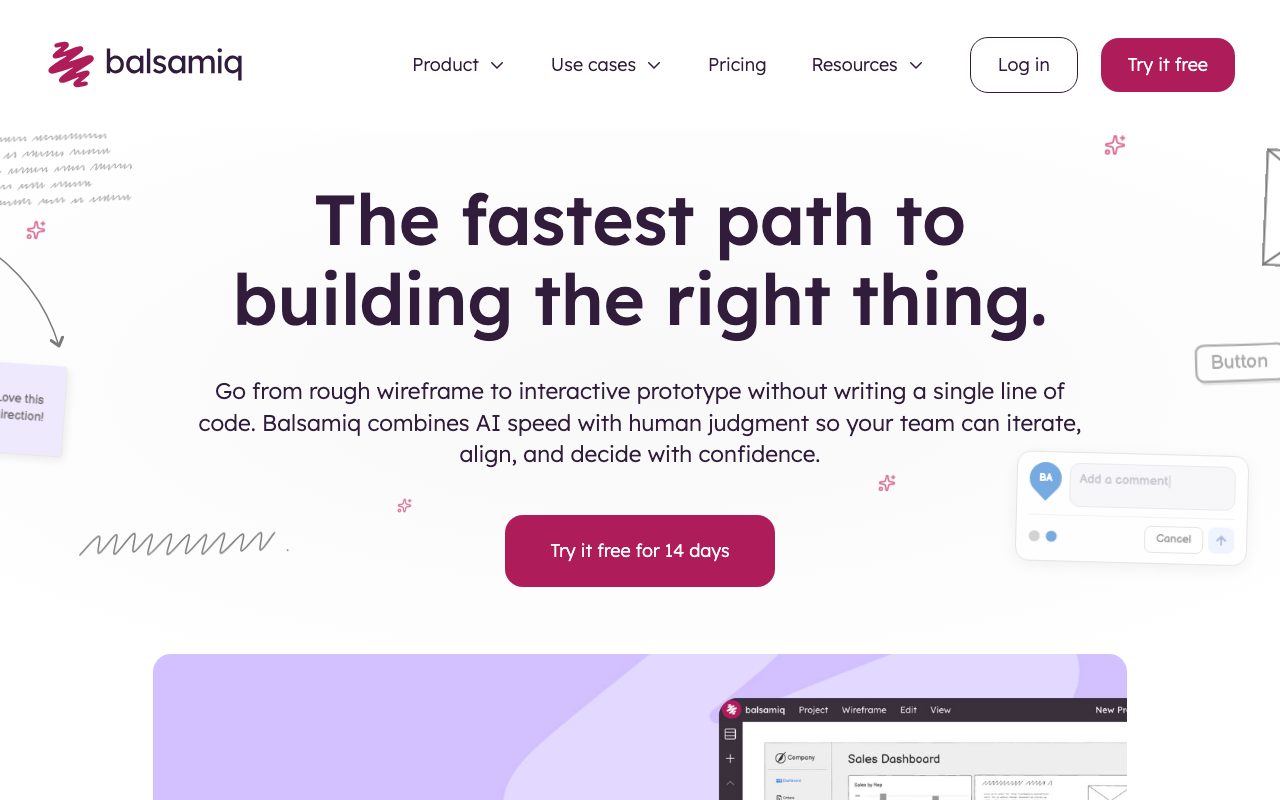
Low-fidelity wireframing tool that intentionally looks hand-drawn so reviewers focus on flows, not pixels.
Gallery
About Balsamiq
Balsamiq is the wireframing tool that intentionally looks like sketches on a napkin. It's been around since 2008 and barely changed its philosophy. That's the point.
The whole pitch is low-fidelity by design. When mockups look hand-drawn, stakeholders critique structure, not pixels.
Product managers, founders, and consultants reach for Balsamiq during the messy first round of an idea. Designers tend to graduate to Figma later, but plenty of teams still ship from Balsamiq mockups.
What Balsamiq actually does
Balsamiq Wireframes lets you drag UI controls (buttons, forms, navs, charts) onto a canvas styled to look like pencil-on-paper. You connect screens with click-throughs and share view-only links with stakeholders.
It ships as Balsamiq Cloud (browser-based) and Balsamiq Wireframes for Desktop. The Cloud version handles real-time collaboration. The desktop version is the classic offline experience.
You won't find pixel-perfect components or design tokens here. That's deliberate. The friction of "this is just a sketch" is the value.
Who Balsamiq is for
Balsamiq is for the early conversation. Founders pitching to advisors. PMs aligning engineers and designers before specs get written. Consultants pinning down what a client actually wants.
It's also the friendliest tool for non-designers. The intentionally rough aesthetic stops anyone from arguing about colors. Critics focus on flow and structure.
If your team needs hi-fi mockups, design systems, or developer handoff specs, Balsamiq isn't your tool. Pair it with Figma or Sketch downstream.
Pricing breakdown
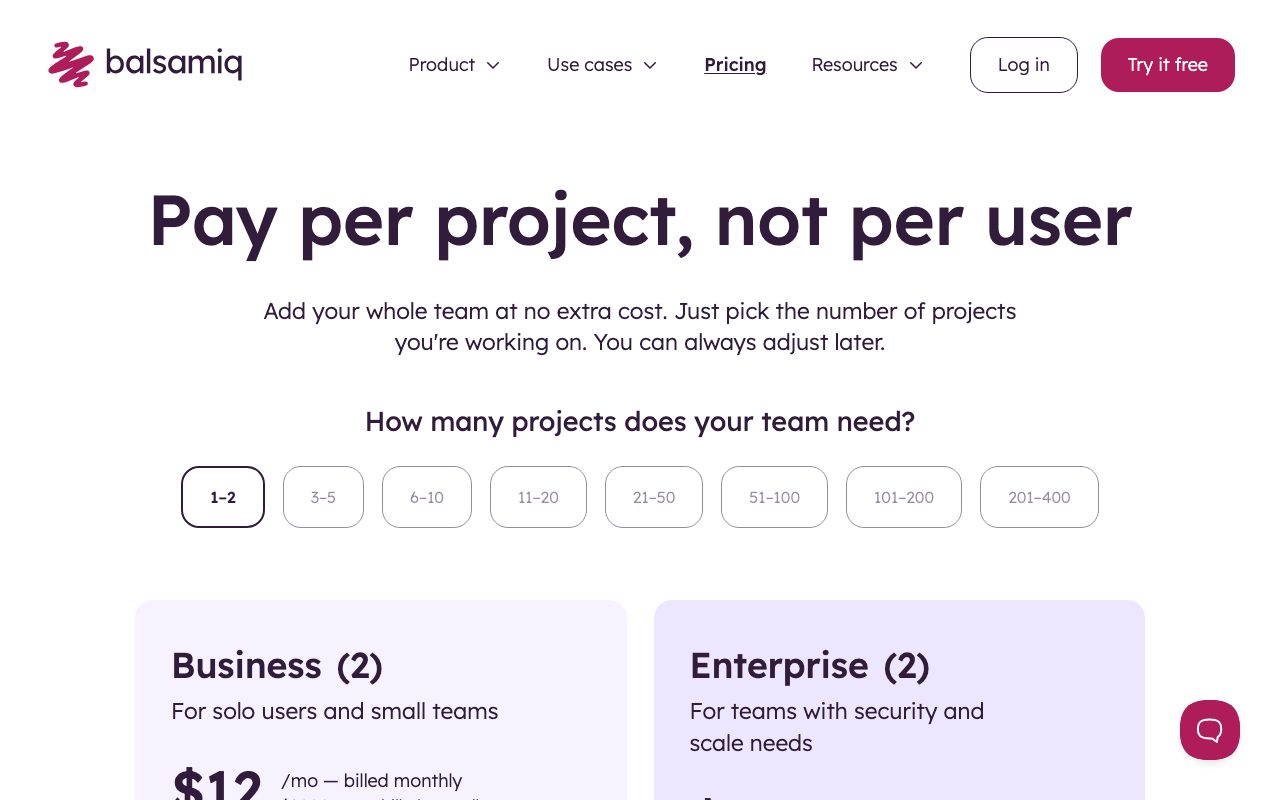
Balsamiq Cloud starts around $9 per month for 2 projects, billed annually. Larger team plans scale up to roughly $199/month for 200 projects.
Balsamiq Wireframes for Desktop is a one-time license at about $89 per user. There's a 30-day free trial on both.
Compared to Figma, Balsamiq pricing is per-project rather than per-editor. That math sometimes favors Balsamiq for solo consultants and small teams.
Standout features
The UI library has hundreds of pre-built components ready to drop. Quick add lets you type "button" and instantly insert one without hunting through menus.
Click-through prototypes let stakeholders click between screens in a browser preview. No fancy interactions. Just enough to validate flow.
Project-level commenting and version history keep early-stage feedback in one place. The export to PDF feature is loved by anyone who needs to attach a wireframe to a Word doc.
Honest tradeoffs
Balsamiq is dated. The interface feels like 2014. Real-time collaboration in the Cloud version works but isn't as silky as Figma multiplayer.
You can't ship hi-fi mockups from it. There's no auto-layout, no design tokens, no proper components-with-variants system. That's by design but worth knowing.
Some teams skip it entirely now and just sketch in Figma using a wireframe kit. Balsamiq's moat is the deliberately ugly aesthetic that nudges feedback in the right direction.
Balsamiq isn't trying to win Dribbble. It's trying to stop your CEO from picking shades of blue during a kickoff call. It works.
Balsamiq vs Figma vs Whimsical
Figma is hi-fi, real-time, and componentized. Whimsical mixes wireframes, flowcharts, and mind maps in one canvas. Balsamiq stays focused on intentional low-fidelity wireframes.
For deeper Balsamiq alternatives, see our Balsamiq alternatives page and best wireframing tools list. We also compare Balsamiq vs Figma for first-time buyers.
Honorable mentions: Mockflow, Justinmind, Pencil Project, and Excalidraw. Each takes a different stance on fidelity.
Bottom line on Balsamiq
Balsamiq is the tool you reach for when ideas are fresh and stakeholders are loud. It cuts through the bikeshedding by refusing to be pretty.
If you're a founder, PM, or consultant in the messy early phase of a project, Balsamiq is still worth its keep. Browse our tools for product managers for related picks and the Figma profile for the next step in your pipeline.
It's not flashy. It's not new. It just keeps doing the one boring thing it does very well.
Stakeholder communication with Balsamiq
The biggest unspoken value of Balsamiq is the conversation it enables. When mockups look hand-drawn, executives stop suggesting button colors and start asking real questions. Like "do we even need this screen at all?"
That meta-effect is hard to achieve in Figma. Even your roughest Figma frame looks production-ready to a non-designer. Balsamiq's intentional ugliness is a feature, not a bug.
Consultants charging by the hour love this dynamic. They can hold a critique session for 90 minutes and exit with strong directional alignment instead of a 47-item list of color tweaks.
Templates and the Balsamiq UI library
The built-in UI library covers everything from web forms and data tables to mobile patterns and chart skeletons. There are hundreds of pre-made controls.
You can build custom symbols for company-specific patterns and reuse them across projects. Snippets work like reusable component sets, lighter weight than Figma symbols but enough for early-stage work.
The community wireframes library has thousands of community-contributed templates. Need a pricing page wireframe? Search the library and grab one as a starting point.
Balsamiq Cloud vs Desktop
Balsamiq Cloud is the modern recommendation. Real-time collaboration, link sharing, and project-based access control all live in the cloud version.
The desktop app is mature and offline-friendly. It's a one-time purchase and never connects to anything. Some old-school consultants prefer it for client-confidential projects.
Both share file formats reasonably well. Workflows that bounce between them work, though the desktop app lags on some newer features.
Final word on Balsamiq
Balsamiq isn't trying to compete with Figma on fidelity. It's trying to keep early conversations honest. That niche is real and not going away.
Use it for the first three days of any new project. Move to Figma for hi-fi work. Don't try to ship UIs from Balsamiq mockups in 2026.
Wireframe libraries and asset reuse in Balsamiq
Power users build company-specific UI libraries inside Balsamiq. Common patterns (header, hero, pricing table, dashboard skeleton) become reusable symbols for every new project.
Sharing those libraries across teams keeps wireframe quality consistent. New consultants joining a firm pick up the library and start sketching the same day.
Exporting Balsamiq mockups to PDF for client decks is a daily move. The hand-drawn aesthetic translates well into Keynote and PowerPoint, blending in with sketches and notes.
Balsamiq's text styles support hierarchy. Headings, captions, and body text render distinctly even though they all look hand-drawn. That structural cue helps stakeholders parse complex layouts.
Common-question answers from the Balsamiq community: yes, you can collaborate live in Balsamiq Cloud. No, you can't drop in pixel-perfect production assets. The lo-fi nature is the whole point.
For folks researching wireframing tools, our Whimsical and Excalidraw profiles are worth a peek. Each tool stakes out a slightly different fidelity zone.
Balsamiq has been profitable and self-funded since launch. That financial independence translates to a stable, slowly-improving product. No rug pulls, no surprise pivots.
Balsamiq FAQ
Is Balsamiq still relevant in 2026? Yes. The intentional low-fidelity aesthetic remains its unique value, and that value isn't going away. Stakeholder conversations still benefit from sketches that look like sketches.
Can I export Balsamiq mockups to Figma? There's no direct importer, but you can export to PDF or PNG and reference the wireframe inside Figma. Most teams treat Balsamiq output as a starting point and rebuild high-fidelity in Figma.
How does Balsamiq compare to Whimsical? Whimsical mixes wireframes, flowcharts, mind maps, and sticky notes in one canvas. Balsamiq stays focused on wireframes only. Choose Whimsical if you need the broader canvas. Choose Balsamiq for pure wireframing focus.
Does Balsamiq support real-time collaboration? Yes, in Balsamiq Cloud. Multiple users can edit the same wireframe simultaneously, with cursors and presence indicators. The desktop version is offline-only.
What's the learning curve like? Minimal. New users sketch productively within an hour. The control library is intuitively organized, and the quick-add feature accelerates everything.
Balsamiq is a tool that knows exactly what it is and doesn't try to be more. That clarity is rare in software, and it's why the tool has stayed beloved for nearly two decades.
Pro tips for working in Balsamiq
Use markup as much as possible. Inline annotations explain interaction logic without cluttering the wireframe. Stakeholders read them and form opinions about flow rather than visual style.
Build symbol libraries for repeated UI patterns. Headers, footers, and common navigation patterns live as symbols, updated in one place.
Group related screens by user flow rather than by section. A signup flow lives in one folder, the dashboard in another. Reviewers follow the narrative naturally.
Embrace the wireframe-as-conversation-starter mindset. Don't try to make Balsamiq mockups beautiful. The intentional roughness is the point.
Export PDFs with notes for asynchronous review. Clients who can't attend a kickoff still see the wireframes and leave comments without needing a Balsamiq account.
Pair Balsamiq with a tool like Loom for walkthroughs. Record yourself talking through the wireframe, and stakeholders absorb context faster than reading static documentation.
For deeper exploration of wireframing approaches, see our best wireframing tools roundup. The space has matured but Balsamiq still owns the lo-fi corner.
Tutorial / Demo
Key Features
- Sketchy hand-drawn wireframe aesthetic by default
- Large UI control library covering common patterns
- Click-to-link clickable prototypes
- Confluence and Jira integrations for embedded mockups
- Cloud and offline desktop versions of the same tool
- Export to PDF, PNG, or Markdown specs
Pros & Cons
What we like
- Forces structural thinking instead of pixel polish
- Approachable for non-designers and product managers
- Mature integrations with enterprise documentation tools
Room for improvement
- Cannot scale to high-fidelity or production-style design
- UI looks dated next to modern cloud-native tools
Frequently Asked Questions
How much does Balsamiq cost?
Balsamiq vs Figma, when to use which?
Why does Balsamiq look hand-drawn?
Can I export Balsamiq wireframes to Figma?
Is Balsamiq still relevant in 2026?
Best For
Featured in
Tags
Alternatives to Balsamiq
View all
Figma
Collaborative interface design tool
Sketch
Mac-native vector design app that pioneered the modern UI workflow with symbols, shared libraries, and a deep plugin ecosystem.

Marvel
Lightweight prototyping platform for turning images and screens into clickable mobile and web prototypes.

Excalidraw
Free hand-drawn whiteboard with collaboration and an embeddable editor
Our take
Tool Index Editorial · May 2026· 4.6/5
Balsamiq sits in a crowded category, differentiating itself as low-fidelity wireframing tool that intentionally looks hand-drawn so reviewers focus on flows, not pixels.
Worth highlighting: Forces structural thinking instead of pixel polish, Approachable for non-designers and product managers, and Mature integrations with enterprise documentation tools. The friction points: Cannot scale to high-fidelity or production-style design and UI looks dated next to modern cloud-native tools.
Bottom line: pick Balsamiq when you need requirements workshops that need flow agreement; look elsewhere if cannot scale to high-fidelity or production-style design would be a dealbreaker.
Editorial opinion from the Tool Index team, written from the public product pages. Not a user review.
Reviews (5)
Balsamiq, better than expected
Been using Balsamiq for about half a year now. Genuine strength: approachable for non-designers and product managers. Got real value out of large UI control library covering common patterns. Mostly using it for internal tools and admin UI specs. Hard to imagine going back to my previous setup.
Genuinely impressed
Balsamiq has quietly become part of my daily flow. The thing I keep coming back to: forces structural thinking instead of pixel polish.
Pros
- Forces structural thinking instead of pixel polish
- Mature integrations with enterprise documentation tools
- Approachable for non-designers and product managers
Easy 5 from me
Took a few weeks for Balsamiq to click, then it stuck. What stands out is how approachable for non-designers and product managers. Got real value out of confluence and Jira integrations for embedded mockups. Main use case: teams who want stakeholders to focus on logic, not visuals.
Onboarded the team in a day
A few weeks of using Balsamiq, here's what holds up. The thing I keep coming back to: forces structural thinking instead of pixel polish.
Best decision this quarter
Adopted Balsamiq for one project, ended up using it for more. The biggest win has been forces structural thinking instead of pixel polish. The sketchy hand-drawn wireframe aesthetic by default is more useful than I expected. One thing that bugs me: UI looks dated next to modern cloud-native tools. Glad I made the switch.
Cons
- Cannot scale to high-fidelity or production-style design
- UI looks dated next to modern cloud-native tools
Badge builder
Add Balsamiq to your website
Choose a badge style and size, preview it here, then copy the generated HTML. Badge images are self-contained SVGs and do not require an external script.

<a href="https://toolindex.net/tools/balsamiq?ref=badge" target="_blank" rel="noopener">
  <img src="https://toolindex.net/badge/balsamiq/medium.svg" alt="Balsamiq - Listed on Tool Index" width="180" height="50" />
</a>How to use the badge
- 1. Pick the style, size, and theme that fit your layout.
- 2. Copy the generated HTML from the code block.
- 3. Paste it into your footer, homepage, or press page.
Standard badge available
The standard listing badge is available now. Score and circle badges are limited to tools currently ranked in the top 10 of a category.
Badge clicks return visitors to this profile with a referral tag so the source remains identifiable.
Related Tools

Apatero Studio
Creator studio for AI image, video, audio, 3D, and avatars. Every model worth using, in one workspace.

Tailwind CSS
Rapidly build custom designs without leaving your HTML
Figma
Collaborative interface design tool
Marvel
Lightweight prototyping platform for turning images and screens into clickable mobile and web prototypes.
Work on Balsamiq? Request listing access or correction