Google Veo
Google DeepMind text-to-video model that generates 1080p and 4K clips with native synchronized audio
Gallery
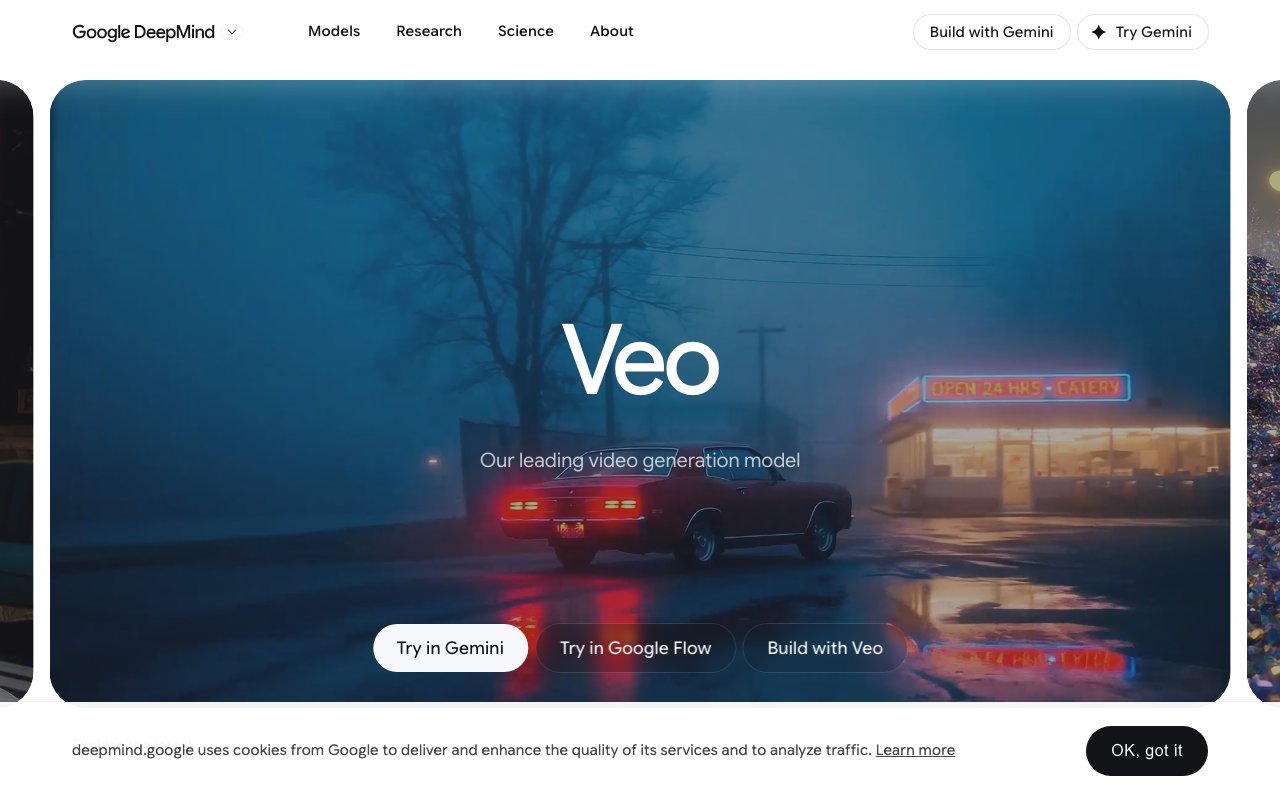
About Google Veo
Veo is Google DeepMind's video generation model that creates footage from text descriptions or still images. The current version, Veo 3.1, represents Google's flagship entry in the generative video space, competing directly with Runway, Kling, Pika, Luma, and other players in the rapidly evolving AI video market. What makes Veo distinct from most competitors is its native audio generation capability. The model produces synchronized sound effects, ambient noise, and even dialogue alongside the visual output, eliminating the need for separate sound design passes on generated clips.
The core workflow is straightforward for anyone who has used text to image generators. You write a prompt describing what you want to see, and Veo generates video at up to 4K resolution. Prompts can specify visual content, camera movements, timing, and now audio elements. You can also start from a reference image to maintain visual consistency for characters, products, or environments across multiple generations. This is useful for commercial work where brand assets need to appear the same way in every clip rather than being reinterpreted with each generation.
Camera controls go beyond basic parameters. Zooms, pans, tilts, and dolly movements can be specified directly in the prompt language. For more controlled output, you can set first and last frame anchors to ensure smooth transitions when stitching multiple clips together into longer sequences. This addresses one of the main frustrations with AI video, the difficulty of maintaining continuity across generations. By locking the endpoints, editors can build sequences that flow naturally rather than jumping between visually inconsistent shots.
The audio integration is the headline feature that sets Veo apart from most alternatives. Unlike video generators that produce silent clips requiring separate sound design, Veo generates dialogue, environmental sounds, and music directly as part of the output. If your prompt describes a character speaking in a coffee shop, the output includes both the lip synced speech and the background cafe ambiance. Sound effects match on screen actions. Music can be generated to fit the mood and pacing of the visual content. Google acknowledges that audio quality for shorter speech segments is still being refined, but for ambient sound, effects, and longer dialogue the synchronization works well enough for production use.
Creative control extends to object manipulation and character animation. You can insert or remove objects from scenes with physics simulation that handles how items should move, fall, or interact with the environment. Character animation supports inputs for body movement, facial expressions, and voice. Motion paths let you define specific trajectories for how objects should move through a scene. These controls make Veo useful for iterative creative work where you're refining a specific vision rather than just generating random clips and hoping something usable appears.
Access comes through several Google products at different price points and with different interfaces. Consumer users can try Veo through the Gemini app, which bundles video generation into its subscription tiers. The Google Flow platform is designed specifically for filmmakers and video creators who need professional grade controls and higher volume output. Developers can integrate Veo programmatically through Google AI Studio or the Gemini API for automated pipelines. Google Vids brings the capability to workplace video creation for internal communications and training content.
Google has partnered with Primordial Soup, a production company founded by director Darren Aronofsky, to develop techniques for combining live action footage with AI generated video. This signals that Google is positioning Veo not just as a content generator for fully synthetic clips but as a post production tool that can extend, enhance, or modify traditionally filmed material. The partnership explores how human cinematography and AI generation can work together rather than treating them as separate workflows.
All generated content carries a SynthID watermark, Google's system for identifying AI created media. The watermark is designed to survive common transformations like cropping, compression, and reencoding while remaining invisible to viewers. This responds to concerns about synthetic media being mistaken for authentic footage or used for deception. Safety measures also block requests for harmful content and check for memorized training data being reproduced in outputs. Whether these measures are sufficient for the harms they're meant to prevent is an ongoing debate, but the guardrails are more developed than what some competitors offer.
Pricing and usage limits depend on which access method you choose. The Gemini app includes some video generation in its subscription tiers, making casual experimentation relatively affordable. API access through Google AI Studio uses usage based billing. Google hasn't published comprehensive public rate cards for high volume production use, so serious commercial applications require contacting sales for custom arrangements. For evaluation purposes, the Gemini app provides the most accessible entry point to see what Veo can actually produce before committing to a larger integration.
Key Features
- Native synchronized audio with dialogue, sound effects, and ambient sound
- Text-to-video and image-to-video generation
- Output up to 1080p and 4K resolution
- Clips of 4, 6, or 8 seconds with vertical 9:16 support
- Lite, Fast, and Quality tiers to trade cost against fidelity
- Access via Gemini app, Flow, Gemini API, and Vertex AI
Pros & Cons
What we like
- Native audio sets it apart from video models that ship silent clips
- Strong realism with film-like depth of field and motion
- Multiple access paths from a free consumer tier to a developer API
- Backed by Google DeepMind with steady model updates
Room for improvement
- Clips cap at 8 seconds, so longer pieces need stitching
- 4K and audio tiers get expensive at per-second API rates
- Free tier is capped at roughly 10 generations per month
- No fine-grained timeline or shot editing inside the model itself
Frequently Asked Questions
What is Google Veo?
How much does Google Veo cost?
What is Google Veo best for?
Does Google Veo generate audio?
Best For
Featured in
Alternatives to Google Veo
View all
Sora
OpenAI's text-to-video model with synchronized audio, now in wind-down with API access ending September 2026

Runway
Video generation, editing, and effects in one creative suite
Kling AI
Kuaishou's video model that punches above its weight on motion
Seedance
ByteDance's benchmark-leading AI video model that delivers cinematic, audio-synced clips at a fraction of rival pricing
Reviews (10)
Bought it for one feature, stayed for ten
Picked Google Veo for the price, stayed for the quality. Real selling point for me was strong realism with film-like depth of field and motion. It handles the boring parts so I can focus on the work that matters. It has been a fit for programmatic video generation in apps via the gemini api. Would sign up again without thinking twice.
Finally something that fits
Came to Google Veo after getting frustrated with what I had before. Real selling point for me was native audio sets it apart from video models that ship silent clips. Hard to imagine going back to my old setup.
The kind of tool you forget you are paying for
Almost a year on Google Veo now, no plans to leave. Performance has been steady even when I lean on it hard. I expected to churn off it in a week and I am still here. No regrets so far.
Pulled its weight from week one
Onboarded the whole team to Google Veo in an afternoon. The output quality holds up better than I expected. The interface stays out of my way, which I appreciate. Found it works best for short-form social and vertical video for shorts, reels, and tiktok. Glad I made the switch.
Good, with a few caveats
Google Veo has quietly become part of my daily flow. Setup was painless and I was productive the same day. I expected to churn off it in a week and I am still here. It would be a five if not for 4k and audio tiers get expensive at per-second api rates. It earns its place in my stack.
Genuinely impressed
Hadn't planned on switching, but Google Veo was hard to ignore. It has shaved real time off my week. Found it works best for ad and marketing spots with built-in sound design. No regrets so far.
Does the job, a few gripes
Started using Google Veo casually, now it is pinned in my dock. It handles the boring parts so I can focus on the work that matters. What stands out is how little babysitting it needs. The catch is free tier is capped at roughly 10 generations per month. Recommending it to people in a similar spot.
Two months in, no regrets
Came to Google Veo after getting frustrated with what I had before. Performance has been steady even when I lean on it hard. It has shaved real time off my week. It has been a fit for programmatic video generation in apps via the gemini api. It earns its place in my stack.
Best decision this quarter
Have been running Google Veo for a while, here is where I land. I expected to churn off it in a week and I am still here. Would sign up again without thinking twice.
Three months in, mixed but positive
Onboarded the whole team to Google Veo in an afternoon. Where it really wins is native synchronized audio with dialogue, sound effects, and ambient sound. It does what it says, which is rarer than it should be. It fits well for short-form social and vertical video for shorts, reels, and tiktok. One thing that bugs me is no fine-grained timeline or shot editing inside the model itself. Hard to imagine going back to my old setup.
Badge builder
Add Google Veo to your website
Choose a badge style and size, preview it here, then copy the generated HTML. Badge images are self-contained SVGs and do not require an external script.

<a href="https://toolindex.net/tools/google-veo?ref=badge" target="_blank" rel="noopener">
  <img src="https://toolindex.net/badge/google-veo/medium.svg" alt="Google Veo - Listed on Tool Index" width="180" height="50" />
</a>How to use the badge
- 1. Pick the style, size, and theme that fit your layout.
- 2. Copy the generated HTML from the code block.
- 3. Paste it into your footer, homepage, or press page.
Score badge available
Google Veo qualifies for the score and circle badges based on its current top-10 positionin AI Video Generators.
Badge clicks return visitors to this profile with a referral tag so the source remains identifiable.
Related Tools
Pika
Playful AI video generator known for fun effects and short clips

Vidu
AI video generator built around reference-to-video, keep characters, props and styles consistent across every clip
Luma Dream Machine
Fast, photoreal video generation from the team behind Genie 3D
Seedance
ByteDance's benchmark-leading AI video model that delivers cinematic, audio-synced clips at a fraction of rival pricing
Work on Google Veo? Request listing access or correction