
Sora
OpenAI's text-to-video model with synchronized audio, now in wind-down with API access ending September 2026
Gallery
About Sora
Sora is OpenAI's text-to-video generation model, announced in early 2024 and released to the public later that year. It generates video clips from natural language prompts, turning a sentence like "a cat walking through a snowy garden at sunset" into actual footage without needing you to shoot, edit, or composite anything yourself. The model is designed to understand physics, object permanence, and spatial relationships, which means objects in the frame behave roughly the way they would in the real world. Things fall, reflect light, cast shadows, and move through space in ways that look plausible rather than hallucinatory. This physics-aware approach sets Sora apart from earlier text-to-video tools that struggled with basic consistency.
The current iteration, often referred to as Sora 2 in OpenAI's documentation, supports video generation up to five minutes on the enterprise tier, with standard consumer access capped at shorter clips. Standard output resolution is 1080p, with upscaling options that push to 4K at 60 or even 120 frames per second. The model accepts text prompts, still images as starting frames, and existing video clips for extension or modification. An inpainting feature lets you select specific objects within a generated video and swap them out or alter them without regenerating the entire scene. Multi-angle rendering allows you to request the same scene from up to five camera positions simultaneously, which is useful for virtual production workflows or when you need coverage without additional generation costs.
Audio generation is built in. Sora can produce synchronized foley, dialogue, and background music that match the visual action, so the output is not just silent footage waiting for a post-production pass. For creators who need a complete video with sound from a single prompt, this is a significant time saver. The model also integrates directly with ChatGPT for conversational prompt refinement and with Adobe Premiere for editing workflows, which keeps it inside tools that professional video editors already use.
Access comes through a tiered pricing structure. A free tier provides about two minutes of generation per month with a maximum clip length of ten seconds, enough to test the tool but not enough to produce anything substantial. The Pro tier at thirty dollars per month bumps that to thirty minutes of generation with clips up to sixty seconds. Team plans at thirty dollars per user per month scale to one hundred minutes per user and clips up to three minutes. Enterprise pricing is custom and removes most limits, supporting clips up to five minutes and unlimited generation within negotiated terms. API access runs ten cents per minute for standard quality and twenty-five cents per minute for HD, which makes programmatic integration affordable for batch workflows.
The target audience is broad. Marketing teams use it to generate ad variations without booking shoots. Indie filmmakers use it to prototype scenes before committing to production. Game developers use it for cutscenes and trailers. Social media managers use it to produce short-form content at a pace that would be impossible with traditional video production. Anyone who needs video but lacks the budget, time, or crew to shoot it the conventional way has a reason to look at Sora.
What makes Sora different from competitors like Runway, Pika, or Kling is its grounding in physical simulation. Reflections behave like reflections. Gravity pulls things downward. Collisions look like collisions. Earlier models often produced footage where objects floated, clipped through each other, or warped unpredictably between frames. Sora's training data and architecture address those issues directly, producing output that looks closer to real camera footage than to AI-generated animation. The tradeoff is computational cost, which is reflected in the pricing, but for users who need plausible footage rather than stylized motion graphics, the quality difference justifies the spend.
Sora is not a replacement for high-end production. It cannot match the nuance of a skilled cinematographer, and it still occasionally produces artifacts that require manual cleanup. But for first drafts, storyboard visualization, social content, and any use case where speed matters more than perfection, it is a practical tool that did not exist a few years ago. The combination of physics-aware generation, integrated audio, multi-angle output, and direct editing integrations makes it one of the more complete text-to-video offerings available as of mid-2026.
Key Features
- Text-to-video and image-to-video generation
- Synchronized audio with dialogue, sound effects, and ambient sound
- Output up to 1080p on the Sora 2 Pro tier
- Clips from 4 to 20 seconds, extendable toward roughly two minutes
- Cameo feature that inserts a verified likeness into scenes
- Improved physics and consistent world state across cuts
Pros & Cons
What we like
- One of the few models generating native synchronized audio with video
- Strong prompt adherence and physical realism in the Sora 2 generation
- Backed by OpenAI with a documented per-second API
- Image-to-video lets you animate a still you already have
Room for improvement
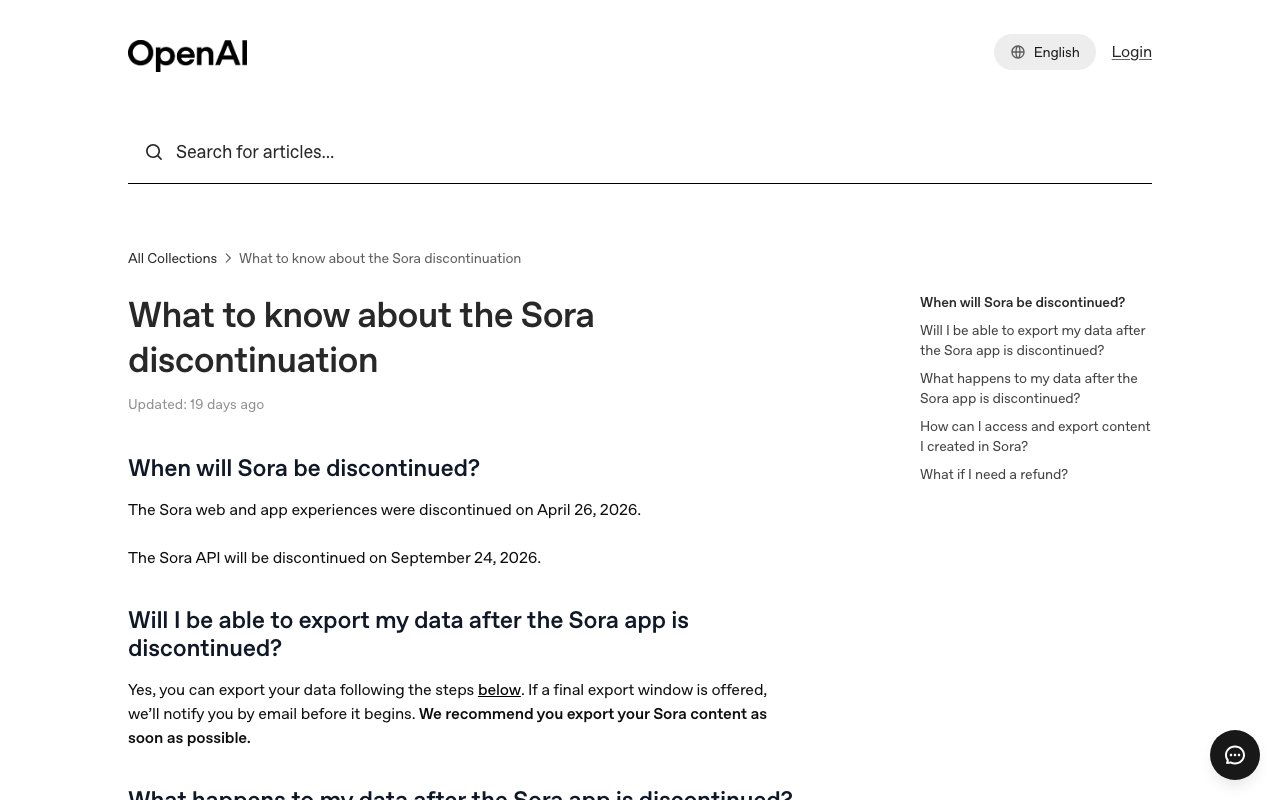
- Consumer app and sora.com were shut down on April 26, 2026
- API is scheduled to be discontinued on September 24, 2026
- API only and paid per second, with no free or consumer tier left
- Generated clips carry a visible moving watermark
Frequently Asked Questions
What is Sora?
Is Sora still available in 2026?
Why did OpenAI discontinue Sora?
What are the best Sora alternatives?
Best For
Featured in
Alternatives to Sora
View allSeedance
ByteDance's benchmark-leading AI video model that delivers cinematic, audio-synced clips at a fraction of rival pricing
Google Veo
Google DeepMind text-to-video model that generates 1080p and 4K clips with native synchronized audio
Kling AI
Kuaishou's video model that punches above its weight on motion

Runway
Video generation, editing, and effects in one creative suite
Reviews (13)
Onboarded the team in a day
Have been running Sora for a while, here is where I land. The strong prompt adherence and physical realism in the sora 2 generation is more useful than I expected. It has shaved real time off my week. No regrets so far.
Worth the price of admission
Hadn't planned on switching, but Sora was hard to ignore. It has shaved real time off my week. It handles the boring parts so I can focus on the work that matters. It fits well for short social and marketing video clips. Recommending it to people in a similar spot.
Genuinely impressed
Hadn't planned on switching, but Sora was hard to ignore. Real selling point for me was clips from 4 to 20 seconds, extendable toward roughly two minutes. The output quality holds up better than I expected. No regrets so far.
Onboarded the team in a day
Sora has quietly become part of my daily flow. Where it really wins is image-to-video lets you animate a still you already have. It fits well for short social and marketing video clips. Worth the price for what I get out of it.
Exactly what I needed
Three months of Sora later, here is what holds up. The clips from 4 to 20 seconds, extendable toward roughly two minutes is more useful than I expected. It fits well for short social and marketing video clips.
Worth the price of admission
Three months of Sora later, here is what holds up. Setup was painless and I was productive the same day. The thing I keep coming back to is how reliable it is. Mostly using it for concept and storyboard previsualization. Hard to imagine going back to my old setup.
Exactly what I needed
Picked Sora for the price, stayed for the quality. Their take on image-to-video lets you animate a still you already have is genuinely good. The defaults are sensible, so I was not fighting settings on day one. Glad I made the switch.
Bought it for one feature, stayed for ten
Almost a year on Sora now, no plans to leave. Their take on synchronized audio with dialogue, sound effects, and ambient sound is genuinely good. Easy yes for anyone weighing the same trade offs.
Does the job, a few gripes
Picked Sora for the price, stayed for the quality. It is the rare tool that got better the more I used it. It does what it says, which is rarer than it should be. My only gripe is consumer app and sora.com were shut down on april 26, 2026. It earns its place in my stack.
Exactly what I needed
Came to Sora after getting frustrated with what I had before. Got real value out of image-to-video lets you animate a still you already have. Easy yes for anyone weighing the same trade offs.
Good, with a few caveats
Three months of Sora later, here is what holds up. Setup was painless and I was productive the same day. My only gripe is api is scheduled to be discontinued on september 24, 2026. Easy yes for anyone weighing the same trade offs.
Best decision this quarter
Three months of Sora later, here is what holds up. Got real value out of strong prompt adherence and physical realism in the sora 2 generation. Nothing flashy, it simply pulls its weight every day. It has been a fit for concept and storyboard previsualization. Would sign up again without thinking twice.
Genuinely impressed
Sora has quietly become part of my daily flow. Real selling point for me was text-to-video and image-to-video generation. Found it works best for animating a still image into motion. Hard to imagine going back to my old setup.
Badge builder
Add Sora to your website
Choose a badge style and size, preview it here, then copy the generated HTML. Badge images are self-contained SVGs and do not require an external script.

<a href="https://toolindex.net/tools/sora?ref=badge" target="_blank" rel="noopener">
  <img src="https://toolindex.net/badge/sora/medium.svg" alt="Sora - Listed on Tool Index" width="180" height="50" />
</a>How to use the badge
- 1. Pick the style, size, and theme that fit your layout.
- 2. Copy the generated HTML from the code block.
- 3. Paste it into your footer, homepage, or press page.
Score badge available
Sora qualifies for the score and circle badges based on its current top-10 positionin AI Video Generators.
Badge clicks return visitors to this profile with a referral tag so the source remains identifiable.
Related Tools
Pika
Playful AI video generator known for fun effects and short clips

Vidu
AI video generator built around reference-to-video, keep characters, props and styles consistent across every clip
Luma Dream Machine
Fast, photoreal video generation from the team behind Genie 3D
Seedance
ByteDance's benchmark-leading AI video model that delivers cinematic, audio-synced clips at a fraction of rival pricing
Work on Sora? Request listing access or correction