Gopher
Self-hosted edge platform with built-in tunnels, automatic HTTPS, and bot protection
Gallery
About Gopher
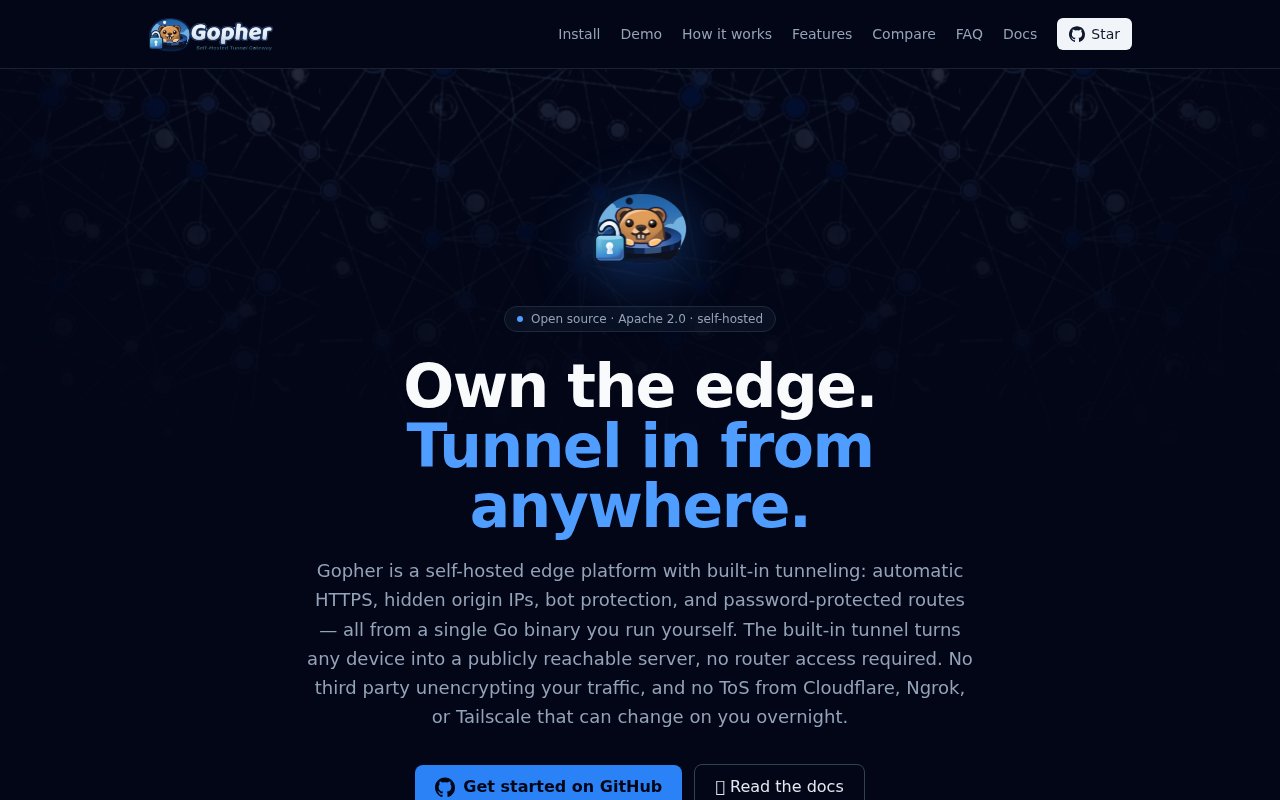
Gopher is a self-hosted edge platform with a tunnel built in. You run it as a single Go binary on a small server with a public IP, and it gives you the things people usually go to Cloudflare for, such as TLS termination, automatic HTTPS, hidden origin IPs and bot filtering at the edge, except the edge is a machine you own end to end. The built-in tunnel turns any device with outbound internet access into a publicly reachable server, so a box behind a home router or CGNAT can serve real traffic at a real domain without port forwarding, a static IP, or router access.
The problem it answers is the tradeoff most self-hosters end up making. Exposing a home server directly means opening ports and showing your origin IP to the whole internet. Putting a hosted tunnel in front of it hides the origin, but it also hands a third party the keys to your TLS and ties what you can serve to their terms of service. Gopher keeps the convenience of the tunnel model while keeping the entire path, from certificate to origin, under your control, with nobody else decrypting your traffic along the way.
It works in three steps. First you install Gopher on a VPS or any host with a public IP. The installer is a one-line script, though you can also download a release binary and verify it against the published checksums, or build from source, and either way the result runs as a systemd service. Gopher embeds Caddy for reverse proxying and certificates and rathole as the tunnel engine, and it sets both up for you. Next you bootstrap each private machine with a one-liner that opens an outbound tunnel back to your edge, so no inbound ports are ever opened on the private side. Finally you map a subdomain or a port, for example pointing photos.yourdomain.com at a machine in your closet. HTTP is the common case, but raw TCP and UDP tunnels are supported as well, each on its own port through the same edge.
Security is on by default rather than bolted on afterwards. Bots meet a proof-of-work challenge before they reach your services, individual routes can be password protected, fail2ban integration deals with brute-force attempts, the dashboard supports TOTP two-factor login, and the host firewall is managed through iptables. Because TLS terminates on an edge you run, you can inspect traffic there yourself, which is exactly the capability you give up when a hosted provider sits in the middle. The README describes the whole thing as a public router for private services, and that framing is accurate. The edge holds the certificates and the public addresses, the private machines hold the applications, and the tunnel between them is the only connection that needs to exist. A dashboard on the edge is where routes, passwords and machines are managed, and because the release binary is checksummed you can confirm what you installed matches what was published.
It's built for self-hosters, homelab owners and small teams who want public services on hardware they control. If you've got a media server, a game server, a dev box or a Raspberry Pi behind a consumer router, Gopher is the piece that makes it reachable with a valid certificate. It's worth being clear about what it isn't. It's not a private mesh VPN in the Tailscale sense, where every visitor needs a client installed. Anyone with a browser can reach what you publish through Gopher, which is the point. Small teams with a spare VPS also get a private deployment target for internal tools without standing up a corporate VPN.
What sets it apart is the packaging. Caddy and rathole are both well regarded on their own, but wiring them together with DNS, certificates, bot filtering, password routes and a dashboard is the part that eats a weekend, and Gopher ships that as one binary with an installer that can pin a version or opt into pre-releases. The requirements are concrete and worth checking before you start. The edge needs Ubuntu 22.04 or Debian 12 or newer with root access, a wildcard DNS record pointing at it, and ports 80, 443 and 2333 open. Origin machines only need outbound internet.
Gopher is free and open source under the Apache 2.0 license, built by a single developer with the source on GitHub. There's no hosted tier and nothing to pay the project. Your only cost is the edge machine, and the site notes that a small VPS or a cloud free tier is enough to run it. It's a young project with a small community and a short release history, so expect some rough edges and read the docs before trusting it with anything critical, but the model is simple enough to evaluate in an afternoon. Release notes and the install script live in the repository, and the FAQ on the site answers the questions most people arrive with, including how it differs from a plain forwarded port.
Key Features
- Single Go binary edge server
- Built-in reverse tunnel for private machines
- Automatic HTTPS with hidden origin IPs
- HTTP, TCP and UDP tunnels
- Proof-of-work bot filtering and password routes
- Dashboard with TOTP two-factor login
Pros & Cons
What we like
- Your own edge, no third party in the TLS path
- Works behind CGNAT with no port forwarding
- One-line install with checksummed release binaries
- Free and Apache 2.0 licensed
Room for improvement
- Needs a VPS or host with a public IP and root access
- Edge runs on Ubuntu or Debian only
- Young project with a small community
- You run and patch the edge yourself
Frequently Asked Questions
What is Gopher?
Is Gopher free?
Is Gopher like Tailscale?
What do I need to run it?
Best For
Featured in
Alternatives to Gopher
View all
Kevin Gabeci
Solo developer building web apps, cozy browser games, and AI creator toolkits.

SoloDevStack
A solo developer blog built on head-to-head tool comparisons, 580+ posts deep.

Codedex
A gamified, story-driven platform that teaches Python, web dev, and more like an RPG quest

Vibe Built
Building real apps with agentic AI. What worked, what broke, what shipped.
Our take
Tool Index Editorial · Sep 2026· 3.5/5
Gopher is a self-hosted edge and tunnel that publishes private machines through a VPS the user controls. It packages automatic HTTPS, hidden origins, HTTP and raw network tunnels, bot challenges, password routes and a dashboard into one Go binary. Homelab users behind CGNAT get a public domain without opening inbound ports or handing TLS termination to a hosted tunnel provider.
The software is free and open source, so the direct cost is the public server. We like the combination of Caddy-style edge features with automatic machine bootstrap and checksum verification. Ownership is also the limitation. Users must secure, patch and monitor the public edge themselves, and a one-line privileged installer deserves source review in a young project. Gopher looks like a practical weekend deployment for experienced self-hosters, not a maintenance-free service.
Editorial opinion from the Tool Index team, written from the public product pages. Not a user review.
Reviews (0)
Badge builder
Add Gopher to your website
Choose a badge style and size, preview it here, then copy the generated HTML. Badge images are self-contained SVGs and do not require an external script.

<a href="https://toolindex.net/tools/gopher?ref=badge" target="_blank" rel="noopener">
  <img src="https://toolindex.net/badge/gopher/medium.svg" alt="Gopher - Listed on Tool Index" width="180" height="50" />
</a>How to use the badge
- 1. Pick the style, size, and theme that fit your layout.
- 2. Copy the generated HTML from the code block.
- 3. Paste it into your footer, homepage, or press page.
Standard badge available
The standard listing badge is available now. Score and circle badges are limited to tools currently ranked in the top 10 of a category.
Badge clicks return visitors to this profile with a referral tag so the source remains identifiable.
Related Tools
Kevin Gabeci
Solo developer building web apps, cozy browser games, and AI creator toolkits.

Coolify
Self-hostable, open source alternative to Heroku and Netlify

Warp
The modern terminal reimagined with AI and collaboration

Bolt.new
Prompt-to-deployed full-stack app inside the browser
Work on Gopher? Request listing access or correction