
Grabbit
Give developers and AI agents hosted screenshots through an API, CLI, or MCP
Gallery
About Grabbit
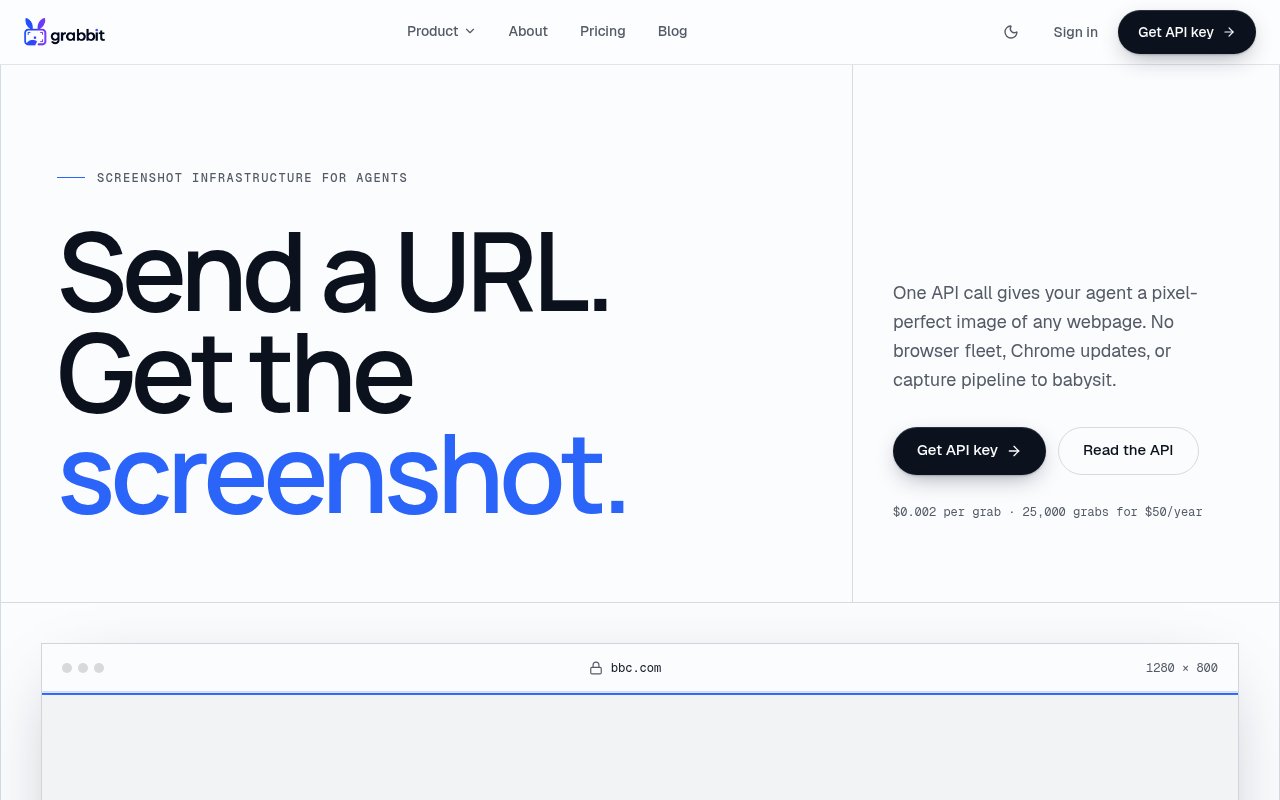
Grabbit is a hosted screenshot service built for software developers and AI agents that need to see a rendered web page without managing a browser. A client sends a public URL and receives an image URL in the response, with the result hosted on Grabbit's CDN. The service handles Chromium, page rendering, and capture infrastructure behind one API call. It can be reached through a REST API, a command line interface installed with npx, or a hosted MCP server for agent runtimes. This is useful in sandboxes and automated jobs where installing and updating a local Chromium package would add size and maintenance work to every environment.
The basic workflow is intentionally small. A POST request supplies the page URL and capture options, then returns JSON with an identifier, status, image URL, dimensions, and render time. Grabbit can capture the full page or a chosen viewport from 320 to 1920 pixels wide. A selector can narrow the result to one element, and a delay of up to 10 seconds gives animations or late content time to settle. Output is available as PNG, JPEG, or WebP, letting a workflow favor fidelity, compatibility, or file size. Full-page mode scrolls and stitches the document, while a viewport request captures the page at the requested width. These options let the same endpoint produce a broad page record or a tightly framed asset for a downstream model.
Several features address the awkward cases that appear in automated capture. Grabbit dismisses common cookie consent walls before taking the image, so a banner is less likely to cover the page. For long-running jobs, a client can request an asynchronous response and receive an HMAC-signed webhook when the file is ready. Idempotency keys make retries safer, and an SSRF guard blocks private and internal IP ranges. Every successful live capture is delivered through a durable CDN URL that can be handed to a vision model, attached to a record, or shown to a customer. Signed webhooks let a receiving service verify that an asynchronous completion came from Grabbit rather than trusting an unsigned callback. Together with idempotency, that supports capture jobs that need reliable retries and delayed processing.
The command line and MCP options are what make Grabbit more than a generic screenshot endpoint. An agent can run a one-line command, authorize through the browser once, and store scoped credentials locally without having a person copy an API key into the conversation. The agent can then capture a page and list recent jobs from the terminal. Grabbit publishes setup guides for Claude, Codex, Cursor, and other MCP-aware environments, along with an OpenAPI specification and conventional API examples. That gives both autonomous tools and ordinary application code a direct route to the same capture engine. Recent captures, statuses, and hosted URLs can be reviewed from the terminal, giving an agent or its operator an audit trail without opening a dashboard. The browser approval step provisions the credentials once, after which the command line stores its own scoped key locally.
Typical uses include letting a coding agent inspect a deploy preview after a frontend change, giving a productivity agent visual proof of a completed action, and helping a go-to-market workflow read a prospect's homepage or pricing page. It can also serve monitoring and testing jobs that need the page as it appears to a person rather than its raw HTML. Screenshots use public, hard-to-guess URLs and remain available until the customer deletes them or asks Grabbit to do so. That delivery model is convenient, but a team handling sensitive rendered content should account for anyone with the URL being able to view the image. Grabbit says raw API keys aren't stored, only SHA-256 hashes, and outbound webhook signatures use HMAC-SHA256. Traffic is encrypted in transit. The company also says it doesn't sell personal information, use it for advertising, or receive card details, which go directly to Stripe.
Grabbit is a paid service with a flat published live-capture rate of $0.002 per successful grab. The annual plan costs $50 for 25,000 live captures, while additional packs keep the same unit price and don't expire while the account remains active. Enterprise arrangements add custom volume pricing, dedicated throughput, an SLA, and security review. Test keys return free placeholder images so developers can build an integration before buying credits, but they aren't free live captures. Every paid plan includes the REST API, asynchronous webhooks, and command line access. For teams that want rendered pixels without operating Chrome, the offer is simple, though the annual prepayment and public-link storage deserve consideration.
Key Features
- REST CLI and MCP access
- Full-page and viewport captures
- Selector targeting and capture delays
- PNG JPEG and WebP output
- Signed asynchronous webhooks
- Hosted CDN image delivery
Pros & Cons
What we like
- Removes browser installation and maintenance work
- Agent runtimes can onboard through CLI or MCP
- Handles cookie banners before capture
- Flat per-capture pricing includes every interface
Room for improvement
- Live captures require prepaid paid credits
- Entry plan is billed for a full year
- Hosted images are viewable by anyone with the URL
- Only public web targets can be captured
Frequently Asked Questions
What is Grabbit?
Is Grabbit free?
How are Grabbit screenshots delivered?
Can Grabbit capture internal pages?
Best For
Featured in
Alternatives to Grabbit

Kevin Gabeci
Solo developer building web apps, cozy browser games, and AI creator toolkits.

SoloDevStack
A solo developer blog built on head-to-head tool comparisons, 580+ posts deep.

Codedex
A gamified, story-driven platform that teaches Python, web dev, and more like an RPG quest

Vibe Built
Building real apps with agentic AI. What worked, what broke, what shipped.
Our take
Tool Index Editorial · Oct 2026· 3.5/5
Grabbit turns a public URL into a hosted screenshot through REST, a command line tool, or MCP. It is built for developers and agents that need rendered pixels without installing and maintaining Chromium. Full page capture, selectors, delays, multiple image formats, idempotency, and signed asynchronous webhooks cover the cases that make screenshot jobs awkward.
We found the API unusually easy to understand. Live captures cost $0.002 each, with 25,000 sold for $50 a year, while test keys return free placeholders. The main caveat is delivery. Captures live at hard to guess public URLs, so anyone holding a URL can view the image, and only public targets are supported. Annual prepayment also makes less sense for very light use. It is a capable service, but sensitive pages need a different storage model.
Editorial opinion from the Tool Index team, written from the public product pages. Not a user review.
Reviews (0)
Badge builder
Add Grabbit to your website
Choose a badge style and size, preview it here, then copy the generated HTML. Badge images are self-contained SVGs and do not require an external script.

<a href="https://toolindex.net/tools/grabbit?ref=badge" target="_blank" rel="noopener">
  <img src="https://toolindex.net/badge/grabbit/medium.svg" alt="Grabbit - Listed on Tool Index" width="180" height="50" />
</a>How to use the badge
- 1. Pick the style, size, and theme that fit your layout.
- 2. Copy the generated HTML from the code block.
- 3. Paste it into your footer, homepage, or press page.
Standard badge available
The standard listing badge is available now. Score and circle badges are limited to tools currently ranked in the top 10 of a category.
Badge clicks return visitors to this profile with a referral tag so the source remains identifiable.
Related Tools
Kevin Gabeci
Solo developer building web apps, cozy browser games, and AI creator toolkits.

Coolify
Self-hostable, open source alternative to Heroku and Netlify

Warp
The modern terminal reimagined with AI and collaboration

Bolt.new
Prompt-to-deployed full-stack app inside the browser
Work on Grabbit? Request listing access or correction