Headless Terminal
Puppeteer for terminal UIs, letting agents drive interactive CLI programs
Gallery
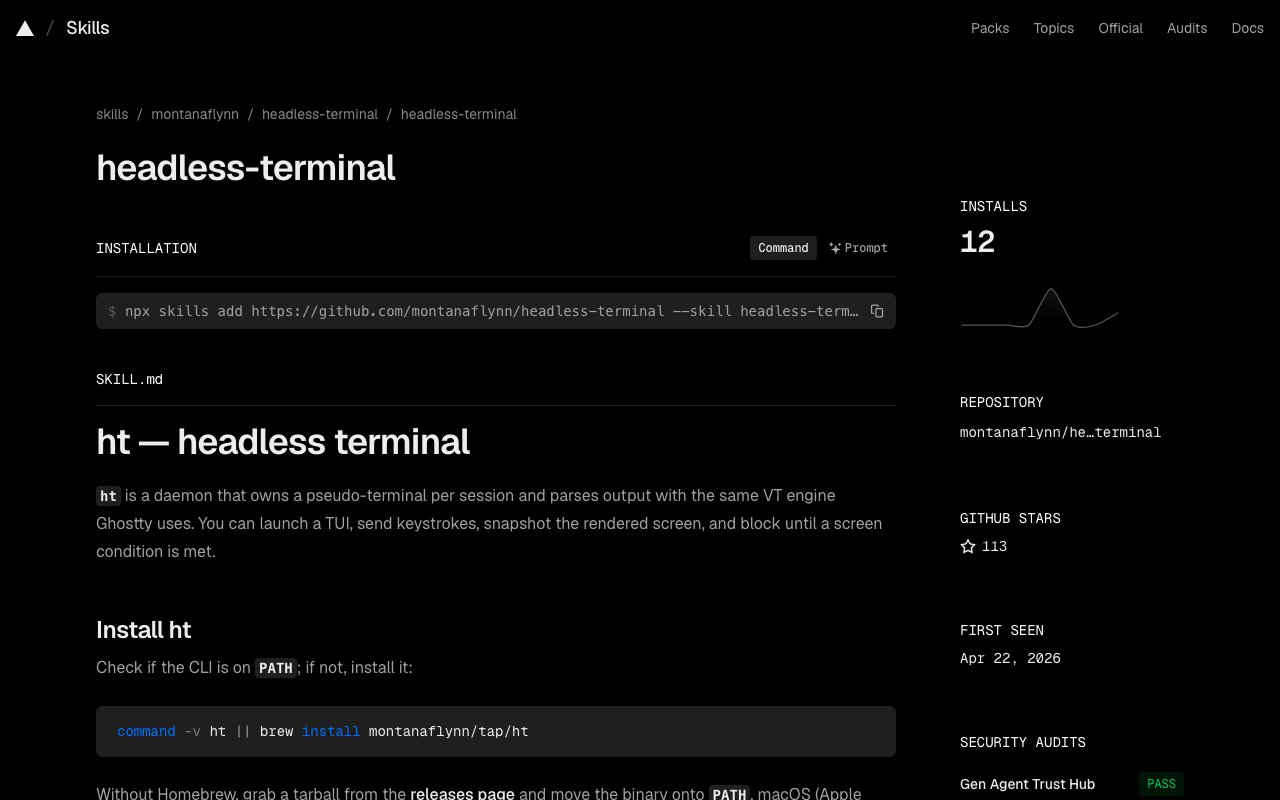
About Headless Terminal
Headless Terminal is a command line tool that lets you control interactive terminal programs from scripts or AI agents without a graphical display. Think of it as Puppeteer for terminal user interfaces. If you have ever wanted to automate vim, emacs, htop, nethack, or any program that draws to an alternate screen and expects real keyboard input, this is the tooling that makes it possible. The tool manages pseudo terminal sessions through a daemon, parses terminal output using the same VT engine as the Ghostty terminal, and exposes everything through a simple CLI that scripts and agents can drive.
The problem it solves is straightforward but annoying. Many CLI programs do not work well with simple stdin piping because they use curses, ncurses, or alternate screen buffers. They expect arrow keys, function keys, and control sequences that standard automation tools do not handle cleanly. Trying to automate git add with the patch flag, drive a REPL, or test a TUI in CI usually means fighting with terminal emulation or accepting that the program simply cannot be automated. Headless Terminal sidesteps this by running a real pseudo terminal and handling all the emulation properly.
The architecture centers on a Unix socket daemon that manages multiple sessions. Each session contains a PTY master, a libghostty vt terminal emulator for VT parsing, and subscriber channels for live streaming. The daemon maintains the authoritative screen model and synchronizes all operations behind a mutex, ensuring consistent state even when multiple operations happen in parallel. The daemon starts automatically on first use and manages its own lifecycle, so you do not need to run it manually.
The workflow centers on a handful of commands. You launch a program with ht run and get back a session ID. You can optionally name sessions with the name flag for easier reference. From there, ht send transmits keystrokes using vim style notation. The notation supports standard keys, modifiers like Ctrl and Meta, function keys F1 through F12, and special keys like Enter, Escape, Tab, and arrows. A command like ht send mysession followed by the key notation sends those keystrokes to the running program exactly as if a human typed them.
Screen capture happens through ht view, which can output in multiple formats. Plain text gives you the raw terminal content. ANSI format preserves color codes and styling. HTML renders the screen as a web page. PNG produces an actual image of the terminal. JSON provides structured data including cursor position, scrollback, and styling information. This flexibility makes the tool useful for CI pipelines that need screenshots, debugging sessions where you want to inspect terminal state, or documentation where you need pixel perfect renders of command output.
Synchronization options handle the timing problem between sending keystrokes and waiting for the program to respond. The default pacing strategy inserts 20 millisecond gaps between keys, which works for most programs. Duration based waits let you pause for a specific time. Condition based waits block until specific criteria are met. You can wait for text to appear, the cursor to move, the screen to change, the process to exit, or the terminal to become idle. The ht wait command takes flags for each of these conditions, letting you write robust automation that does not rely on fragile sleep timers.
Live streaming through ht watch lets you observe a session from another terminal in real time. This is useful for debugging automation scripts, watching what an agent is doing, or demonstrating a workflow to someone else. Recording through ht record generates asciicasts in the standard format, which you can convert to GIFs for documentation or share on asciinema. These capabilities make Headless Terminal useful beyond pure automation, also serving documentation and demo workflows.
The primary audience is developers building AI agents that need to interact with interactive command line programs. If you are automating an installer that asks questions, driving a REPL that does not have a non interactive mode, or testing a TUI application in continuous integration, Headless Terminal fills the gap. The project includes a skill definition in skills slash headless terminal that teaches AI agents when and how to use the tool. You can install it via npx skills add or copy it manually to your skills directory.
Exit codes follow a predictable pattern. Zero means success. One indicates a runtime error like a missing session or IO failure. Two means a usage error from invalid flags. Three signals a wait timeout. This makes it easy to integrate into shell scripts and CI pipelines that check return codes.
Installation works through Homebrew on macOS with the command brew install montanaflynn slash tap slash ht. Linux users can download tarballs for x86 64 or arm64 directly from the releases page. The binary is about 6 megabytes with no external dependencies beyond libc. Building from source requires Zig 0.15.2, CMake, pkg config, and Go 1.22 or later. The build process compiles libghostty vt via CMake and Zig, then links it with the Go CLI.
The project is open source under the MIT license. The repository has over a hundred stars and active development, though the community is still relatively small given the niche use case. For anyone who has tried and failed to automate an interactive terminal program, Headless Terminal is the tool that finally makes it work.
Key Features
- Pseudo-terminal daemon for TUI control
- Vim-style keystroke notation
- Screen capture in multiple formats
- Live session streaming
- Asciicast recording for demos
- Wait conditions for automation sync
Pros & Cons
What we like
- Works with curses and alternate screen programs
- Multiple output formats including PNG and HTML
- Uses the same VT parser as Ghostty
- Open source with MIT license
Room for improvement
- Niche use case limits community size
- Requires understanding of terminal semantics
- Building from source needs Zig and CMake
- No Windows support currently
Frequently Asked Questions
What is Headless Terminal?
How does Headless Terminal work?
Is Headless Terminal free?
Who is Headless Terminal for?
Best For
Featured in
Alternatives to Headless Terminal

Kevin Gabeci
Solo developer building web apps, cozy browser games, and AI creator toolkits.

SoloDevStack
A solo developer blog built on head-to-head tool comparisons, 580+ posts deep.

Codedex
A gamified, story-driven platform that teaches Python, web dev, and more like an RPG quest

Vibe Built
Building real apps with agentic AI. What worked, what broke, what shipped.
Reviews (0)
No reviews yet
Be the first to share your experience with Headless Terminal
Sign in to write a reviewBadge builder
Add Headless Terminal to your website
Choose a badge style and size, preview it here, then copy the generated HTML. Badge images are self-contained SVGs and do not require an external script.

<a href="https://toolindex.net/tools/headless-terminal?ref=badge" target="_blank" rel="noopener">
  <img src="https://toolindex.net/badge/headless-terminal/medium.svg" alt="Headless Terminal - Listed on Tool Index" width="180" height="50" />
</a>How to use the badge
- 1. Pick the style, size, and theme that fit your layout.
- 2. Copy the generated HTML from the code block.
- 3. Paste it into your footer, homepage, or press page.
Standard badge available
The standard listing badge is available now. Score and circle badges are limited to tools currently ranked in the top 10 of a category.
Badge clicks return visitors to this profile with a referral tag so the source remains identifiable.
Related Tools
Kevin Gabeci
Solo developer building web apps, cozy browser games, and AI creator toolkits.

Coolify
Self-hostable, open source alternative to Heroku and Netlify

Warp
The modern terminal reimagined with AI and collaboration

Bolt.new
Prompt-to-deployed full-stack app inside the browser
Work on Headless Terminal? Request listing access or correction