
HolyCode Cloud
Persistent Linux workstations preloaded with 60+ tools for running AI coding agents around the clock
Gallery
About HolyCode Cloud
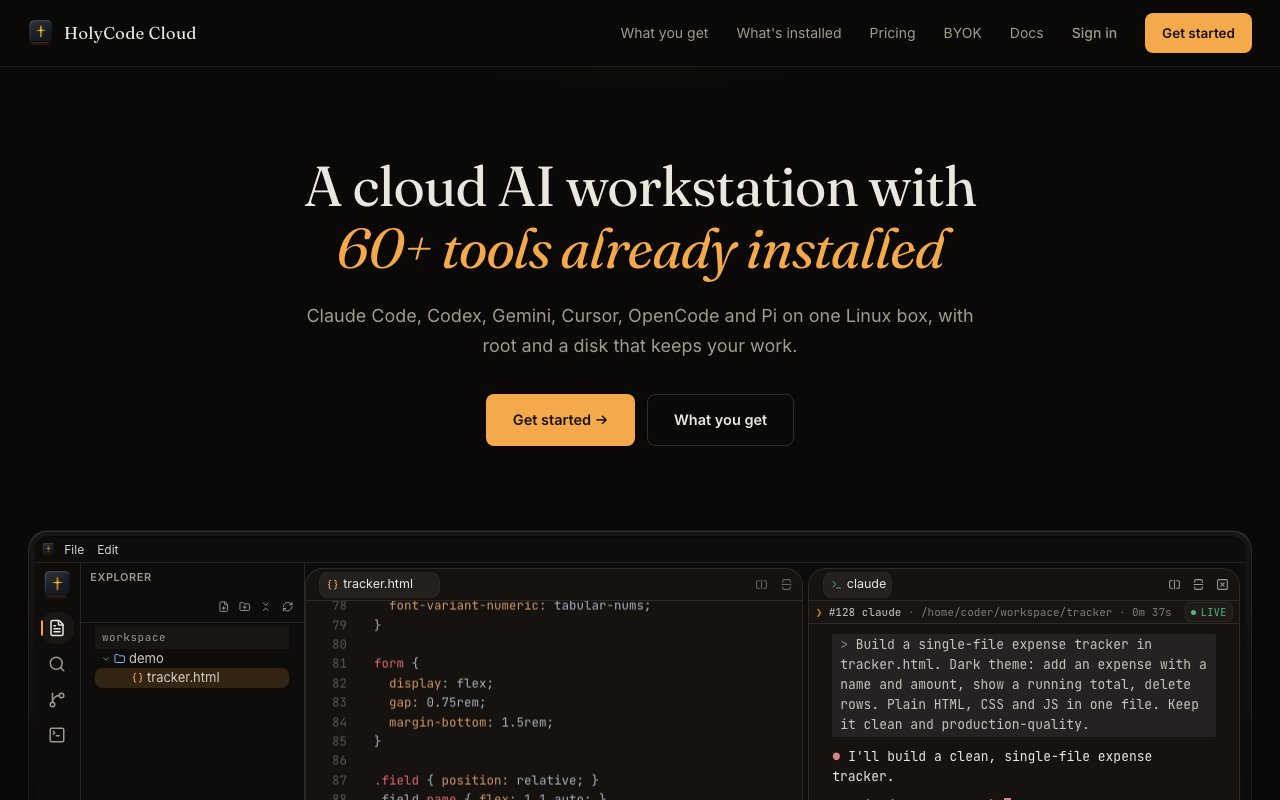
HolyCode Cloud is a cloud-hosted Linux workstation built for developers who run AI coding agents. The pitch is straightforward. Close your laptop and your work keeps running. Claude Code on the web suspends when you step away. A local machine sleeps when the lid shuts. HolyCode stays on, with persistent disk, so an agent can grind through a refactor overnight and you pick it up in the morning with files exactly where they left off. The workstation is designed around the assumption that modern development involves long-running AI tasks that should not depend on a laptop staying open. It removes the babysitting that comes with leaving a terminal running while you go to lunch or sleep.
Each workstation comes with over sixty tools preinstalled. That includes six AI agent CLIs out of the box. Claude Code, Codex, Gemini, OpenCode, Cursor, and Pi are all ready to run. You also get Node 24, Python 3.11, Go, PostgreSQL 17, Redis, SQLite, PyTorch, transformers, Playwright, FFmpeg, ImageMagick, Tesseract, Docker, Git, ripgrep, jq, tmux, and hundreds of smaller utilities that developers reach for daily. The idea is that you should not spend the first hour of a session installing dependencies or configuring runtimes. The image ships opinionated, and you start working immediately. If you have ever wasted an afternoon tracking down missing libraries before running a single command, this is the opposite experience.
You get root access on your workstation, so if the preinstalled stack does not cover what you need, you can install anything else. Bring your own API keys from Claude, OpenAI, Gemini, or whatever provider you use. The platform never routes your requests through a proxy and never marks up the cost of model calls. Your usage goes directly to the provider at whatever rate you already pay. That matters when you are running agents at scale and cost visibility is important. You do not have to worry about hidden fees or inflated token costs buried in your monthly bill.
Sessions wake in about one second from suspension with files and processes preserved. The workstation suspends when idle to save resources, but when you return, everything is exactly where you left it. Custom domains with automatic TLS are included on every tier, so you can expose a local server to the web without setting up tunnels or configuring certificates manually. Parallel sessions let you spin up multiple agents on different tasks at the same time, which is useful when you want one agent refactoring a backend while another writes tests in a separate directory. You can treat each session as a dedicated workspace for a specific project or branch.
The service fits developers and teams who want a dedicated environment for AI-assisted coding without babysitting a laptop. If you run long build pipelines, overnight migrations, or multi-agent experiments, having a machine that does not sleep solves a real friction point. It is also useful for anyone who wants a clean, reproducible dev environment that lives in the cloud rather than on a single physical device. You can access the same workstation from home, from work, or from a coffee shop, and the state remains consistent. There is no sync step and no merge conflict with a different machine. The workstation is the single source of truth for your environment.
Where HolyCode differs from generic cloud VMs is the curated setup. You are not spinning up a bare Ubuntu instance and installing packages yourself. The image is opinionated toward AI agent workflows, with the CLIs, language runtimes, databases, media tools, and browser automation frameworks already in place. That trades flexibility for speed. If you want a blank slate, this is not the right service. If you want to start coding with agents in under a minute, it removes most of the setup friction. The trade off is that you inherit whatever versions the platform ships, though root access means you can upgrade or swap packages if needed.
Pricing scales by machine size. Lite at nineteen dollars per month gives you one vCPU, two gigabytes of RAM, and twelve gigabytes of storage, enough for hobby work or light experimentation. Plus at forty-nine dollars per month bumps to two vCPUs, four gigabytes of RAM, and twenty gigabytes of storage for daily agent use. Pro at ninety-nine dollars per month offers four vCPUs, eight gigabytes of RAM, and forty gigabytes of storage for parallel agents. Ultra at one hundred forty-nine dollars per month and Max at one hundred ninety-nine dollars per month add more headroom for week-long sessions or heavy compute. All plans include every feature, there is no gating by tier beyond the machine specs. The first week is refundable and you can cancel anytime through the dashboard without talking to support.
Key Features
- Persistent Linux VM with root access
- 60+ preinstalled developer tools and CLIs
- Six AI agent CLIs ready out of the box
- Custom domains with automatic TLS
- One-second session wake from suspension
- Bring-your-own API keys, no markup
Pros & Cons
What we like
- Agents keep running when your laptop sleeps
- Curated tooling skips first-hour setup
- Root access and no AI cost markup
- Sessions wake instantly with state preserved
Room for improvement
- No free tier, entry price is $19 per month
- Storage caps can limit large datasets
- Single-region hosting may add latency
- Opinionated image may include tools you do not need
Frequently Asked Questions
What is HolyCode Cloud?
Does HolyCode Cloud have a free tier?
What AI agents are preinstalled?
Who is HolyCode Cloud for?
Best For
Featured in
Alternatives to HolyCode Cloud

Kevin Gabeci
Solo developer building web apps, cozy browser games, and AI creator toolkits.

SoloDevStack
A solo developer blog built on head-to-head tool comparisons, 580+ posts deep.

Codedex
A gamified, story-driven platform that teaches Python, web dev, and more like an RPG quest

Vibe Built
Building real apps with agentic AI. What worked, what broke, what shipped.
Reviews (0)
Badge builder
Add HolyCode Cloud to your website
Choose a badge style and size, preview it here, then copy the generated HTML. Badge images are self-contained SVGs and do not require an external script.

<a href="https://toolindex.net/tools/holycode-cloud?ref=badge" target="_blank" rel="noopener">
  <img src="https://toolindex.net/badge/holycode-cloud/medium.svg" alt="HolyCode Cloud - Listed on Tool Index" width="180" height="50" />
</a>How to use the badge
- 1. Pick the style, size, and theme that fit your layout.
- 2. Copy the generated HTML from the code block.
- 3. Paste it into your footer, homepage, or press page.
Standard badge available
The standard listing badge is available now. Score and circle badges are limited to tools currently ranked in the top 10 of a category.
Badge clicks return visitors to this profile with a referral tag so the source remains identifiable.
Related Tools
Kevin Gabeci
Solo developer building web apps, cozy browser games, and AI creator toolkits.

Coolify
Self-hostable, open source alternative to Heroku and Netlify

Warp
The modern terminal reimagined with AI and collaboration

Bolt.new
Prompt-to-deployed full-stack app inside the browser
Work on HolyCode Cloud? Request listing access or correction