
inbound
Receive, route, send, and reply to email through one developer API
Gallery
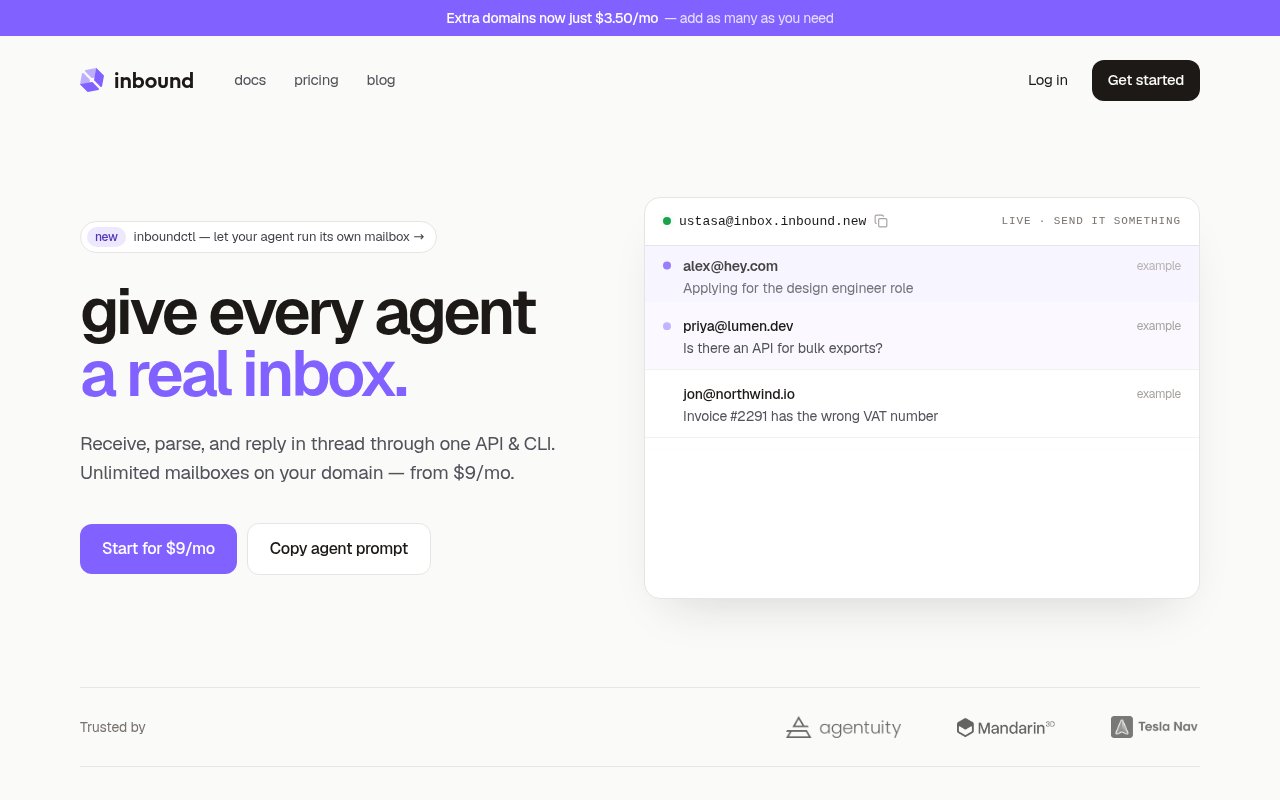
About inbound
inbound is programmable email infrastructure for applications that need to receive mail, turn it into structured data, and reply within the same conversation. It combines inbound delivery, sending, and threaded replies under one account, API key, and set of verified domains. The central use case starts when a customer or user writes to an address on a domain the application controls. inbound accepts the message, parses it, stores the conversation, and can send a JSON event to the application's webhook. The application can open a ticket, trigger an internal process, run an agent, or record the request, then respond through the API without breaking the email thread.
Setup begins with a domain or subdomain. The user adds it in the dashboard or API, publishes the required MX and verification records, configures DKIM and SPF, and connects an HTTPS webhook endpoint. A specific address can point to its own endpoint, while an optional catch-all route handles everything else on the domain. That model supports a few conventional addresses, a large number of generated customer aliases, or a different route for each internal workflow. Dedicated routes take precedence over the catch-all fallback, so billing mail can go to one handler while dynamically named customer addresses share another. Domain ownership must be verified before the service will handle its mail.
Received messages arrive as email.received events with fields for the sender, subject, text and HTML bodies, thread details, raw MIME content, and authenticated attachment download links. Applications can also list stored messages and conversations through the REST API, poll instead of depending entirely on webhooks, or connect a mail client through IMAP. Replies can target an email ID or thread ID. inbound sets the In-Reply-To and References headers needed to keep the response in the customer's existing conversation. The service supports sending files as well as downloading received attachments, and its official TypeScript SDK sits alongside the language neutral REST interface.
The product is particularly relevant to developer teams building support agents, workflow automation, document intake, order handling, or any software feature where email is an input rather than merely an outbound notification. An application can assign an agent a recognizable address, load customer context when a message arrives, draft a response, and send it back to the same thread. inbound also offers an inboundctl command-line tool, an installable agent skill, and a hosted MCP server for agent driven access. These are connection options rather than a built-in autonomous agent. The application remains responsible for deciding what an agent can see and do, enforcing tenant boundaries, and obtaining approval for consequential actions.
Operationally, inbound gives teams multiple access patterns without pretending that email is a trusted input. Webhooks carry a verification token that the receiving endpoint checks, and idempotency keys can make repeated sends or replies safer. Delivery failures appear in logs and can be retried from the dashboard or API. The official documentation is explicit that failed webhook deliveries are not retried automatically, so applications should persist and queue accepted events quickly, make handlers safe to replay, and request a retry after fixing a failure. The service also stores mail for API or IMAP access, but it doesn't connect to an existing Gmail or Outlook inbox. It creates and operates addresses on a verified domain or subdomain instead.
What makes inbound distinct is its emphasis on the complete reply loop. Many email APIs are introduced around transactional sending, while this service leads with receiving, address routing, structured parsing, stored threads, and an API response in the same conversation. It can support unlimited mailbox names on a connected domain without requiring a separately configured inbox for each alias. That is useful for software that exposes customer specific addresses or gives many automated workers their own identities. The tradeoff is that it is infrastructure, not a ready-made help desk or shared human inbox. Teams still need to build the business logic, moderation, access control, state management, and user experience around the messages.
Access is paid and starts with a $9 monthly plan that includes 5,000 emails per month and basic support. Higher plans listed on the official pricing page raise included volume and domain limits, with Pro at $15, Growth at $39, and Scale at $79 per month. Extra domains and additional email capacity are sold as add-ons. There is no ongoing free tier presented on the current pricing page, so prospective users should budget for a subscription and evaluate volume, domain count, and support needs. For a developer who needs only outbound transactional mail, a send focused provider may be enough. For an application that must accept arbitrary addresses, parse incoming content, preserve threads, and answer programmatically, inbound packages those pieces into one focused service.
Key Features
- Inbound email JSON webhooks
- Threaded API replies
- Custom domain catch-all routing
- Stored messages and conversations
- REST API and TypeScript SDK
- CLI, MCP, and IMAP access
Pros & Cons
What we like
- Combines receiving, sending, and replies in one service
- Preserves email threads automatically
- Supports unlimited address aliases through catch-all routing
- Offers several API and mailbox access patterns
Room for improvement
- No ongoing free tier is listed
- Requires domain and DNS configuration
- Failed webhooks need manual retry
- Application teams must build their own workflow controls
Frequently Asked Questions
What is inbound?
Can inbound use my own domain?
Is inbound free?
Is inbound a complete AI email agent?
Best For
Featured in
Alternatives to inbound

Kevin Gabeci
Solo developer building web apps, cozy browser games, and AI creator toolkits.

SoloDevStack
A solo developer blog built on head-to-head tool comparisons, 580+ posts deep.

Codedex
A gamified, story-driven platform that teaches Python, web dev, and more like an RPG quest

Vibe Built
Building real apps with agentic AI. What worked, what broke, what shipped.
Reviews (0)
Badge builder
Add inbound to your website
Choose a badge style and size, preview it here, then copy the generated HTML. Badge images are self-contained SVGs and do not require an external script.

<a href="https://toolindex.net/tools/inbound?ref=badge" target="_blank" rel="noopener">
  <img src="https://toolindex.net/badge/inbound/medium.svg" alt="inbound - Listed on Tool Index" width="180" height="50" />
</a>How to use the badge
- 1. Pick the style, size, and theme that fit your layout.
- 2. Copy the generated HTML from the code block.
- 3. Paste it into your footer, homepage, or press page.
Standard badge available
The standard listing badge is available now. Score and circle badges are limited to tools currently ranked in the top 10 of a category.
Badge clicks return visitors to this profile with a referral tag so the source remains identifiable.
Related Tools
Kevin Gabeci
Solo developer building web apps, cozy browser games, and AI creator toolkits.

Coolify
Self-hostable, open source alternative to Heroku and Netlify

Warp
The modern terminal reimagined with AI and collaboration

Bolt.new
Prompt-to-deployed full-stack app inside the browser
Work on inbound? Request listing access or correction