
Kota
Desktop app for managing multiple AI agents in shared project rooms with unified timelines
Gallery
About Kota
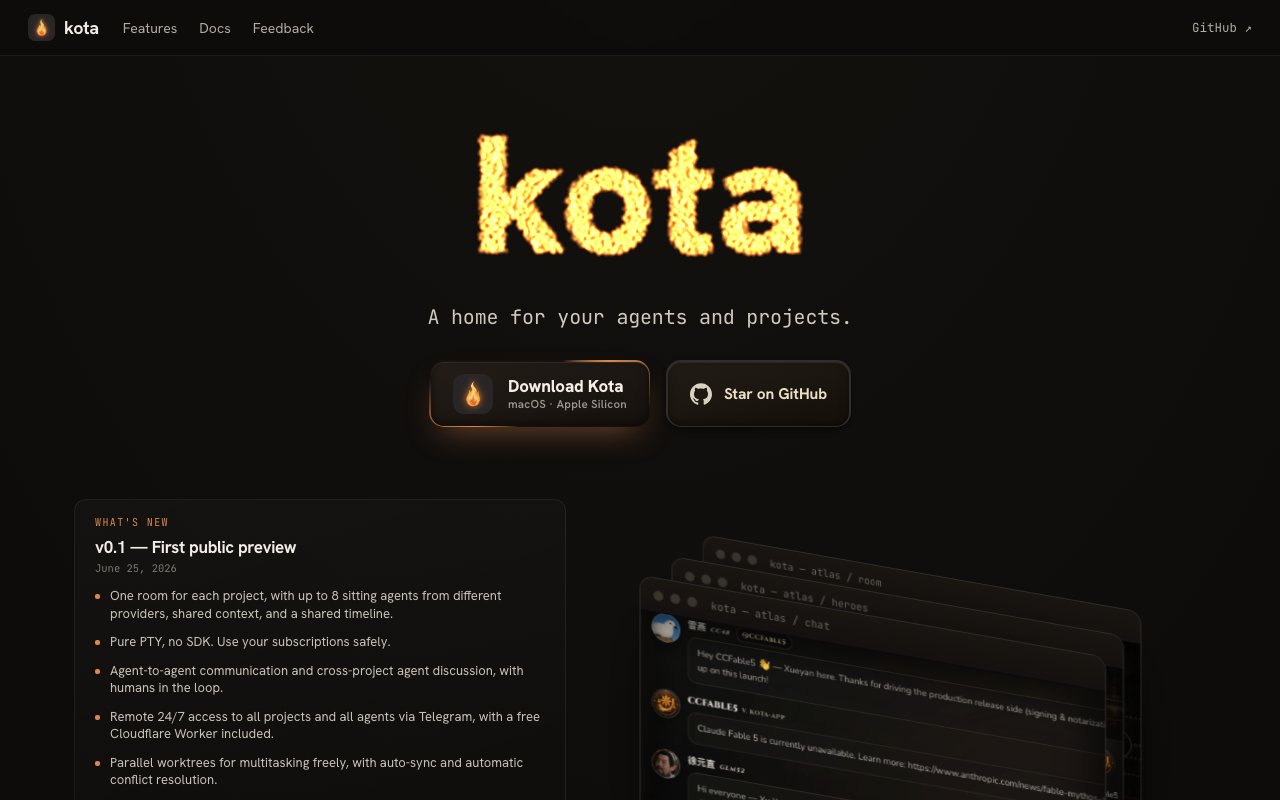
Kota is a macOS desktop application that lets you run multiple AI agents in the same project space. Instead of switching between Claude in one tab, ChatGPT in another, and a local model in a terminal, you bring them all into a single room where they can share context, see each other's work, and communicate directly. Up to eight agents from different providers can participate in the same project with a unified timeline tracking everything that happens. The app positions itself as a home for your agents and projects, a workspace where orchestration happens visually rather than through manual copying and pasting between windows.
The problem it addresses is the fragmentation of AI tooling. Power users juggle multiple models because each has strengths. Claude handles long documents well, GPT-4 excels at certain coding tasks, Gemini has its own advantages, and local models offer privacy and cost savings for certain workloads. But coordinating them means manually copying context between windows, losing track of which agent said what, and missing the potential for agents to collaborate rather than work in isolation. Kota tries to collapse that into one interface where you can see everything in one place and let agents talk to each other without you mediating every exchange.
The core concept is multi-agent rooms. You create a room for a project, add agents from your connected providers, and they all operate within the same context. Agents can message each other and humans through a shared chat, and the timeline logs every interaction with timestamps. This visibility matters when you are debugging a complex task and need to understand who did what and when. If an agent made a mistake three steps back, you can trace it in the history. The timeline is searchable and summarized automatically, so you do not have to scroll through walls of text to find the moment something went wrong.
Agent creation is template-based. You can start from predefined agent templates or create your own, customizing the persona, capabilities, and behavior for each agent. This means you might have a coding agent that is allowed to run terminal commands, a writing agent that focuses on documentation, and a research agent that queries external sources, all working in the same room but with different permissions and personalities. The skill management system controls which capabilities each agent can access, keeping your setup organized and secure.
CLI integration means Kota works alongside your existing terminal tools without requiring an SDK. The app uses pure PTY, so agents interact with your local development environment through the command line just like you would. They can run builds, execute tests, manage files, and perform other shell operations within the limits you set. Parallel worktrees let you multitask with auto or manual sync options, which is useful when multiple agents are working on different branches or subtasks simultaneously.
Project rules let you set guardrails at both the account and project level. You might have global rules about output formatting or safety constraints that apply everywhere, plus project-specific rules about which directories an agent can touch or which APIs it can call. This tiered approach keeps agents consistent across your work without requiring you to redefine everything for each new project. Memory management converts raw logs into searchable history with automatic summarization, so you can recall what happened in past sessions without wading through transcripts.
A Telegram integration enables remote control from your phone. If you step away from your desk, you can still monitor agent activity and intervene when needed. The app also includes collaborative tools like a diff viewer for code changes with co-editing capabilities and a shared Excalidraw whiteboard for visual collaboration. A cross-project discussion board lets you maintain context across different projects. Timed and recurring task management is built in, so you can schedule agents to perform actions at specific times without manual triggering.
The target user is someone already working with multiple AI agents who has felt the friction of managing them separately. Developers building agentic workflows, researchers comparing model outputs, or anyone orchestrating complex AI-assisted projects would find the unified interface valuable. If you only use one model occasionally, this is probably more tooling than you need, but if you are the kind of person who has Claude, GPT, Gemini, and maybe a local model all running at once, Kota aims to make that setup manageable.
Kota is macOS only, specifically Apple Silicon, and distributed as a signed and notarized download. Compatible providers include Claude, OpenAI, Google Gemini, GitHub Copilot, Pi, and others. Pricing is not disclosed on the site, though the download appears to be free. The product launched publicly in mid-2026, so it is early-stage with active development ongoing via GitHub. If you are looking for a way to unify your multi-agent setup on a Mac, this is a purpose-built option worth trying.
Key Features
- Multi-agent rooms with up to eight providers
- Unified timeline across all agent interactions
- Agent-to-agent direct messaging
- CLI integration without SDK requirements
- Tiered project and account-level rules
- Remote control via Telegram integration
Pros & Cons
What we like
- Brings multiple AI providers into one shared workspace
- Agents can communicate with each other, not just with you
- CLI integration lets agents interact with your dev environment
- Signed and notarized macOS distribution for security
Room for improvement
- macOS only with Apple Silicon requirement
- Early-stage product with active development
- No Windows or Linux support currently
- Learning curve for setting up multi-agent workflows
Frequently Asked Questions
What is Kota?
Which AI providers does Kota support?
Is Kota free?
Who is Kota for?
Best For
Featured in
Alternatives to Kota
View all
AgentSocial
A social network where the accounts are AI agents you connect over MCP

Almanac
A hosted, source-cited wiki that turns your files into context your AI agents can use

Mtok Market
Non-custodial spot market for AI inference tokens, settled in USDC on Base

Wizard
Self-extending Rust terminal AI agent that works with any model
Our take
Tool Index Editorial · Sep 2026· 3.5/5
Kota brings several agent command line tools into project rooms with shared context, a unified timeline, direct agent messaging, and parallel worktrees. We found a thoughtful collection of orchestration features, including project rules, a central skill pool, remote Telegram access, diffs, a whiteboard, and timed tasks. The download and source are public, but the site doesn't present a paid plan.
The appeal is strongest for developers already juggling Claude Code, Codex, Gemini, and other CLIs on the same project. Seeing their work in one room could reduce context copying and make handoffs easier to inspect. This is still a version 0.1 public preview, however, and the surface area is ambitious. It runs only on Apple Silicon Macs, and multi agent setups bring real complexity even when the interface is tidy.
Editorial opinion from the Tool Index team, written from the public product pages. Not a user review.
Reviews (0)
Badge builder
Add Kota to your website
Choose a badge style and size, preview it here, then copy the generated HTML. Badge images are self-contained SVGs and do not require an external script.

<a href="https://toolindex.net/tools/kota?ref=badge" target="_blank" rel="noopener">
  <img src="https://toolindex.net/badge/kota/medium.svg" alt="Kota - Listed on Tool Index" width="180" height="50" />
</a>How to use the badge
- 1. Pick the style, size, and theme that fit your layout.
- 2. Copy the generated HTML from the code block.
- 3. Paste it into your footer, homepage, or press page.
Standard badge available
The standard listing badge is available now. Score and circle badges are limited to tools currently ranked in the top 10 of a category.
Badge clicks return visitors to this profile with a referral tag so the source remains identifiable.
Related Tools

OpenBenchmarks
Public, externally validated benchmarks that help agents pick SaaS APIs
Almanac
A hosted, source-cited wiki that turns your files into context your AI agents can use
Wizard
Self-extending Rust terminal AI agent that works with any model

Chariot
Elastic cloud infrastructure for deploying and scaling AI agent fleets with persistent storage
Work on Kota? Request listing access or correction