KyttoMCP
Manage MCP servers across popular AI coding clients from one local control panel
Gallery
About KyttoMCP
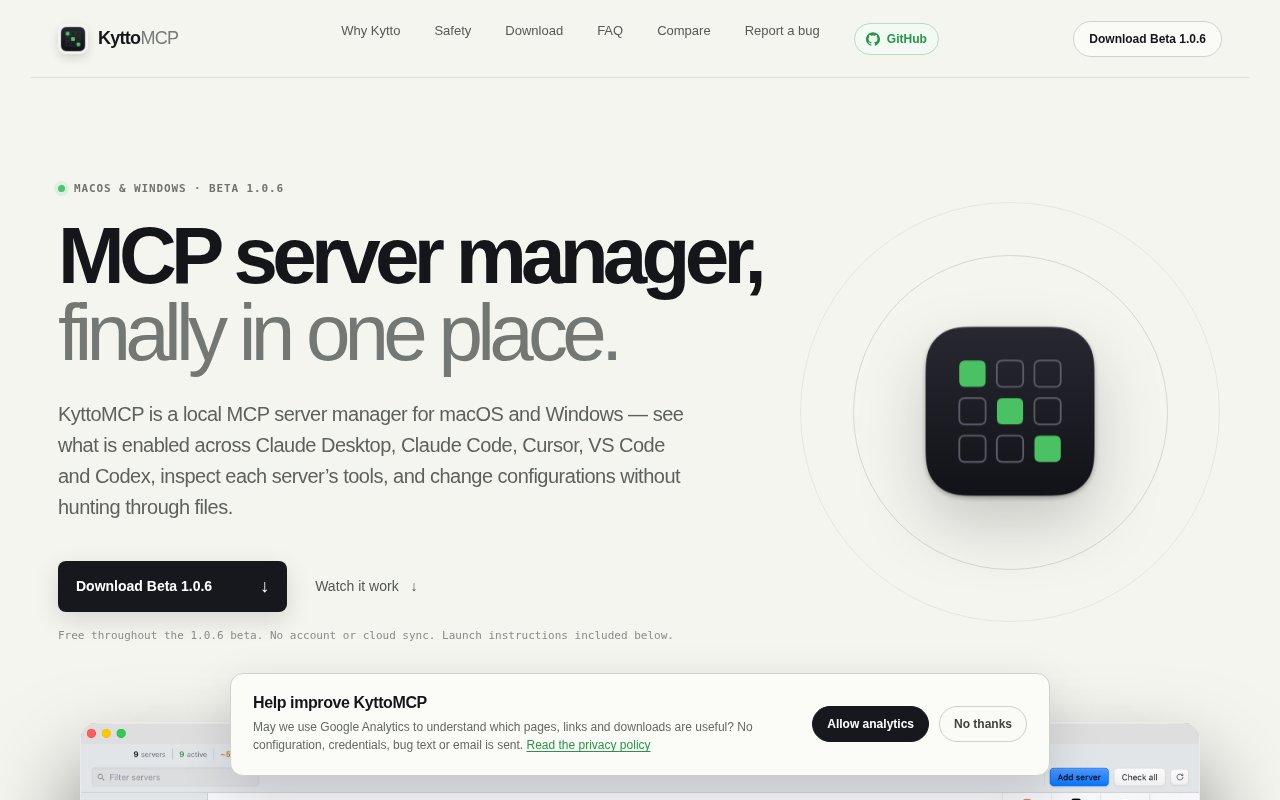
KyttoMCP is a local desktop control panel for managing Model Context Protocol servers across Claude Desktop, Claude Code, Cursor, VS Code, and Codex. It reads the JSON, JSONC, and TOML configuration files already on a computer and presents them as a single client matrix, so a user can see which server is active in which application without opening each file by hand. Servers can be enabled or disabled from the interface while KyttoMCP respects the configuration format and behavior of each client. The app is available as a free beta for macOS and Windows and doesn't require an account or a cloud service. Existing servers don't need to be reinstalled or migrated before they appear in the workspace.
The central workspace combines existing configurations with entries created manually or from a built-in catalog. Named configuration files can be attached as read-only sources, which helps distinguish reference material from clients KyttoMCP is allowed to update. Profiles group servers into focused stacks such as Coding, Research, or Minimal. Before applying a profile to a client, the app shows what will change. This provides a practical way to keep large MCP setups manageable, especially when the same server appears in several applications or when a user wants a smaller set of tools for a particular task. A profile is applied to one client at a time, preserving the fact that each supported application has its own configuration rules.
Diagnostics go beyond checking whether an entry exists. KyttoMCP can perform an on-demand MCP handshake and show a server's tools, prompts, resources, protocol details, standard error output, and an estimated context footprint. MCP Doctor turns configuration and health evidence into findings about missing environment values, relative paths, failed handshakes, or executables that depend on a client's search path. Fixes considered safe are previewed before the app writes anything. The context optimizer compares the estimated full schema weight of servers and profiles, and can flag heavy definitions, entries it couldn't measure, or duplicate tool names. The estimate is a comparison aid rather than an exact measure of tokens used in every conversation.
Changes are designed to be recoverable. Before writing, KyttoMCP checks whether another program changed the target file, creates a timestamped backup, and performs an atomic write. Users can browse previous backups and restore an earlier version, while the configuration being replaced is backed up as well. Sensitive environment values stay masked by default and can be revealed only on request. The app can rotate one value wherever it appears, keep an optional macOS Keychain copy, or tighten configuration file permissions. For supported standard input and output servers, an optional local Gateway mode can move the direct definition and credentials into native storage, with a one-click path back to Direct mode. The app previews a Gateway route before changing the live configuration, so the move can be reviewed in advance.
Live Activity records Gateway sessions, tool calls, latency, failures, and contract changes without storing arguments, results, or payload contents. A safe support report can be exported when troubleshooting. KyttoMCP works directly with local configuration and credentials, with no cloud sync or secret upload. Optional anonymous diagnostics are off by default, and the published privacy explanation says their payload cannot include configuration, paths, or error text. This makes the product a good fit for developers and power users who have accumulated several MCP servers and clients but still want clear control over local secrets and every configuration change. It is also helpful for comparing the context cost of several overlapping tools before enabling all of them in a coding session.
The main limitation is its beta status. Version 1.0.6 is unsigned with paid Apple and Microsoft developer certificates, so macOS and Windows may show security warnings during the first launch. The site publishes SHA-256 checksums and platform-specific launch steps, but users still need to make their own trust decision. The macOS download is a universal build for Apple Silicon and Intel systems, while Windows uses a guided x64 installer. Linux isn't supported yet. Some of the most detailed activity and storage controls relate to supported servers running through Gateway mode, so they don't apply equally to every configuration. KyttoMCP is free throughout the current beta, with no account or sign-up, but the site doesn't promise that the eventual post-beta pricing will remain the same.
Key Features
- Cross-client MCP configuration matrix
- On-demand server health inspection
- Reusable focused server profiles
- Automatic backups and atomic writes
- Local secrets and permission controls
- Private Gateway activity monitoring
Pros & Cons
What we like
- Centralizes MCP settings across five popular clients
- Keeps configurations and credentials on the device
- Previews changes and backs up every write
- Provides actionable health and context diagnostics
Room for improvement
- Still an independent beta product
- Linux isn't supported in the current release
- Unsigned installers trigger operating system warnings
- Post-beta pricing hasn't been announced
Frequently Asked Questions
What is KyttoMCP?
Is KyttoMCP free?
Which clients does KyttoMCP support?
Does KyttoMCP upload configurations or API keys?
Best For
Featured in
Alternatives to KyttoMCP
View all
Kevin Gabeci
Solo developer building web apps, cozy browser games, and AI creator toolkits.

SoloDevStack
A solo developer blog built on head-to-head tool comparisons, 580+ posts deep.

Codedex
A gamified, story-driven platform that teaches Python, web dev, and more like an RPG quest

Vibe Built
Building real apps with agentic AI. What worked, what broke, what shipped.
Our take
Tool Index Editorial · Sep 2026· 3.5/5
KyttoMCP is a local control panel for viewing and changing MCP server configurations across Claude Desktop, Claude Code, Cursor, VS Code, and Codex. It is for developers juggling the same servers across several clients. Health checks, profiles, backups, secret handling, and context estimates are free throughout the beta, with no account or cloud sync.
The matrix view addresses a real configuration mess, and previewed writes with backups provide a sensible recovery path. We also found a current changelog that documents and repairs earlier local backup permission weaknesses. The current release supports macOS and Windows, not Linux, and the site warns that beta updates may break profiles or app-local data. Post-beta pricing is not stated, so it is too early to make it a critical configuration dependency without keeping independent backups.
Editorial opinion from the Tool Index team, written from the public product pages. Not a user review.
Reviews (0)
Badge builder
Add KyttoMCP to your website
Choose a badge style and size, preview it here, then copy the generated HTML. Badge images are self-contained SVGs and do not require an external script.

<a href="https://toolindex.net/tools/kyttomcp?ref=badge" target="_blank" rel="noopener">
  <img src="https://toolindex.net/badge/kyttomcp/medium.svg" alt="KyttoMCP - Listed on Tool Index" width="180" height="50" />
</a>How to use the badge
- 1. Pick the style, size, and theme that fit your layout.
- 2. Copy the generated HTML from the code block.
- 3. Paste it into your footer, homepage, or press page.
Standard badge available
The standard listing badge is available now. Score and circle badges are limited to tools currently ranked in the top 10 of a category.
Badge clicks return visitors to this profile with a referral tag so the source remains identifiable.
Related Tools
Kevin Gabeci
Solo developer building web apps, cozy browser games, and AI creator toolkits.

Coolify
Self-hostable, open source alternative to Heroku and Netlify

Warp
The modern terminal reimagined with AI and collaboration

Bolt.new
Prompt-to-deployed full-stack app inside the browser
Work on KyttoMCP? Request listing access or correction