
LabCraft
Hands-on systems courses where you learn by repairing real infrastructure
Gallery
About LabCraft
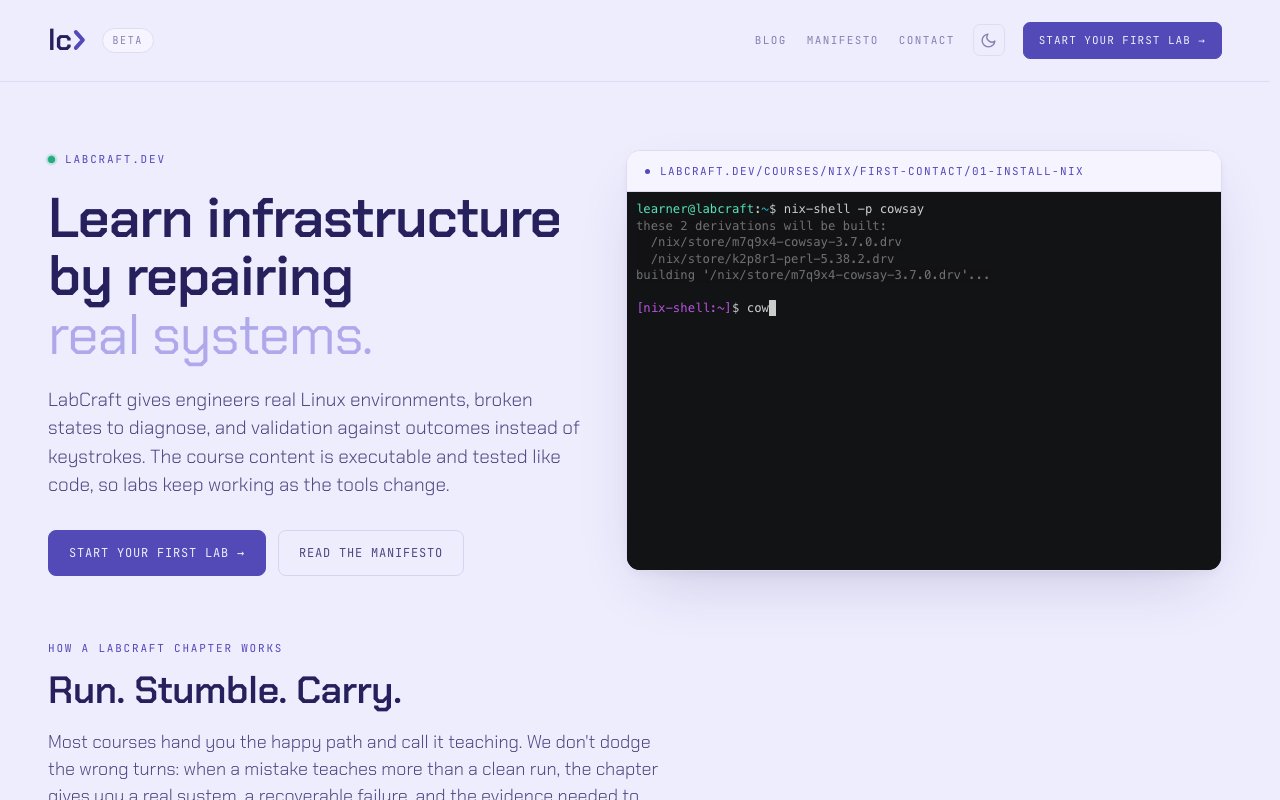
LabCraft is an online learning platform for systems and infrastructure skills. The core idea is that you learn by working on real machines rather than reading about them. Each lesson gives you an isolated environment that's been deliberately broken or misconfigured, and your job is to fix it. The platform validates whether the system reaches the intended state, not whether you typed specific commands, so there's room to solve problems your own way. The tagline is Run, Stumble, Carry, which captures the philosophy that mistakes are part of the curriculum rather than obstacles to it.
The first course covers Nix and NixOS, teaching reproducible infrastructure through practical exercises. It starts with Nix: First Contact, which covers installation and basic concepts, then progresses through increasingly complex scenarios. The course is aimed at software engineers who want to understand declarative system configuration but find the official documentation overwhelming. The labs walk you through real-world scenarios like debugging a broken build, recovering a system that won't boot, and setting up a development environment that works the same way on every machine. Because Nix is notoriously difficult to learn from documentation alone, the hands-on approach fills a gap that reading the manual doesn't.
What makes the learning model different is the emphasis on mistakes. Most tutorials show you the happy path and leave you stuck when something goes wrong. LabCraft deliberately puts you in failing situations so you develop judgment about what to do when things break. That's closer to how systems work actually gets built in practice. You're not just following instructions. You're building the intuition that lets you troubleshoot novel problems. The stumble part of the tagline is intentional. You'll break things, and that's how you learn what breaking looks like.
The environments themselves are real machines provisioned just for you. You get root access to break things further if you want, rebuild from scratch, and experiment without worrying about messing up shared infrastructure. Courses can spin up single machines or networked multi-machine setups depending on what the lesson requires. The platform handles provisioning and teardown, so you focus on the technical content rather than setup logistics. You don't need to install Nix locally or configure anything on your own computer. Everything runs in the cloud, which means you can start learning immediately without an hour of setup.
Quality control happens through CI. Lab content is treated as executable code and tested against current tool versions before it reaches learners. As upstream dependencies change, the platform flags outdated instructions before learners encounter them. That means the instructions actually work rather than being outdated by the time you try them. For anyone who has followed a tutorial only to find it was written for a version from two years ago, this matters. The continuous testing is a real differentiator because infrastructure tutorials age poorly and stale instructions waste hours.
Validation inspects actual system state rather than checking keystroke-by-keystroke compliance. If the lesson goal is to configure a service, the platform checks whether the service is running correctly, not whether you ran the exact commands in the suggested order. This gives you freedom to use alternative scripts, try novel solutions, or fix problems in ways the course author didn't anticipate. The outcome-focused validation means creative solutions count, which encourages exploration rather than rote copying.
The course structure uses connected systems graphs where prerequisites are explicit and adjacent skills emerge contextually. Each chapter builds on the previous one, and the platform tracks your progress across the curriculum. Sign-in options include GitHub, Google, or email magic links, and your session state persists so you can pick up where you left off. The interface isn't cluttered with gamification or streaks. It's focused on the technical content.
The target audience is software engineers who want practical Linux and infrastructure knowledge. If you can already code but feel lost when it comes to systems, this is built for that gap. The hands-on approach means you're doing real work rather than watching videos and hoping the knowledge sticks. LabCraft is currently in public beta and free during this period. The eventual pricing model isn't public yet, but the free access while they're building out the course catalog makes it a low-risk way to pick up Nix skills. For engineers curious about infrastructure without wanting to commit hours to abstract documentation, the learn-by-fixing approach is a practical alternative.
Key Features
- Real isolated machines for each learner
- Outcome validation instead of command checking
- Deliberately broken scenarios for learning
- CI-tested labs against current tool versions
- Nix and NixOS infrastructure curriculum
- Full root access for experimentation
Pros & Cons
What we like
- Learn by fixing real systems rather than watching videos
- Labs validated against current software versions
- Free access during public beta
- Isolated environments with no setup required
Room for improvement
- Currently only one course available
- Pricing after beta is not yet announced
- Narrowly focused on Nix and infrastructure
- Newer platform with limited content library
Frequently Asked Questions
What is LabCraft?
Is LabCraft free?
Do I need Nix installed locally?
Who is LabCraft for?
Best For
Featured in
Alternatives to LabCraft
View all
Kevin Gabeci
Solo developer building web apps, cozy browser games, and AI creator toolkits.

SoloDevStack
A solo developer blog built on head-to-head tool comparisons, 580+ posts deep.

Codedex
A gamified, story-driven platform that teaches Python, web dev, and more like an RPG quest

Vibe Built
Building real apps with agentic AI. What worked, what broke, what shipped.
Reviews (0)
Badge builder
Add LabCraft to your website
Choose a badge style and size, preview it here, then copy the generated HTML. Badge images are self-contained SVGs and do not require an external script.

<a href="https://toolindex.net/tools/labcraft?ref=badge" target="_blank" rel="noopener">
  <img src="https://toolindex.net/badge/labcraft/medium.svg" alt="LabCraft - Listed on Tool Index" width="180" height="50" />
</a>How to use the badge
- 1. Pick the style, size, and theme that fit your layout.
- 2. Copy the generated HTML from the code block.
- 3. Paste it into your footer, homepage, or press page.
Standard badge available
The standard listing badge is available now. Score and circle badges are limited to tools currently ranked in the top 10 of a category.
Badge clicks return visitors to this profile with a referral tag so the source remains identifiable.
Related Tools
Kevin Gabeci
Solo developer building web apps, cozy browser games, and AI creator toolkits.

Coolify
Self-hostable, open source alternative to Heroku and Netlify

Warp
The modern terminal reimagined with AI and collaboration

Bolt.new
Prompt-to-deployed full-stack app inside the browser
Work on LabCraft? Request listing access or correction