
Lini
Create diagrams, charts, and technical drawings from plain text
Gallery
About Lini
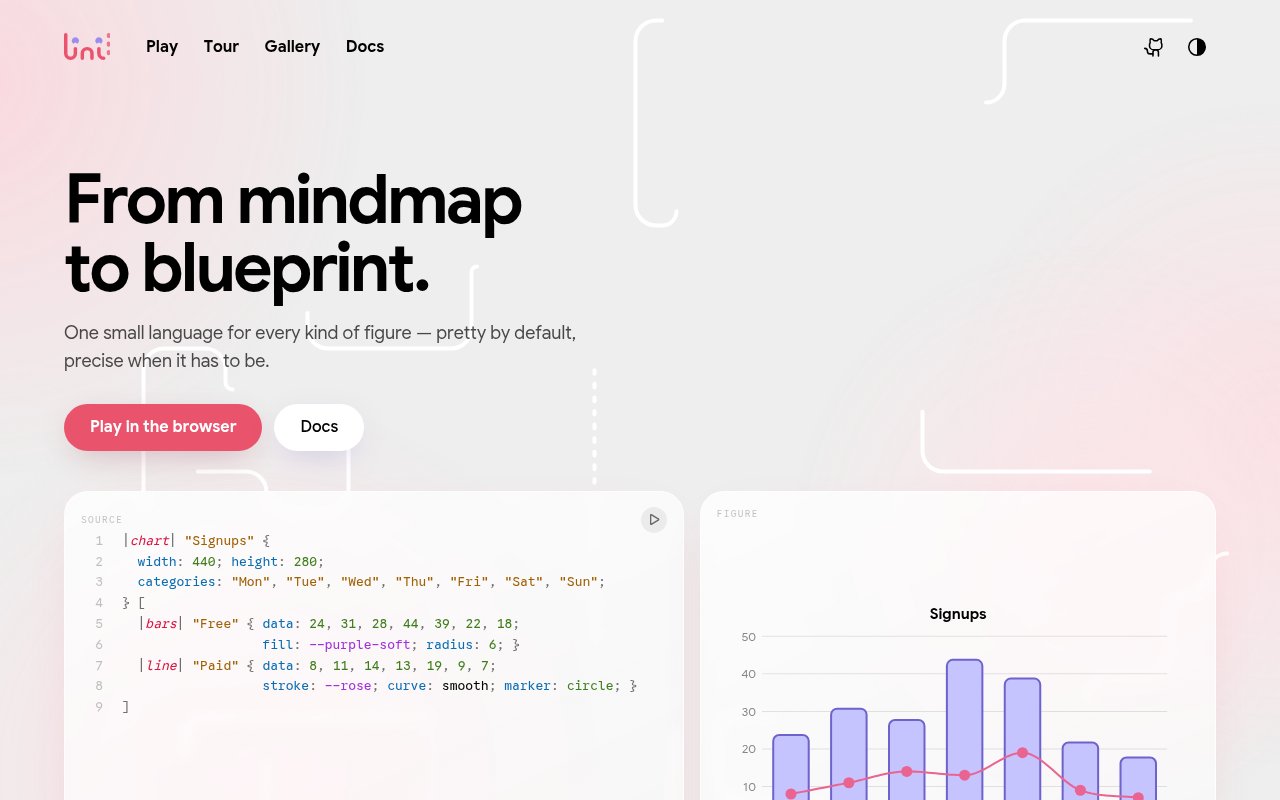
Lini is an open source language and compiler for creating visual figures from plain text. It turns a source file into clean, themeable SVG, with one grammar covering everyday diagrams and more technical illustrations. The supported families include flowcharts, mind maps, organization charts, tables, entity relationship schemas, sequence diagrams, charts, circuit schematics, floor plans, and dimensioned engineering drawings. That range makes it useful when a project needs more than boxes and arrows but a team still wants every figure stored as readable text. Instead of dragging shapes around a canvas, authors describe nodes, links, structure, labels, and styles in a compact source format that can live beside the rest of a project.
The language splits responsibility in a practical way. Authors say what belongs in the figure and where its main parts should go, while the compiler handles repetitive drawing work such as routing a connector through available gaps, measuring a dimension, and choosing colors from its palette. A link can be expressed by naming two nodes, and Lini finds an orthogonal route that stays clear of other elements. Styles and children have concise syntax, so a small service diagram can define reusable box styling, group related services, place a database, and connect everything in only a few lines. People still control the intended structure, which distinguishes the workflow from image generation that interprets a prompt without a precise source representation.
Its output is designed for documentation and version controlled projects. Colors remain live CSS variables in the exported SVG, and each color uses a light and dark pair. One exported file can therefore respond to the viewer's operating system theme without JavaScript or another render pass. Host CSS can recolor diagrams across a site. The built in palette offers named hues with roles for backgrounds, softer fills, strokes, and text, while its color ramps use OKLCH. Compilation is deterministic, so the same input produces byte identical output that can be reviewed as a clean diff in continuous integration. The project says a typical figure compiles in about two milliseconds, and the native binary doesn't require Node, a browser process, or a separate runtime service.
Lini can be used from a terminal or explored in a browser. The command line compiler writes an SVG from a Lini source file, while its serve command opens a live reloading preview for one file or a directory of samples. The website includes a tour, reference, gallery, and a playground powered by the WebAssembly build. Finished examples are published with their source, which helps new users connect the syntax to the result. Editor support is available for VS Code and Zed. Because the format is text, it also fits workflows where diagrams need review, repeatable generation, or edits by both people and coding agents rather than ownership by one desktop design file.
Several integrations bring the same syntax into documentation systems. An mdBook preprocessor compiles Lini code fences to inline SVG during a build. A remark plugin works in environments such as Docusaurus, Next, MDX, Gatsby, and unified pipelines, and it can expose the source behind a figure. An Astro integration connects the compiler to Astro's Markdown processing. The WebAssembly package runs in Node, Bun, Deno, bundlers, and browsers, while the Rust crate lets developers use Lini as a library. The repository also provides a language brief for agents, a generated property schema, stable JSON diagnostics, and machine applicable fixes. Those pieces make it more than a standalone drawing command, especially for teams building automated publishing systems.
Lini is best suited to developers, technical writers, and engineers who value text sources, reproducible builds, and SVG output. Its single grammar is a strong fit when one documentation set mixes architecture diagrams with charts, schemas, sequences, or physical layouts. The tradeoff is that authors need to learn a purpose built language and take responsibility for the broad layout, so it won't replace a freeform visual editor for everyone. Lini is distributed under the MIT license and can be installed through Cargo. There isn't a commercial plan to evaluate or a hosted account to maintain. The public browser playground lowers the barrier to trying the syntax, while the local compiler keeps the durable workflow portable and independent of a hosted rendering service. Its frozen language contract for the current major version also gives teams a documented compatibility target for syntax, properties, defaults, diagnostics, and themes.
Key Features
- Plain text figure language
- Themeable SVG compilation
- Automatic orthogonal connector routing
- Live reloading local preview
- Documentation framework integrations
- Browser based WebAssembly playground
Pros & Cons
What we like
- One grammar covers many figure families
- Deterministic SVG output diffs cleanly
- Exports adapt to light and dark themes
- Native compiler needs no runtime service
Room for improvement
- Requires learning a purpose built syntax
- Authors still guide the main layout
- Text workflow won't suit freeform drawing
- Community integrations follow separate release schedules
Frequently Asked Questions
What is Lini?
Is Lini free?
What can Lini create?
Can Lini work in documentation sites?
Best For
Featured in
Alternatives to Lini

Kevin Gabeci
Solo developer building web apps, cozy browser games, and AI creator toolkits.

SoloDevStack
A solo developer blog built on head-to-head tool comparisons, 580+ posts deep.

Codedex
A gamified, story-driven platform that teaches Python, web dev, and more like an RPG quest

Vibe Built
Building real apps with agentic AI. What worked, what broke, what shipped.
Our take
Tool Index Editorial · Oct 2026· 4.0/5
Lini turns a compact text language into SVG diagrams, charts, floor plans, and schematics. It is a strong fit for developers and technical writers who want figures beside their code, with deterministic output that can be reviewed in version control. We found the browser playground, gallery, guided tour, and unusually deep reference material made the broad syntax feel credible rather than merely ambitious.
The project presents itself as open source, and the site shows no paid hosted workspace. Its shared grammar and built in light and dark theming hold up well, but this is still a source first drawing tool. People who think visually on a canvas will face a learning curve, advanced drawing families add plenty of vocabulary, and every generated figure still needs a human visual check.
Editorial opinion from the Tool Index team, written from the public product pages. Not a user review.
Reviews (0)
Badge builder
Add Lini to your website
Choose a badge style and size, preview it here, then copy the generated HTML. Badge images are self-contained SVGs and do not require an external script.

<a href="https://toolindex.net/tools/lini?ref=badge" target="_blank" rel="noopener">
  <img src="https://toolindex.net/badge/lini/medium.svg" alt="Lini - Listed on Tool Index" width="180" height="50" />
</a>How to use the badge
- 1. Pick the style, size, and theme that fit your layout.
- 2. Copy the generated HTML from the code block.
- 3. Paste it into your footer, homepage, or press page.
Standard badge available
The standard listing badge is available now. Score and circle badges are limited to tools currently ranked in the top 10 of a category.
Badge clicks return visitors to this profile with a referral tag so the source remains identifiable.
Related Tools
Kevin Gabeci
Solo developer building web apps, cozy browser games, and AI creator toolkits.

Coolify
Self-hostable, open source alternative to Heroku and Netlify

Warp
The modern terminal reimagined with AI and collaboration

Bolt.new
Prompt-to-deployed full-stack app inside the browser
Work on Lini? Request listing access or correction