
litek8s
Run local and multi-machine Kubernetes clusters from one lightweight Rust binary
Gallery
About litek8s
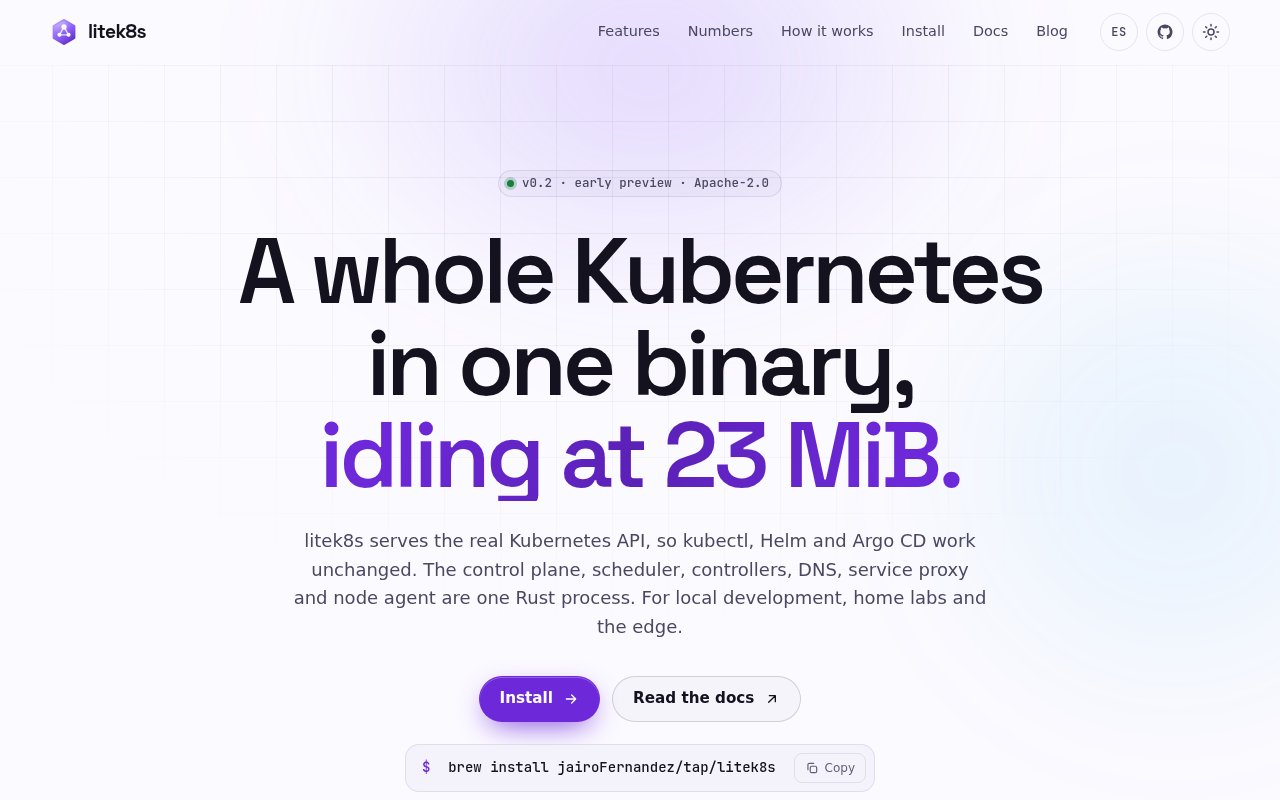
litek8s is an open-source Kubernetes distribution packaged as a single Rust binary. It is designed for developers who want a real Kubernetes API on a laptop, in continuous integration, or across a collection of spare machines without carrying the usual control-plane footprint. A local cluster starts with the litek8s development command, while the same binary can install servers and agents on Linux hosts over SSH. Existing Kubernetes tools remain part of the workflow because kubectl, Helm, and Argo CD work against its API rather than a separate look-alike format.
The project's central claim is efficiency. Its published measurements show a local node becoming ready in about a second, with the control plane using roughly 23 MiB while idle. On macOS, litek8s manages a small Linux virtual machine for the cluster. On Linux, it uses a rootless sandbox for local development. A developer can create multiple clusters and nodes, expose NodePorts on localhost, and mount source code at the same path. litek8s adds contexts beside existing entries in kubeconfig, so testing it doesn't require replacing access to managed clusters or translating manifests into another schema. For CI, the project publishes a setup time of 2.5 seconds in GitHub Actions and reports lower memory use than kind in its measured jobs.
Compatibility goes beyond the Kubernetes command line. litek8s provides a Docker Engine API on top of its crun node runtime, letting the standard Docker CLI, Docker Compose, Dev Containers, and Testcontainers target the local environment. It also bundles a keyboard-driven terminal interface for inspecting clusters, pods, containers, images, volumes, shells, and logs. Metrics live in an embedded time-series store with a Prometheus-compatible query API. Cluster-wide log search and alert delivery are included in the same binary, which reduces the number of extra services needed for a useful development setup. Its published compatibility corpus includes 47 Helm charts, and the project reports passing all 419 checks in the Kubernetes v1.33 conformance suite on Linux.
For multi-machine use, a declarative cluster file can describe servers reached over SSH. The project can connect machines across different networks with a WireGuard pod overlay and relay traffic when both sides are behind NAT. It supports a three-server highly available control plane whose store is replicated through Raft rather than an external etcd deployment. Other documented capabilities include registry mirrors and credentials, GPU resources exposed through CDI specifications, and an option to spread a llama.cpp workload across machines behind an OpenAI-compatible endpoint. Those features make it relevant to homelabs and edge experiments as well as local application development.
litek8s also exposes a Model Context Protocol server for AI coding tools. Through that interface, an agent can manage development cluster lifecycles, inspect and describe resources, apply or delete objects, search logs, query metrics, review alerts, and diagnose why a pod isn't ready. The responses are structured as JSON, and the project describes guardrails around agent operations. This isn't required for normal Kubernetes use, but it gives teams experimenting with coding agents an interface that is aware of owners, events, logs, and cluster state instead of relying on blind shell commands.
The best fit is a developer, small team, CI pipeline, or homelab operator who values Kubernetes compatibility but has limited memory and patience for heavyweight local infrastructure. It can stand in for kind, k3d, or minikube during local work, and it can replace a Docker Desktop style workflow for tools that speak the Docker API. The same binary can then extend to inexpensive cloud machines, old laptops, or Raspberry Pi systems. Support currently covers Apple silicon macOS and Linux on x86_64 and aarch64, so Windows users and Intel Mac users aren't in the stated platform set.
This is still an early v0.x preview built and tested by one person, and the project documents the tradeoffs directly. Authentication and RBAC are simpler than upstream Kubernetes, OIDC and certificate revocation are absent, some kubelet behavior is missing, and APIs, command flags, or disk formats can change between preview releases. Those limits make careful evaluation important before production use. For local development and experiments, though, the Apache-2.0 licensed code, public compatibility corpus, benchmark data, and full source repository make the implementation unusually inspectable. There is no paid tier listed, so the main offering is the self-hosted open-source software.
Key Features
- Single Rust binary
- Kubernetes-compatible API server
- Docker Engine API compatibility
- Built-in metrics and log search
- Multi-machine WireGuard networking
- MCP server for AI agents
Pros & Cons
What we like
- Very small published control-plane footprint
- Works with kubectl, Helm, and Argo CD
- Includes Docker and observability interfaces
- Apache-2.0 source is publicly inspectable
Room for improvement
- Early preview built by one person
- Authentication is simpler than upstream Kubernetes
- Preview interfaces may change between releases
- No stated Windows or Intel Mac support
Frequently Asked Questions
What is litek8s?
Does litek8s work with existing Kubernetes tools?
Can litek8s replace Docker Desktop?
Is litek8s ready for production?
Best For
Featured in
Alternatives to litek8s
View all
Kevin Gabeci
Solo developer building web apps, cozy browser games, and AI creator toolkits.

SoloDevStack
A solo developer blog built on head-to-head tool comparisons, 580+ posts deep.

Codedex
A gamified, story-driven platform that teaches Python, web dev, and more like an RPG quest

Vibe Built
Building real apps with agentic AI. What worked, what broke, what shipped.
Reviews (0)
Badge builder
Add litek8s to your website
Choose a badge style and size, preview it here, then copy the generated HTML. Badge images are self-contained SVGs and do not require an external script.

<a href="https://toolindex.net/tools/litek8s?ref=badge" target="_blank" rel="noopener">
  <img src="https://toolindex.net/badge/litek8s/medium.svg" alt="litek8s - Listed on Tool Index" width="180" height="50" />
</a>How to use the badge
- 1. Pick the style, size, and theme that fit your layout.
- 2. Copy the generated HTML from the code block.
- 3. Paste it into your footer, homepage, or press page.
Standard badge available
The standard listing badge is available now. Score and circle badges are limited to tools currently ranked in the top 10 of a category.
Badge clicks return visitors to this profile with a referral tag so the source remains identifiable.
Related Tools
Kevin Gabeci
Solo developer building web apps, cozy browser games, and AI creator toolkits.
Coolify
Self-hostable, open source alternative to Heroku and Netlify

Warp
The modern terminal reimagined with AI and collaboration

Bolt.new
Prompt-to-deployed full-stack app inside the browser
Work on litek8s? Request listing access or correction