
Loupe
Chrome extension that scans pages for WCAG accessibility issues and generates client-ready reports
Gallery
About Loupe
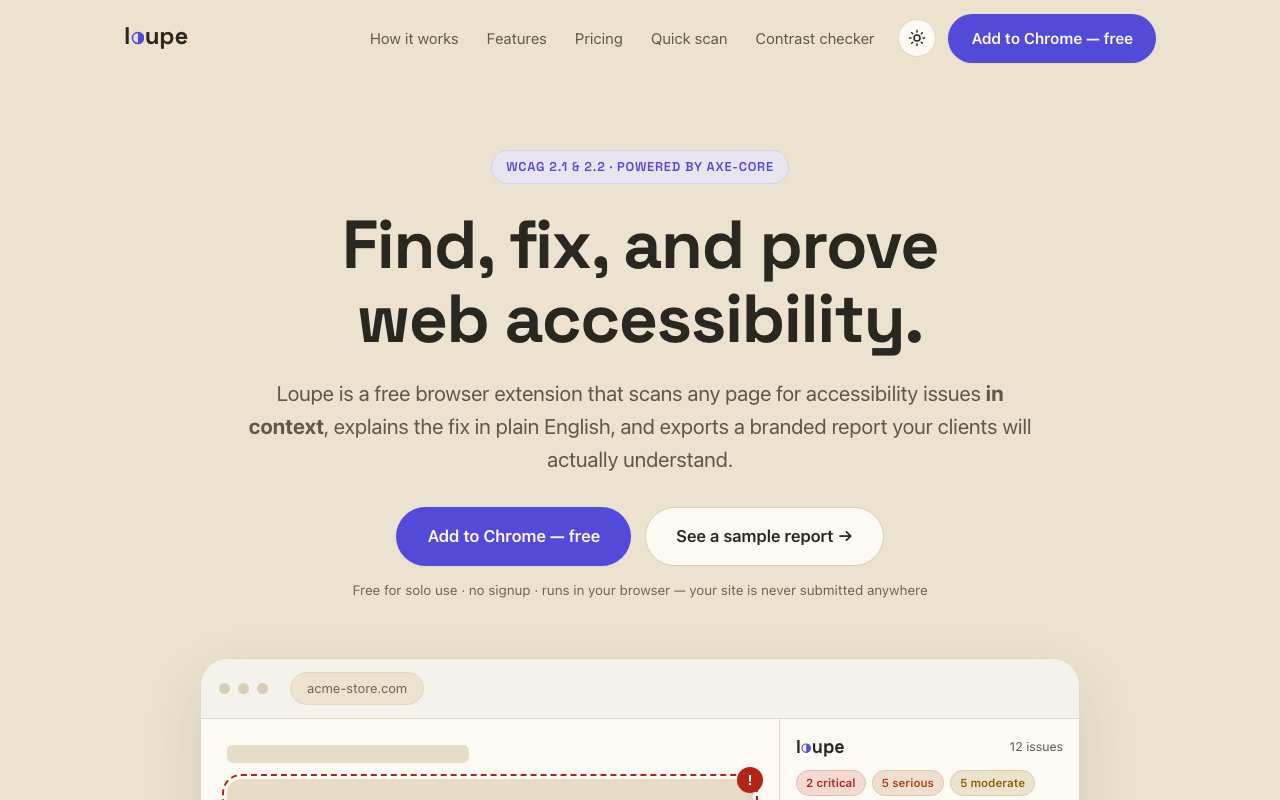
Loupe is a browser extension that scans web pages for accessibility issues and explains how to fix them in plain language that doesn't require deep expertise in WCAG specifications. It's built on axe-core, the same engine that powers most professional accessibility testing tools, but wraps it in an interface designed for people who need results they can act on immediately without first becoming accessibility experts themselves. The combination of industry-standard detection with human-readable output makes it practical for a wider range of users than typical developer-focused tools.
The core function runs entirely in your browser with no data uploaded to external servers. When you scan a page, Loupe highlights the problematic elements directly on screen, grouped by severity so you can prioritize what to fix first. That in-context highlighting means you see exactly which elements have issues rather than interpreting a list of selectors and trying to map them back to the visual page. The privacy guarantee matters if you're working on client sites under NDA or internal projects with sensitive content that can't leave your machine. The scan results stay local, and the extension works offline once installed.
What separates Loupe from raw axe-core output or similar developer tools is the explanation layer. Each issue comes with a plain-English description of what's wrong, why it matters for users with disabilities, and what needs to change. For developers, there are AI-drafted code fix suggestions that show exactly what to modify in the markup. These aren't meant to be copied blindly. They're starting points that need review and testing. But they cut down the time between identifying a problem and understanding how to resolve it, which is often the slowest part of accessibility remediation for teams that don't do it constantly.
The free tier gives you unlimited scans, in-context highlighting, and those plain-English explanations without any restrictions on volume. You can audit as many pages as you want without signing up for anything or providing payment information. The Pro tier at nineteen dollars per month (or one hundred ninety per year for a small discount) adds white-label PDF reports, multi-page crawls that can scan up to eight pages simultaneously, and saved project management for tracking multiple clients over time. If you're an agency delivering accessibility audits as a service, the reporting features turn Loupe into something you can build a client deliverable around rather than just a diagnostic tool for internal use.
The reports themselves are designed to be understandable by non-technical stakeholders who need to approve budgets and prioritize fixes. They avoid dense WCAG jargon in favor of language that explains what needs to happen and why it matters in terms anyone can understand. That's a meaningful differentiator if you've ever tried to hand a raw accessibility audit to a client or manager and watched their eyes glaze over as they tried to parse technical specifications they weren't trained to read. The white-label option lets you brand reports with your own identity, which matters for agencies that want to present audits as their own work rather than as output from a third-party tool.
Beyond the extension, Loupe offers a standalone color contrast checker that tests against WCAG AA and AAA standards, plus a quick page scan tool that works without any installation. Those free utilities make it easy to try the approach before committing to the extension or to check contrast ratios quickly without leaving your design tool. The contrast checker is useful even if you never use the full extension, which makes it a good entry point for people exploring whether accessibility tooling fits their workflow.
The target audience spans solo developers who want to catch issues before they ship, agencies building accessibility into their service offerings as a premium add-on, and organizations concerned about compliance with regulations like the ADA in the United States or the European Accessibility Act in the EU. Accessibility lawsuits have become more common in recent years, and tools like Loupe lower the barrier to finding and fixing problems before they become legal exposure or damage to reputation. The extension is available through the Chrome Web Store. It doesn't require an account for basic functionality, and the privacy-first approach means you can run it on sensitive projects without worrying about where the data goes.
Key Features
- WCAG 2.1 and 2.2 AA compliance scanning
- In-page overlay with severity grouping
- Plain-English issue explanations
- AI-drafted code fix suggestions
- White-label PDF report generation
- Multi-page crawl up to eight pages
Pros & Cons
What we like
- Scans run entirely in browser with no URL uploads
- Highlights issues directly on the page for visual context
- White-label reports turn scans into client deliverables
- Free tier includes unlimited single-page scans
Room for improvement
- Chrome only with no Firefox or Safari support
- Multi-page crawl capped at eight pages per run
- Pro features require paid subscription for agency use
- AI code fixes still need manual review before applying
Frequently Asked Questions
What is Loupe?
Is Loupe free?
Does Loupe upload my pages to a server?
Who is Loupe for?
Best For
Featured in
Alternatives to Loupe
View all
Kevin Gabeci
Solo developer building web apps, cozy browser games, and AI creator toolkits.

SoloDevStack
A solo developer blog built on head-to-head tool comparisons, 580+ posts deep.

Codedex
A gamified, story-driven platform that teaches Python, web dev, and more like an RPG quest

Vibe Built
Building real apps with agentic AI. What worked, what broke, what shipped.
Reviews (0)
Badge builder
Add Loupe to your website
Choose a badge style and size, preview it here, then copy the generated HTML. Badge images are self-contained SVGs and do not require an external script.

<a href="https://toolindex.net/tools/loupe?ref=badge" target="_blank" rel="noopener">
  <img src="https://toolindex.net/badge/loupe/medium.svg" alt="Loupe - Listed on Tool Index" width="180" height="50" />
</a>How to use the badge
- 1. Pick the style, size, and theme that fit your layout.
- 2. Copy the generated HTML from the code block.
- 3. Paste it into your footer, homepage, or press page.
Standard badge available
The standard listing badge is available now. Score and circle badges are limited to tools currently ranked in the top 10 of a category.
Badge clicks return visitors to this profile with a referral tag so the source remains identifiable.
Related Tools
Kevin Gabeci
Solo developer building web apps, cozy browser games, and AI creator toolkits.

Coolify
Self-hostable, open source alternative to Heroku and Netlify

Warp
The modern terminal reimagined with AI and collaboration

Bolt.new
Prompt-to-deployed full-stack app inside the browser
Work on Loupe? Request listing access or correction