
Mailgun
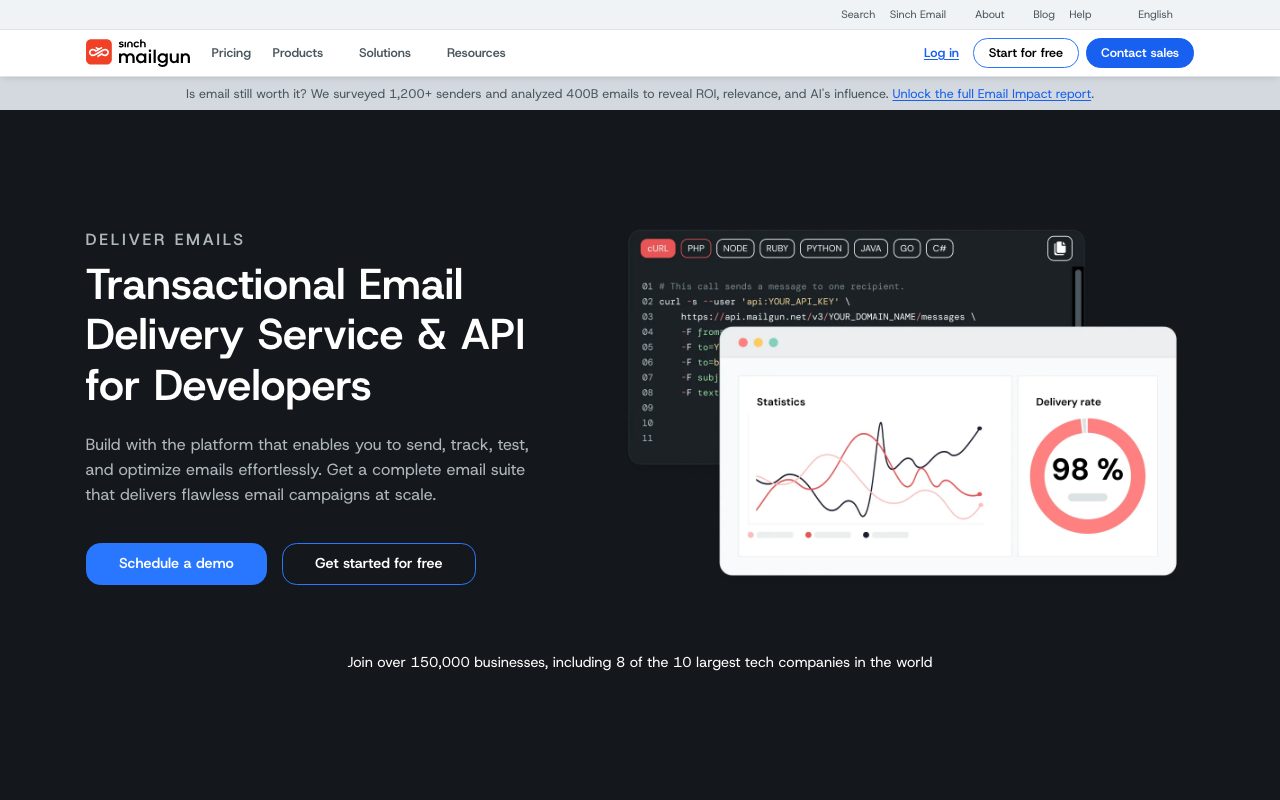
Developer-focused email infrastructure with APIs, SMTP, validation, and analytics for high-volume transactional sending.
Gallery
About Mailgun
Mailgun is the developer-first email API for sending transactional and marketing email at scale. It's been around since 2010, got acquired by Sinch, and remains one of the standard picks for SaaS teams that just need email to work. The API is clean. The deliverability is solid. The pricing is competitive.
If you're sending more than 50,000 emails a month, you've probably already heard of Mailgun. It's in the same conversation as SendGrid, Postmark, and Amazon SES. Each has tradeoffs. Mailgun's tradeoff has historically been raw send volume at sane prices.
The product hasn't changed dramatically in years. That's actually a feature. Email infrastructure should be boring, and Mailgun has stayed boring in the best way.
What Mailgun actually does
Mailgun sends email for you. You hit the API, Mailgun delivers the message, you get webhooks for opens, clicks, bounces, and complaints. Behind that simple flow there's IP warming, reputation management, deliverability tooling, and email validation.
The product has two halves. Mailgun (the original API) is for transactional email. Mailgun Sending (the rebranded product) bundles transactional plus marketing email features. Most devs we know still call the whole thing Mailgun.
The transactional API
Send an email by hitting POST /messages. Attach files, set headers, embed inline content. The API is RESTful and documented well. Official SDKs exist for Node, Python, Ruby, Go, PHP, and Java.
For teams sending password resets, receipts, and notifications, this is the bread and butter. It scales from one email a day to millions.
Email validation and deliverability tools
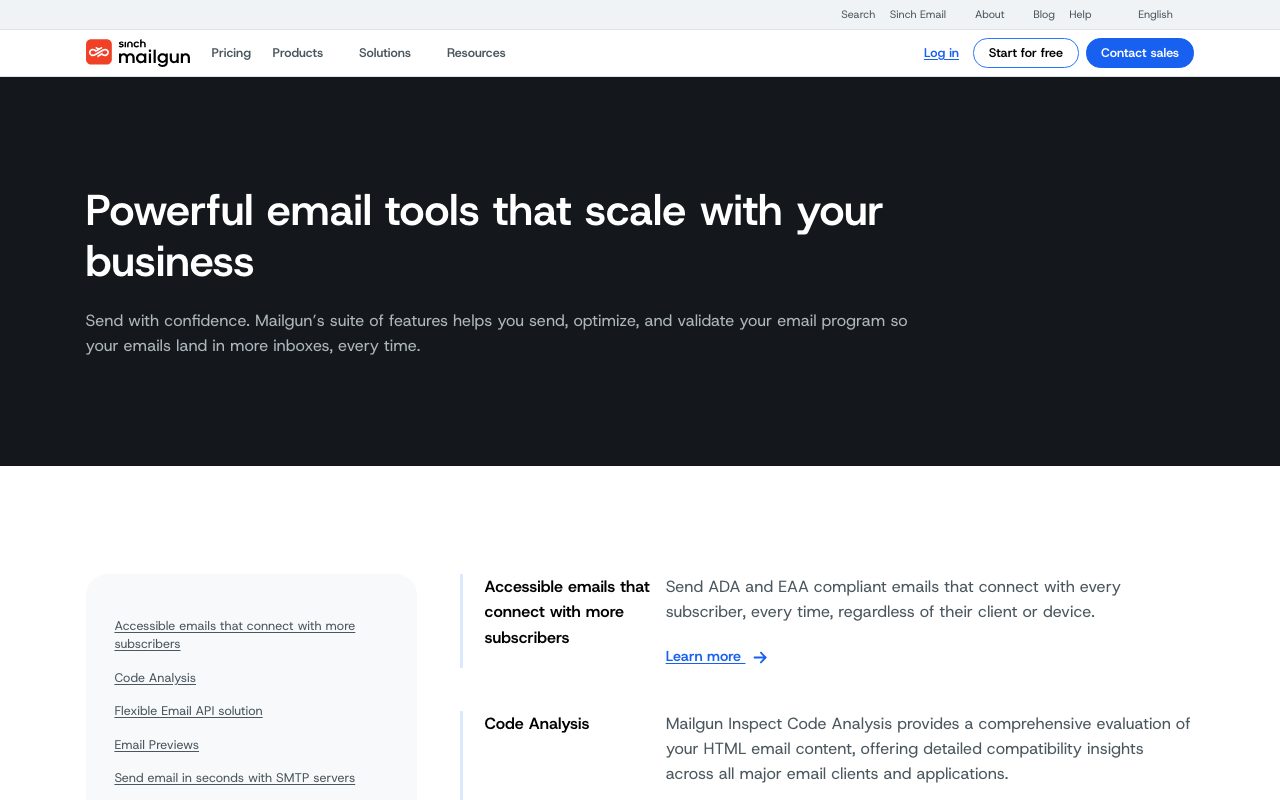
Mailgun includes email validation (check if an address is real before you send), inbox placement testing, and deliverability scoring. These are serious tools, not afterthoughts. If you care about getting into Gmail's inbox, you'll use them.
Who Mailgun is for
SaaS teams sending transactional email at any scale. Marketers running newsletter sends in the millions. Anyone who needs reliable delivery without building their own SMTP infrastructure.
It's overkill for sending five emails a month. Resend or Postmark are better at low volume. Once you cross 50,000 sends, Mailgun's pricing starts winning.
Mailgun pricing
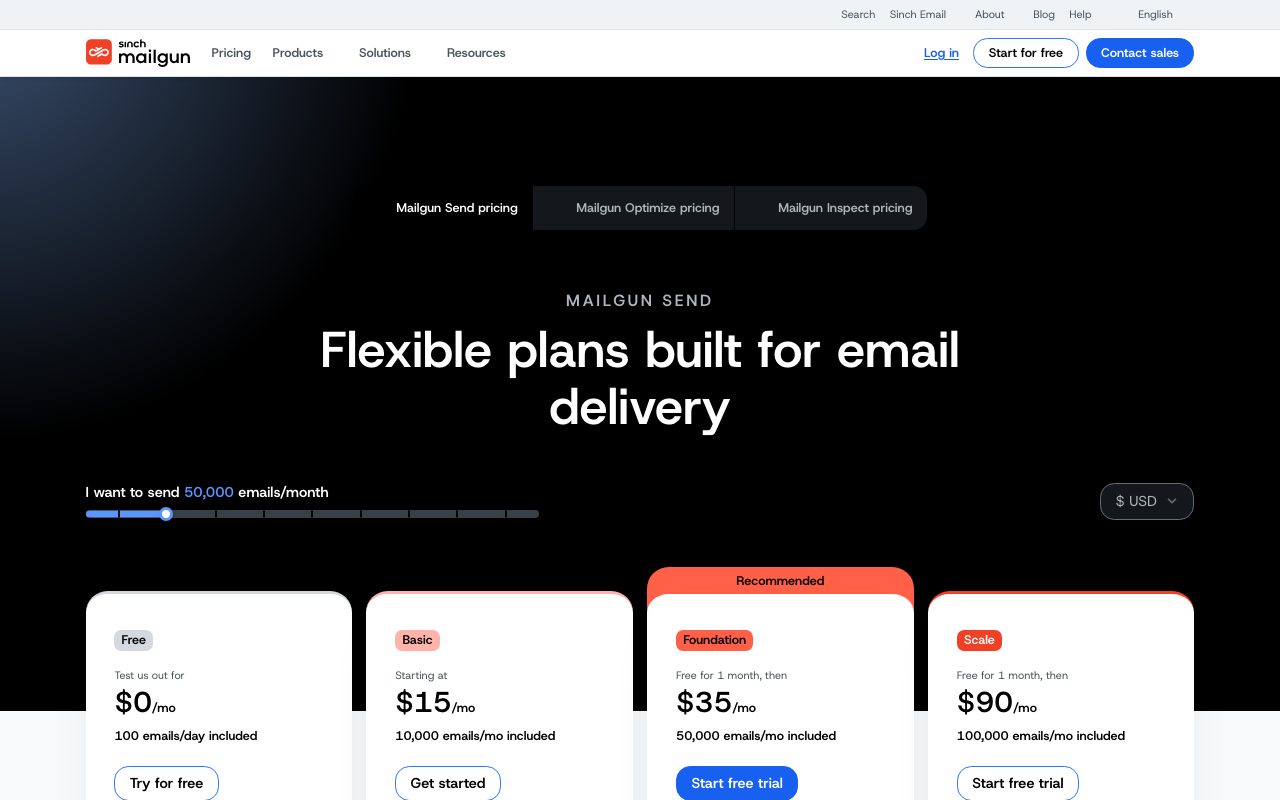
Foundation at $35 a month covers 50,000 emails. Growth at $80 a month covers 100,000 emails plus marketing email features. Scale at $90 a month adds dedicated IPs. Pricing scales linearly with volume.
There's a 30-day free trial with 5,000 emails. After that, you pay. Mailgun no longer has a permanently free tier, which annoys some indie devs. SES is cheaper if you can stomach the lower DX.
Features worth knowing
Tracking and analytics
Open tracking, click tracking, bounce tracking, spam complaints, unsubscribe handling. All available via webhook or the dashboard. Standard stuff but Mailgun's reporting is solid.
Email validation
Check if an address exists, looks valid, or is from a disposable provider. Reduces bounce rate and protects sender reputation. You can validate at send time or in batch.
Inbound email handling
Mailgun parses incoming email and posts it to your webhook. Useful for support inboxes, automated processing, or building email-based features. Few competitors do this as well.
Templates and dedicated IPs
Server-side templates with variables. Dedicated IPs on higher tiers for sender reputation control. You can also bring your own IP if you have weird requirements.
The tradeoffs
Mailgun's UI looks dated next to newer entrants. Resend made the developer dashboard pretty. Postmark made it focused. Mailgun's dashboard is functional but feels 2018.
The pricing isn't the cheapest. SES is much cheaper if you don't need the deliverability tooling. Resend is cheaper at the bottom tier. Mailgun earns its price at scale, less so under 50,000 sends a month.
Mailgun vs alternatives
The usual comparisons are Mailgun vs SendGrid, Mailgun vs Postmark, and Mailgun vs Resend. SendGrid is similarly featured but newer products feel slicker. Postmark is the deliverability darling. Resend is the modern developer pick.
For high-volume reliability, Mailgun is still in the conversation. See Mailgun alternatives or browse the best email APIs.
Bottom line on Mailgun
Mailgun is the boring, capable choice for transactional email at scale. It's not the trendiest pick. It's one of the most dependable.
If you're sending serious volume and need both transactional and marketing email under one roof, Mailgun handles it. For smaller teams, Resend or Postmark might fit better. Mailgun shines when the email count is in the millions.
Common Mailgun questions
Is Mailgun cheaper than SendGrid? At similar volume, the two are close. SendGrid has a small free tier (100 emails a day forever). Mailgun's free trial is 30 days. Past the free tier, pricing is comparable. Compare side by side for your specific volume.
How is Mailgun's deliverability? Generally solid. The inbox placement tools and validation features help maintain it. Like any ESP, deliverability also depends heavily on your sender practices, content, and list hygiene. Mailgun gives you the tools, you do the work.
Can I use Mailgun for marketing emails? Yes, via Mailgun Sending or by repurposing transactional infrastructure. For dedicated marketing automation (sequences, segmentation, A/B testing), purpose-built tools like Customer.io or Loops are better. Mailgun is best at "send this email to this address now."
What's IP warming?
When you start sending from a new IP, mailbox providers don't know your reputation. Send too much too fast and they throttle. IP warming gradually ramps volume to build reputation. Mailgun handles this for shared IPs automatically. Dedicated IPs require manual warming.
Does Mailgun have a UI for non-developers?
Some. The dashboard handles templates, basic campaigns, and analytics. For marketers who want a full WYSIWYG email builder, ConvertKit, Mailchimp, or Customer.io fit better. Mailgun is API-first.
Workflow tips for Mailgun
Set up SPF, DKIM, and DMARC properly. This is non-negotiable for inbox placement. Mailgun's docs walk through the DNS records. Spend the hour, save weeks of "why are we in spam" debugging.
Validate addresses before sending. Mailgun's validation API catches typos and dead addresses. Reduces bounce rate, which protects sender reputation. The marginal cost per validation is tiny.
Use webhooks for delivery state. Don't poll for bounces. Configure webhooks for delivered, opened, clicked, complained, bounced. Update your DB so you know who can receive future emails.
Segment your sending domains. Use one for transactional and one for marketing. If marketing gets flagged, transactional keeps flowing. Resetting reputation on a single domain is brutal. Browse tools for SaaS founders for related picks.
Real-world Mailgun scenarios
A SaaS company sends 2 million transactional emails per month through Mailgun. Password resets, receipts, notifications. Webhook handles update their database. Deliverability stays high because they validate addresses and follow best practices. Cost is predictable.
An ecommerce store splits Mailgun across two domains: transactional for orders and marketing for newsletters. If the marketing domain gets flagged, transactional keeps working. The separation protects revenue.
A B2B SaaS uses Mailgun's email validation API to clean their list before each campaign. Bounces drop. Complaints stay low. Sender reputation holds. The few cents per validation pays back many times over.
Operational practices
Configure DKIM, SPF, and DMARC properly. The DNS work is non-negotiable. Mailgun docs walk through it. Skip this and inbox placement suffers.
Webhook everything. Process delivery state in your app. Suppress sending to addresses that bounced or complained. Don't keep emailing dead addresses.
Monitor deliverability metrics monthly. Mailgun dashboards show inbox placement estimates. Watch for trends. Address issues before they tank your campaigns.
For high-volume senders, Mailgun is one of the dependable choices. The product hasn't reinvented itself in years. That's a feature for email infrastructure. Browse the Mailgun page for community reviews.
Why Mailgun keeps shipping
Email infrastructure is one of those categories where boring is good. Innovation in transactional email looks like incremental deliverability improvements, not flashy features. Mailgun has shipped that boring innovation steadily for over a decade.
The Sinch acquisition gave Mailgun resources without changing the product significantly. New entrants like Resend and Loops have brought fresher UX, but Mailgun's infrastructure remains battle-tested at scale. For teams sending tens of millions of emails monthly, that history counts.
The deliverability tooling is what separates Mailgun from cheap alternatives like SES. Email validation, inbox placement testing, dedicated IPs with reputation management. These tools matter when your business depends on emails actually arriving. SES is cheaper but you're on your own for deliverability.
For SaaS teams sending serious volume, Mailgun continues to be a credible choice. The newer entrants are exciting but unproven at scale. Mailgun is proven, capable, and reasonably priced for what you get. That's enough.
Mailgun's stable position
Email is the kind of category where stability beats novelty. Mailgun's been at it for over 14 years. The infrastructure has scaled. The deliverability practices are documented. The team understands the boring details that newer entrants are still learning.
For a SaaS sending hundreds of millions of transactional emails monthly, Mailgun's history matters. You're trusting them with your sender reputation, which is a months-long asset to rebuild if it craters. Choosing a vendor with a track record reduces that risk.
The newer entrants are interesting but unproven at scale. Resend has great DX but is young. Loops bundles transactional and marketing but is even younger. Mailgun is the dependable choice that will keep working without surprises. For high-stakes email sending, that dependability is the feature.
Tutorial / Demo
Key Features
- Send via REST API or SMTP
- Inbound email parsing with webhooks
- Email address validation tooling
- Dedicated IPs and warm-up support
- Suppression lists and reputation monitoring
- Detailed analytics and event logs
Pros & Cons
What we like
- Battle-tested infrastructure for high-volume sending
- Strong tooling for deliverability tuning
- Good ecosystem of SDKs and integrations
Room for improvement
- Pricing minimums make it pricey for tiny projects
- UI feels dated relative to newer competitors
Frequently Asked Questions
What's Mailgun's pricing like?
Mailgun vs SendGrid vs Postmark, which one?
Does Mailgun handle inbound email?
Does Mailgun offer email validation?
Can Mailgun handle high volume?
Best For
Featured in
Tags
Alternatives to Mailgun

Loops
Modern email platform built for SaaS teams, combining transactional, marketing, and lifecycle messages with a clean API.

Customer.io
Event-driven messaging platform for product teams that want to send email, push, SMS, and in-app messages from real user behavior.

Postmark
Transactional email service obsessed with deliverability, fast inbox arrival, and clean per-message logs for app teams.

Resend
Email API built for developers with React Email support
Our take
Tool Index Editorial · May 2026· 4.6/5
If you're evaluating Mailgun, the headline is simple: developer-focused email infrastructure with apis, smtp, validation, and analytics for high-volume transactional sending, and most teams will get value out of the box.
The standout points: Battle-tested infrastructure for high-volume sending, Strong tooling for deliverability tuning, and Good ecosystem of SDKs and integrations. The friction points: Pricing minimums make it pricey for tiny projects and UI feels dated relative to newer competitors.
Recommendation: this is a strong default when you need high-volume transactional email for SaaS. If pricing minimums make it pricey for tiny projects would be a dealbreaker, the alternatives section below is worth a scroll.
Editorial opinion from the Tool Index team, written from the public product pages. Not a user review.
Reviews (6)
Did exactly what I needed
Mailgun has quietly become part of my daily flow. Genuine strength: battle-tested infrastructure for high-volume sending. Worth calling out the dedicated IPs and warm-up support too. Wish they'd address how UI feels dated relative to newer competitors. Worth the price for what I get out of it.
Cons
- Pricing minimums make it pricey for tiny projects
- UI feels dated relative to newer competitors
Hoped for more honestly
First impression of Mailgun was 'huh, this is actually thought through.' Where it really wins is battle-tested infrastructure for high-volume sending. The dedicated IPs and warm-up support is more useful than I expected. That said, pricing minimums make it pricey for tiny projects is a real gripe.
Cons
- Pricing minimums make it pricey for tiny projects
It just works
Started using Mailgun casually, now it's pinned in my dock. Honestly impressed by how good ecosystem of SDKs and integrations. Mostly using it for reply handling via inbound parsing.
Pros
- Strong tooling for deliverability tuning
Worth the price of admission
Came to Mailgun after frustration with what I had before. The biggest win has been strong tooling for deliverability tuning. Got real value out of detailed analytics and event logs.
Solid daily driver
Hadn't planned on switching, but Mailgun was hard to ignore. The biggest win has been battle-tested infrastructure for high-volume sending. Their take on send via REST API or SMTP is solid.
Pros
- Good ecosystem of SDKs and integrations
- Strong tooling for deliverability tuning
- Battle-tested infrastructure for high-volume sending
It just works
A month of using Mailgun, here's what holds up. Real selling point: strong tooling for deliverability tuning. Mostly using it for email validation in signup and onboarding flows. Still recommending it to people in similar setups.
Badge builder
Add Mailgun to your website
Choose a badge style and size, preview it here, then copy the generated HTML. Badge images are self-contained SVGs and do not require an external script.

<a href="https://toolindex.net/tools/mailgun?ref=badge" target="_blank" rel="noopener">
  <img src="https://toolindex.net/badge/mailgun/medium.svg" alt="Mailgun - Listed on Tool Index" width="180" height="50" />
</a>How to use the badge
- 1. Pick the style, size, and theme that fit your layout.
- 2. Copy the generated HTML from the code block.
- 3. Paste it into your footer, homepage, or press page.
Standard badge available
The standard listing badge is available now. Score and circle badges are limited to tools currently ranked in the top 10 of a category.
Badge clicks return visitors to this profile with a referral tag so the source remains identifiable.
Related Tools

Kevin Gabeci
Solo developer building web apps, cozy browser games, and AI creator toolkits.

Coolify
Self-hostable, open source alternative to Heroku and Netlify

Warp
The modern terminal reimagined with AI and collaboration

Bolt.new
Prompt-to-deployed full-stack app inside the browser
Work on Mailgun? Request listing access or correction