
MarkLite
A lightweight open-source Markdown viewer and editor for Linux and Windows
Gallery
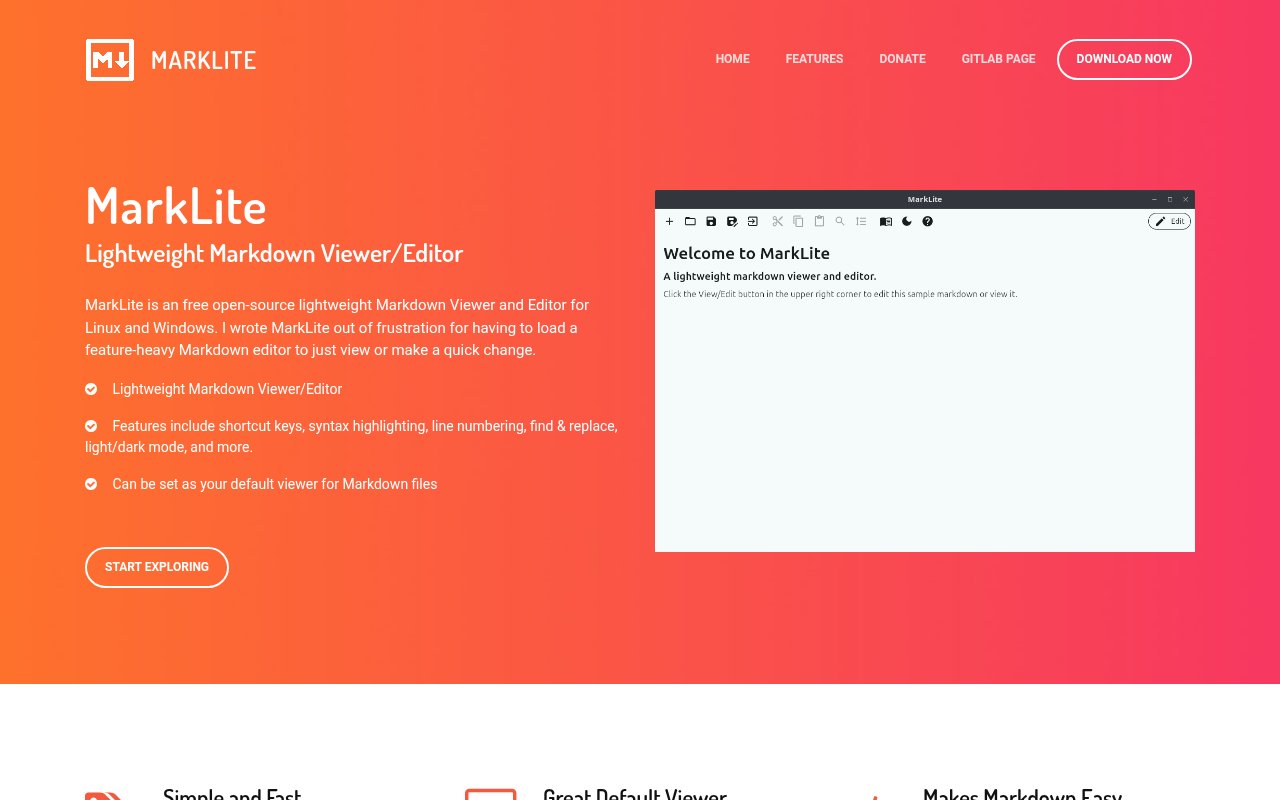
About MarkLite
MarkLite is a free, open-source desktop application for viewing and making quick edits to Markdown files on Linux and Windows. It was created for a straightforward reason. Opening a large, feature-heavy writing environment can feel excessive when someone only wants to read a README, check a note, or fix a few lines. MarkLite keeps that job focused. It can become the default application for `.md` files, starts in a clean viewing mode, and exposes an Edit button when a change is needed. The result sits between a plain text editor and a full documentation suite, with enough help for Markdown work but little pressure to adopt a larger workflow.
The viewer-first design shapes how the app behaves. Opening a file presents its rendered form for comfortable reading rather than immediately placing the cursor in source text. If the document needs work, switching to edit mode reveals the underlying Markdown and the editing tools. This makes MarkLite useful for files that are read more often than they are changed, including project documentation, exported notes, release instructions, and simple knowledge files. It also reduces the chance of making an accidental edit while someone is only inspecting a document. Users who regularly browse Markdown from a file manager can associate the format with MarkLite and treat it much like a lightweight document viewer. A single app then covers both quick reading and the small correction that often follows it.
Edit mode includes the practical functions listed on the project site. Syntax highlighting helps distinguish Markdown structure from ordinary prose, while line numbers and Go To Line make navigation more precise. Find and Replace covers routine corrections across a document, and keyboard commands support common actions without requiring a mouse. Light and dark modes let the interface fit different environments. These are conventional editor features, but that is the point of the product. MarkLite is not trying to add a database, publishing platform, account system, or AI layer around a text format. It gives people a familiar place to read, create, and adjust Markdown without loading a broader development environment. The small tool set also makes its purpose easy to understand before installation.
The application fits developers who frequently open README and documentation files, writers who keep notes in Markdown, and less technical users who want a readable default app for `.md` documents. It can also be handy on a secondary Windows or Linux machine where installing a complete code editor would add more complexity than value. Its narrow scope makes it easiest to recommend for local files and quick changes. The site does not advertise team collaboration, cloud synchronization, browser access, mobile apps, plugin support, or a large publishing pipeline. Anyone who needs live preview across multiple panes, workspace search, Git integration, or extensive export controls should evaluate whether the compact design covers enough of their workflow.
Distribution is direct and platform specific. The project offers a Windows installer, along with `.deb` and `.rpm` packages for common Linux families. Linux users can also install a Snap from the Snap Store. There is no macOS download listed. Having several package choices is useful because it avoids asking every Linux user to build the program from source, although the available formats still do not cover every distribution natively. The public source repository is hosted on GitLab, so technical users can inspect the code, report issues through the project host, or adapt it under the license terms. The repository and product site identify MarkLite as a small, focused project rather than a commercial service with an account portal.
MarkLite is licensed under the MIT License and is free for everyone to use or modify. There is no paid tier, subscription, or locked feature set shown on the site. The developer accepts optional donations to help with maintenance, but payment is not required to download or use the application. That access model matches the product's modest purpose well. A person can install it, set it as the Markdown default, and keep using local files without creating an account. The tradeoff is that buyers should not expect the service guarantees, centralized administration, or cross-device features of a paid documentation platform. For readers who mainly want a fast desktop viewer with a capable basic editor close at hand, its restraint is the feature that matters.
Key Features
- Viewer-first Markdown workflow
- Syntax-highlighted Markdown editing
- Find and replace
- Line numbers and navigation
- Light and dark modes
- Linux and Windows installers
Pros & Cons
What we like
- Opens Markdown in a clean reading mode
- Switches quickly from viewing to editing
- Offers several ready-made Linux packages
- Free source code under the MIT License
Room for improvement
- No macOS version is listed
- Focused feature set lacks team collaboration
- No advertised cloud sync between devices
- Smaller project with a narrow extension ecosystem
Frequently Asked Questions
What is MarkLite?
Is MarkLite free and open source?
Which operating systems support MarkLite?
Who is MarkLite for?
Best For
Featured in
Alternatives to MarkLite
View all
SoloDevStack
A solo developer blog built on head-to-head tool comparisons, 580+ posts deep.

Confluence
Atlassian's long-running team wiki that anchors many enterprise knowledge stacks

Lunchbreak AI
Run text through six AI detectors at once, then humanize whatever gets flagged

Postdex
An exclusive marketplace for finished, human-made articles. Every piece sells once.
Our take
Tool Index Editorial · Sep 2026· 3.5/5
MarkLite is a free, MIT-licensed Markdown viewer and editor for Linux and Windows. It opens files in a clean reading view, then switches to editing with syntax highlighting, line numbers, find and replace, Go To Line, shortcuts, and light or dark themes. We think that viewer-first behavior makes sense for README files and notes that are opened far more often than they are changed.
The application is intentionally modest and has ready-made DEB, RPM, Snap, and Windows packages. That restraint is useful, but it also means no macOS build, cloud sync, collaboration, workspace search, plugin system, or publishing workflow is advertised. It is a good default local viewer with competent basic editing, not a replacement for a full Markdown knowledge base or code editor.
Editorial opinion from the Tool Index team, written from the public product pages. Not a user review.
Reviews (0)
Badge builder
Add MarkLite to your website
Choose a badge style and size, preview it here, then copy the generated HTML. Badge images are self-contained SVGs and do not require an external script.

<a href="https://toolindex.net/tools/marklite?ref=badge" target="_blank" rel="noopener">
  <img src="https://toolindex.net/badge/marklite/medium.svg" alt="MarkLite - Listed on Tool Index" width="180" height="50" />
</a>How to use the badge
- 1. Pick the style, size, and theme that fit your layout.
- 2. Copy the generated HTML from the code block.
- 3. Paste it into your footer, homepage, or press page.
Standard badge available
The standard listing badge is available now. Score and circle badges are limited to tools currently ranked in the top 10 of a category.
Badge clicks return visitors to this profile with a referral tag so the source remains identifiable.
Related Tools
Confluence
Atlassian's long-running team wiki that anchors many enterprise knowledge stacks
SoloDevStack
A solo developer blog built on head-to-head tool comparisons, 580+ posts deep.

Logseq
An open-source outliner notes app where every bullet is a first-class block

Bear
A beautiful Markdown notes app for Apple devices that doubles as a writing tool
Work on MarkLite? Request listing access or correction