
microfeed
An open-source, agentic CMS you deploy to your own Cloudflare account with one command
Gallery
About microfeed
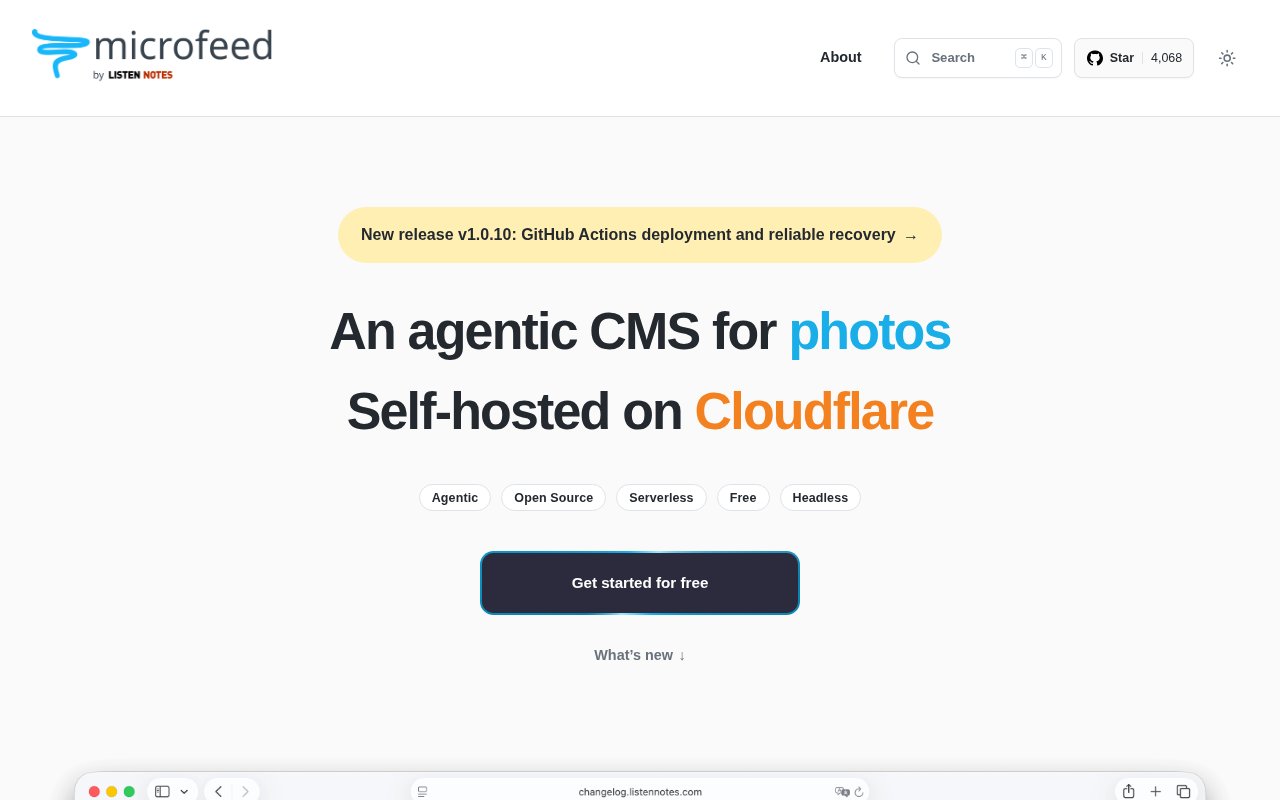
microfeed is an open-source content management system that runs on your own Cloudflare account and is built to be operated by an agent as much as by a person. It manages podcasts, blogs, photos, documents, videos and plain URLs, serves them through themes and a headless REST API, and deploys with a single command, npx microfeed CLI manage, which walks you through setup with guidance rather than a wall of configuration.
The problem it solves is the cost and weight of hosting a small publishing site. A conventional CMS means a server to patch and a database to back up. A hosted platform means someone else's rules and prices. microfeed puts the whole thing on Cloudflare's serverless pieces, Workers for compute, R2 for files and D1 for the database, so there's no server to run and the free tiers of those services carry a surprising amount of traffic before you pay anything.
Getting a site live is the CLI's job. Run the manage command, follow the agentic prompts, and it provisions the Cloudflare resources and deploys. From there you can work in the admin interface or let an agent drive the same operations, which is what the makers mean by agentic, every action a human takes in the admin is also something an automation can do through documented, reviewable steps. Webhooks and content automation hooks let the site react to events, and the REST API exposes everything to whatever front end or integration you want.
It suits developers and technical creators who want a podcast feed, a blog or a media archive on infrastructure they control, and who like the idea of agent-driven publishing without handing their content to a platform. Because the themes are exportable and customisable, the site can look like yours rather than like the CMS, and the sensible defaults mean a first deployment looks decent before you touch anything.
The first deployment is the whole learning curve. Once the command finishes you have a working site with an admin, and the next steps are adding content types, adjusting the theme and deciding whether you want webhooks. The 10 GB of R2 storage on the free tier is generous for a podcast archive or a photo site, and since the project is open source you can read exactly what the CLI provisioned in your account.
What sets it apart is the pairing of serverless hosting with agent-first operation. Static site generators are cheap but not really content management, and full CMSs are content management but not cheap to run. microfeed sits in between, a real CMS with an admin and an API that costs close to nothing to host and that an agent can deploy and operate end to end, with the automation documented rather than hidden.
The limits are Cloudflare and the project's age. It runs on Cloudflare's stack and nowhere else, so if your infrastructure lives elsewhere it doesn't fit. Agent-driven setup is a newer idea than most CMS users are used to, and the project is under active development with frequent releases, which means change. It's also a technical product, comfortable in a terminal is the baseline.
The content model covers more than blog posts. A podcast gets a proper feed, photos and videos get media handling backed by R2, documents and plain URLs can be published as items in the same stream, and the REST API returns all of it in a shape a custom front end or a mobile app can consume. Themes are files you can export, edit and put back, so the default look is a starting point rather than a ceiling.
Where it lands against the alternatives is worth spelling out. A static site generator is free and fast but needs a build pipeline for every change and has no admin. A hosted podcast or blog platform has the admin but owns your feed and charges by the month. A traditional CMS on a VPS gives you both and hands you the operations. microfeed's answer is a real admin and API on serverless pieces you already have access to through a Cloudflare account, deployed by a command that explains itself, with the operations small enough that an agent can be trusted to run them.
Access is free and open source. The project's own free tier includes 10 GB of R2 storage, and beyond that you pay Cloudflare for what you use rather than paying microfeed. Documentation lives at docs.microfeed.org and the code on GitHub, where the latest release at the time of writing was v1.0.10 from September 2026. No contact email is published on the homepage, so the repository is the place to ask questions.
Key Features
- One-command deployment to your Cloudflare account
- Podcasts, blogs, photos, documents, videos, and URLs
- Admin interface plus agent-driven operation
- Headless REST API
- Webhooks and content automation
- Exportable, customisable themes
Pros & Cons
What we like
- Serverless hosting with no server to maintain
- Open source, runs in your own account
- Agent-friendly with documented, reviewable automation
- 10 GB of storage included on the free tier
Room for improvement
- Cloudflare only, no other hosting targets
- Requires comfort with a terminal and a CLI
- Under active development, so things change
- No published support email, GitHub only
Frequently Asked Questions
What is microfeed?
Is microfeed free?
How do I deploy it?
Who is microfeed for?
Best For
Featured in
Alternatives to microfeed
View all
Kevin Gabeci
Solo developer building web apps, cozy browser games, and AI creator toolkits.

SoloDevStack
A solo developer blog built on head-to-head tool comparisons, 580+ posts deep.

Codedex
A gamified, story-driven platform that teaches Python, web dev, and more like an RPG quest

Vibe Built
Building real apps with agentic AI. What worked, what broke, what shipped.
Our take
Tool Index Editorial · Oct 2026· 4.0/5
microfeed is a free, open source CMS for podcasts, blogs, photos, documents, videos, and links that runs in the user's own Cloudflare account. It provides a public site, RSS and JSON feeds, an admin area, and a REST API, with a guided command for deployment and agent operated content workflows. Technical creators who want control without maintaining a server are the clearest audience.
We found a credible working example in the project's own site, plus an active release trail and exportable themes. Cloudflare's R2 free tier includes 10 GB, so small sites can start cheaply. The bargain comes with platform commitment. Workers, R2, and D1 are the only documented target, setup assumes comfort with a terminal, and frequent releases mean operators should expect change. It is a smart middle ground between a static generator and a traditional hosted CMS.
Editorial opinion from the Tool Index team, written from the public product pages. Not a user review.
Reviews (0)
Badge builder
Add microfeed to your website
Choose a badge style and size, preview it here, then copy the generated HTML. Badge images are self-contained SVGs and do not require an external script.

<a href="https://toolindex.net/tools/microfeed?ref=badge" target="_blank" rel="noopener">
  <img src="https://toolindex.net/badge/microfeed/medium.svg" alt="microfeed - Listed on Tool Index" width="180" height="50" />
</a>How to use the badge
- 1. Pick the style, size, and theme that fit your layout.
- 2. Copy the generated HTML from the code block.
- 3. Paste it into your footer, homepage, or press page.
Standard badge available
The standard listing badge is available now. Score and circle badges are limited to tools currently ranked in the top 10 of a category.
Badge clicks return visitors to this profile with a referral tag so the source remains identifiable.
Related Tools
Kevin Gabeci
Solo developer building web apps, cozy browser games, and AI creator toolkits.

Coolify
Self-hostable, open source alternative to Heroku and Netlify

Warp
The modern terminal reimagined with AI and collaboration

Bolt.new
Prompt-to-deployed full-stack app inside the browser
Work on microfeed? Request listing access or correction