
MLSentinel
Monitor production ML models for drift and regressions with a Python SDK and dashboard
Gallery
About MLSentinel
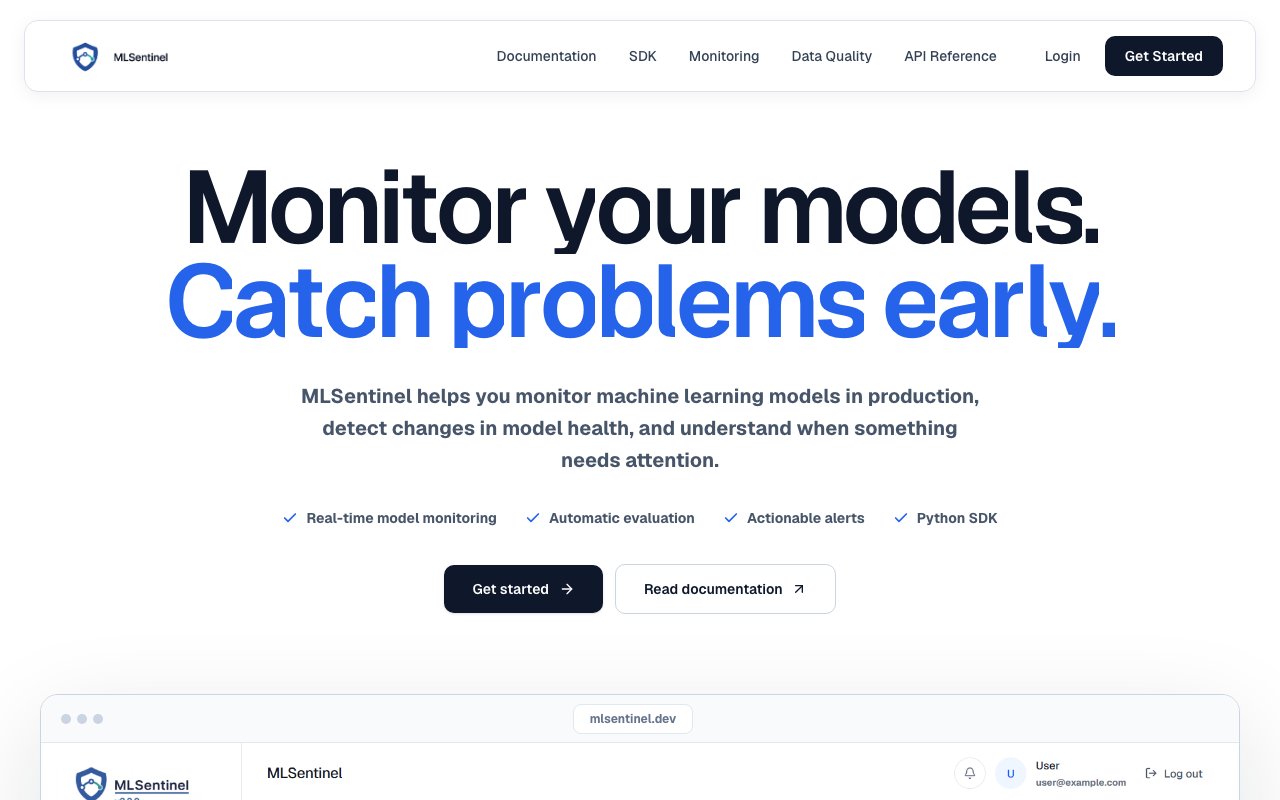
MLSentinel monitors machine learning models after they reach production. You send it evaluation metrics from your own pipeline, it scores the health of each run, tracks that health over time, and tells you when a model has started drifting away from the performance it had on the day you shipped it. The framing on the site is that it covers what happens after training, which is the stretch most ML tooling leaves alone. Plenty of platforms will help you train and deploy a model, and then go quiet the moment it starts serving real traffic.
The problem is that models fail quietly. A web service that goes down pages somebody within minutes, but a classifier whose accuracy has slid from 94 percent to 81 percent keeps returning confident answers and nothing catches fire. The people who would notice are usually looking at a training notebook from three months ago rather than at what the model is doing this week, so the damage tends to surface first as a business number that nobody connects back to the model for another quarter. Drift and regression detection exist to close that gap before it turns into an incident review. The signals that matter are the ones you already compute at evaluation time, so the useful move isn't new instrumentation, it's somewhere to put those numbers that remembers them and watches the shape they make.
Getting started runs through a Python SDK. You install it from PyPI with pip, create a client using an API key generated in the dashboard, and add a single call to your training or evaluation script right after you compute your metrics. The SDK supports Python 3.9 and newer and validates the payload locally before sending anything, so a malformed report fails in your script instead of silently landing as bad data. You can report explicitly by passing the project, model, and metrics together, or use auto reports, where the API key is already bound to a specific model and you just send the numbers. That second mode is the one most teams will settle on, since it keeps the reporting call short enough to sit at the bottom of an existing script without anyone rethinking the pipeline around it.
On the platform side, work is organized as a workspace that holds projects, and projects that hold models. Reports feed accuracy, precision, recall, F1 score, validation loss, and other signals into a per-model health score with a trend line you can follow across runs. MLSentinel also re-checks your models on a schedule you configure, looking for trends and regressions across the reports you've sent rather than waiting for you to notice a pattern by eye, and anything it turns up appears in an alerts view you can work through and mark as read. The dashboard covers projects, models, monitoring, run history, alerts, and API key management, with API keys scoped to a specific model so a key leaking from one project can't write reports into another.
There's a data quality side as well, and its design is the most interesting decision in the product. The SDK can build a summary from a pandas DataFrame and compute column-level statistics locally on your machine, then send only that summary to the platform. Your raw training data never leaves your environment, which is the difference between a monitoring tool a compliance team will wave through and one that turns into a six-week security review. You still get the column-level view of what your input data looked like on each run, which is usually where drift shows up first. Input distributions tend to move before output accuracy does, so catching a column whose distribution shifted gives you warning ahead of the metric that eventually reflects it.
The GitHub integration is what turns this from a good habit into actual monitoring. You connect a GitHub account, choose a repository, and MLSentinel writes a scheduled workflow into it so your model's metrics get reported automatically without anyone remembering to run a script. The generated workflow ships with placeholder values, so you do have to edit it to load your real model and compute real metrics, and the product says so directly instead of pretending it works untouched out of the box. That honesty is a reasonable signal about the rest of it.
Access is free right now. You sign up with email, Google, or GitHub, create a workspace, add a model, and start sending reports, and there's no pricing page, paid tier, or billing flow anywhere on the site. The Python SDK is published on PyPI and its source sits on GitHub under an MIT license, so the client half is genuinely open even though the platform it reports into is hosted. This is clearly an early project, which shows in the narrow surface area and the small community around it, but that's also the appeal. It does one job, the integration is a few lines, and you can understand the whole thing in an afternoon.
Key Features
- Python SDK installable from PyPI
- Health scoring across accuracy, precision, and F1
- Scheduled re-checks for trends and regressions
- Local column-level data quality summaries
- Generated GitHub monitoring workflows
- Per-model API keys and workspace projects
Pros & Cons
What we like
- Drops into an existing training script in a few lines
- Raw data stays local because the SDK computes stats on your machine
- GitHub workflow setup keeps reporting running unattended
- Free to sign up and use with no billing wall in the way
Room for improvement
- Python only, with no SDK for other languages
- You still have to compute your own evaluation metrics
- No published pricing, so long-term cost is unclear
- Young project with a small community around it
Frequently Asked Questions
What is MLSentinel?
How do I get started with MLSentinel?
Does MLSentinel see my training data?
Is MLSentinel free?
Best For
Featured in
Alternatives to MLSentinel
View all
Kevin Gabeci
Solo developer building web apps, cozy browser games, and AI creator toolkits.

SoloDevStack
A solo developer blog built on head-to-head tool comparisons, 580+ posts deep.

Codedex
A gamified, story-driven platform that teaches Python, web dev, and more like an RPG quest

Vibe Built
Building real apps with agentic AI. What worked, what broke, what shipped.
Our take
Tool Index Editorial · Oct 2026· 3.0/5
MLSentinel collects evaluation metrics from a Python workflow and turns repeated reports into model health trends and regression alerts. We found a straightforward SDK, model-scoped API keys, local payload validation, and documentation for Python 3.9 or newer. The narrow integration surface is a virtue for a team that already computes accuracy, precision, recall, loss, and related metrics.
It does not remove the hard parts of monitoring. Teams still need representative evaluation data, labels, and a scheduled pipeline, and the public docs show a development version with no pricing page or long term commercial terms. Python is the only documented client. MLSentinel looks useful for small teams wanting a light reporting layer, but it is too early and too dependent on user supplied metrics to replace a broader observability stack.
Editorial opinion from the Tool Index team, written from the public product pages. Not a user review.
Reviews (0)
Badge builder
Add MLSentinel to your website
Choose a badge style and size, preview it here, then copy the generated HTML. Badge images are self-contained SVGs and do not require an external script.

<a href="https://toolindex.net/tools/mlsentinel?ref=badge" target="_blank" rel="noopener">
  <img src="https://toolindex.net/badge/mlsentinel/medium.svg" alt="MLSentinel - Listed on Tool Index" width="180" height="50" />
</a>How to use the badge
- 1. Pick the style, size, and theme that fit your layout.
- 2. Copy the generated HTML from the code block.
- 3. Paste it into your footer, homepage, or press page.
Standard badge available
The standard listing badge is available now. Score and circle badges are limited to tools currently ranked in the top 10 of a category.
Badge clicks return visitors to this profile with a referral tag so the source remains identifiable.
Related Tools
Kevin Gabeci
Solo developer building web apps, cozy browser games, and AI creator toolkits.

Coolify
Self-hostable, open source alternative to Heroku and Netlify

Warp
The modern terminal reimagined with AI and collaboration

Bolt.new
Prompt-to-deployed full-stack app inside the browser
Work on MLSentinel? Request listing access or correction