
Mocktail
Free, open-source mock API server with a built-in dashboard in one small binary
Gallery
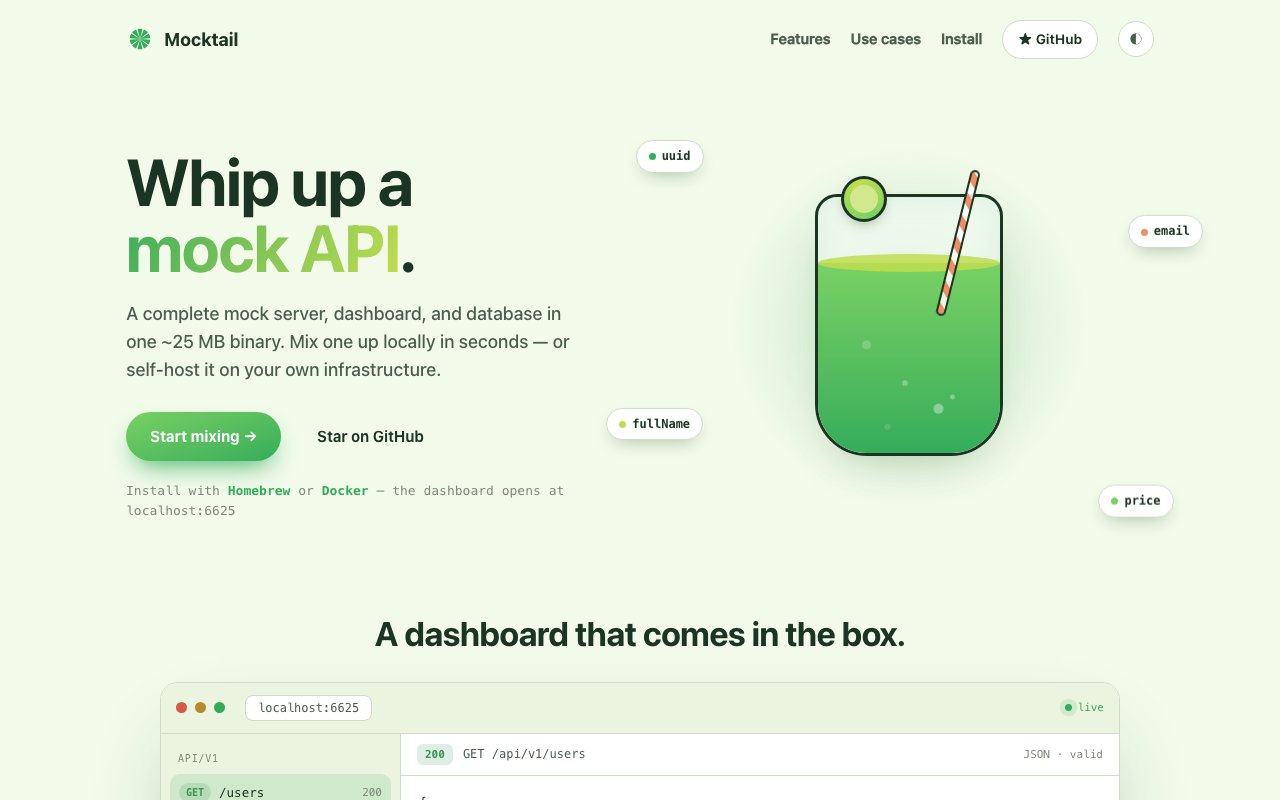
About Mocktail
Mocktail is a free, open-source mock API server that ships as a single self-hosted binary of roughly 25 MB. You download it, run it, and open a built-in dashboard on port 6625 where you define endpoints, shape responses, and watch requests arrive in real time. There is no account to create, no cloud service in the loop, and nothing to configure before your first mock is answering requests. Everything runs on your own machine and persists to a local SQLite file, so your fake API and its data never leave your laptop unless you export them on purpose. It positions itself as a complete stand-in for a real backend across development, testing, and demo work rather than a thin stub library.
The problem it solves is familiar to any frontend developer who has waited on a backend team. The interface is ready to build, but the API it depends on is half-specified or not deployed yet, so you either hardcode fixtures that rot within a week or you point at a staging server that falls over during every demo. QA teams have the mirror image of the same problem, because testing how an app behaves when the API returns a 500, or takes four seconds to answer, or starts rate limiting, is genuinely hard to do against a real service that stubbornly keeps working. Mocktail exists to make both situations boring. Teams prototyping a feature before the backend exists get a third benefit on top, because the mock becomes a living draft of the API contract that both sides of the team can point at while they argue about field names.
Endpoints are defined through the dashboard, with a JSON editor and syntax highlighting for shaping response bodies. Responses can be static when you need determinism, or randomized per field when you need realism, with generated UUIDs, emails, names, and prices filling in believable data on every request. You control HTTP status codes, custom headers, simulated latency, and rate limits, so the same mock can behave like a healthy production API one minute and a degraded, failing one the next. Whole configurations export and import as JSON, which means a team can keep its mock setup in version control and share it around the way it shares any other fixture. Everything persists between restarts thanks to the SQLite store, so a carefully built set of endpoints survives a reboot instead of evaporating with the process.
The dashboard doubles as an inspection tool. A live traffic stream shows every request hitting the server as it happens, and an integrated testing panel lets you fire requests at your own endpoints and read the method, status code, and latency without ever leaving the browser. When it is time to wire a mock into real code, Mocktail generates ready-to-paste snippets for cURL, Node.js, Python, and Go, which removes the small but annoying step of hand-writing the first request against every new endpoint you create. That inspection loop matters more than it sounds, because half of debugging a frontend is confirming what actually went over the wire, and having the traffic view sitting next to the endpoint editor keeps that loop very short.
There is a pragmatic AI layer as well. A built-in assistant works on a bring-your-own-key basis, so you connect your own API key rather than paying Mocktail for inference, and the server also speaks MCP, which lets tools like Claude Desktop create and manage mocks conversationally. That combination makes it one of the few self-hosted mocking tools where an AI agent can stand up a fake API for you as one step in a larger automated workflow, instead of you clicking through the dashboard yourself. If you would rather skip AI entirely, nothing depends on it, since the assistant is an optional layer sitting on top of a fully manual dashboard.
It fits frontend developers building against an unfinished backend, QA engineers who need reproducible failure modes, and anyone who gives demos and would rather not depend on live services behaving themselves. Compared to heavier mocking stacks and cloud mocking platforms, the appeal is the near total absence of ceremony. One binary, one port, no signup, no telemetry decisions to agonize over, and data that stays local. The single-binary shape also means it is trivial to run in CI or hand to a teammate, since installing it is closer to copying a file than provisioning a service. QA can script degraded scenarios, rate limits kicking in, and slow responses, then replay them on demand, which turns vague flaky-network bug reports into reproducible test cases.
Mocktail is completely free and open source, with the code published on GitHub under the Huseyinnurbaki account. It installs through Homebrew, Docker, or a direct binary download, and a desktop app is announced as coming soon. The project currently sits at version 4 with an active changelog, so it is well past the weekend-experiment stage while still being small enough to understand in an afternoon. For a category where the incumbents tend toward subscriptions and hosted dashboards, a capable mock server that costs nothing and runs entirely on your own machine is an easy thing to justify trying.
Key Features
- Single 25 MB self-hosted binary
- Built-in dashboard with live traffic view
- Realistic per-field fake data generation
- Latency, error, and rate limit simulation
- MCP server plus bring-your-own-key AI assistant
- JSON config export and import
Pros & Cons
What we like
- Completely free with no signup and no cloud dependency
- Installs in one step via Homebrew, Docker, or binary
- Simulates real-world failure modes like errors, latency, and rate limits
- Generates client snippets for cURL, Node.js, Python, and Go
Room for improvement
- Self-hosted only, no hosted cloud option
- Desktop app is still listed as coming soon
- AI assistant requires your own API key
- Smaller community than long-established mocking tools
Frequently Asked Questions
What is Mocktail?
Is Mocktail really free?
Who is Mocktail for?
How is Mocktail different from other mocking tools?
Best For
Featured in
Alternatives to Mocktail

Kevin Gabeci
Solo developer building web apps, cozy browser games, and AI creator toolkits.

SoloDevStack
A solo developer blog built on head-to-head tool comparisons, 580+ posts deep.

Codedex
A gamified, story-driven platform that teaches Python, web dev, and more like an RPG quest

Vibe Built
Building real apps with agentic AI. What worked, what broke, what shipped.
Reviews (0)
Badge builder
Add Mocktail to your website
Choose a badge style and size, preview it here, then copy the generated HTML. Badge images are self-contained SVGs and do not require an external script.

<a href="https://toolindex.net/tools/mocktail?ref=badge" target="_blank" rel="noopener">
  <img src="https://toolindex.net/badge/mocktail/medium.svg" alt="Mocktail - Listed on Tool Index" width="180" height="50" />
</a>How to use the badge
- 1. Pick the style, size, and theme that fit your layout.
- 2. Copy the generated HTML from the code block.
- 3. Paste it into your footer, homepage, or press page.
Standard badge available
The standard listing badge is available now. Score and circle badges are limited to tools currently ranked in the top 10 of a category.
Badge clicks return visitors to this profile with a referral tag so the source remains identifiable.
Related Tools
Kevin Gabeci
Solo developer building web apps, cozy browser games, and AI creator toolkits.

Coolify
Self-hostable, open source alternative to Heroku and Netlify

Warp
The modern terminal reimagined with AI and collaboration

Bolt.new
Prompt-to-deployed full-stack app inside the browser
Work on Mocktail? Request listing access or correction