ModelMap
Interactive architecture maps for Hugging Face models with GPU VRAM compatibility checks
Gallery
About ModelMap
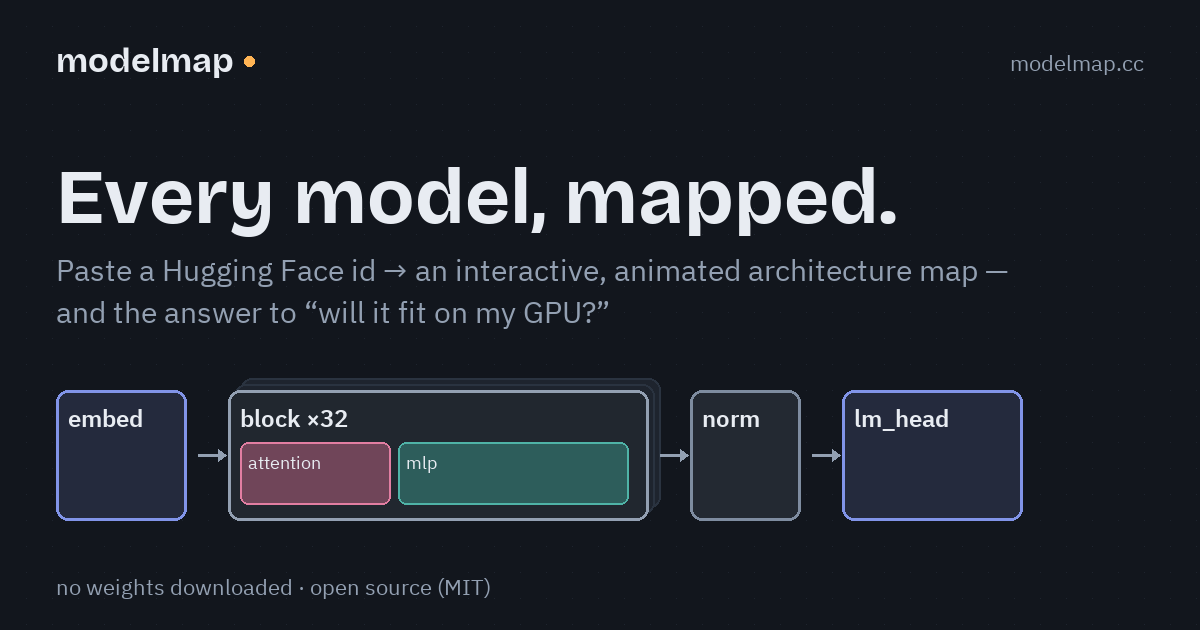
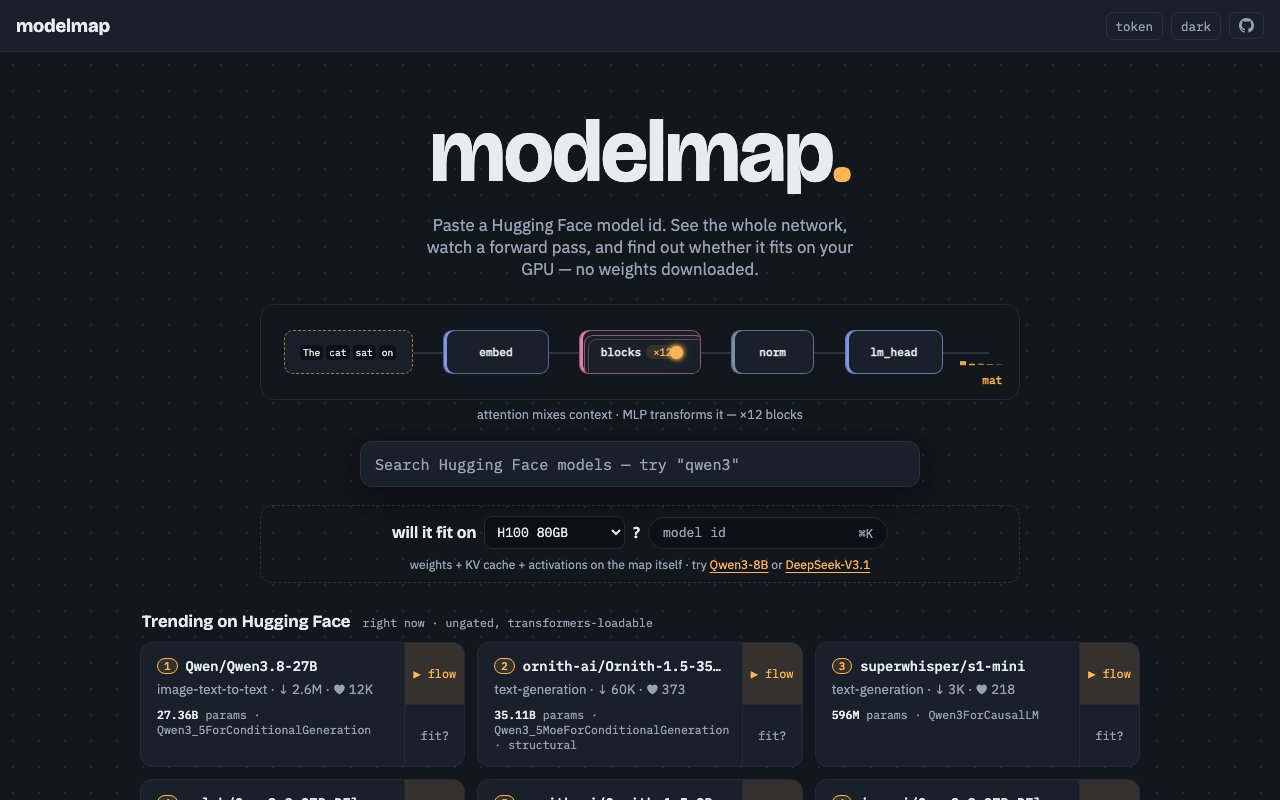
ModelMap is a visualization tool that renders interactive, animated architecture diagrams for models hosted on Hugging Face. Instead of reading through model cards and config files to understand how a model is structured, you get a visual map that shows the layers, connections, and component relationships in a format you can actually explore. The other half of the tool checks whether a given model will fit on your GPU based on VRAM requirements, answering the practical question of whether you can even run this thing before you commit to downloading it.
The problem it addresses is one that machine learning practitioners encounter constantly. You find a model on Hugging Face that looks promising based on the benchmarks. The model card tells you the parameter count and maybe lists some architecture details, but you don't have a clear mental picture of what the model actually looks like inside. Is it a standard transformer? Does it have unusual layer arrangements? How do the attention patterns connect? Getting answers typically means digging through the config JSON, tracing the code, or loading the model locally just to inspect it. ModelMap skips that process by rendering the architecture visually on demand.
The architecture visualization is interactive rather than static. You can explore different parts of the model, zoom into specific layers, and see how components like attention heads and feed-forward blocks connect. The animated elements help illustrate data flow and relationships in a way that static diagrams can't capture. This is useful for anyone trying to understand unfamiliar architectures, whether for learning purposes, selecting between candidate models for a project, or debugging unexpected behavior by understanding what's actually happening structurally.
The GPU compatibility check addresses the other common frustration. You've identified a model that looks good on paper, but will it run on your hardware? Calculating VRAM requirements manually involves knowing the parameter count, precision, and any framework overhead, then doing the math yourself. ModelMap handles that calculation for you. Specify your GPU, and it tells you whether the model fits. This prevents the cycle of downloading a multi-gigabyte model, attempting to load it, and watching your process crash because you're out of memory. For teams working across different hardware configurations, from developer laptops to server-grade GPUs, this becomes planning information that saves real time.
The tool works directly with Hugging Face model URLs, so there's no setup or installation required. You point it at a model, and it generates the visualization and compatibility data. The interface defaults to a dark theme with support for system theme preferences, which is a small detail but matters when you're staring at architecture diagrams for extended sessions trying to understand a complex model family.
ModelMap sits in an ecosystem with other tools that address pieces of this problem. Some focus on VRAM calculation alone, like the Model Memory Utility on Hugging Face Spaces. Others offer layer-by-layer debugging or attention visualization for models you've already loaded locally. What distinguishes ModelMap is the combination of architecture mapping and hardware compatibility in a single interface, both presented visually rather than as raw numbers or config dumps. The visualization aspect is particularly useful when comparing architectures across model families, where the structural differences become obvious in diagram form but are easy to miss when reading spec sheets.
The target audience includes machine learning engineers who need to quickly assess whether a model is worth downloading, researchers comparing architectures across papers and implementations, and students or learners who want to understand transformer structures visually rather than purely through reading. If you've ever tried to explain how a particular model architecture works to someone else, having an interactive visual to point at makes that conversation significantly easier. The tool appears to be free to use via the web interface, with no visible paid tier or account requirement. Documentation and creator details aren't prominently displayed, which is common for developer tools built and maintained as side projects in the ML community. The combination of visual understanding and practical hardware checks makes this useful for anyone evaluating multiple Hugging Face models without wanting to download and test each one locally.
Key Features
- Interactive model architecture diagrams
- Animated layer and connection visualization
- GPU VRAM compatibility checking
- Hugging Face model support
- Dark and system theme options
- Web based with no installation required
Pros & Cons
What we like
- Combines architecture visualization with hardware planning
- Interactive exploration beats static diagrams
- Free to use without signup
- Works directly with Hugging Face model URLs
Room for improvement
- Limited documentation on the site itself
- Creator and support details not prominently displayed
- Focused on Hugging Face, not other model registries
- Newer tool with a smaller user community
Frequently Asked Questions
What is ModelMap?
Is ModelMap free?
Which models does ModelMap support?
Why would I use this instead of reading the model card?
Best For
Featured in
Alternatives to ModelMap

Kevin Gabeci
Solo developer building web apps, cozy browser games, and AI creator toolkits.

SoloDevStack
A solo developer blog built on head-to-head tool comparisons, 580+ posts deep.

Codedex
A gamified, story-driven platform that teaches Python, web dev, and more like an RPG quest

Vibe Built
Building real apps with agentic AI. What worked, what broke, what shipped.
Reviews (0)
Badge builder
Add ModelMap to your website
Choose a badge style and size, preview it here, then copy the generated HTML. Badge images are self-contained SVGs and do not require an external script.

<a href="https://toolindex.net/tools/modelmap?ref=badge" target="_blank" rel="noopener">
  <img src="https://toolindex.net/badge/modelmap/medium.svg" alt="ModelMap - Listed on Tool Index" width="180" height="50" />
</a>How to use the badge
- 1. Pick the style, size, and theme that fit your layout.
- 2. Copy the generated HTML from the code block.
- 3. Paste it into your footer, homepage, or press page.
Standard badge available
The standard listing badge is available now. Score and circle badges are limited to tools currently ranked in the top 10 of a category.
Badge clicks return visitors to this profile with a referral tag so the source remains identifiable.
Related Tools
Kevin Gabeci
Solo developer building web apps, cozy browser games, and AI creator toolkits.

Coolify
Self-hostable, open source alternative to Heroku and Netlify

Warp
The modern terminal reimagined with AI and collaboration

Bolt.new
Prompt-to-deployed full-stack app inside the browser
Work on ModelMap? Request listing access or correction