
Noema
Local first AI assistant for Apple devices that runs models entirely on device without cloud dependency
Gallery
About Noema
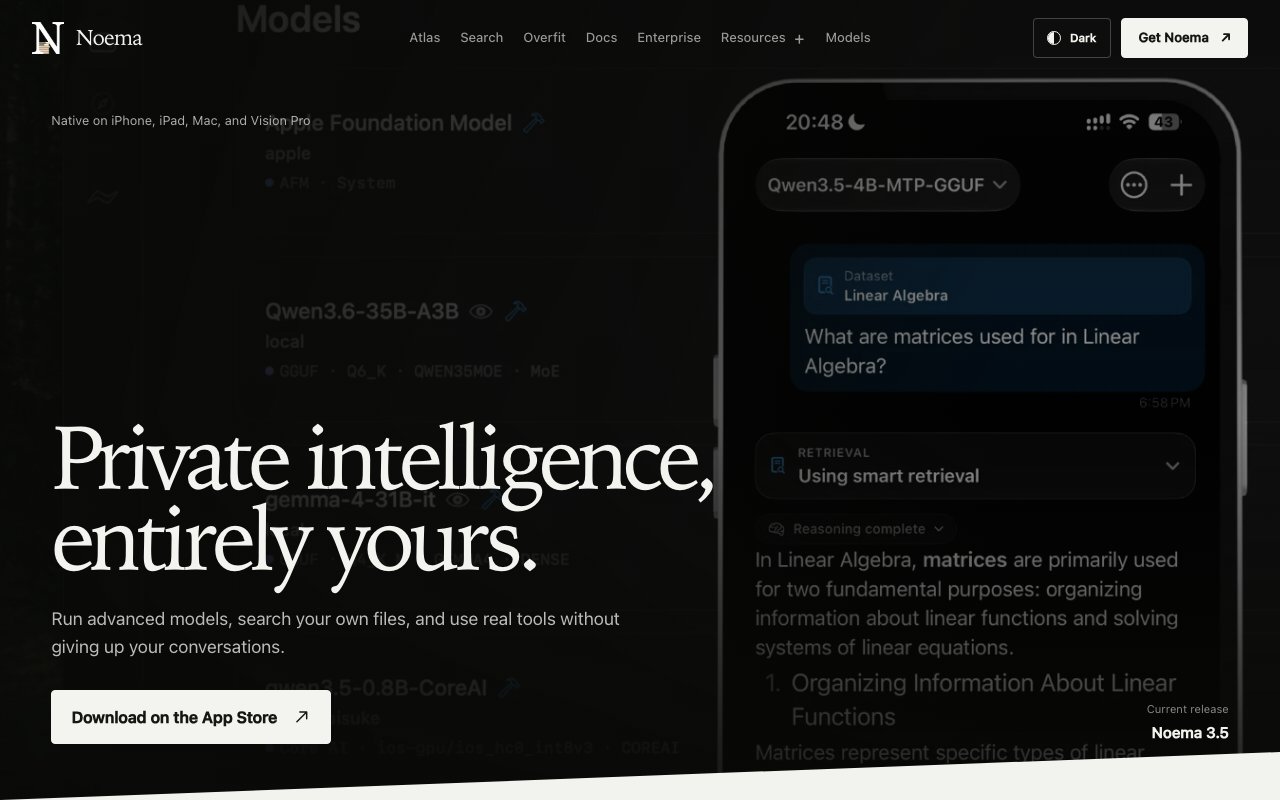
Noema is a local first AI assistant built exclusively for Apple devices that runs language models entirely on device without sending data to external servers. The application supports iPhone, iPad, Mac, and Vision Pro, making it one of the few AI assistants that works across Apple's entire ecosystem while maintaining complete privacy. Unlike cloud based alternatives that process queries on remote servers and retain conversation data in their systems, Noema executes inference locally using the device's own hardware. This architecture means conversations never leave the device, eliminating concerns about data collection, privacy policies, or third party access to sensitive information. Users don't have to trust a company's privacy claims because the data physically never travels to their servers in the first place.
The technical foundation supports multiple model formats through a unified native library designed for Apple hardware. Users can run GGUF, MLX, Core ML, ExecuTorch, and Apple Foundation Models depending on their preferences and hardware capabilities. This flexibility means Noema isn't locked to a single model provider or format the way most AI assistants are tied to their parent company's models. As the local AI ecosystem evolves and new models become available from various sources, users can adopt them without waiting for the app to add explicit support. The platform recently released its own two billion parameter model called Noema 2B, engineered for token efficient reasoning and based on Qwen3.5 from July 2026. This custom model represents the team's perspective on what works best for on device execution within memory and processing constraints.
The standout feature called Constellation enables users to switch devices mid conversation and borrow processing power from their Mac when they need it. Chats, projects, and tool history synchronize across Apple devices through local network protocols, but model weights stay on the Mac while only requests and replies travel between devices. This hybrid approach lets someone start a conversation on their iPhone during a commute, continue it on their iPad while reading documents, and tap into their Mac's more powerful hardware for complex reasoning tasks that would strain mobile processors. The synchronization happens locally rather than through cloud infrastructure, preserving the privacy first architecture while enabling cross device workflows that would otherwise require cloud connectivity.
Beyond basic chat functionality, Noema includes on device file retrieval for PDFs and datasets, private web search capabilities that don't log queries, study tools for learning and retention, and MCP tool integration for extending the assistant's capabilities with external services when users choose to do so. The privacy controls are visibly surfaced in the interface rather than buried in settings menus, and an Off grid Mode blocks all external HTTP and HTTPS connections entirely for maximum isolation. Users can verify that their device isn't communicating with external servers rather than trusting a company's privacy policy claims. This transparency appeals to professionals handling sensitive information, researchers working with confidential data, and privacy conscious individuals who want AI assistance without surveillance or data harvesting.
The business model operates without subscriptions or ongoing cloud costs that accumulate over time. Users purchase the app through the Apple App Store as a one time transaction, then run it indefinitely using their own devices' computational resources without further payment. There are no token limits, usage caps, or premium tiers that unlock additional features behind paywalls. The ongoing cost is zero once purchased, making it economical for heavy users who would otherwise accumulate significant API fees from cloud services charging per token or per request. The tradeoff is that performance depends on device hardware rather than scaled cloud infrastructure, which means responses may be slower than cloud services on older devices but faster on capable Apple Silicon machines.
Noema addresses a specific gap in the AI assistant market between powerful cloud services that raise privacy concerns and basic on device features that lack sophistication. For users within the Apple ecosystem who prioritize data privacy due to professional requirements, personal preference, or regulatory compliance, the ability to run capable models locally without compromising on features represents a meaningful advancement over choosing between capable but invasive or private but limited options. The cross device synchronization through Constellation extends this capability across contexts without requiring users to choose between portability and processing power. Professionals in fields like law, medicine, finance, and journalism where confidentiality matters find particular value in an AI assistant that provably never transmits their queries or documents to third parties regardless of what any privacy policy might claim.
Key Features
- On device inference with no cloud dependency
- Support for GGUF MLX Core ML and ExecuTorch models
- Local PDF reading and file retrieval
- Off grid mode blocking all network connections
- Noema 2B model tuned for reasoning and math
- Remote endpoint support for LM Studio and Ollama
Pros & Cons
What we like
- Runs entirely on device so conversations never leave your hardware
- Supports multiple model formats including Apple Foundation Models
- Free with no subscription or cloud costs
- Works across iPhone iPad Mac and Vision Pro
Room for improvement
- Apple ecosystem only, no Android or Windows version
- Local model performance depends on device hardware
- Smaller models may be less capable than cloud alternatives
- Remote features require manual endpoint configuration
Frequently Asked Questions
What is Noema?
Is Noema free?
What AI models does Noema support?
Can Noema work completely offline?
Best For
Featured in
Alternatives to Noema
View all
Our take
Tool Index Editorial · Oct 2026· 4.0/5
Noema runs local AI models across iPhone, iPad, Mac, and Vision Pro, with support for GGUF, MLX, Core ML, ExecuTorch, and Apple's built-in model. We found the runtime guidance, on-device file retrieval, visible permissions, and Off-grid Mode more convincing than a generic privacy claim. Constellation can continue a project on mobile while using a model installed on an awake Mac. The site promises no subscription but doesn't show a purchase price in the captured pages.
Local performance and model quality depend on available memory, quantization, context length, and the age of the device. Cross-device requests still travel over the local network, while web search and MCP tools deliberately open external paths when enabled. It is Apple only, but for users who understand those boundaries, Noema is one of the more complete local model clients we reviewed.
Editorial opinion from the Tool Index team, written from the public product pages. Not a user review.
Reviews (0)
Badge builder
Add Noema to your website
Choose a badge style and size, preview it here, then copy the generated HTML. Badge images are self-contained SVGs and do not require an external script.

<a href="https://toolindex.net/tools/noema?ref=badge" target="_blank" rel="noopener">
  <img src="https://toolindex.net/badge/noema/medium.svg" alt="Noema - Listed on Tool Index" width="180" height="50" />
</a>How to use the badge
- 1. Pick the style, size, and theme that fit your layout.
- 2. Copy the generated HTML from the code block.
- 3. Paste it into your footer, homepage, or press page.
Standard badge available
The standard listing badge is available now. Score and circle badges are limited to tools currently ranked in the top 10 of a category.
Badge clicks return visitors to this profile with a referral tag so the source remains identifiable.
Related Tools

Apatero AI
The creator studio for AI image, video, audio, 3D, and avatars, now at apatero.ai.
Kevin Gabeci Toolkits
Seven AI toolkits for writing books, making music, cutting video, and building agents.

Warp
The modern terminal reimagined with AI and collaboration

Bolt.new
Prompt-to-deployed full-stack app inside the browser
Work on Noema? Request listing access or correction