Notionlytics
Page-view analytics and reader feedback widgets for public Notion pages
Gallery
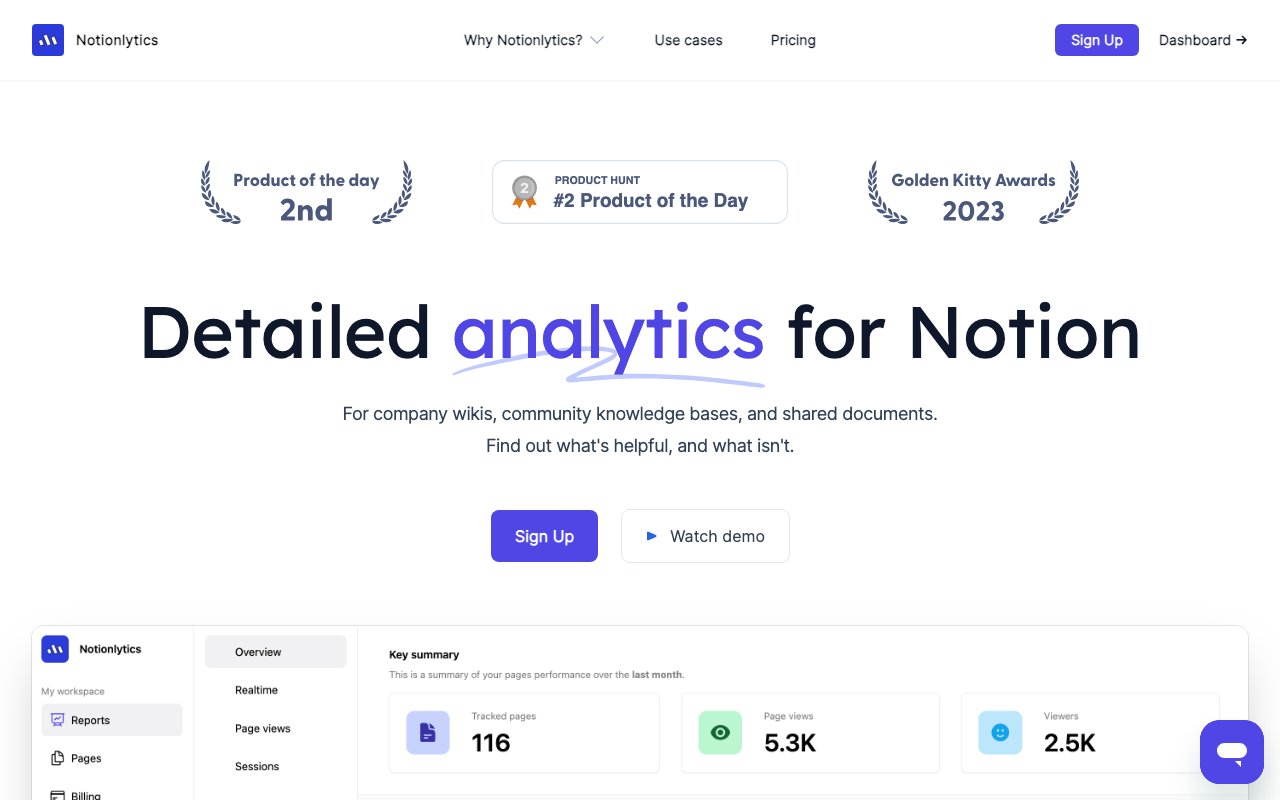
About Notionlytics
Key Features
- Real-time page-view and engagement dashboard for Notion pages
- Embeddable reaction and feedback widgets inside Notion
- Widget customization options
- Watermark removal on paid plans
- Team collaboration with multiple seats
- Content performance tracking across shared pages
Pros & Cons
What we like
- Fills a genuine gap since Notion ships no native analytics
- Feedback widgets add reader input on top of raw view counts
- Tiered plans scale from solo creators to larger teams
- Built by founders who use Notion heavily themselves
Room for improvement
- No free plan, paid from the first dollar
- Only useful for publicly shared Notion pages
- Pro tier caps tracking at 100 pages
- Not affiliated with Notion, so it depends on Notion's sharing behavior staying stable
Frequently Asked Questions
Does Notionlytics have a free plan?
Why do I need Notionlytics when Notion has its own analytics?
Is Notionlytics affiliated with Notion?
Can it track private Notion pages, or only public ones?
How hard is it to set up?
Best For
Featured in
Alternatives to Notionlytics

Plausible
Privacy-friendly Google Analytics alternative

Fathom Analytics
Privacy-first website analytics that show real traffic, sources, and conversions on a single page without cookie banners.

Simple Analytics
Privacy-friendly web analytics with a clean dashboard, event tracking, and a strong stance against personal data collection.

Simple Analytics
Cookieless, GDPR-friendly web analytics that needs no consent banner
Our take
Tool Index Editorial · Jun 2026· 4.2/5
Notionlytics solves a real, specific problem cleanly. Notion gives you zero analytics on published pages, and this fills that hole with a real-time dashboard plus in-page reaction widgets that turn bare view counts into actual reader signal. The no-code embed is genuinely quick, and the customer references, Stanford, Sequoia, Shopify, tell you the use case is broader than indie creators.
The two things to weigh are the absence of a free plan, which means paying before you know it fits, and the hard dependence on Notion's sharing model and continued goodwill as an unaffiliated third party. If you publish public Notion content at any real volume and want to know what's read and what's ignored, $10 a month is easy to justify. If your content lives anywhere other than Notion, this isn't for you.
Editorial opinion from the Tool Index team, written from the public product pages. Not a user review.
Reviews (9)
Two months in, no regrets
Tried Notionlytics on a side project first. Real selling point: feedback widgets add reader input on top of raw view counts. Still recommending it to people in similar setups.
Easy 5 from me
Notionlytics is one of those tools you stop noticing because it just works. What stands out is how built by founders who use Notion heavily themselves. Their take on embeddable reaction and feedback widgets inside Notion is solid. Glad I made the switch.
Pros
- Fills a genuine gap since Notion ships no native analytics
Notionlytics has been a quiet upgrade
Tried half a dozen options before landing on Notionlytics. The thing I keep coming back to: tiered plans scale from solo creators to larger teams. Got real value out of content performance tracking across shared pages.
Pros
- Feedback widgets add reader input on top of raw view counts
- Built by founders who use Notion heavily themselves
- Tiered plans scale from solo creators to larger teams
Recommended without reservation
The pitch for Notionlytics sounded too good to be true. Mostly true. Where it really wins is tiered plans scale from solo creators to larger teams. The widget customization options is more useful than I expected. Mostly using it for writers collecting reader reactions and feedback inside Notion. Still recommending it to people in similar setups.
Pulled its weight from week one
Notionlytics is one of those tools you stop noticing because it just works. Genuine strength: built by founders who use Notion heavily themselves. Embeddable reaction and feedback widgets inside notion works the way you'd hope. Main use case: teams measuring whether internal Notion content gets read. Would buy again without thinking twice.
Pulled its weight from week one
Notionlytics is one of those tools you stop noticing because it just works. Where it really wins is feedback widgets add reader input on top of raw view counts. The widget customization options is more useful than I expected. It fits well for creators publishing public Notion wikis or docs who want view counts. Hard to imagine going back to my previous setup.
It just works
Notionlytics is one of those tools you stop noticing because it just works. What stands out is how built by founders who use Notion heavily themselves. Glad I made the switch.
Pros
- Built by founders who use Notion heavily themselves
Worth the price of admission
Adopted Notionlytics for one project, ended up using it for more. Real selling point: built by founders who use Notion heavily themselves. Worth calling out the team collaboration with multiple seats too. It would be a 5 if not for only useful for publicly shared Notion pages.
Bought it for one feature, stayed for ten
Skeptical at first because Notionlytics looked too simple. It's not. Genuine strength: feedback widgets add reader input on top of raw view counts. Their take on real-time page-view and engagement dashboard for Notion pages is solid. Hard to imagine going back to my previous setup.
Pros
- Fills a genuine gap since Notion ships no native analytics
Badge builder
Add Notionlytics to your website
Choose a badge style and size, preview it here, then copy the generated HTML. Badge images are self-contained SVGs and do not require an external script.

<a href="https://toolindex.net/tools/notionlytics?ref=badge" target="_blank" rel="noopener">
  <img src="https://toolindex.net/badge/notionlytics/medium.svg" alt="Notionlytics - Listed on Tool Index" width="180" height="50" />
</a>How to use the badge
- 1. Pick the style, size, and theme that fit your layout.
- 2. Copy the generated HTML from the code block.
- 3. Paste it into your footer, homepage, or press page.
Score badge available
Notionlytics qualifies for the score and circle badges based on its current top-10 positionin Analytics.
Badge clicks return visitors to this profile with a referral tag so the source remains identifiable.
Related Tools

Sleep Suivour
Track your sleep, improve your rest
Mixpanel
Product analytics tool for tracking user events, funnels, retention, and cohorts to understand how people use your app.
Simple Analytics
Privacy-friendly web analytics with a clean dashboard, event tracking, and a strong stance against personal data collection.

PostHog
All-in-one product analytics, feature flags, and session replay
Work on Notionlytics? Request listing access or correction